Look inside an EtherCAT line
from your Mac.
Plug a cable from your Mac's Ethernet port into the first device and scan. You get every device in cable order with its state and the AL status code that says why it refused OP, its EEPROM, registers, CoE objects and live process data. No master card, no Windows, no TwinCAT licence.
You're on Windows: EtherCAT Explorer runs on macOS only, there is no Windows version yet.
The Problem
EtherCAT tools live on a Windows engineering PC.
The usual way to look at an EtherCAT line is the vendor's engineering software on a Windows laptop with the right driver installed. When you only need to know which device stopped answering, or why a drive will not go to OP, that is a lot to carry to the machine.
Which device is it?
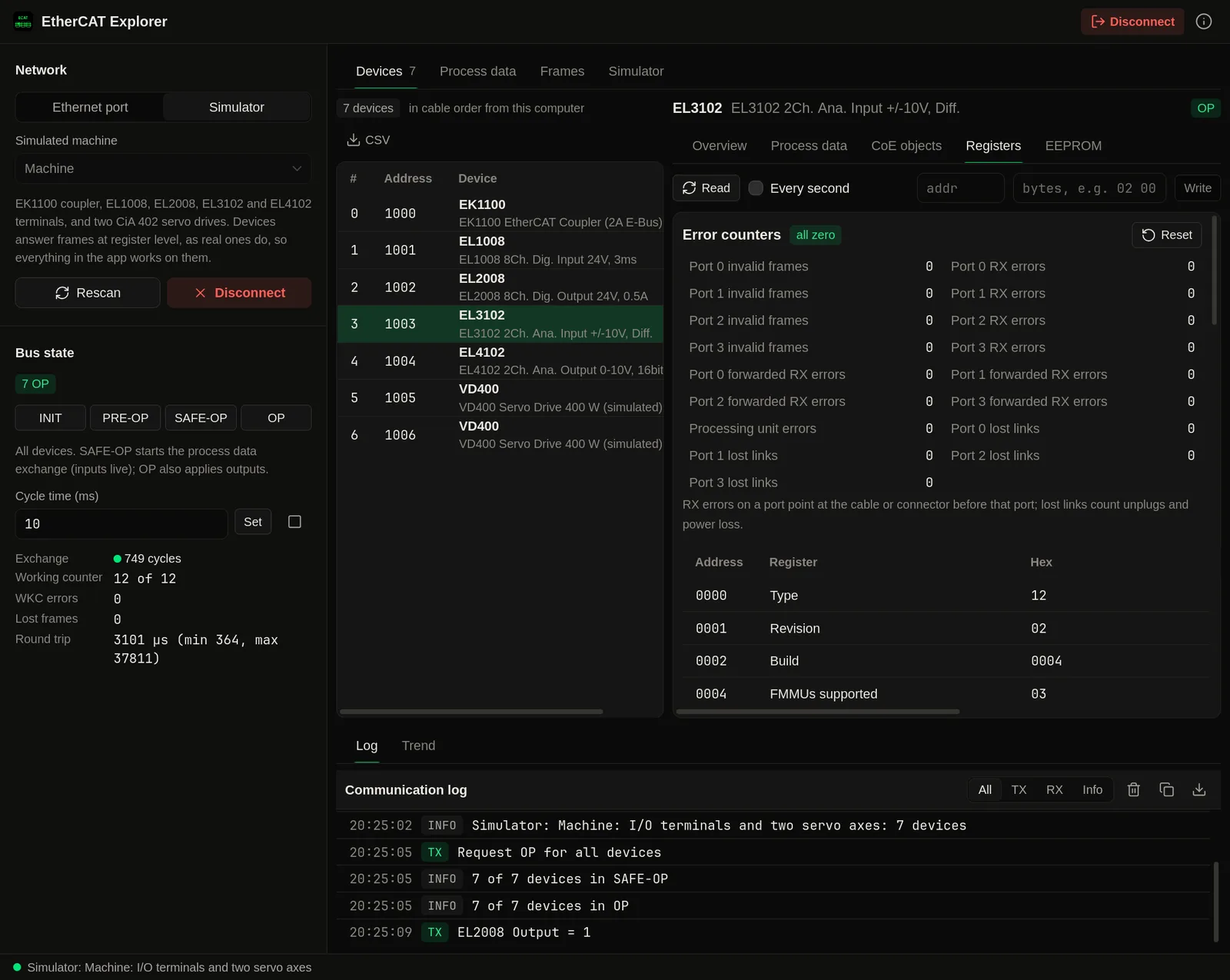
The device list follows the cable. A device that stops answering marks where to look, and its neighbour's port counters show lost links and RX errors.
Why no OP?
A device that refuses a state sets an AL status code. The app shows the code and what it means next to the device.
What is in this drive?
Read the CoE object dictionary with names, the PDO mapping and the EEPROM without the vendor's tool or its ESI file.
Nothing to install
A native Mac app, built in Rust, that uses the Ethernet port you already have. No master card and no driver.
Features
Every device on the line, down to its registers.
Device list
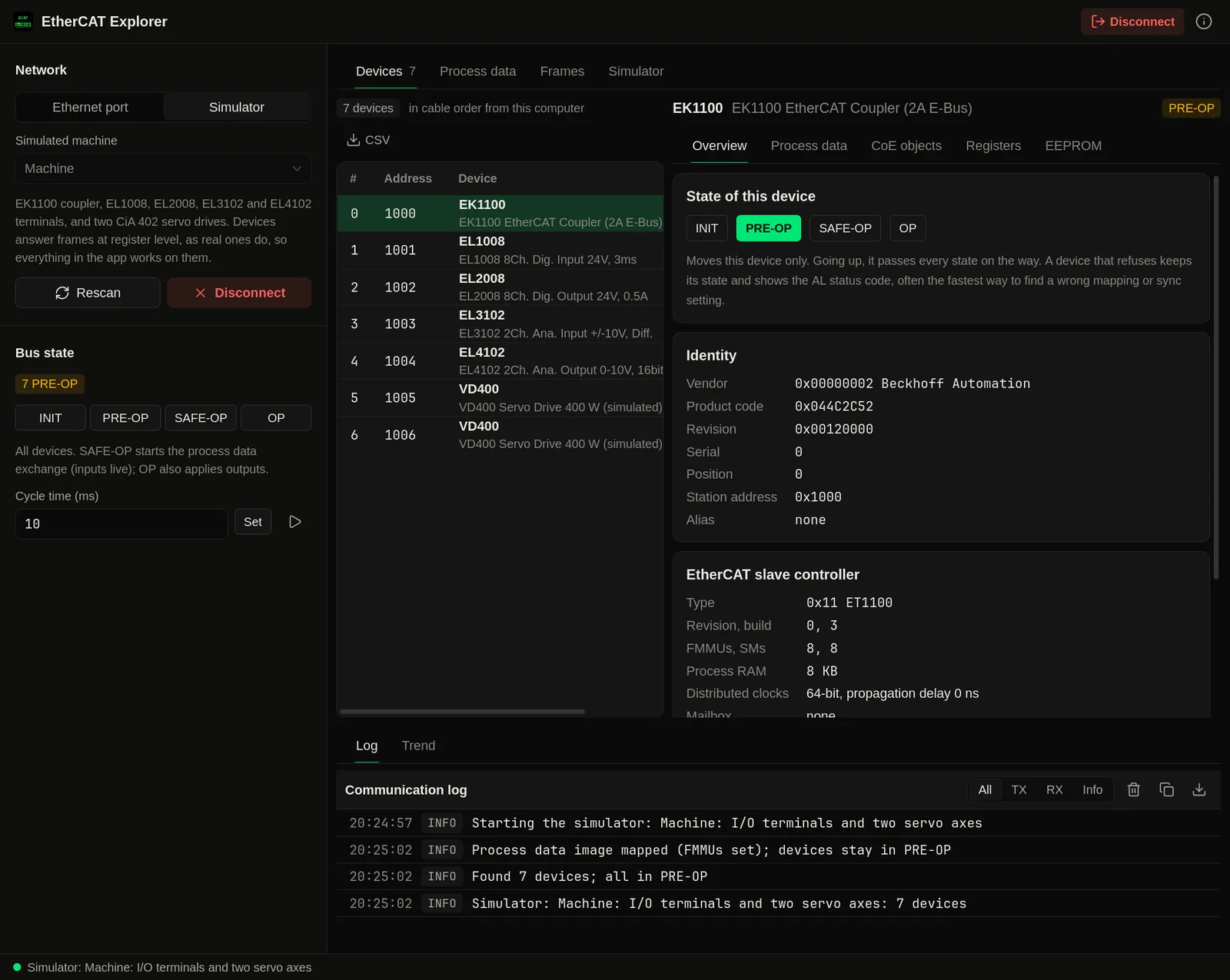
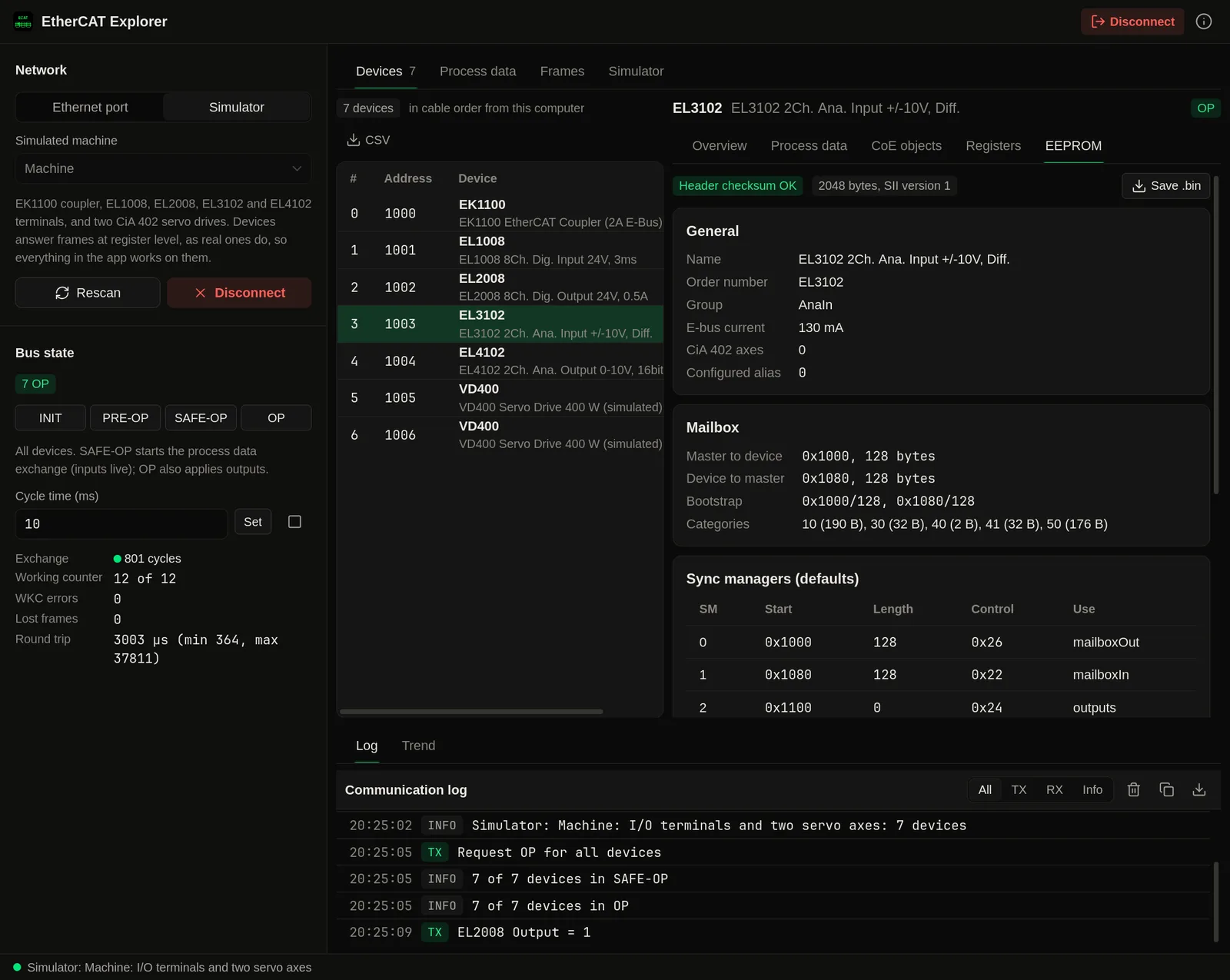
Every device in cable order with vendor, product code, revision and serial, ESC type, ports and link state, distributed clock support and propagation delay, AL state and status code. Export as CSV with Pro.
States
INIT, PRE-OP and SAFE-OP for all devices or one, stepping through each state on the way up. OP, with writes to the outputs, is Pro.
CoE objects
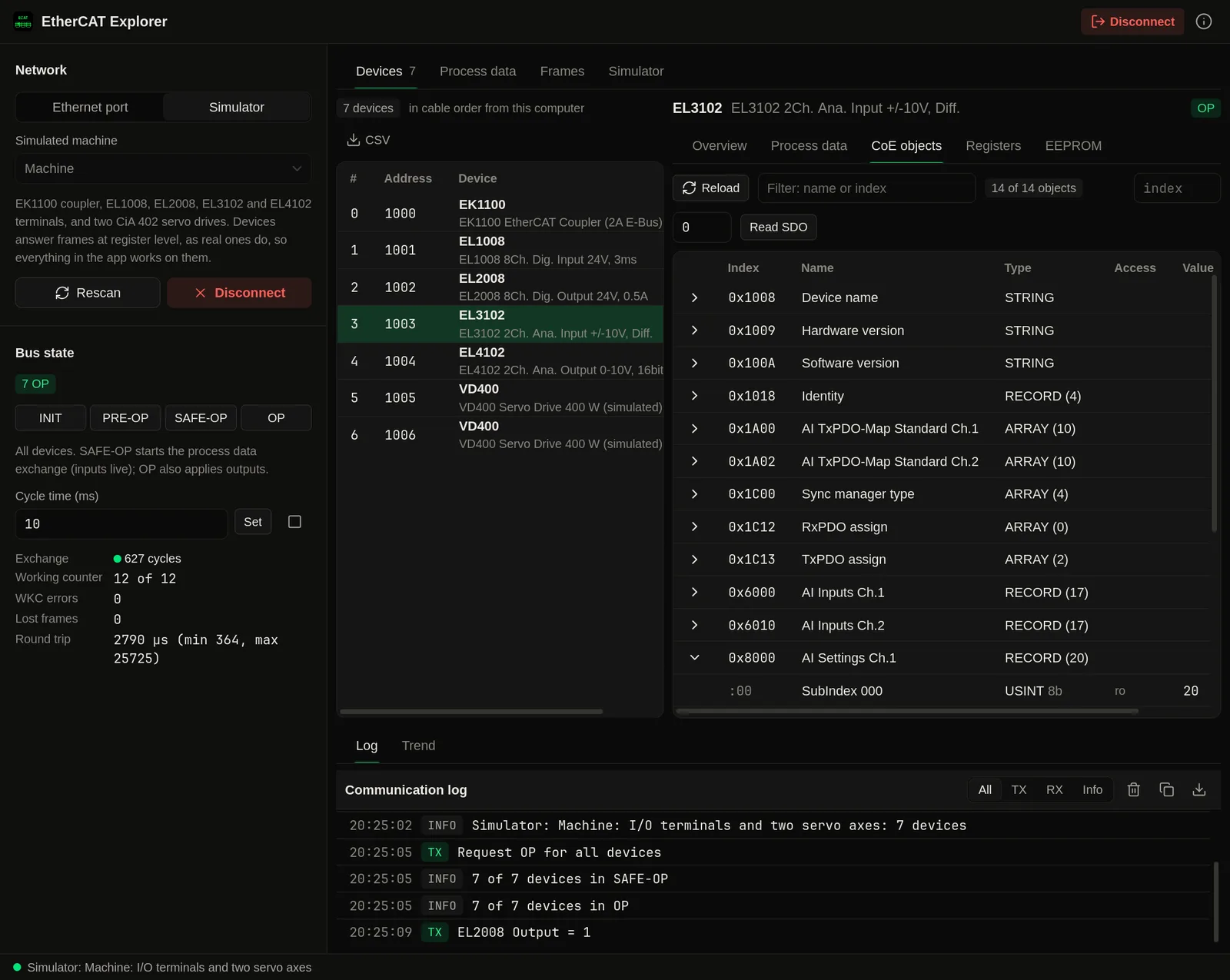
The object dictionary with names from SDO Information, and SDO reads of any entry, including long values. SDO writes are Pro.
Process data
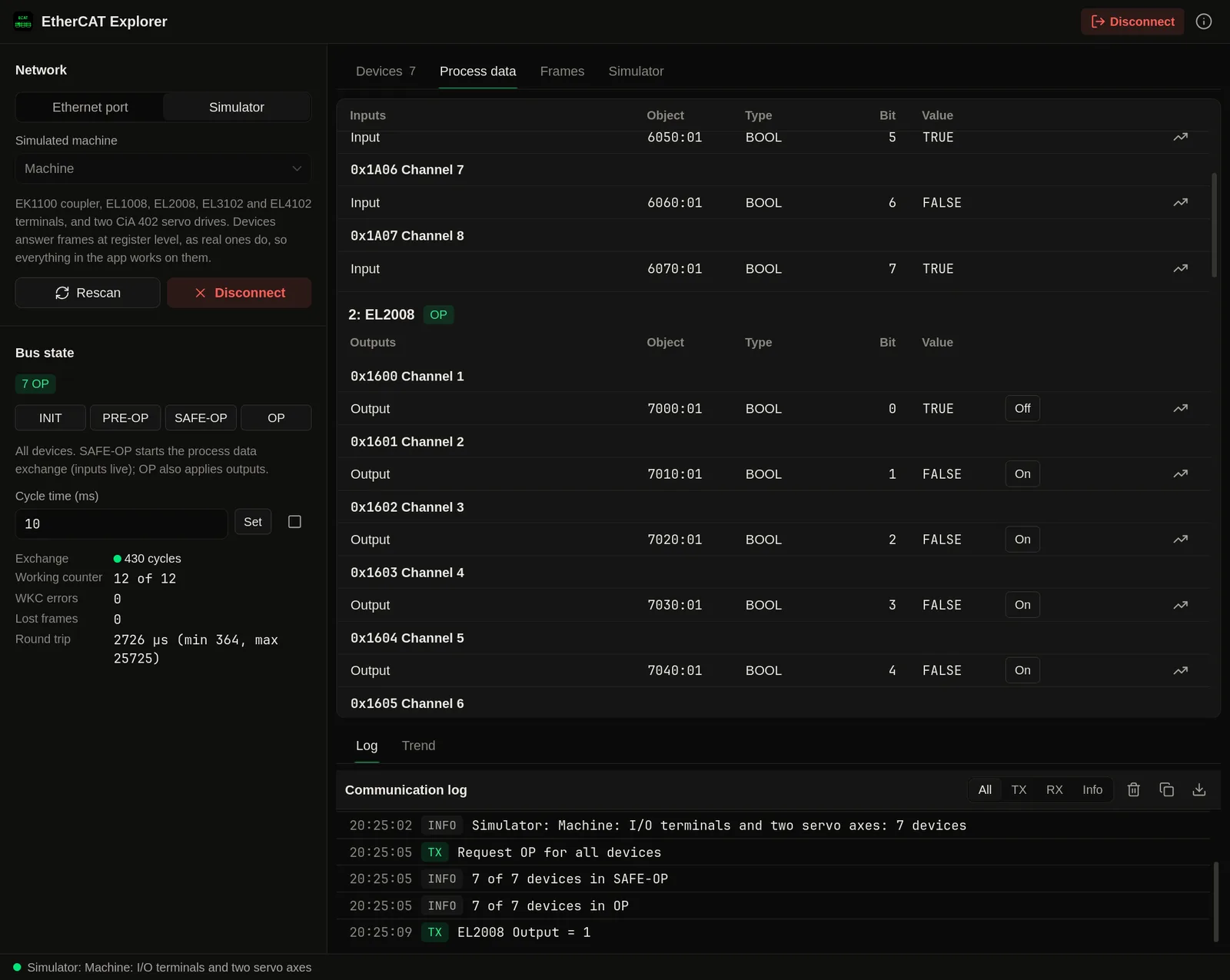
The PDO mapping from CoE or the EEPROM, live values of every entry, the working counter and cycle times, and CiA 402 statusword decoding for drives. Trends are Pro.
Registers and EEPROM
ESC registers with decoded meanings, sync managers, FMMUs, error counters per port, and the SII EEPROM with a checksum check. Register writes, counter resets and EEPROM backup are Pro.
Frame capture
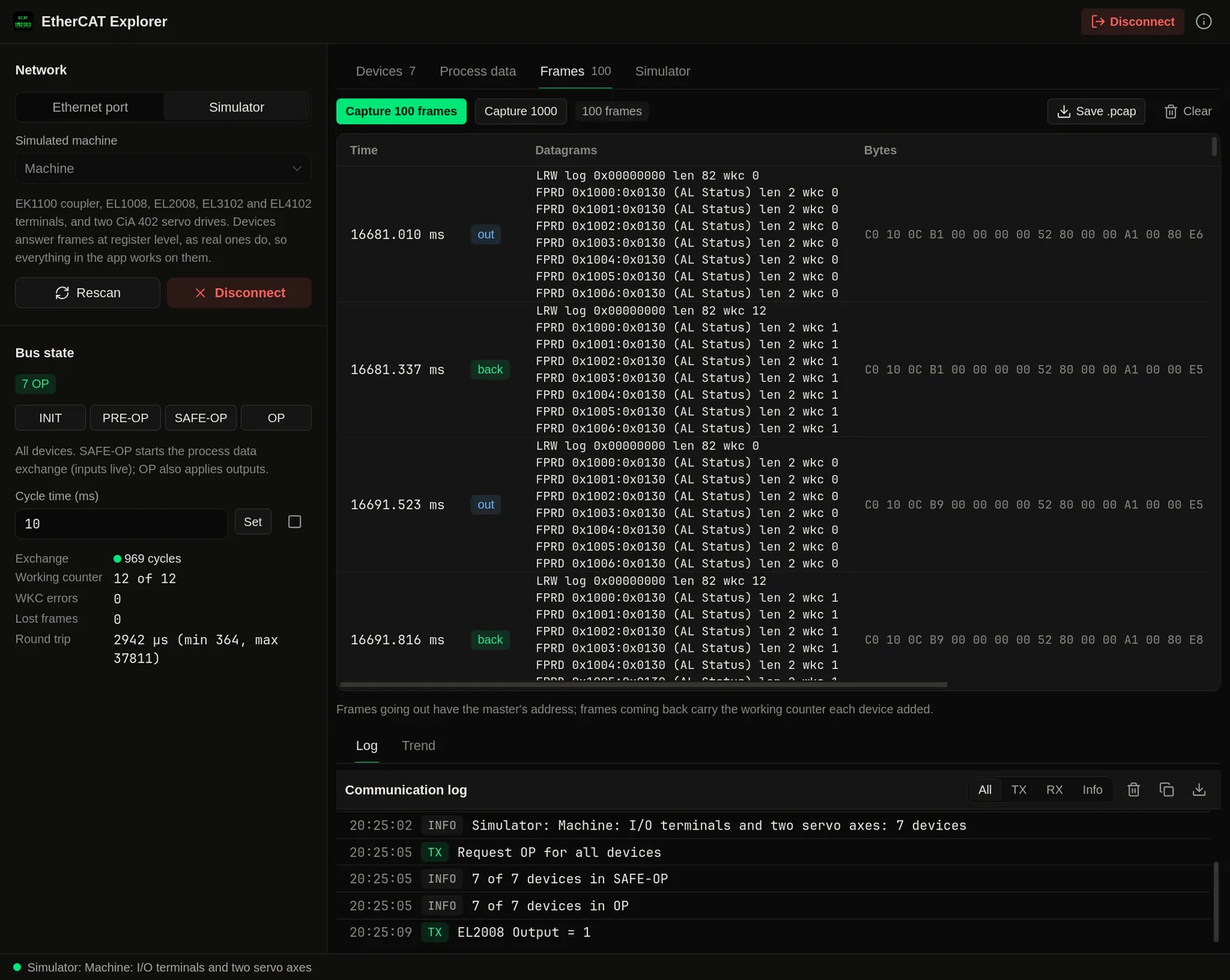
Capture frames with every datagram decoded: command, address, length and working counter. Save them as .pcap for Wireshark with Pro.
Screenshots
See it in action
Connecting
A cable from your Mac to the first device.
EtherCAT runs on plain Ethernet frames, so any wired port works: built in, a Thunderbolt or USB Ethernet adapter, or a dock. Plug into the IN port of the coupler or the first drive and scan. The first time after each restart, macOS asks for an administrator password so the app can send raw Ethernet frames. Sandboxed apps cannot do that, which is why EtherCAT Explorer is a direct download and not on the Mac App Store.
One master per line
When you connect, your Mac becomes the EtherCAT master. Disconnect the PLC or controller and stop the machine first. This version does not configure distributed clock sync, so devices that require it will not reach OP; the app shows their AL status code.
Simulator
A small machine inside the app.
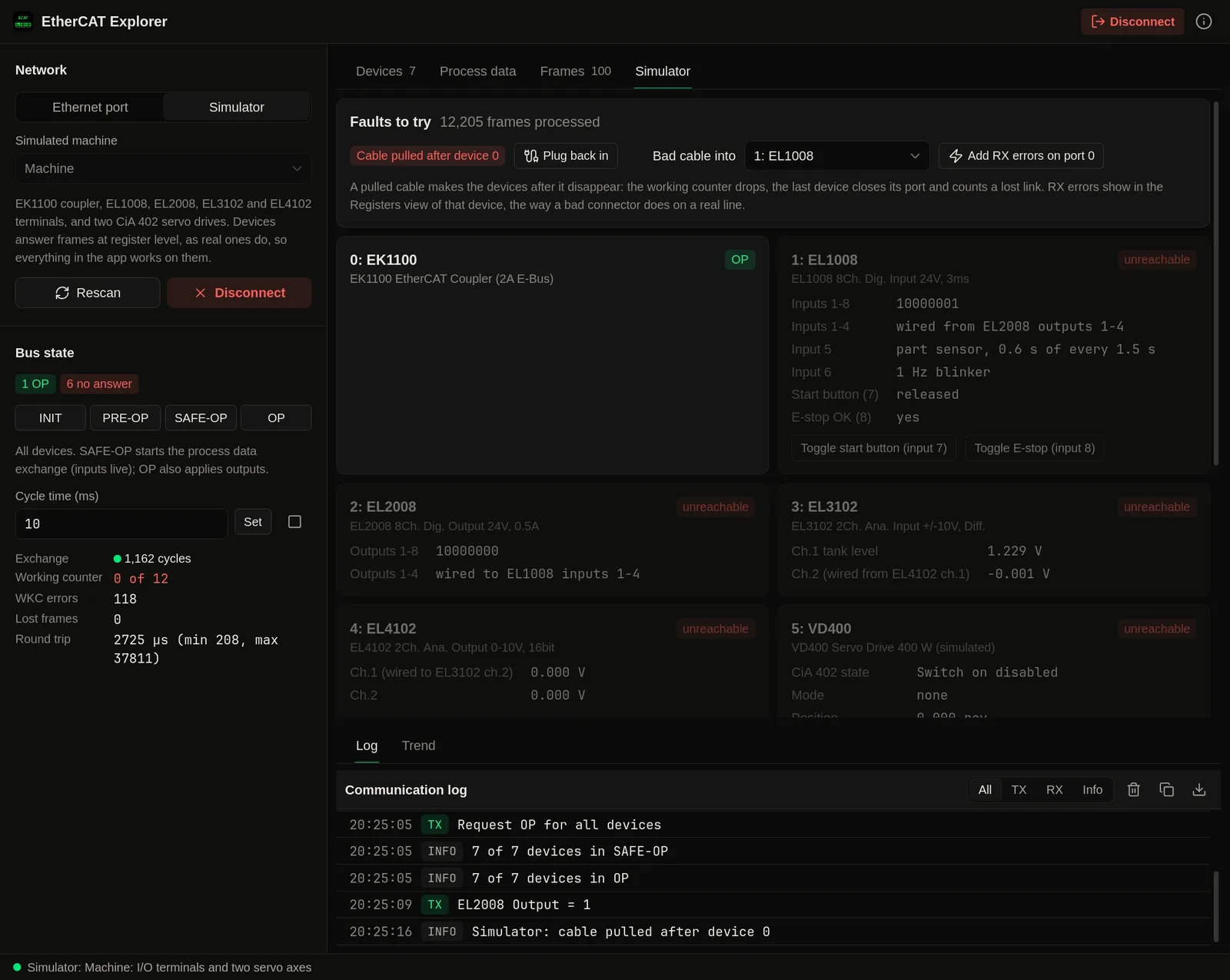
Start the simulator and the app scans an EK1100 coupler with EL1008, EL2008, EL3102 and EL4102 terminals and two CiA 402 servo drives. The simulated devices answer frames at register level: mailboxes, states and AL status codes, the EEPROM and the watchdog behave as on real devices. The EL2008 outputs are wired to the EL1008 inputs, and an EL4102 channel to an EL3102 channel, so what you write comes back as an input. You can pull the cable after any device or add RX errors on a port and watch the working counter and the error counters. Free.
Learn the tool
Try every view, state change and fault before you plug into a real line.
Known identities, made-up drives
The terminals use Beckhoff's published identities and object names. The drives are made up. None of it is a recording of a real machine.
Part of: Field tools · Debug one device from your laptop: protocol apps, terminal database browsers, utilities.
Also in Field tools
-
Voltrus Tools
You want every protocol client and simulator in one Mac app instead of one app per protocol.
-
Voltrus Connect
You want your saved Modbus Poll and BACnet Explorer profiles on every device, or shared with your team.
-
Voltrus Modbus Poll
You need to read or write Modbus TCP/RTU registers, or simulate a slave.
-
Voltrus OPC-UA Explorer
You need to browse and read an OPC-UA server.
-
Voltrus BACnet Explorer
You need to discover BACnet/IP devices and browse their objects.
-
Voltrus S7 Explorer
You need to read or write a Siemens S7-300/400/1200/1500 from your laptop.
FAQ
Common questions
Get it free
EtherCAT, on your Mac.
EtherCAT Explorer is a free download for Mac. The DMG is signed and notarized by Apple, so it opens normally. An optional Pro licence key, $39.99 one-time, unlocks the Pro features below. The source is on GitHub under GPL-3.0.
Optional Pro, $39.99 one-time licence key
- OP state, with writes to output process data
- SDO writes to CoE objects
- ESC register writes and error counter resets
- Live trends of any process data entry
- EEPROM backup to a .bin file
- Captured frames saved as .pcap for Wireshark
- Device list export as CSV
Pro is a one-time purchase on the Voltrus Console. Your key arrives by email and in your console account. No subscription.
Requires macOS 13 Ventura or later, Apple Silicon or Intel, and a wired Ethernet port for a real line. One Pro key activates one Mac and can be moved to another.
EtherCAT® is a registered trademark and patented technology, licensed by Beckhoff Automation GmbH, Germany. EtherCAT Explorer is not affiliated with or endorsed by Beckhoff Automation or the EtherCAT Technology Group.
Also from MacTools