Debug from your Mac. Run the plant on your own server.
Native protocol tools for Mac, free to download or from $14.99 one-time. Self-hosted SCADA with a free open source core, and MES for factories that outgrew spreadsheets.
Not sure which one? Find it by job
| Time | Δ | Dir | FC | Addr | Len | Data |
|---|
| Time | Event | Detail |
|---|---|---|
| --:--:--.--- | connect | 192.168.10.45:502 |
- BLD-01 Blending 1
- 2 FIL-02 Filling 2
- 3 CAP-01 Capping & Labeling
- 4 PCK-02 Packing 2
Checks at finish: Filling line checks
- 1. Fill volume 500 ml (± 3 ml) Critical checked from FIL02.FillVol
- 2. Cap torque within spec Critical
- 3. Label aligned and legible
The answer form opens when you finish the operation.
Run feed
Pauses
No pauses this run.
Totals to record
Planned quantity: 2400
Checks at finish: Filling line checks
- 1. Fill volume 500 ml (± 3 ml) Critical
- 2. Cap torque within spec Critical
- 3. Label aligned and legible
The answer form opens when you finish the operation.
Finishing closes this operation and moves the order to the next one. A failed critical check raises an NCR.
The real app layouts with simulated data. Click around: the controls work.
Every protocol you meet on site.
One native Mac app per protocol: ten free downloads with an optional Pro licence, and four one-time purchases that are also on the Mac App Store.
BACnet Explorer
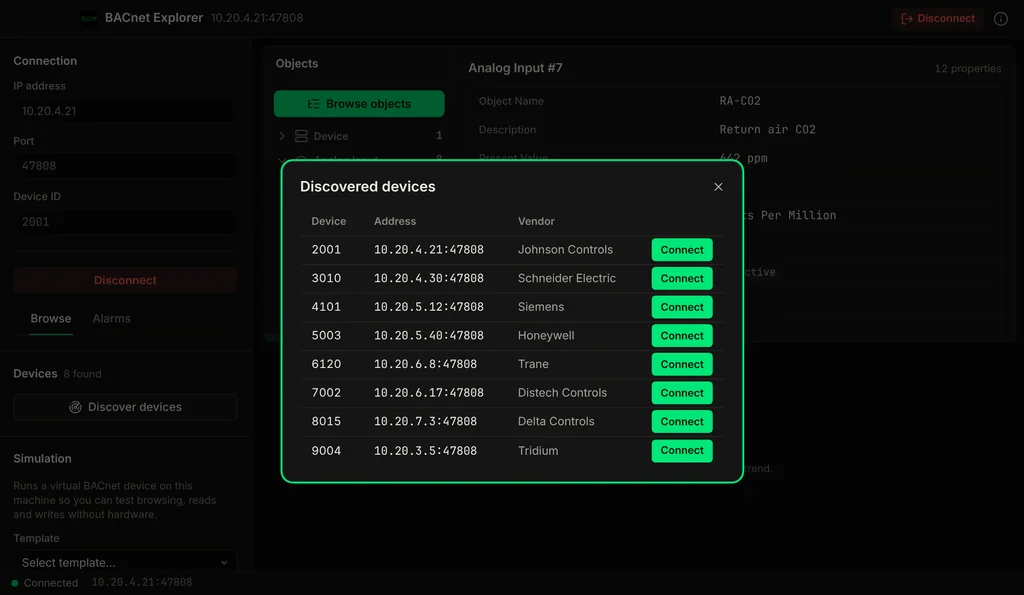
Who-Is finds every device on the subnet. Browse objects, read and write properties.

MQTT Explorer
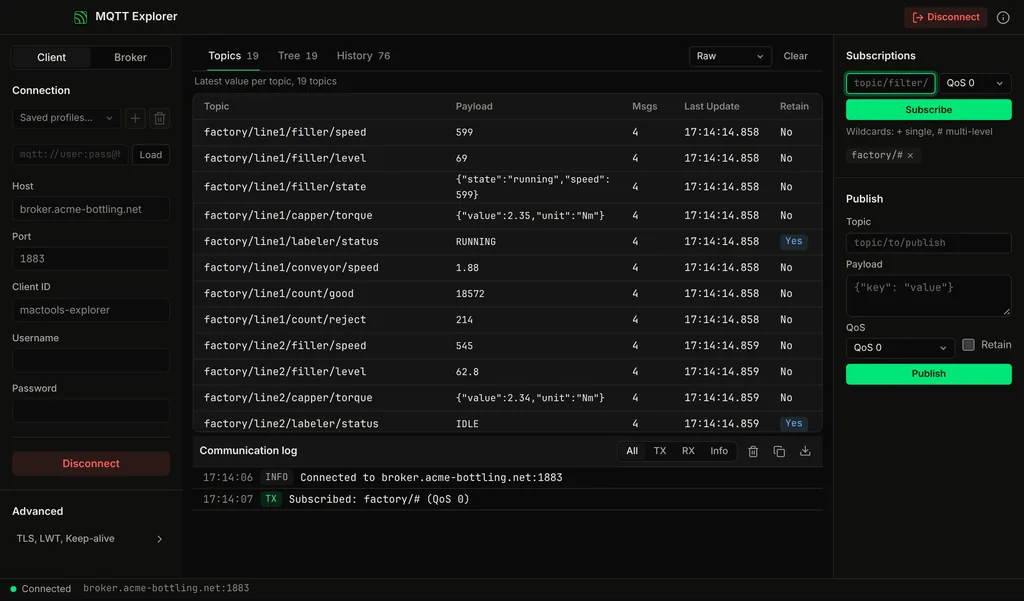
Subscribe and watch every topic with its latest value, with a local broker built in.

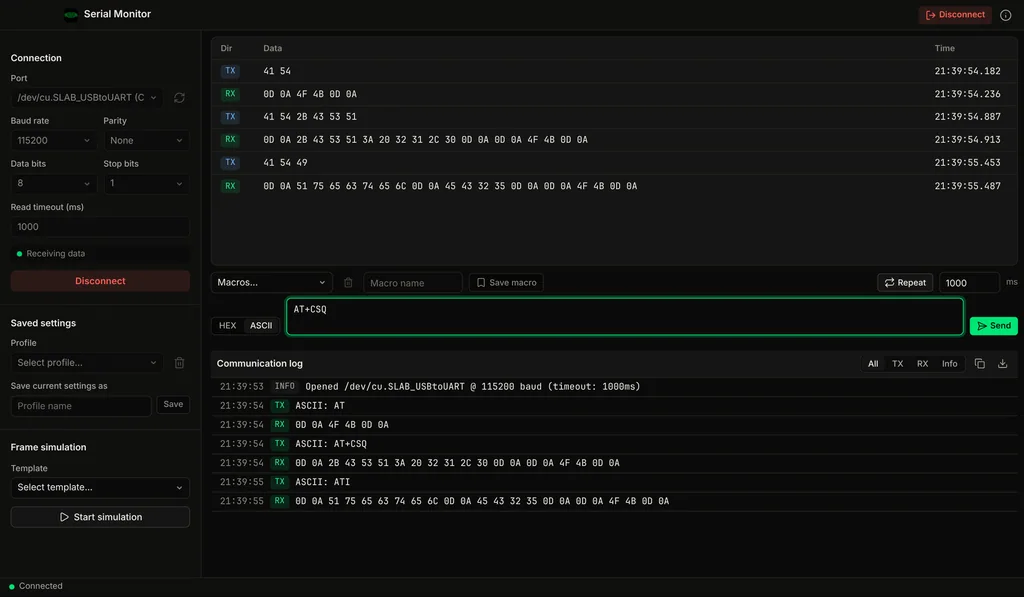
Serial Terminal
RS232 and RS485 bytes, in hex and ASCII side by side.

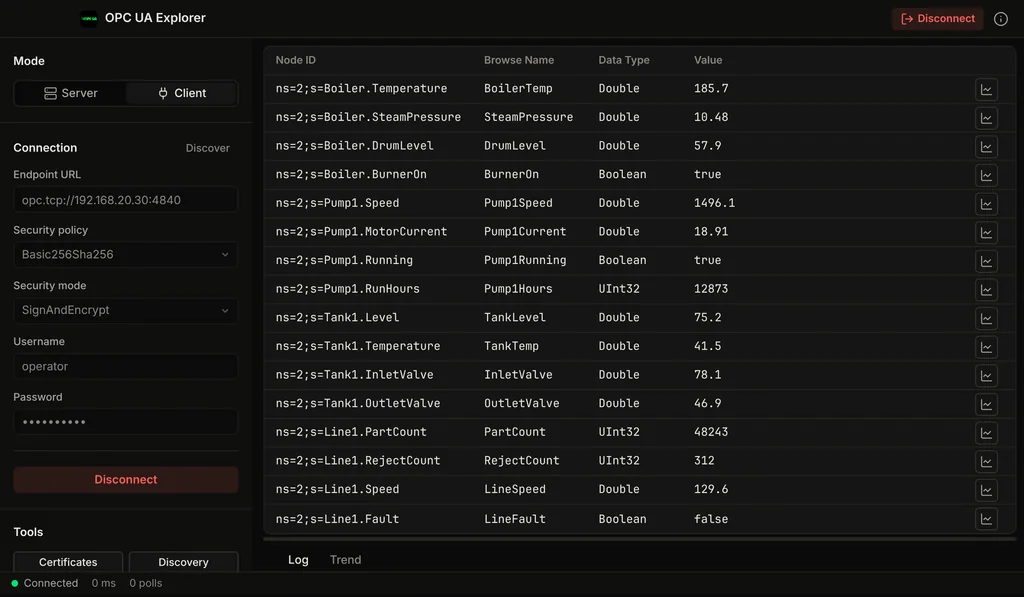
OPC-UA Explorer
Browse the address space and monitor nodes live.

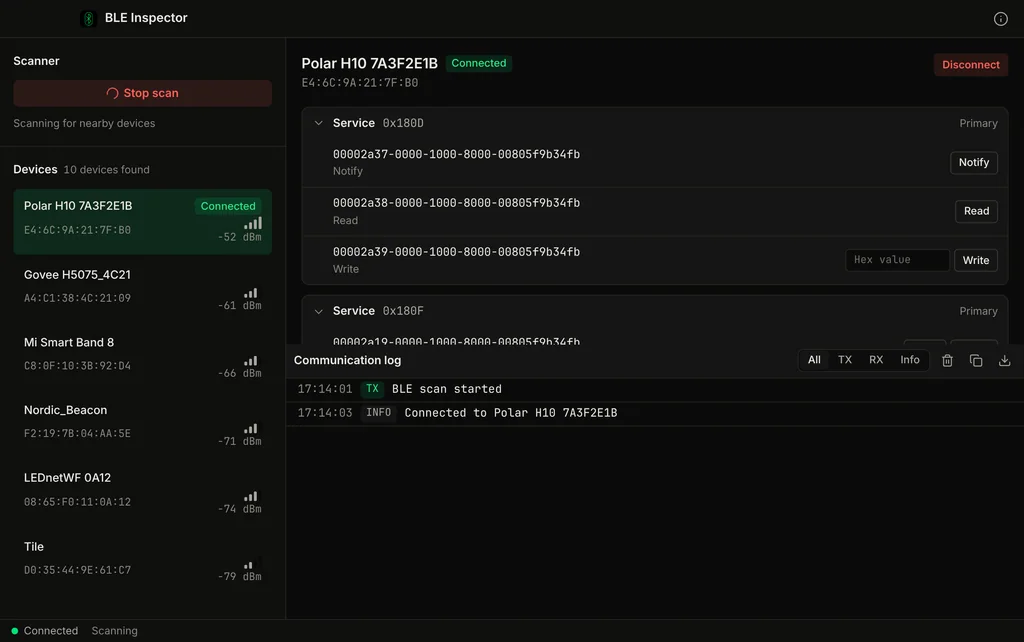
BLE Inspector
Scan nearby Bluetooth LE devices and read their GATT services.
-
Modbus PollModbus TCP + RTU master & slave simulator
$19.99 one-time
-
 DNP3 ExplorerDNP3 device browser
$29.99 one-time
-
 EtherNet/IP ExplorerEtherNet/IP CIP browser
$29.99 one-time
-
 S7 ExplorerSiemens S7-1200 / S7-1500 browser
Free · Pro $29.99
-
 NATS ExplorerNATS client + JetStream, KV & Object store browser
Free · Pro $29.99
-
 CNC ExplorerMTConnect agent client and FANUC FOCAS explorer with built-in simulators for macOS. One-time licence key for one Mac, movable. The FANUC path is Beta.
Free · Pro $39.99
-
 SECS/GEM ExplorerHSMS host and GEM equipment simulator for macOS. One-time licence key for one Mac, movable. Beta.
Free · Pro $39.99
-
 CAN ExplorerCAN and CAN FD bus monitor with DBC decoding, J1939, CANopen and OBD-II, and a bus simulator. One-time licence key for one Mac, movable.
Free · Pro $39.99
-
 EtherCAT ExplorerEtherCAT network scanner with EEPROM, register, CoE and process data views
Free · Pro $39.99
-
 MC & FINS ExplorerTest Mitsubishi PLCs over MC protocol (SLMP 3E/4E, binary or ASCII) and Omron PLCs over FINS, with hex frames, decoded end codes and a built-in PLC simulator. One-time licence key for one Mac, movable.
Free · Pro $29.99
The real apps.
Screenshots, one per tool. Scroll sideways, or open a tool to see more.
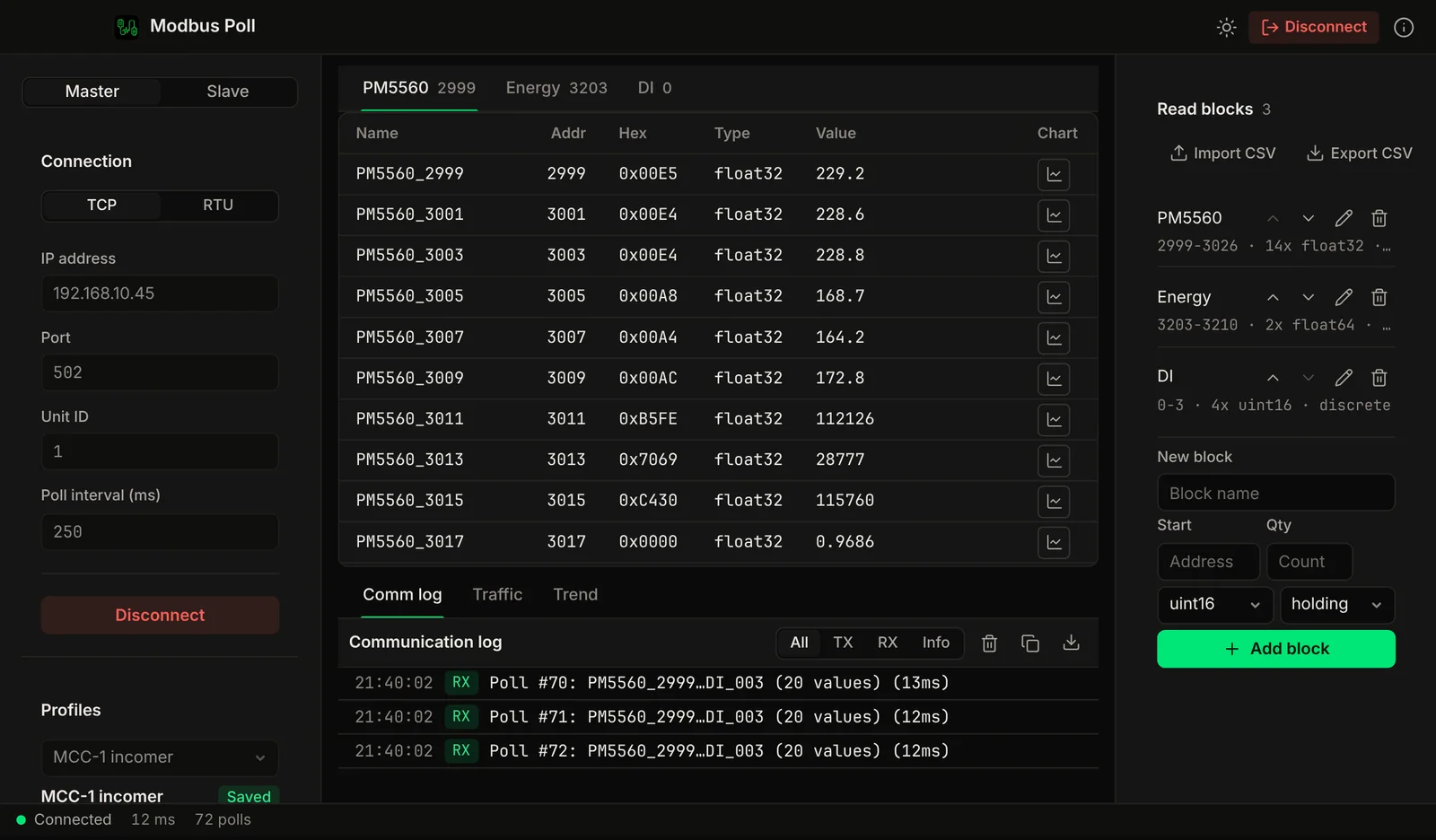 Modbus Poll
Live float32 meter registers polled over Modbus TCP, with a communication log underneath.
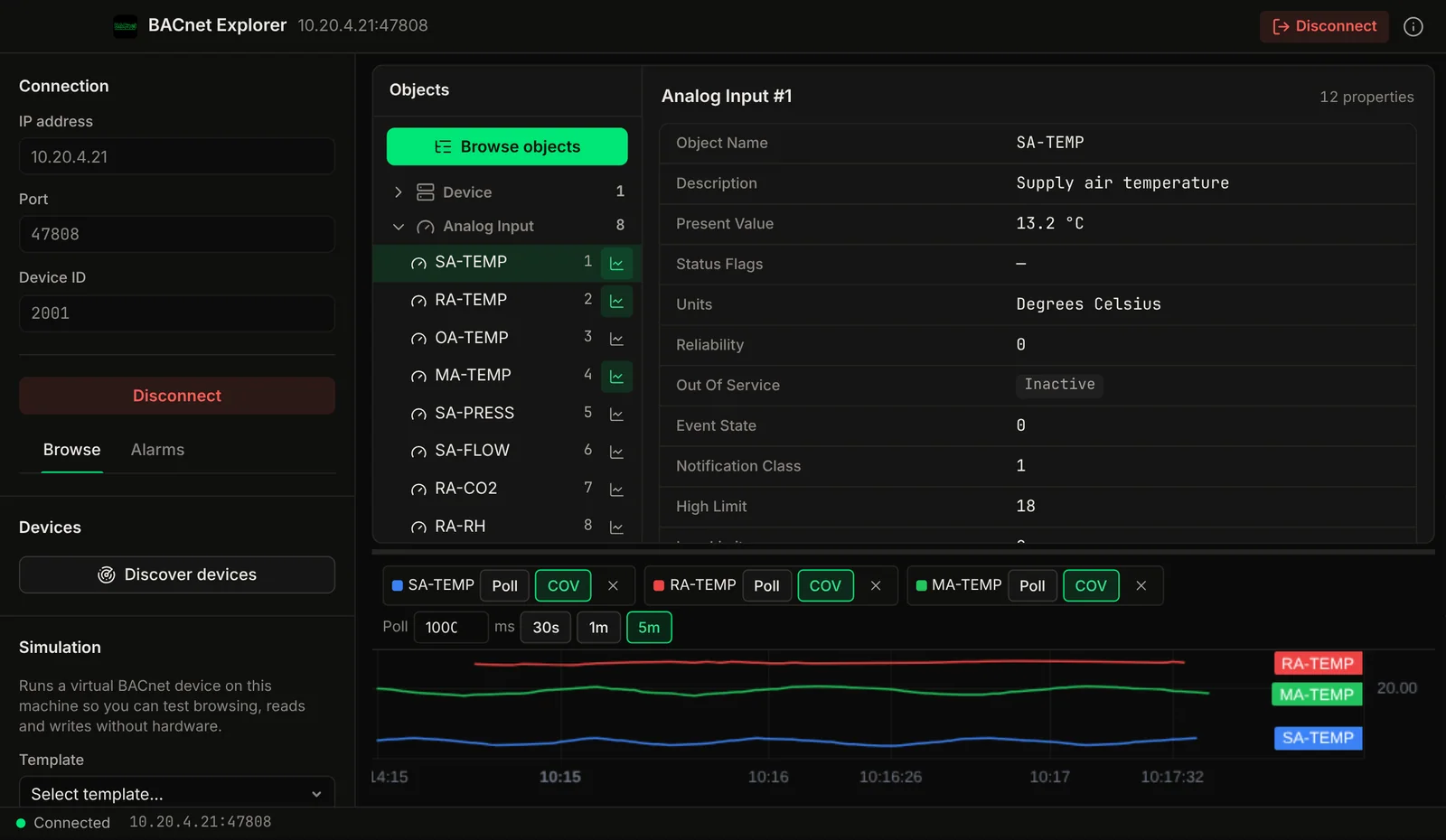 BACnet Explorer
The BACnet object list on the left with the selected analog input's properties and live trend lines below.
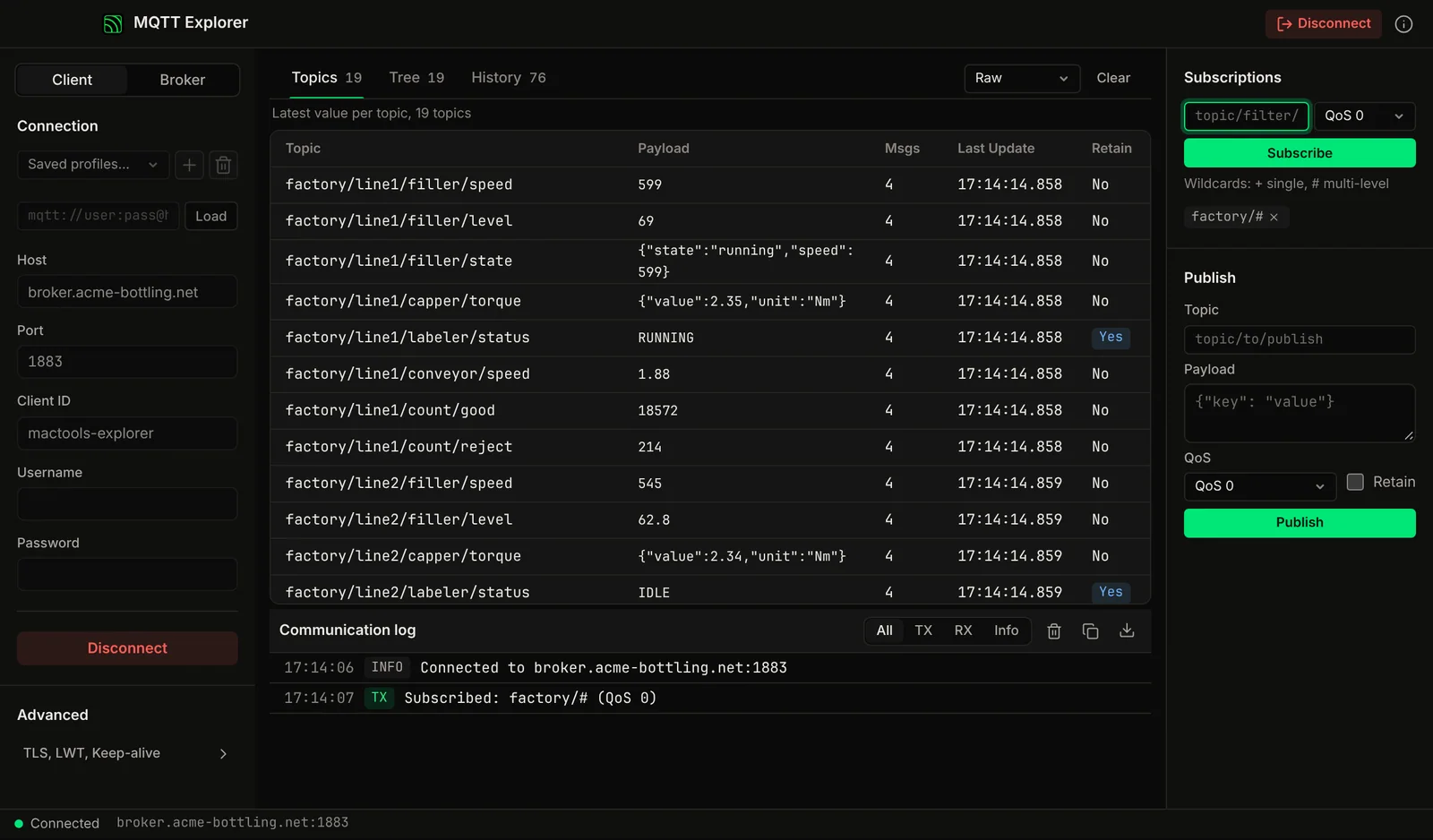 MQTT Explorer
A table of topics with their latest payload, message count and retain flag.
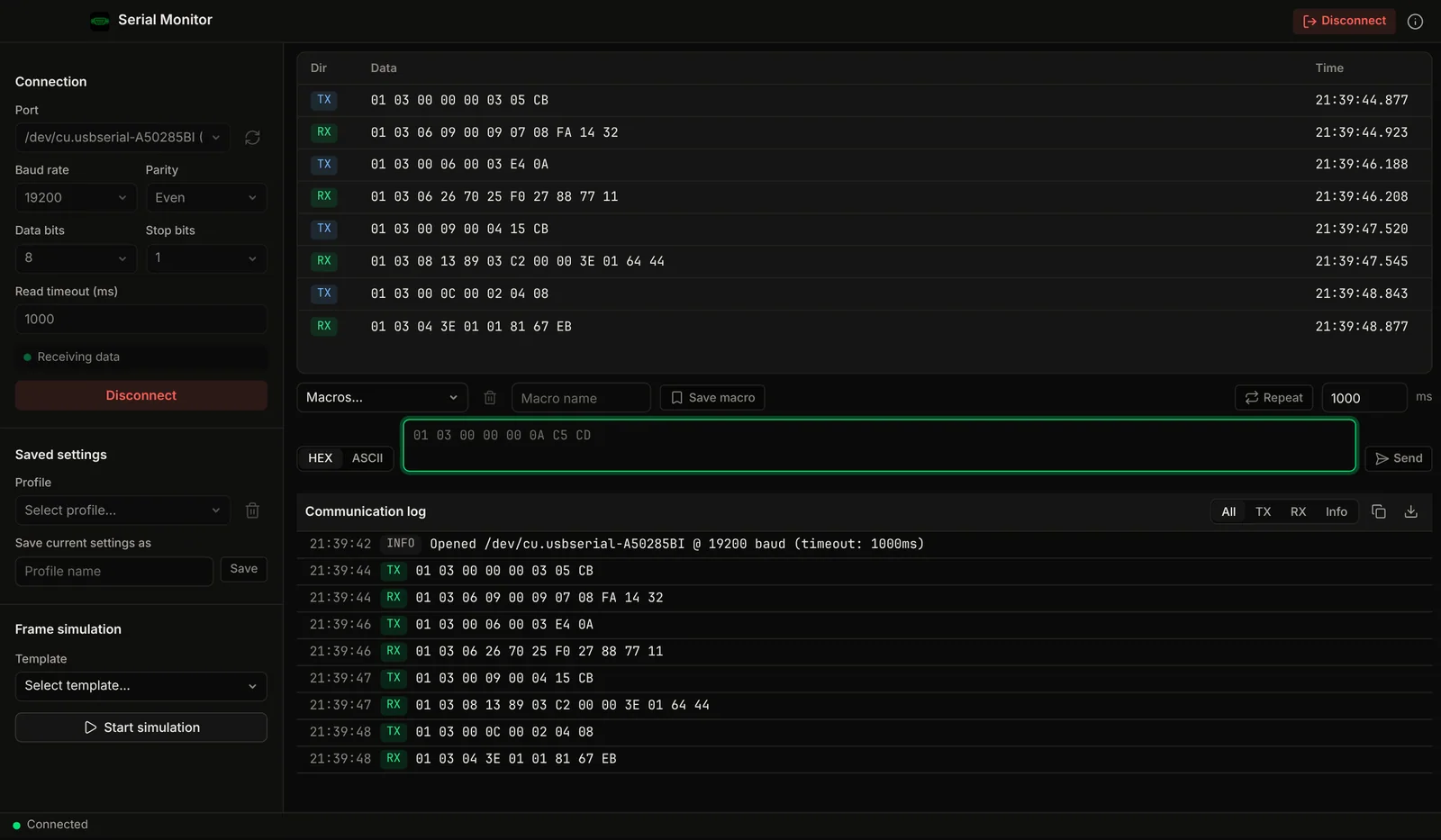 Serial Terminal
Hex bytes sent and received over a serial port, with the connection settings on the left.
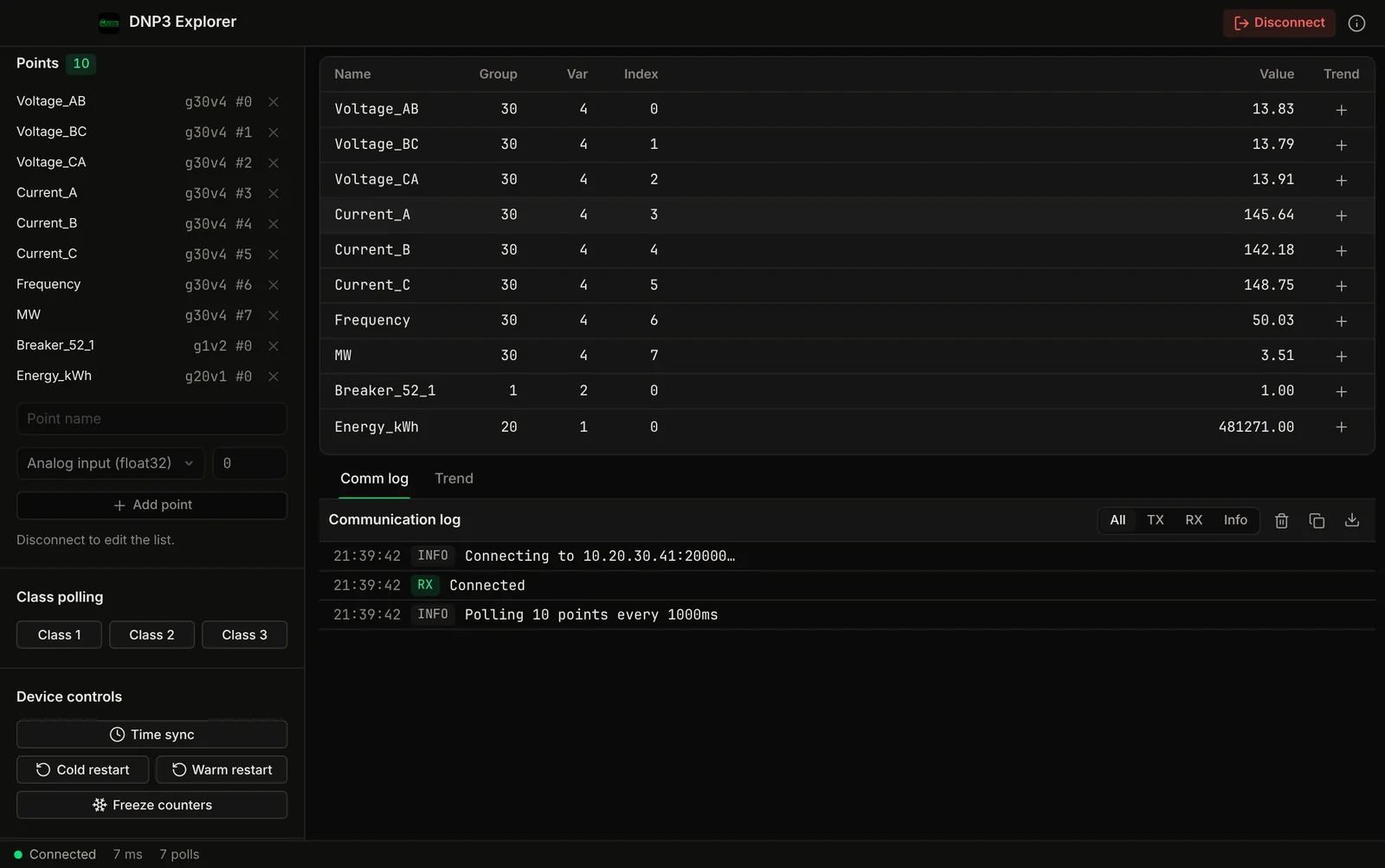 DNP3 Explorer
A point list polled from a DNP3 outstation showing group, variation, index and live values.
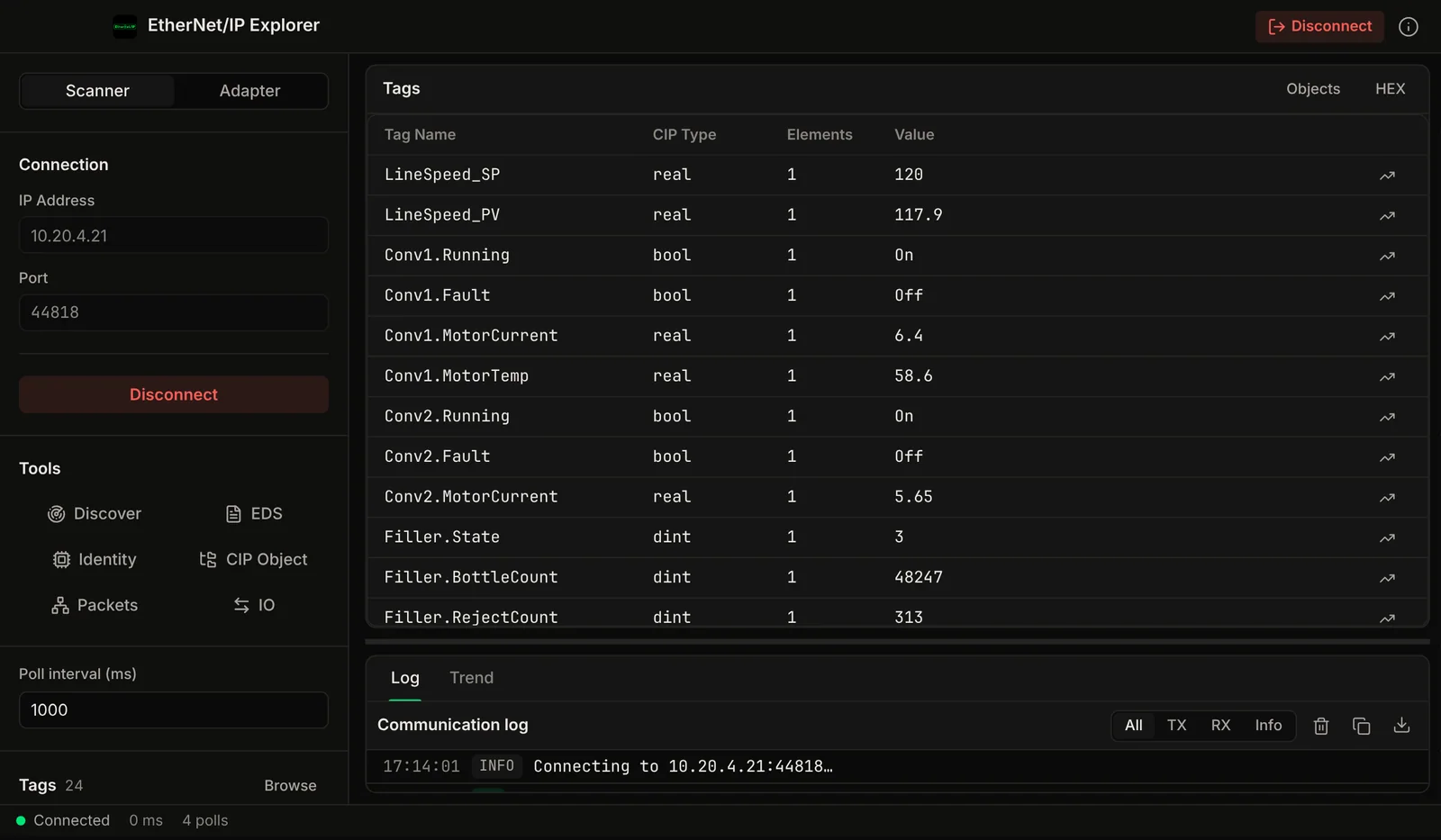 EtherNet/IP Explorer
A Logix controller's tag list with CIP type and live values.
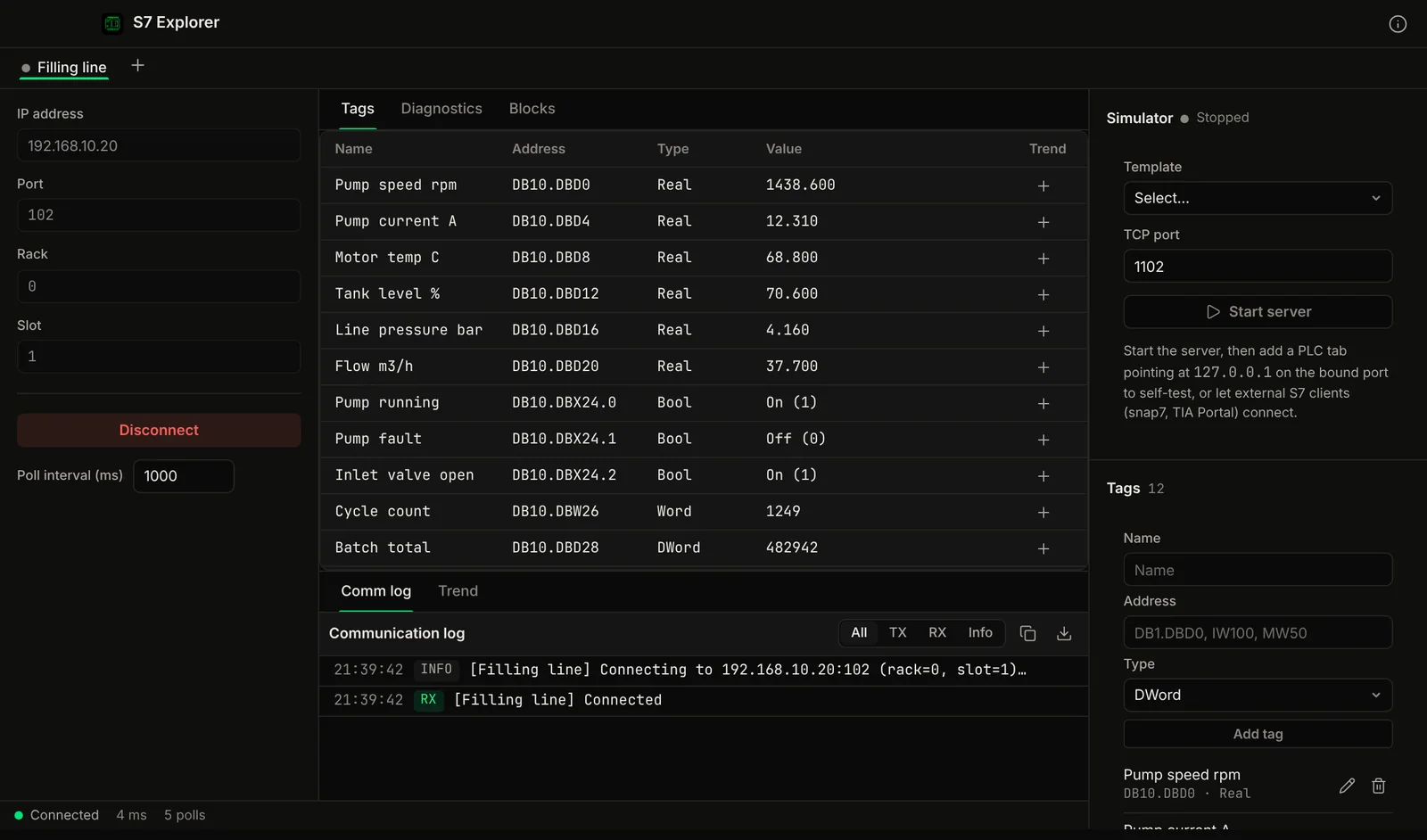 S7 Explorer
A list of S7 PLC addresses read live as Real, Word, DWord or Bool values.
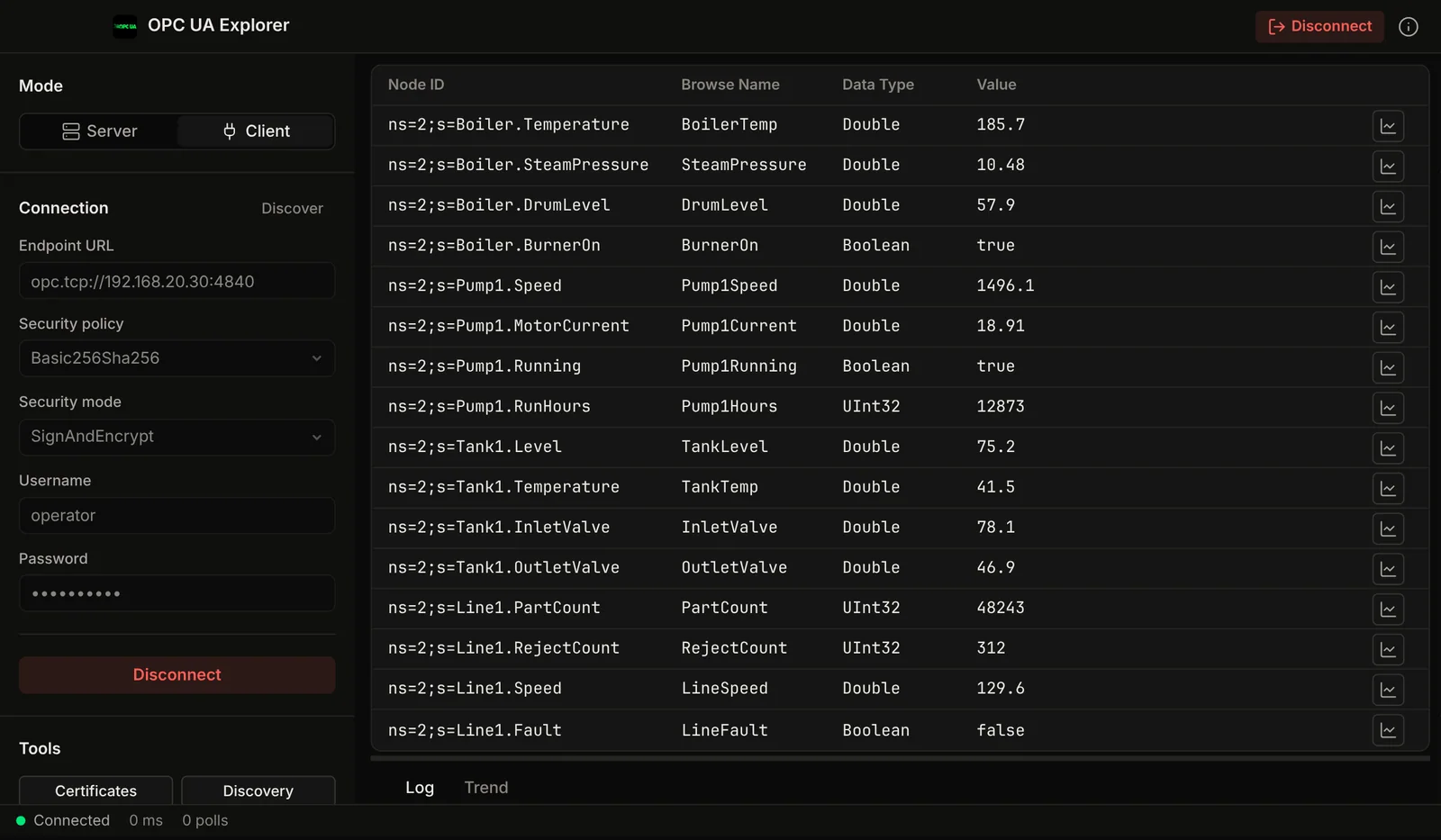 OPC-UA Explorer
Live OPC UA node values with node ID, data type and a chart button on every row.
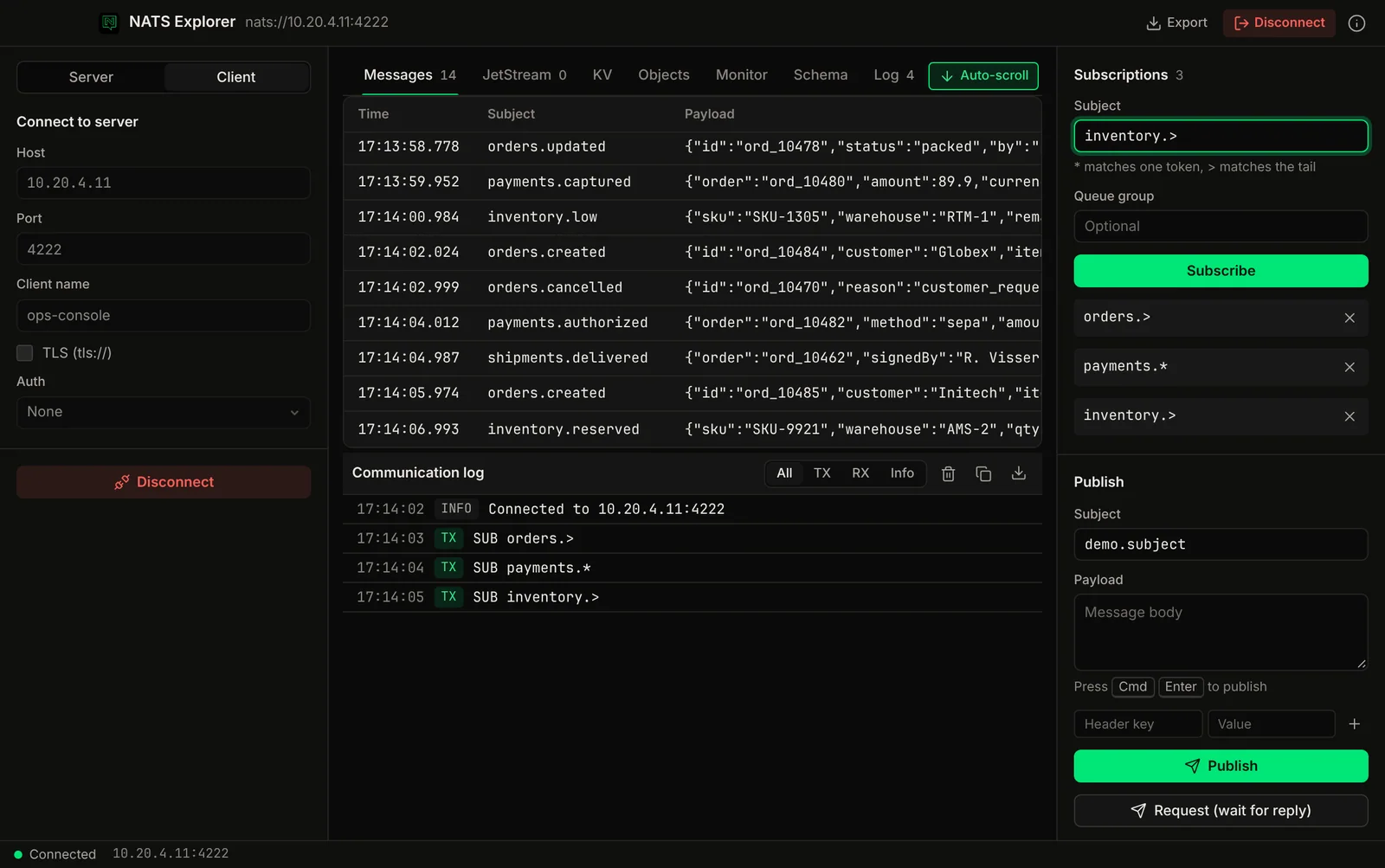 NATS Explorer
Live NATS messages with subject and payload, plus subscriptions and a publish panel.
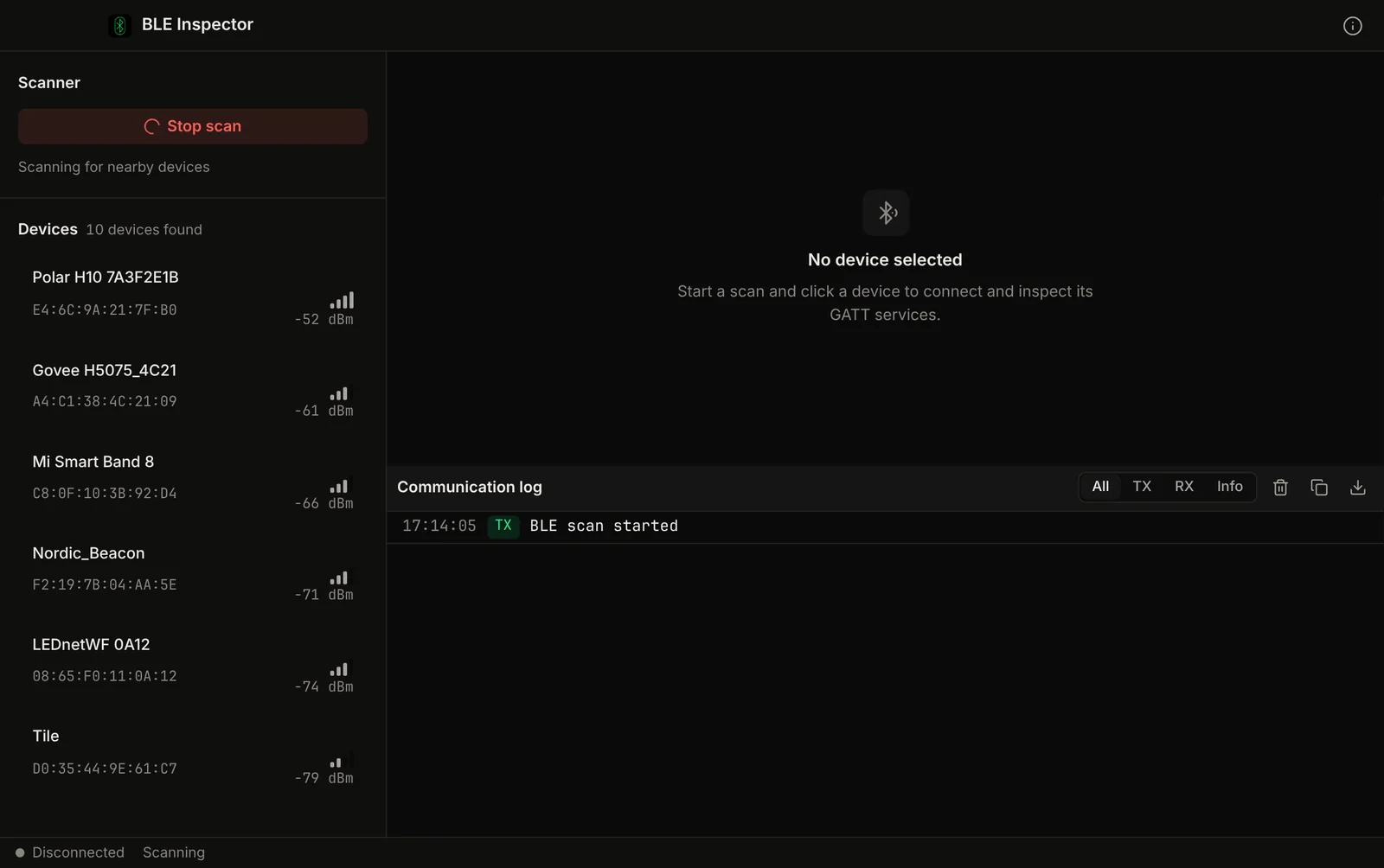 BLE Inspector
A scanner list of nearby Bluetooth devices with signal strength and an empty detail pane.
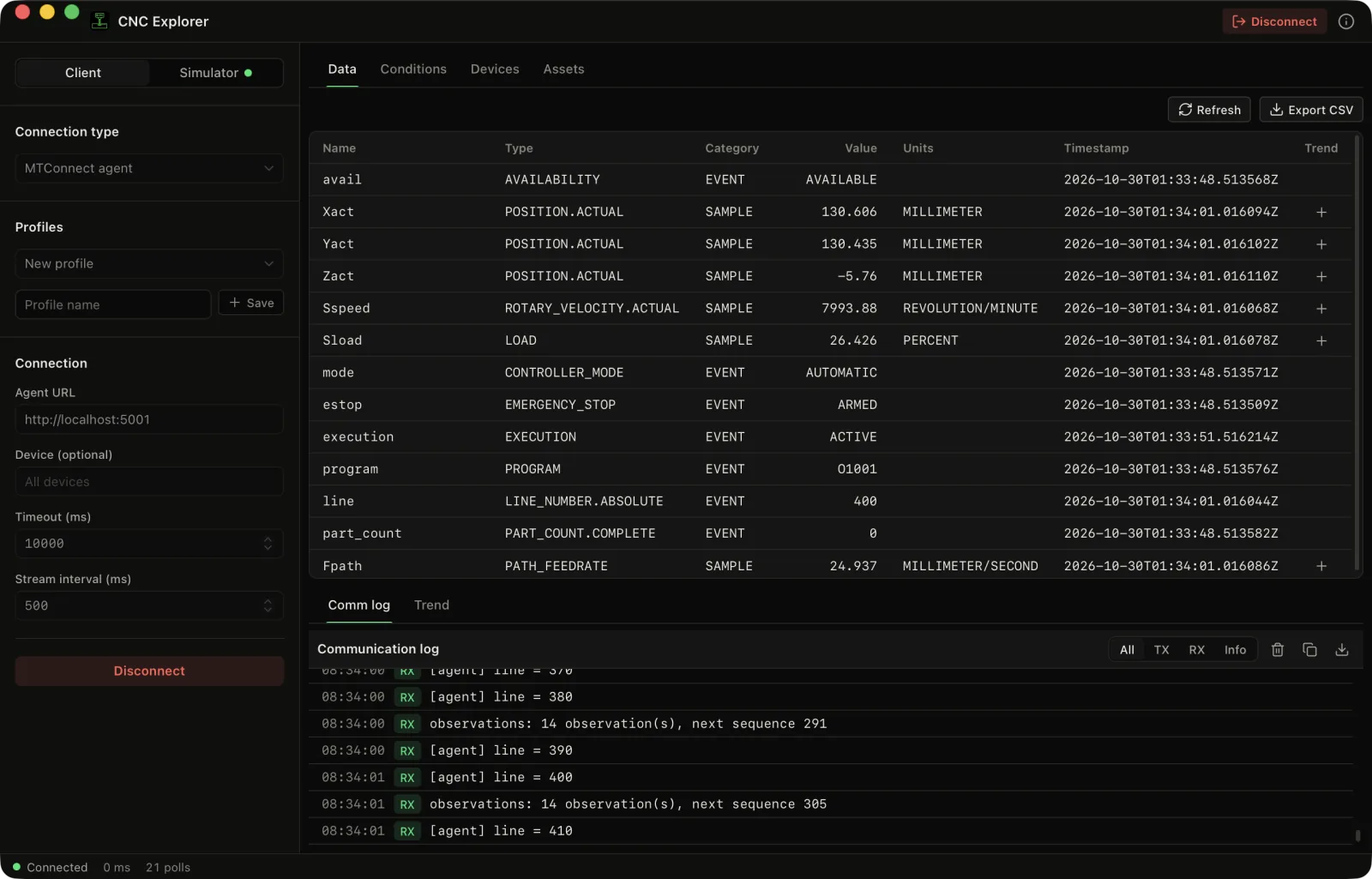 CNC Explorer
Live data from the built-in 3-axis VMC agent: positions, spindle, load and execution state with units and timestamps.
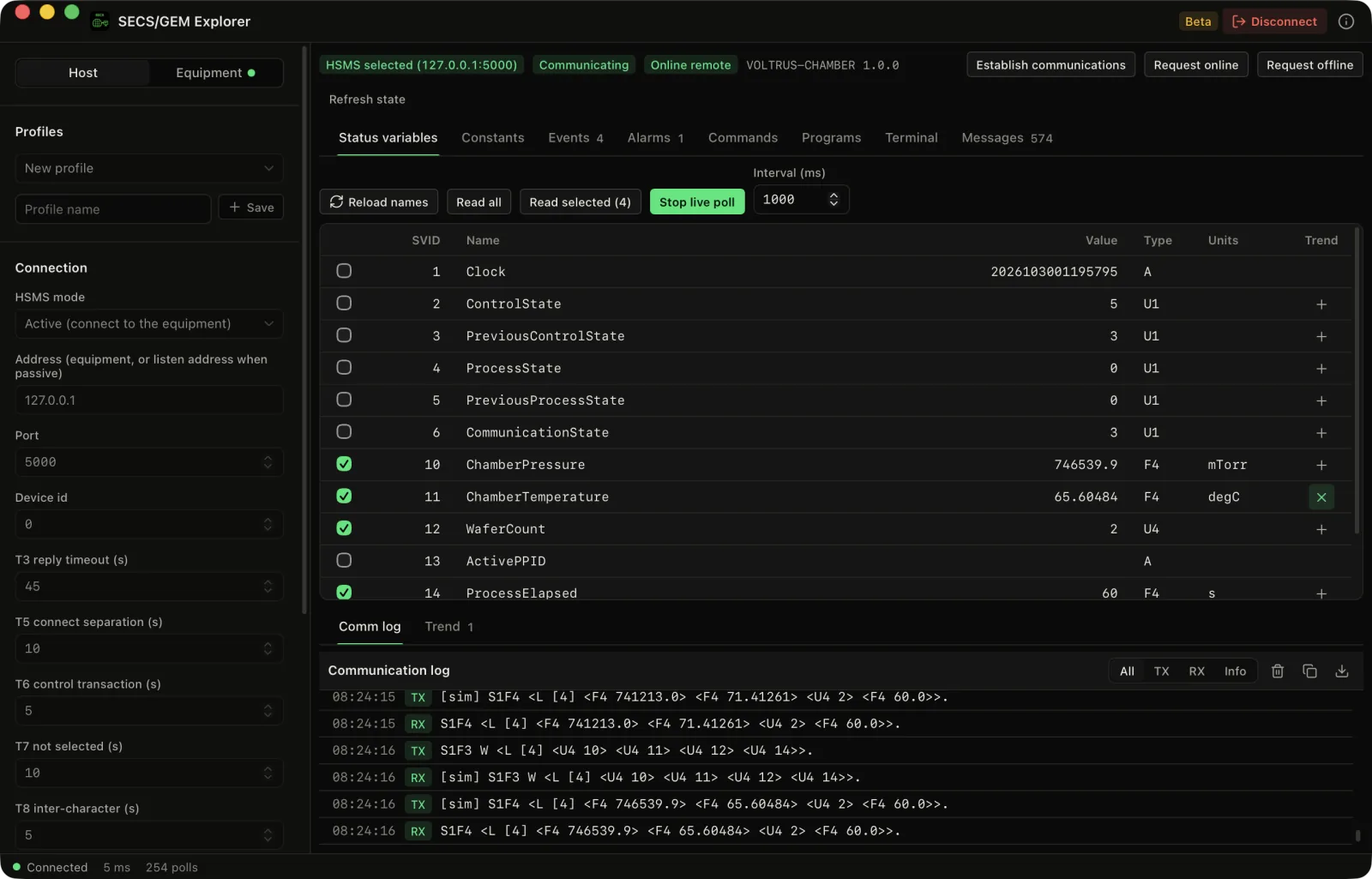 SECS/GEM Explorer
Connected over HSMS to the built-in equipment simulator, polling chamber pressure, temperature and wafer count live.
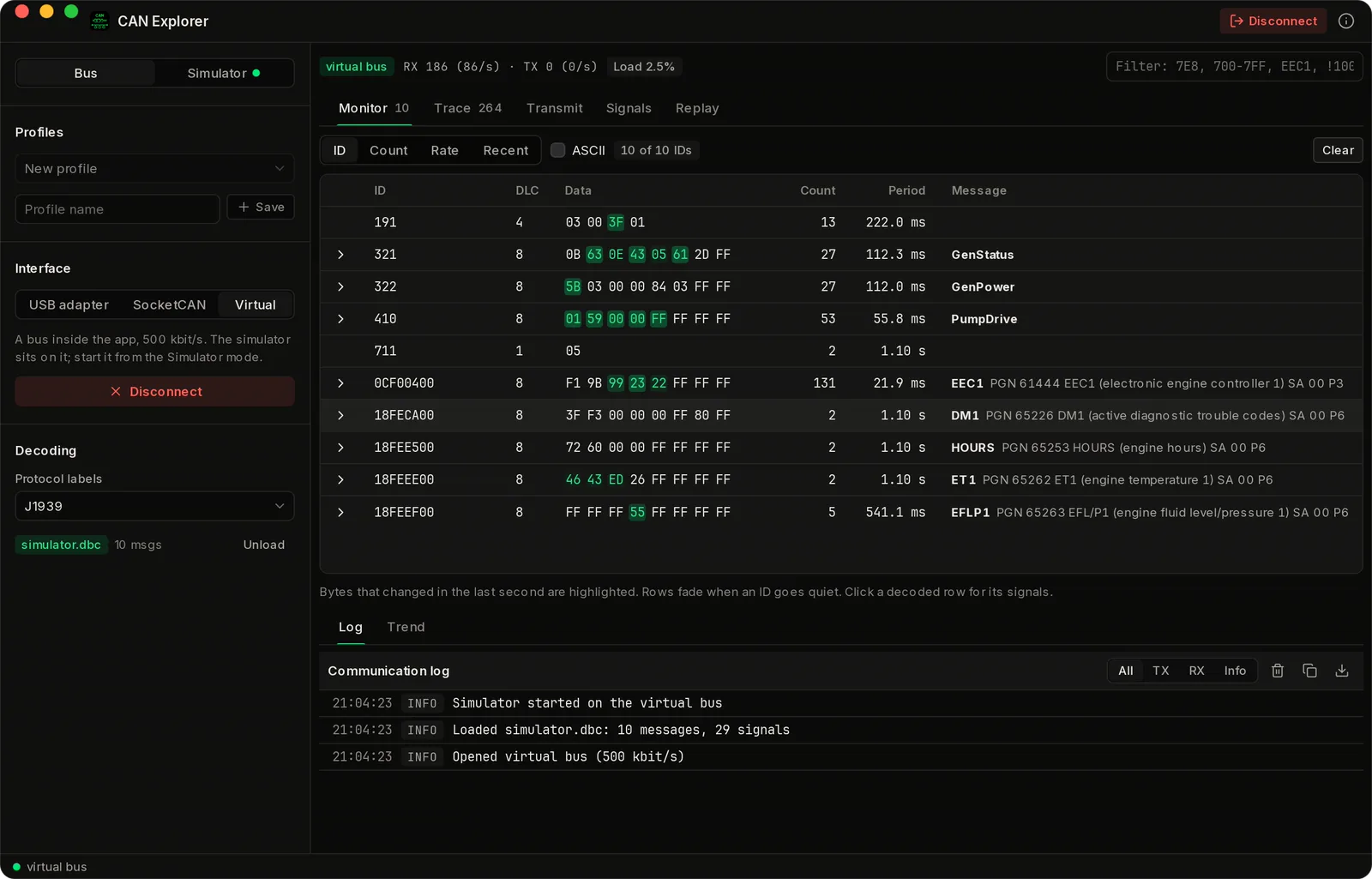 CAN Explorer
The built-in genset simulator on a virtual bus: every identifier with its count and period, changed bytes highlighted, J1939 labels, and the 64-byte CAN FD battery pack frame.
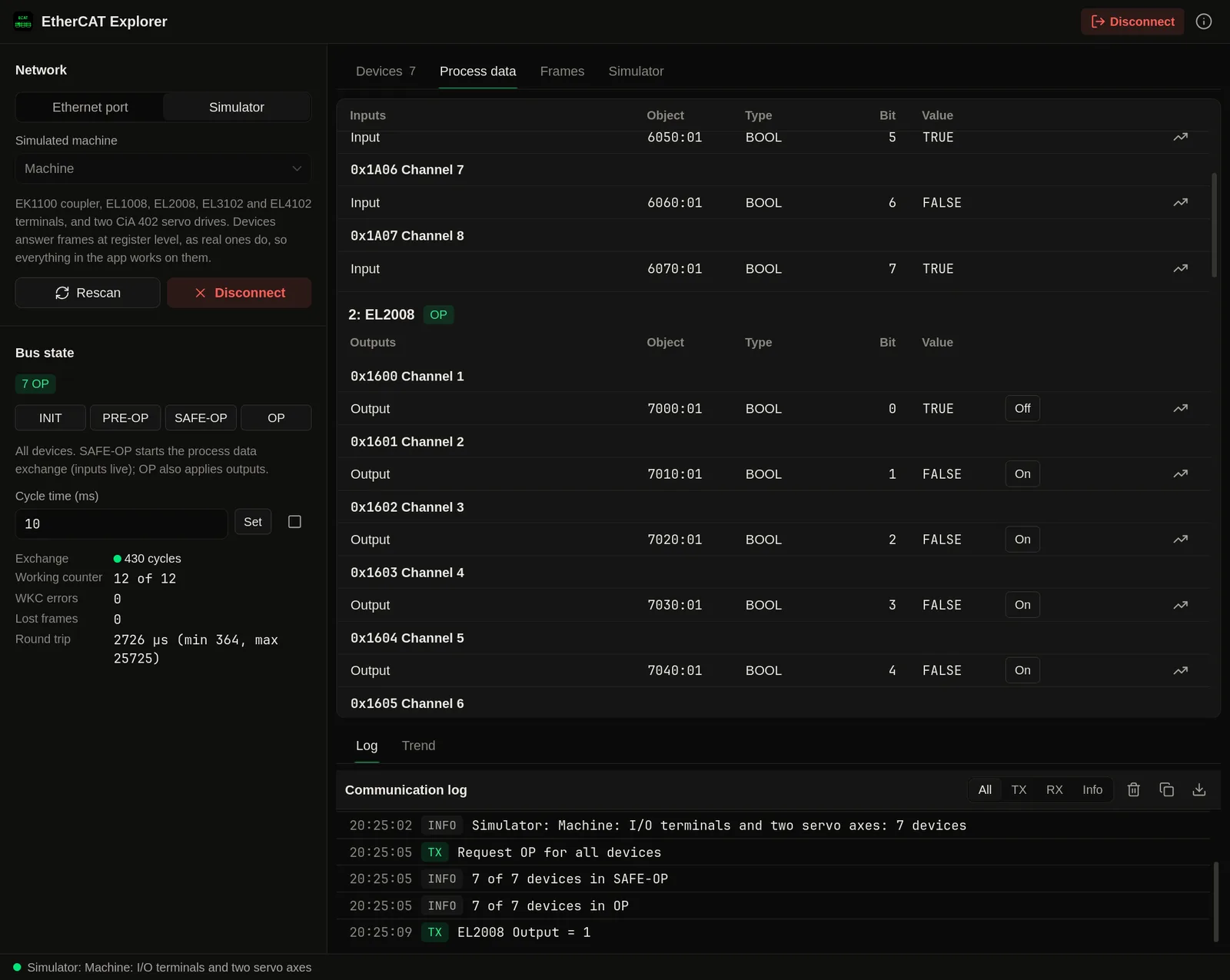 EtherCAT Explorer
All seven simulated devices in OP with a working counter of 12 of 12: EL1008 inputs live, EL2008 outputs with On and Off buttons.
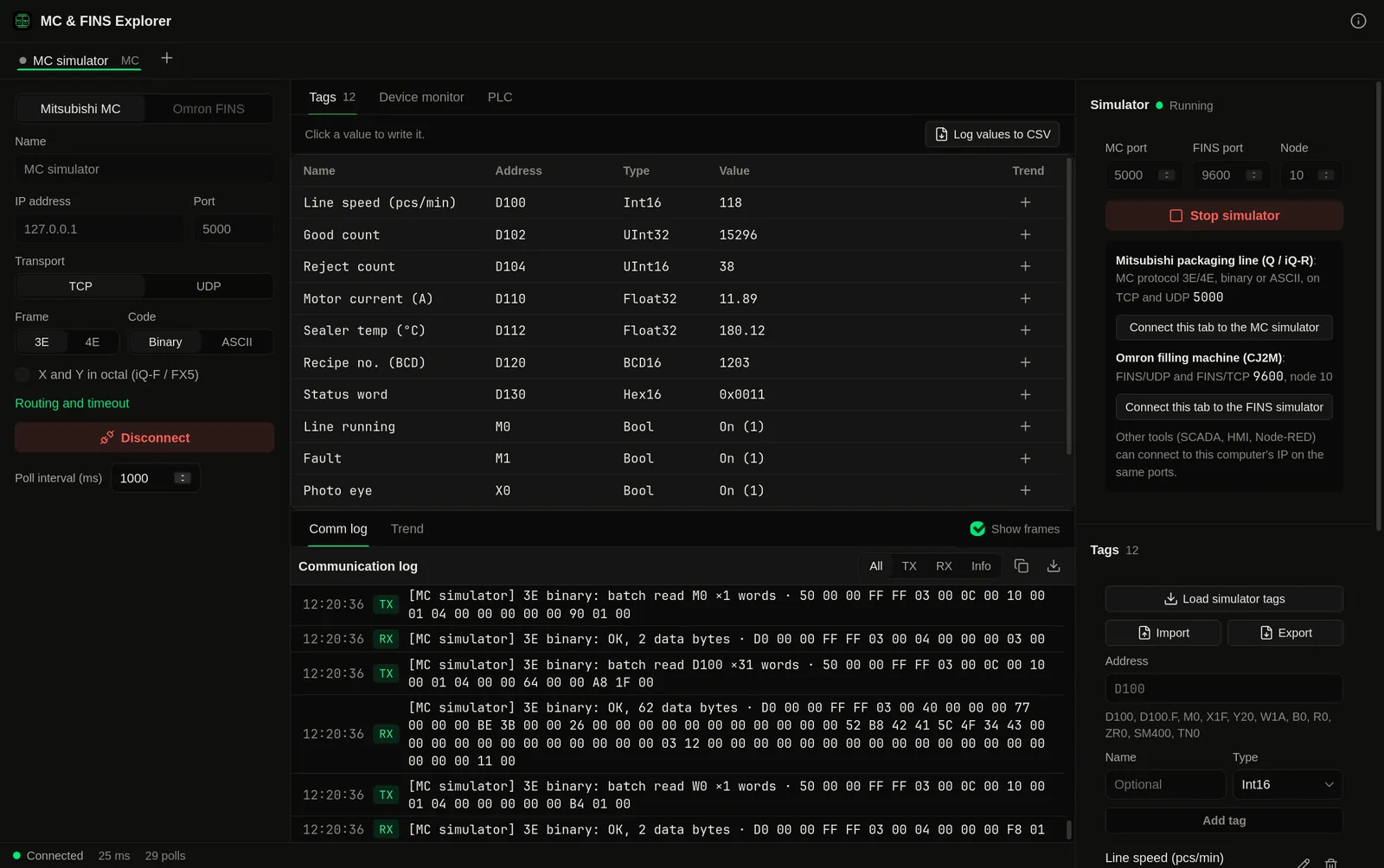 MC & FINS Explorer
A Mitsubishi packaging line read over MC protocol, with each 3E binary request and response in the comm log as a hex frame.
Demo video
Watch the demo
A tour of ten native Mac tools: Modbus, serial, MQTT, NATS, S7, EtherNet/IP, OPC UA, BACnet, DNP3 and Bluetooth LE.
Chapters
Four lines, one per job.
Field tools debug one device. Control gives your software protocol access. Monitor & connect shows the whole plant. Run & plan covers production and layout planning. Desktop tools and SCADA are one-time licenses; MES, OEE, Broker and Remote are subscriptions.
Field tools
Debug one device from your laptop: protocol apps, terminal database browsers, utilities.
- Voltrus Tools14-day trial · $49 one-time
- All MacTools apps$14.99–$29.99 each, or free with optional Pro
- Voltrus Connect$39.99 / seat / yr · free to view
- Modbus Poll$19.99 one-time
- OPC-UA ExplorerFree · Pro $29.99
- BACnet Explorer$14.99 one-time
- S7 ExplorerFree · Pro $29.99
- DNP3 Explorer$29.99 one-time
- EtherNet/IP Explorer$29.99 one-time
- MQTT ExplorerFree · Pro $29.99
- NATS ExplorerFree · Pro $29.99
- BLE InspectorFree · Pro $4.99
- Serial TerminalFree · Pro $4.99
- CNC ExplorerFree · Pro $39.99
- SECS/GEM ExplorerFree · Pro $39.99
- CAN ExplorerFree · Pro $39.99
- EtherCAT ExplorerFree · Pro $39.99
- MC & FINS ExplorerFree · Pro $29.99
- Sqltui (SQLite)$4.99 one-time
- PostgresTUI$4.99 one-time
- MSSQLTui$4.99 one-time
- PasteHere$19 one-time
Control
Give your own software protocol access to PLCs and field devices.
Monitor & connect
See the plant: dashboards and alarms, machine OEE, remote access, messaging.
Run & plan the factory
Run production on the shop floor and plan new lines.
Which one do I need?
Two clicks: pick what you are working on, then the problem in front of you. Each product page also says how it differs from its nearest neighbours.
Pick one above to see the matching products.
2 Which of these is your problem?
- You want every protocol client and simulator in one Mac app instead of one app per protocol. Voltrus Tools
- You work with several protocols and want one native app per protocol. All MacTools apps
- You want your saved Modbus Poll and BACnet Explorer profiles on every device, or shared with your team. Voltrus Connect
- You need to read or write Modbus TCP/RTU registers, or simulate a slave. Modbus Poll
- You need to browse and read an OPC-UA server. OPC-UA Explorer
- You need to discover BACnet/IP devices and browse their objects. BACnet Explorer
- You need to read or write a Siemens S7-300/400/1200/1500 from your laptop. S7 Explorer
- You need to browse and poll a DNP3 device. DNP3 Explorer
- You need to discover and read Allen-Bradley / CIP devices. EtherNet/IP Explorer
- You need to publish, subscribe and debug topics, or run a local test broker. MQTT Explorer
- You need to inspect NATS subjects, JetStream, KV and Object stores. NATS Explorer
- You need to scan Bluetooth LE devices and browse their GATT services. BLE Inspector
- You need a hex + ASCII terminal for an RS232 / RS485 device. Serial Terminal
- You need to read an MTConnect agent or a FANUC controller and test against a simulator. CNC Explorer
- You need to talk SECS/GEM over HSMS as a host, or test against an equipment simulator. SECS/GEM Explorer
- You need to watch, decode or send CAN and CAN FD frames through a USB adapter, or test against a simulated bus. CAN Explorer
- You need to see every device on an EtherCAT line, its state and error codes, and read its EEPROM, registers, CoE objects or process data. EtherCAT Explorer
- You need to test a Mitsubishi PLC over MC protocol (SLMP) or an Omron PLC over FINS, or simulate one. MC & FINS Explorer
- You need to open a SQLite file from the terminal. Sqltui (SQLite)
- You need to browse a PostgreSQL database from the terminal. PostgresTUI
- You need to browse a SQL Server database from the terminal. MSSQLTui
- You want to share logs, configs and files from your own Cloudflare account. PasteHere
2 Which of these is your problem?
2 Which of these is your problem?
- You need plant-wide dashboards, alarms and history on your own server. Voltrus SCADA
- A PLC or SCADA alarm has to reach the person on call by Telegram, WhatsApp, email or phone, and escalate until someone answers. Voltrus Alerts
- You want OEE and downtime for one line, self-serve, without installing servers. Voltrus OEE Line
- You need to reach a PLC network remotely without TeamViewer or ad-hoc VPNs. Voltrus Remote
- Your device fleet needs a dedicated hosted MQTT broker. Voltrus Broker
- Your guards patrol a schedule and you need proof every checkpoint was visited. Voltrus Genba
- You want a free, Node-RED compatible flow runtime you host yourself. RustRED
2 Which of these is your problem?
- You need work orders at the line, lot traceability and quality checks. Voltrus MES
- Your mold, die or format changes need mechanics, QC and production at the machine at the right moment. Voltrus Changeover
- You need sales orders, purchasing, inventory, BOM/MRP and costing in one system. Voltrus ERP
- You are planning a new line or layout and want to test it before moving a machine. Voltrus Factory
None of these? Describe your plant to [email protected] and we'll point you at the right product.
Or see every job at a glance
- I need to… Debug a Modbus, OPC-UA, BACnet, S7, DNP3 or EtherNet/IP device from my laptop All MacTools apps
- I need to… Keep my saved Modbus and BACnet profiles on every device, or share them with my team Voltrus Connect
- I need to… Watch MQTT, NATS, serial or Bluetooth LE traffic by hand All MacTools apps
- I need to… Open a SQLite, PostgreSQL or SQL Server database in the terminal Sqltui (SQLite)
- I need to… Get PLC data into my own software through one API Voltrus Gateway
- I need to… Dashboards, alarms and history for a whole plant, on my own server Voltrus SCADA
- I need to… Machine OEE and downtime without installing servers Voltrus OEE Line
- I need to… Reach a PLC remotely without TeamViewer Voltrus Remote
- I need to… A hosted MQTT broker for my device fleet Voltrus Broker
- I need to… Proof that security patrols visited every checkpoint Voltrus Genba
- I need to… Free, Node-RED compatible flow automation RustRED
- I need to… Plan a new line or layout before moving a machine Voltrus Factory
- I need to… Work orders, traceability and quality checks Voltrus MES
- I need to… Get mechanics, mold, QC and production to each changeover on time Voltrus Changeover
- I need to… Orders, purchasing, inventory and costing Voltrus ERP
- Still not sure? Describe your plant and we'll point you at the right line. Ask support
Voltrus Connect
An optional Voltrus account for the Mac tools. Sync your saved site profiles, share them with a team, and find your Voltrus Remote sites. Viewers are free. Available in Modbus Poll and BACnet Explorer first.
Sign in with Voltrus
One account across your Mac, iPhone and iPad.
Saved site profiles, synced
Connection profiles follow you from one device to the next.
Share with your team
Give a colleague the same site profiles, without sending files around.
Your Voltrus Remote sites
See the sites you can reach and start from the Mac.
Early access
Products you can use today while they are still taking shape. Try them now and tell us what is missing.
Built for engineers who run the floor.
Native tools for every stage of the job: commission a PLC on site, monitor the line in SCADA, inspect a database in the terminal. One catalog, one vendor.
Native on your Mac
Real native apps, not Electron, not Parallels. Small binaries, low RAM, built for Apple Silicon and Intel.
Pay once for desktop tools
Protocol tools, terminal browsers and SCADA are one-time licenses with updates included. Ten protocol tools are free downloads with an optional one-time Pro licence. Factory software (MES, OEE) is a monthly subscription. Company expense accounts welcome.
The protocols you meet on site
Modbus, BACnet, OPC-UA, DNP3, EtherNet/IP and S7 explorers, from the team that builds Voltrus SCADA.
Self-hostable
SCADA runs as a single binary on your own network. No phone-home, no cloud dependency, no per-device SaaS lock-in.
The full suite
Field commissioning tools, continuous SCADA monitoring, factory-floor OEE and MES. One vendor, one support inbox.
Store distribution
Modbus Poll, BACnet Explorer, EtherNet/IP Explorer and DNP3 Explorer are on the Mac App Store, and every app is a notarized direct download. Signed builds your IT team can approve.
Common questions
Do I need Parallels or Windows?
No. The protocol tools are native apps for macOS, so a Mac user never needs Parallels or a Windows VM. Download directly, or install Modbus Poll, BACnet Explorer, EtherNet/IP Explorer or DNP3 Explorer from the Mac App Store.
How does pricing work?
Ten protocol tools are free downloads with an optional one-time Pro licence. The other desktop tools (the four App Store protocol apps, terminal database browsers, utilities) are one-time lifetime licenses. Voltrus SCADA has a free open source core (AGPL-3.0), with Enterprise features from $249 lifetime or per site monthly. Voltrus OEE Line is hosted SaaS at $19 per month for one line of up to 3 machines. Voltrus MES is hosted SaaS at $59 per machine per month with a 5-machine site minimum ($295 a month).
What protocols do the explorers support?
Modbus TCP/RTU, BACnet/IP, OPC-UA, DNP3, EtherNet/IP (Allen-Bradley), Siemens S7, MQTT, NATS and BLE, plus serial RS232/RS485. SCADA adds the same protocols for continuous monitoring.
Self-hosted or cloud?
Self-hosted. SCADA runs as a single binary on your own hardware or a small VPS, with no cloud dependency and no phone-home. Voltrus OEE Line is hosted, and Voltrus MES deploys cloud by default or on-site for plants that keep production data in-house.
Do the tools work on Apple Silicon?
Yes. Native ARM64 binaries for Apple Silicon Macs, plus x86_64 for Intel Macs. No Rosetta, no emulation.
Do I need the tools if I already run Voltrus SCADA?
They serve different jobs. The explorers are field commissioning and debugging tools for individual devices; SCADA is for continuous monitoring with dashboards and alarms. Many teams use both.
Are updates included?
Yes. Lifetime licenses include updates, through the Mac App Store for the apps listed there and through direct download for the rest. No annual maintenance fee.
Start with a protocol tool
Native Mac apps for the protocol you are debugging today, with SCADA and MES when the job grows.