MQTT broker and client.
Native on Mac. No Terminal.
Start a local MQTT broker with one click, then publish, subscribe and watch topics from Home Assistant, ESP32 or Arduino devices. No Electron, no Homebrew, no mosquitto config files.
Demo video
Watch the demo
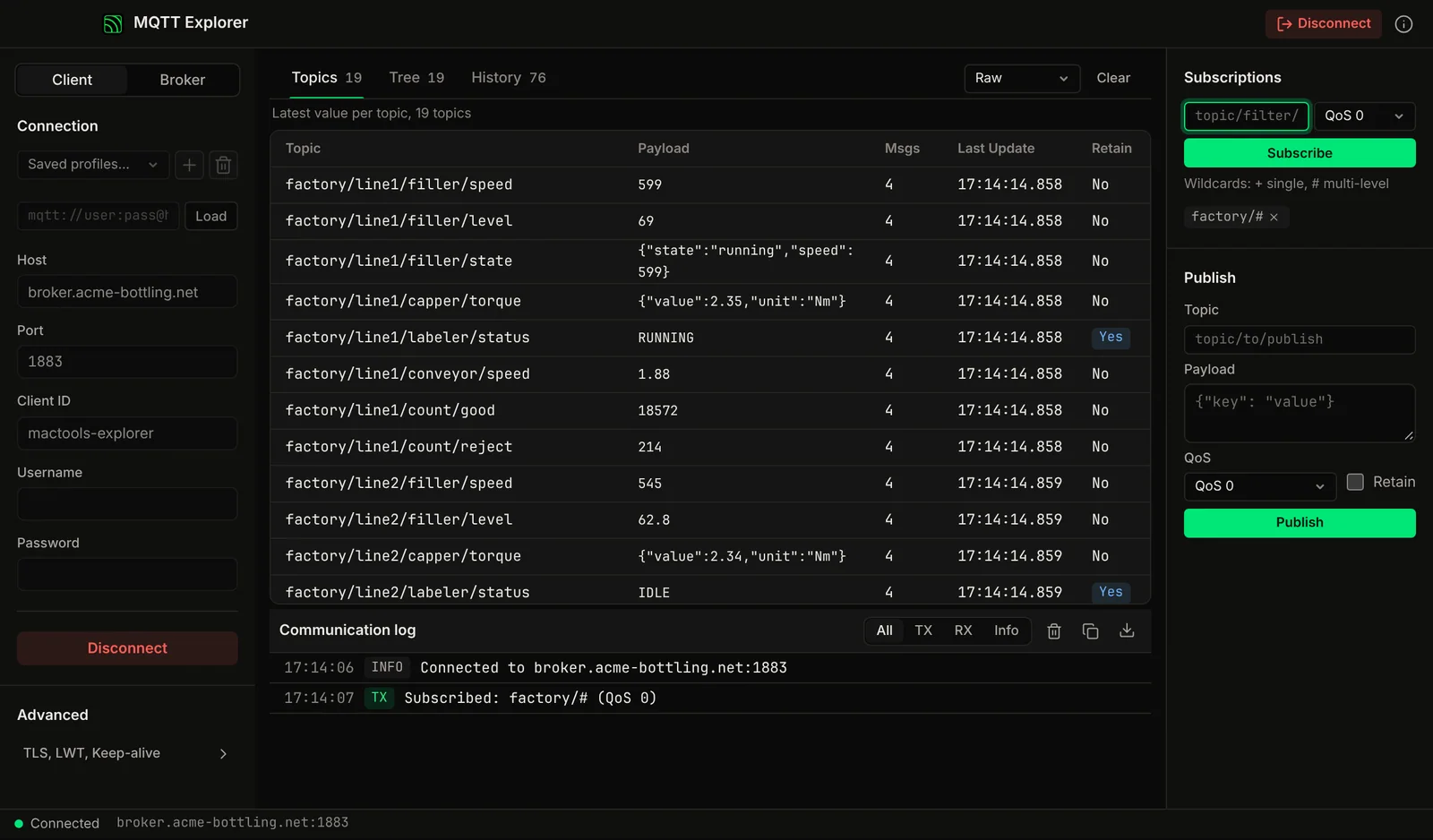
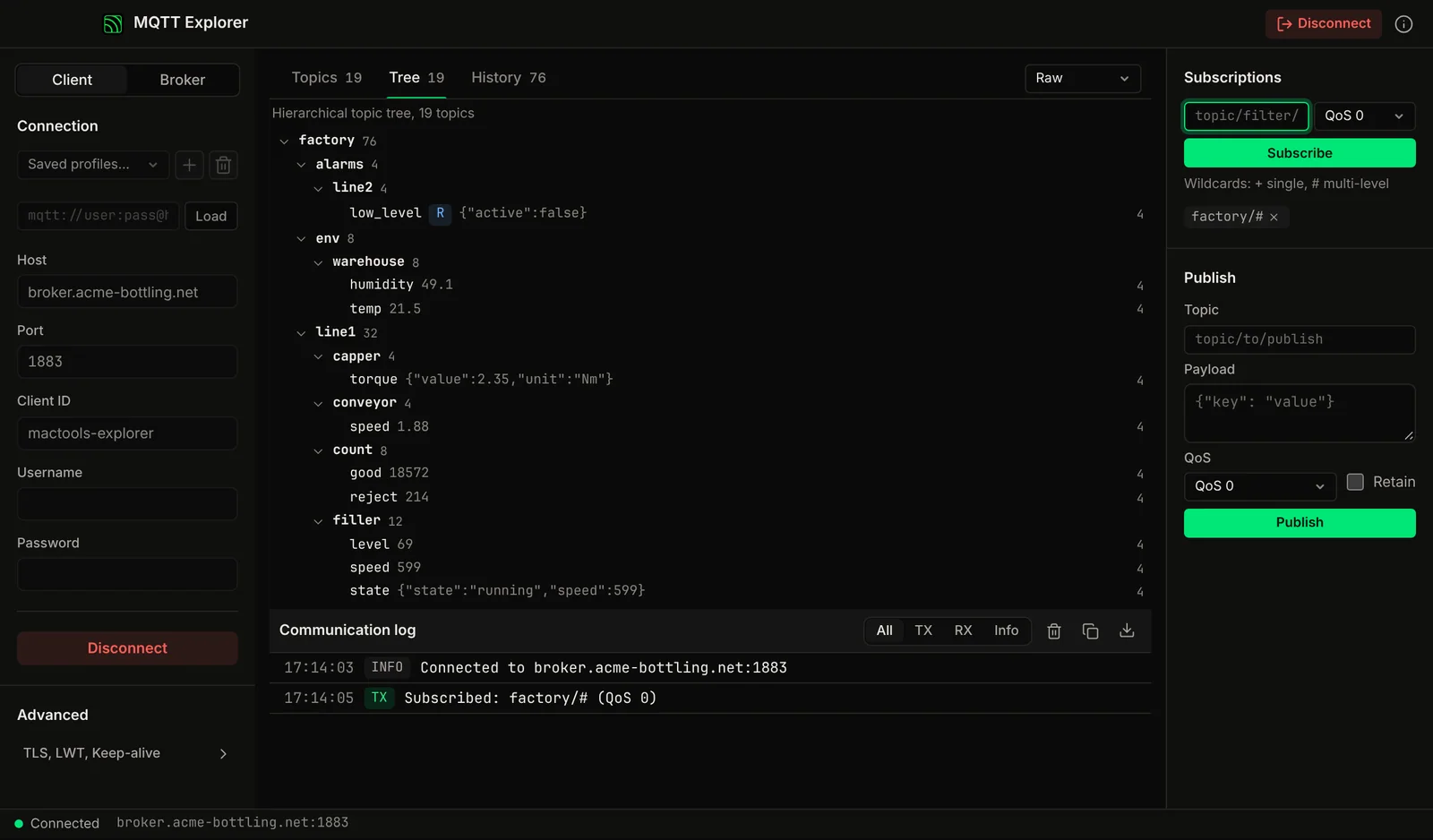
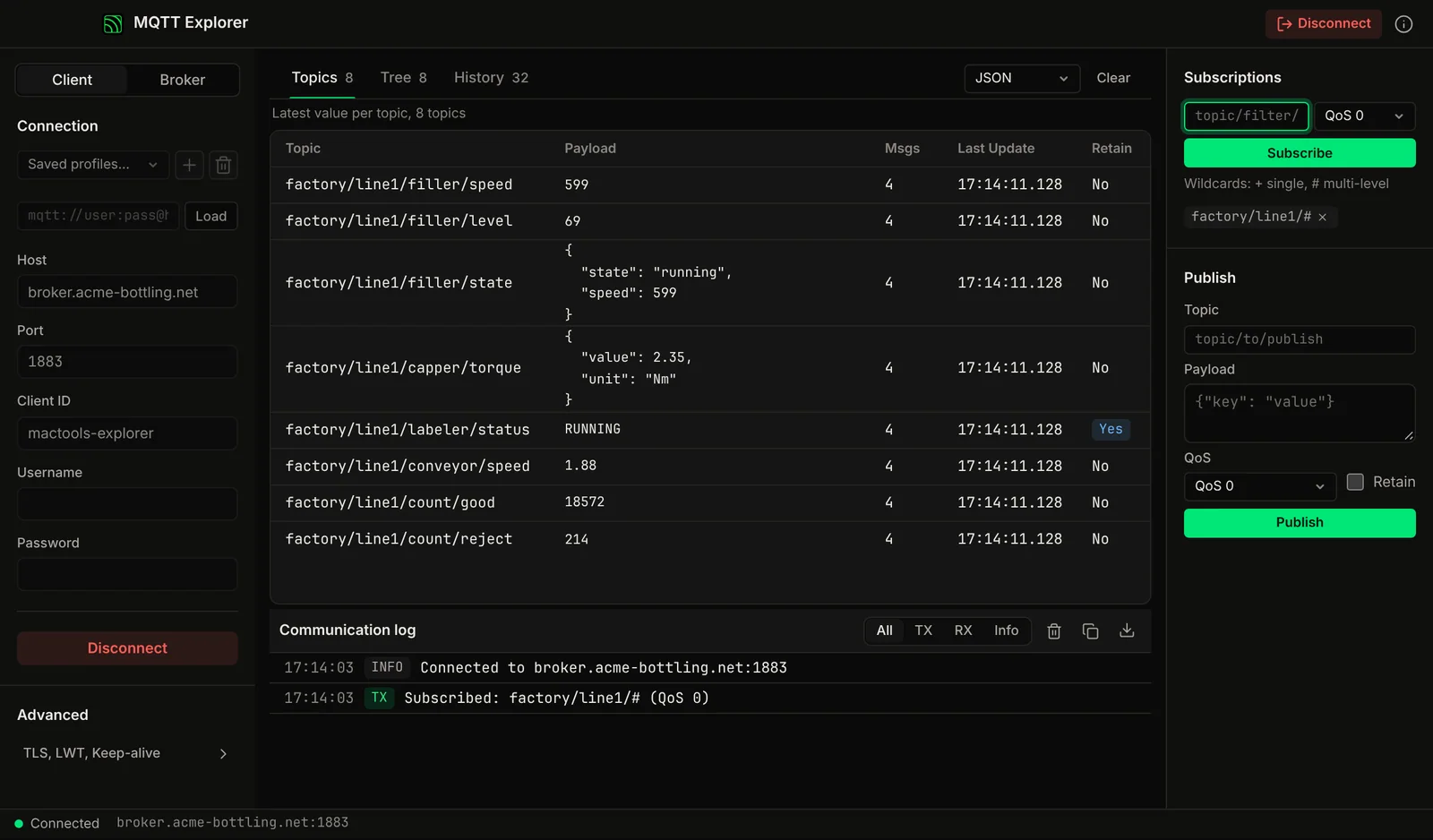
Subscribe with wildcards, explore the topic tree, read payloads as JSON, Hex or Base64, and run a local broker. A native Mac app.
Chapters
The Problem
A local MQTT broker on a Mac means Terminal.
Mosquitto needs Homebrew and a config file. MQTTX and the open-source MQTT Explorer are Electron apps. Node-RED is a whole flow runtime. You just want to see what your ESP32 is publishing.
No GUI Broker
Running a local broker usually means installing mosquitto via Homebrew and configuring it in Terminal. There is nothing to look at when a client fails to connect.
Electron Clients
MQTTX and the open-source MQTT Explorer are built on Electron, which bundles a full Chromium runtime for a tool you open for a few minutes. Neither runs a broker.
CLI-Only Broker
Install Homebrew, brew install mosquitto, edit the config file, start the daemon. Then you still have no view of connected clients or messages.
Node-RED Overkill
Node-RED can do MQTT, but it is a full flow-based programming environment on a Node.js runtime. Heavy for checking one topic.
Features
MQTT broker + client. One native app.
Built-In Broker
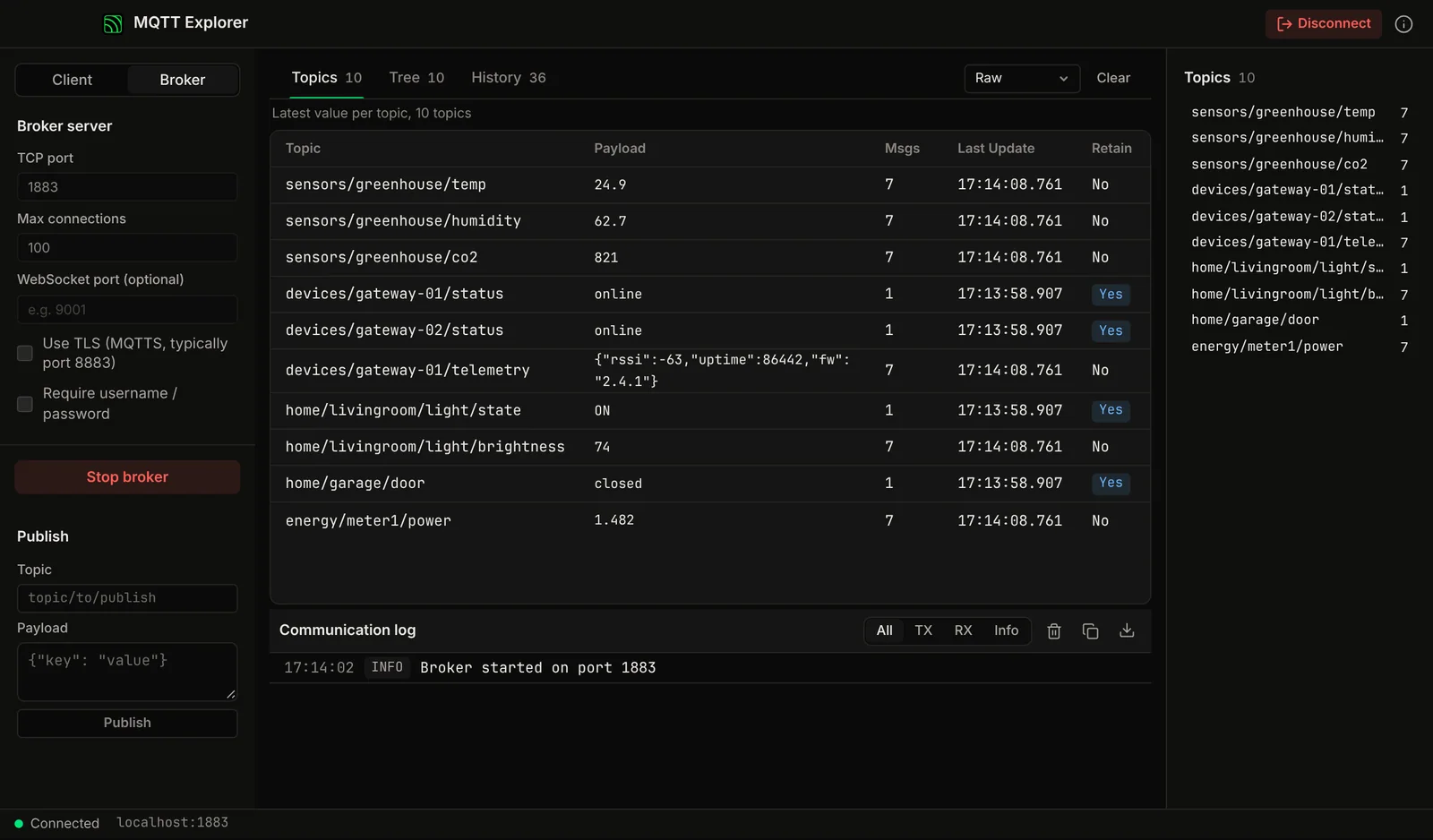
Start a local MQTT broker with one click. See its status and the topics flowing through it. Configure port, username/password users and TLS from the interface, and optionally open a WebSocket listener for browser clients.
Publish & Subscribe
Connect to any broker, local or remote. Publish messages to any topic. Subscribe with wildcards (# and +). QoS 0, 1, and 2 support.
Topic Tree Browser
Visual topic hierarchy shows all active topics in a tree view. Expand branches to see message payloads. Real-time updates as messages arrive.
Recent Messages
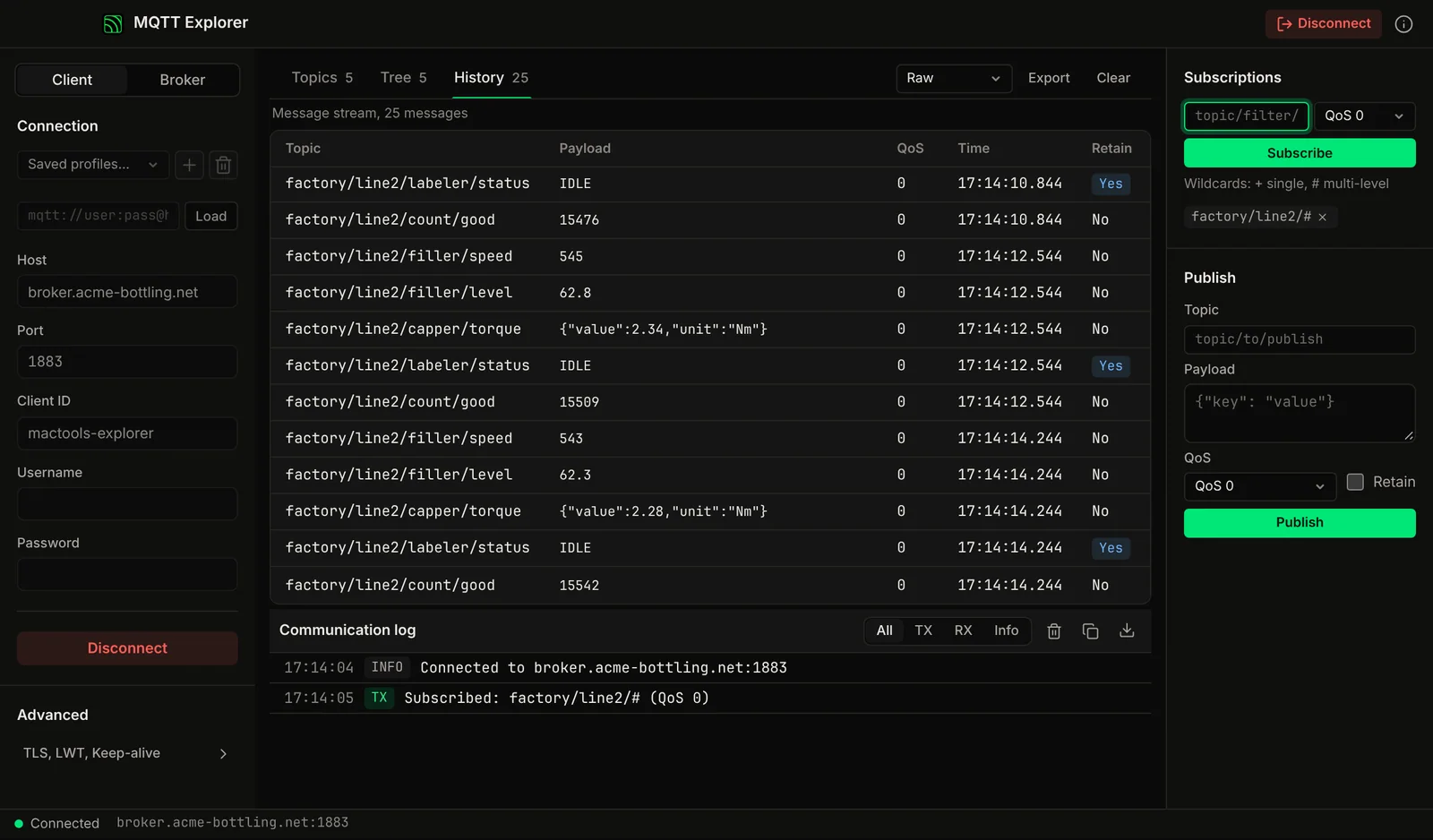
Recent messages are listed with topic, timestamp, retain flag and payload. JSON payloads are pretty-printed for reading.
MQTT 3.1.1
MQTT 3.1.1 with QoS 0, 1 and 2, retained messages, and Last Will and Testament on the client connection. New to QoS? Read MQTT QoS levels explained.
TLS/SSL
Encrypted connections with TLS/SSL: public CAs from the system trust store, a pinned CA for private or self-signed brokers, and client certificates for mutual TLS.
Screenshots
See it in action
Compare
How it compares to existing MQTT tools
Part of: Field tools · Debug one device from your laptop: protocol apps, terminal database browsers, utilities.
How MacTools MQTT Explorer differs from…
-
Voltrus Broker
The broker built into MQTT Explorer is a local one for testing on your machine. Voltrus Broker is a dedicated hosted broker your device fleet connects to around the clock.
-
RustRED
RustRED runs flows that act on MQTT messages unattended. MQTT Explorer is the window you use to watch and publish those messages by hand.
-
MacTools suite
Working with more than one protocol? MacTools has one native app per protocol, each sold on its own: 4 paid apps from $14.99 one-time, and free downloads with an optional one-time Pro licence.
FAQ
Common questions
Get it free
A local broker and a client. One native app.
MQTT Explorer is a free download for Mac. The DMG is signed and notarized by Apple, so it opens normally. An optional Pro licence key, $29.99 one-time, unlocks the Pro features below. The source is on GitHub under GPL-3.0.
Optional Pro, $29.99 one-time licence key
- Embedded local broker (TCP, WebSocket, TLS, username and password)
- Several client connections at once and unlimited saved profiles
- Custom CA, client certificates (mTLS) and Last Will
- Sparkplug B decoding and protobuf decoding from your own .proto schema
- Charts of numeric topic values
- Message history CSV export and bulk-clear of retained messages
Pro is a one-time purchase on the Voltrus Console. Your key arrives by email and in your console account. No subscription.
From one device to the whole line
Need 24/7 monitoring?
MQTT Explorer is built for commissioning and debugging. For round-the-clock monitoring use Voltrus OEE (hosted, live availability and downtime per machine) or Voltrus SCADA (dashboards, alarms and history on your own hardware).
Get new tools, releases and protocol guides by email. A few emails a month, unsubscribe anytime.
Could not sign you up right now. Please try again, or email [email protected].
Also from MacTools