Protocol tools for Mac.
No Parallels. No Electron.
Native apps for Modbus, BACnet, OPC-UA, Siemens S7, EtherNet/IP, DNP3, MQTT, NATS, serial and BLE. Built with Rust. Nine are free notarized downloads with an optional one-time Pro licence. Modbus Poll, BACnet Explorer, EtherNet/IP Explorer and DNP3 Explorer are paid, on the Mac App Store and as a direct download. One-time pricing, no subscriptions. Made by the team behind Voltrus SCADA.
Demo video
Watch the demo
A tour of ten native Mac tools: Modbus, serial, MQTT, NATS, S7, EtherNet/IP, OPC UA, BACnet, DNP3 and Bluetooth LE.
Chapters
One app per protocol. Each does one thing well.
Each tool is a separate native app, sold on its own. Download the free ones and add Pro when you need it, or buy the paid one you need.
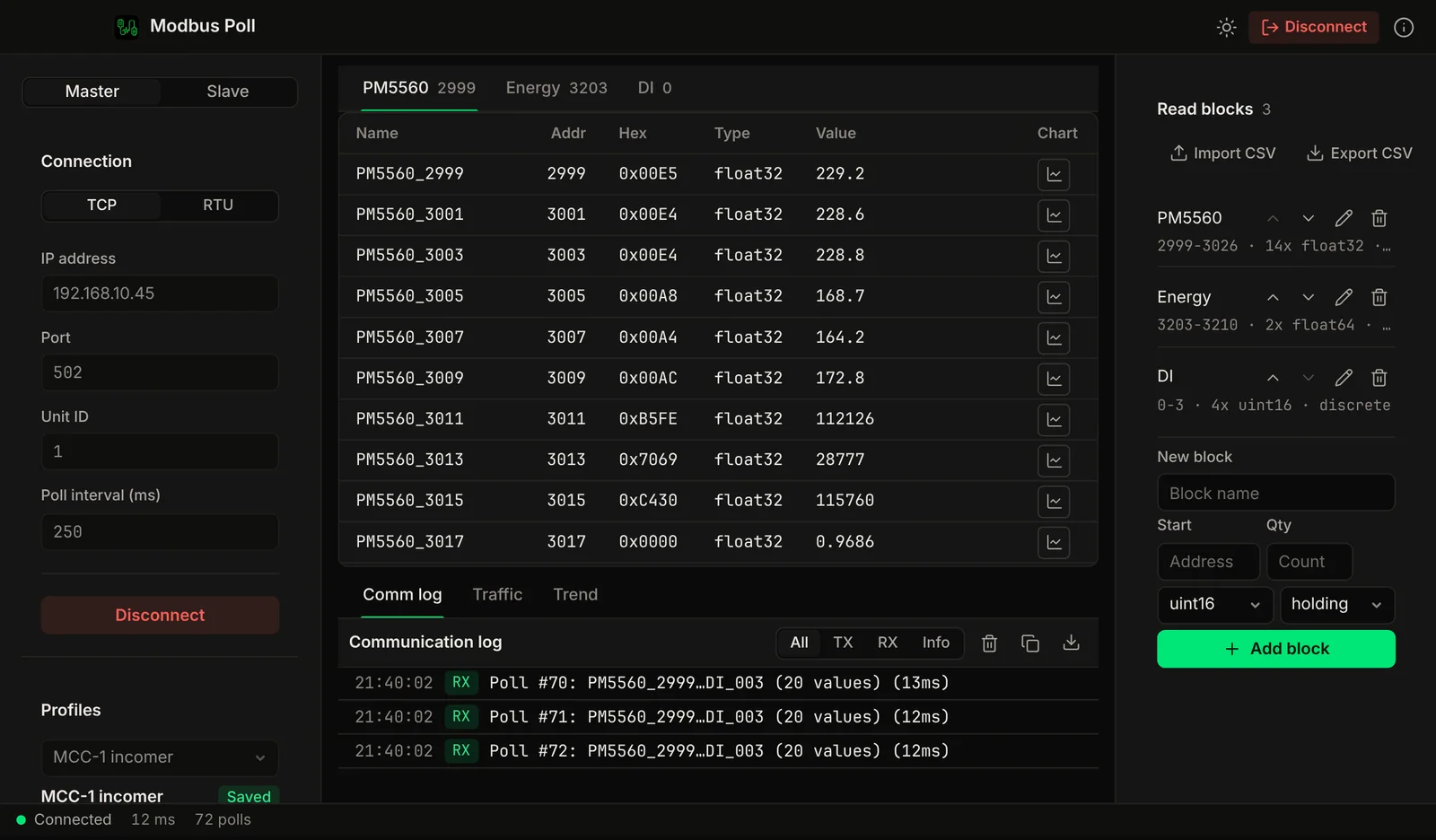
Modbus master and slave simulator in one app. Poll real devices or simulate them over TCP and RTU, and read/write every register type.
- Modbus TCP + RTU
- Read & write all register types
- Master (poll) + Slave (server) simulation
- Communication logging with timestamps
- USB serial adapter support
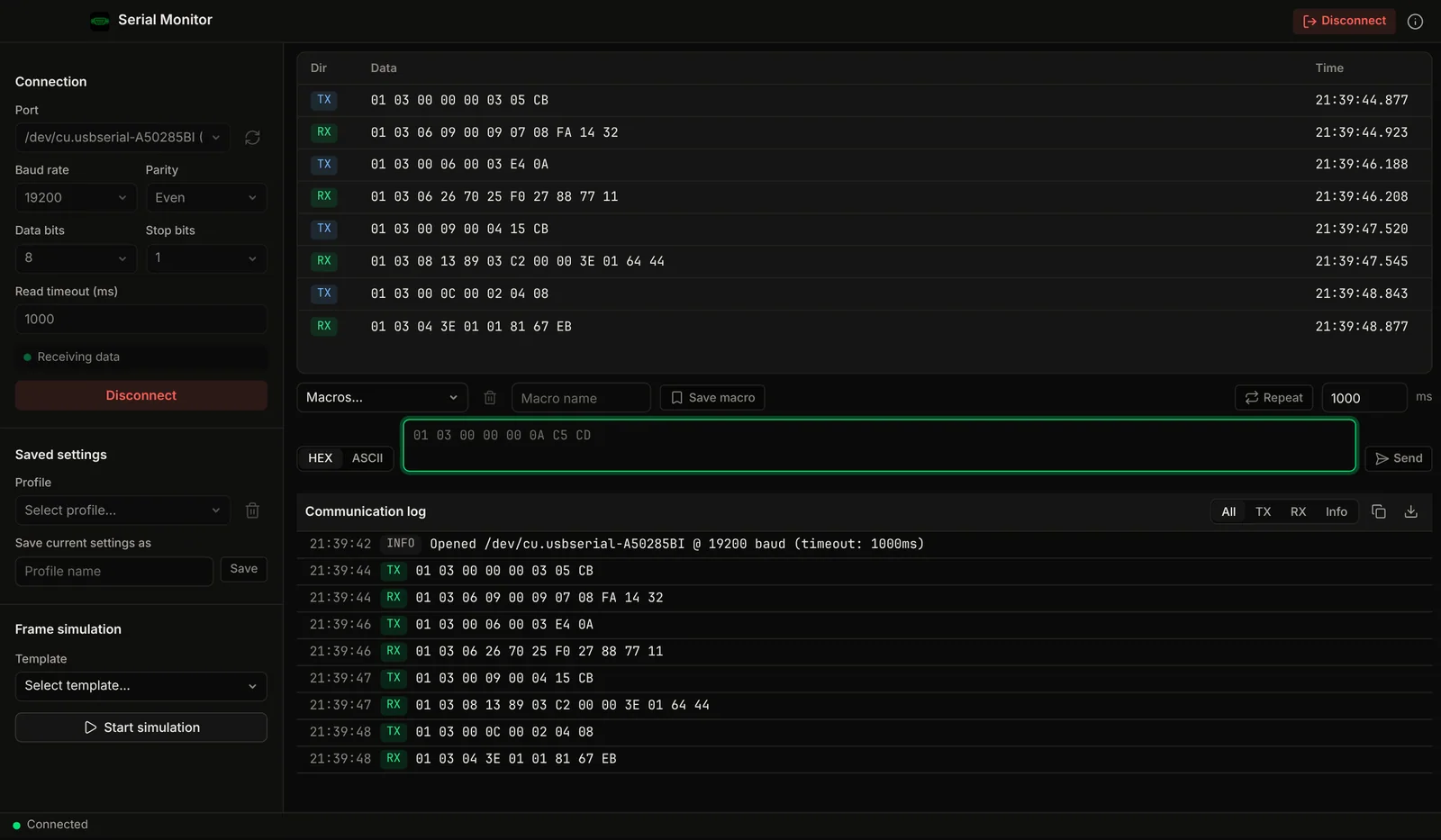

RS232, RS485 and USB serial with a live hex traffic view, millisecond timestamps and hex or ASCII send.
- Hex view + ASCII display
- Data logging with timestamps
- Live traffic table
- Modbus RTU frame simulation templates
- Multi-port monitoring
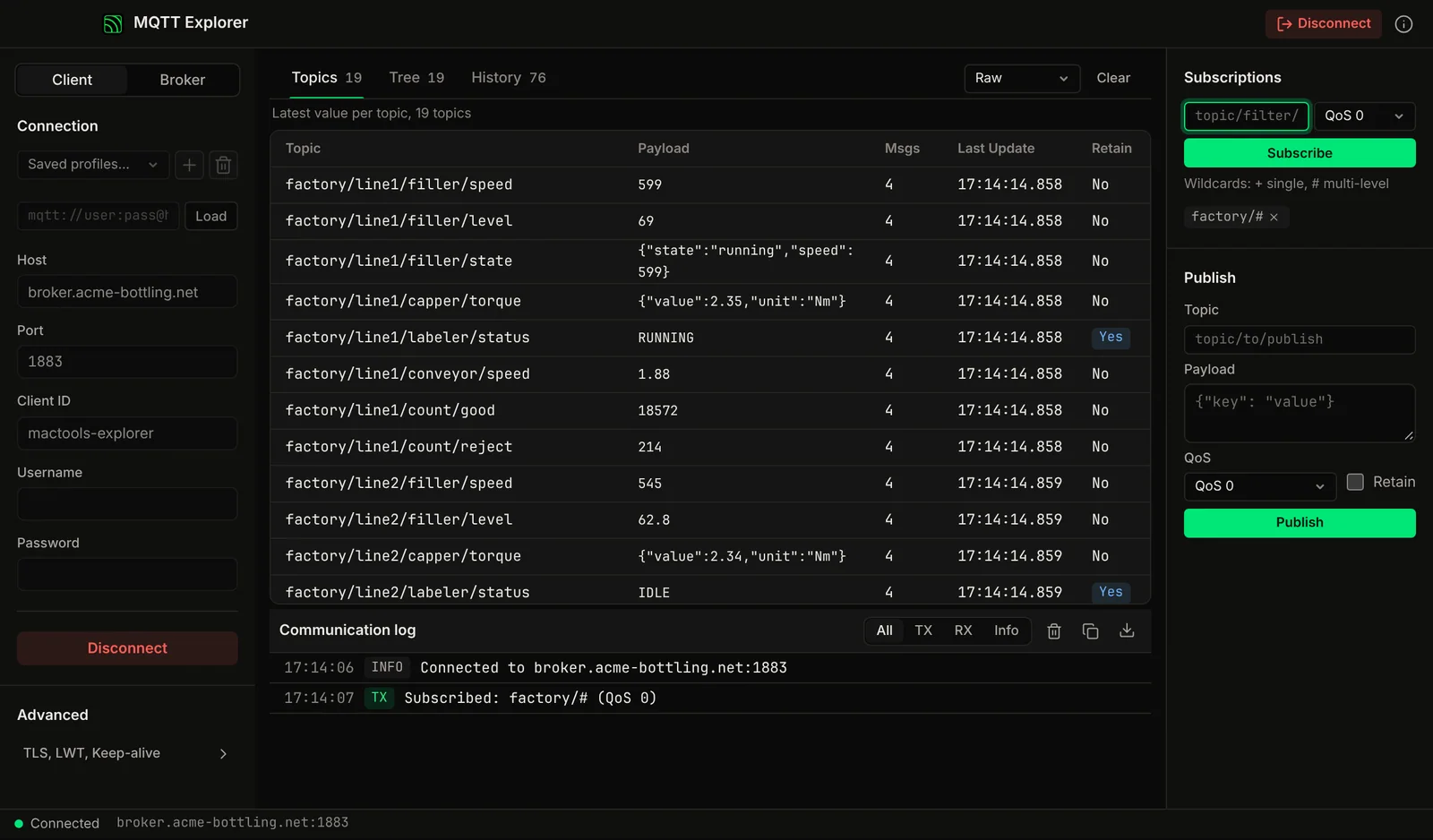

Run a local MQTT broker or connect to any remote one. Publish, subscribe and inspect live message streams from Home Assistant, ESP32 or Arduino.
- Publish & subscribe with QoS 0/1/2
- Topic tree browser with wildcards
- MQTT 3.1.1 client and broker
- TLS/SSL encrypted connections
- Retained messages and message inspection
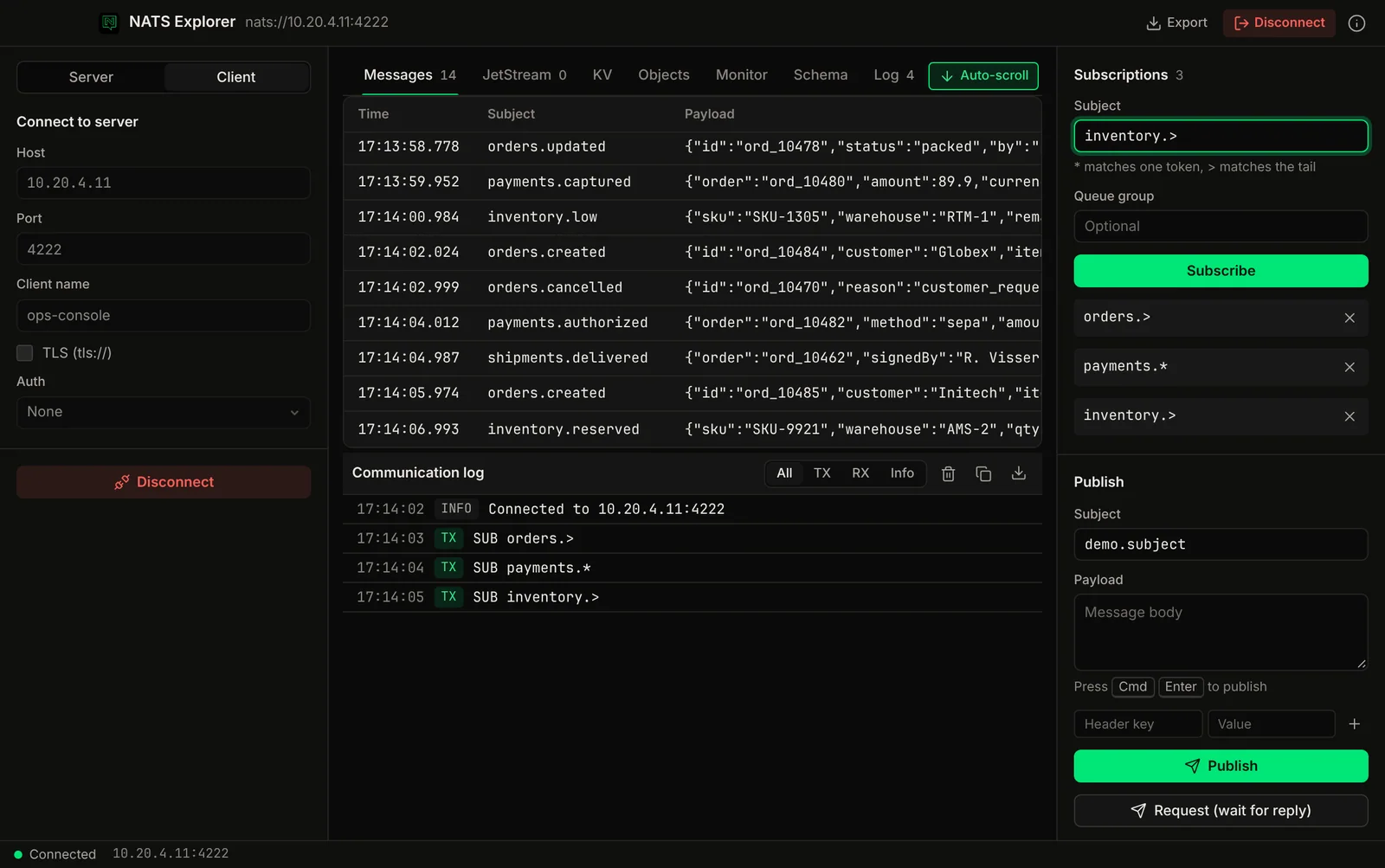

Connect to any NATS server, publish and subscribe with wildcard subjects and headers, and run an embedded NATS server for local dev. JetStream streams, consumers, KV and Object store management built in.
- Embedded NATS server: no Docker
- JetStream stream & consumer manager
- Key-Value and Object store browser
- Protobuf schema registry + payload decode
- $SYS monitoring and live tail
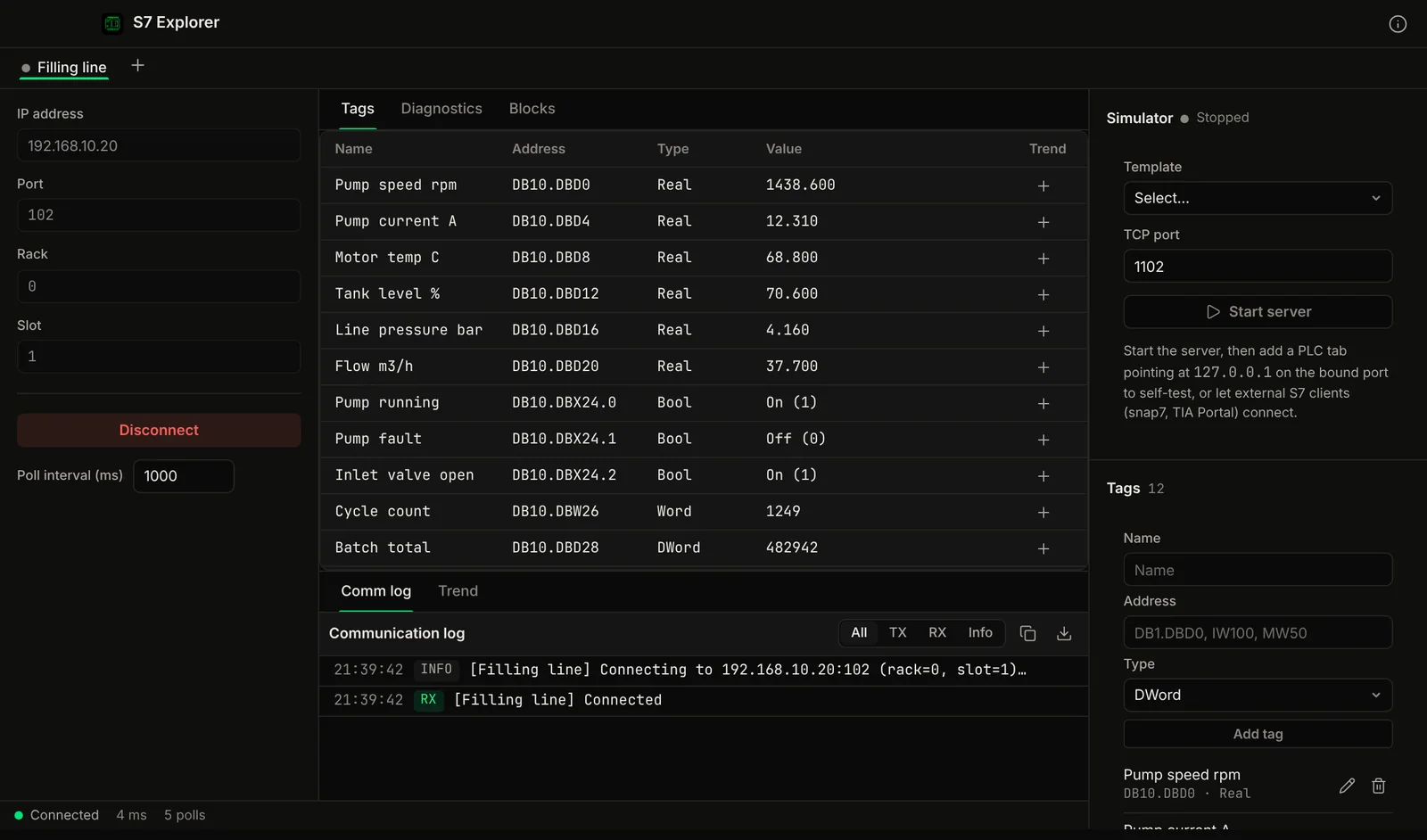
Read and write Siemens S7-300, S7-400, S7-1200 and S7-1500 PLC data blocks and memory areas. No Windows VM. Connect directly over Ethernet.
- S7-1200 / S7-1500 / S7-300 / S7-400
- Tag table with live polling
- Read & write DB, M, I, Q, T, C areas
- Live variable monitoring
- Multi-PLC connections
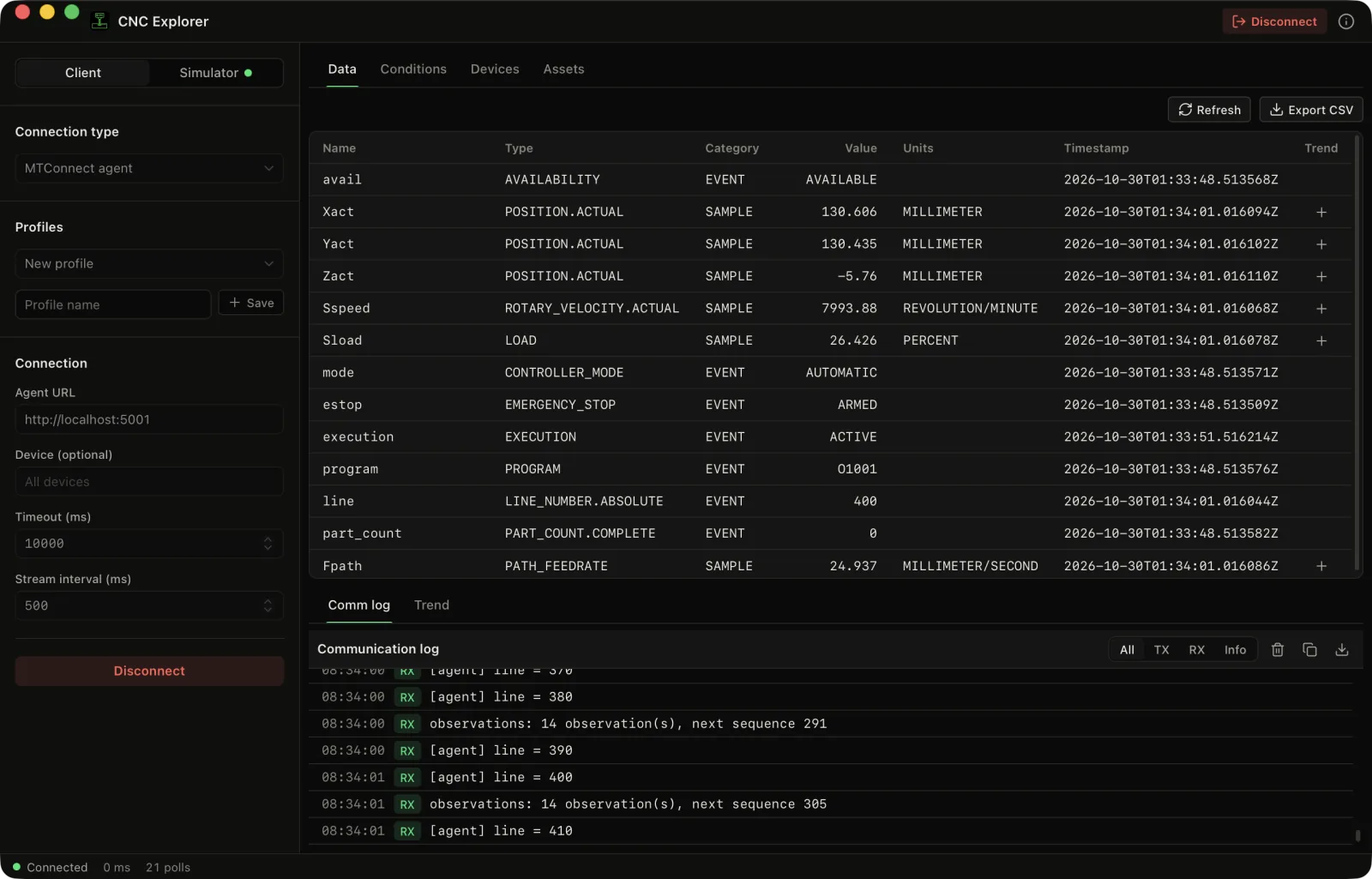
Read an MTConnect agent or a FANUC controller (FOCAS/Ethernet, Beta), and test against built-in simulators.
- MTConnect probe, current, sample and assets
- FANUC status, axes, spindle, program and alarms (Beta)
- MTConnect agent and FANUC CNC simulators
- Live trends and CSV export
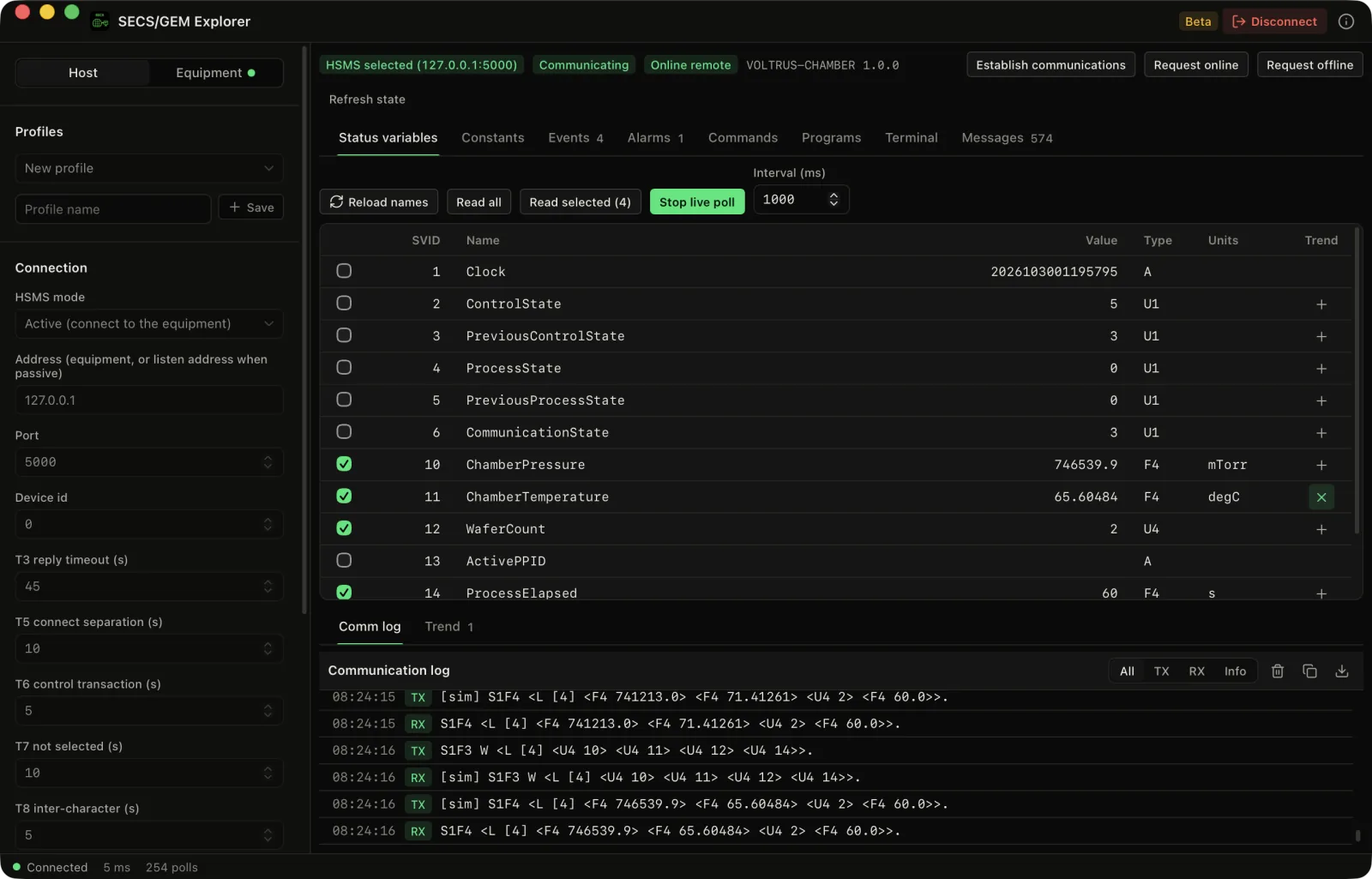
Act as a SECS/GEM host over HSMS, or run an equipment simulator on your Mac (Beta, never tested on real equipment).
- Status variables, equipment constants, events and alarms
- Report wizard, remote commands and an SML composer
- Wafer chamber equipment simulator
- Live trends and CSV export
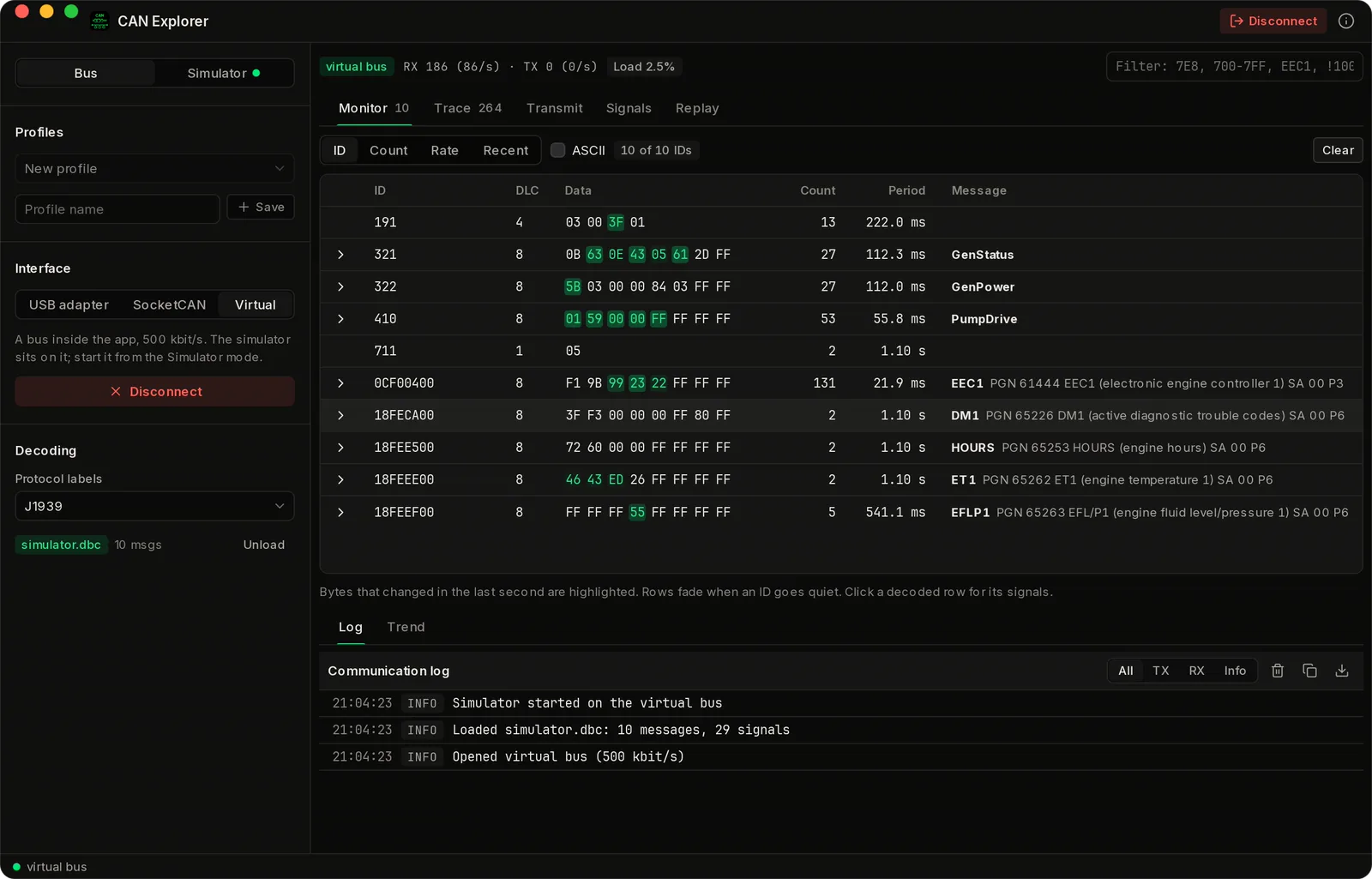
Watch, decode and send CAN and CAN FD frames through a USB adapter, or run a simulated genset on a virtual bus.
- Per-ID monitor with period and changing bytes
- DBC decoding, J1939, CANopen and OBD-II labels
- SLCAN and candleLight (gs_usb) adapters
- Cyclic transmit, trends, record and replay
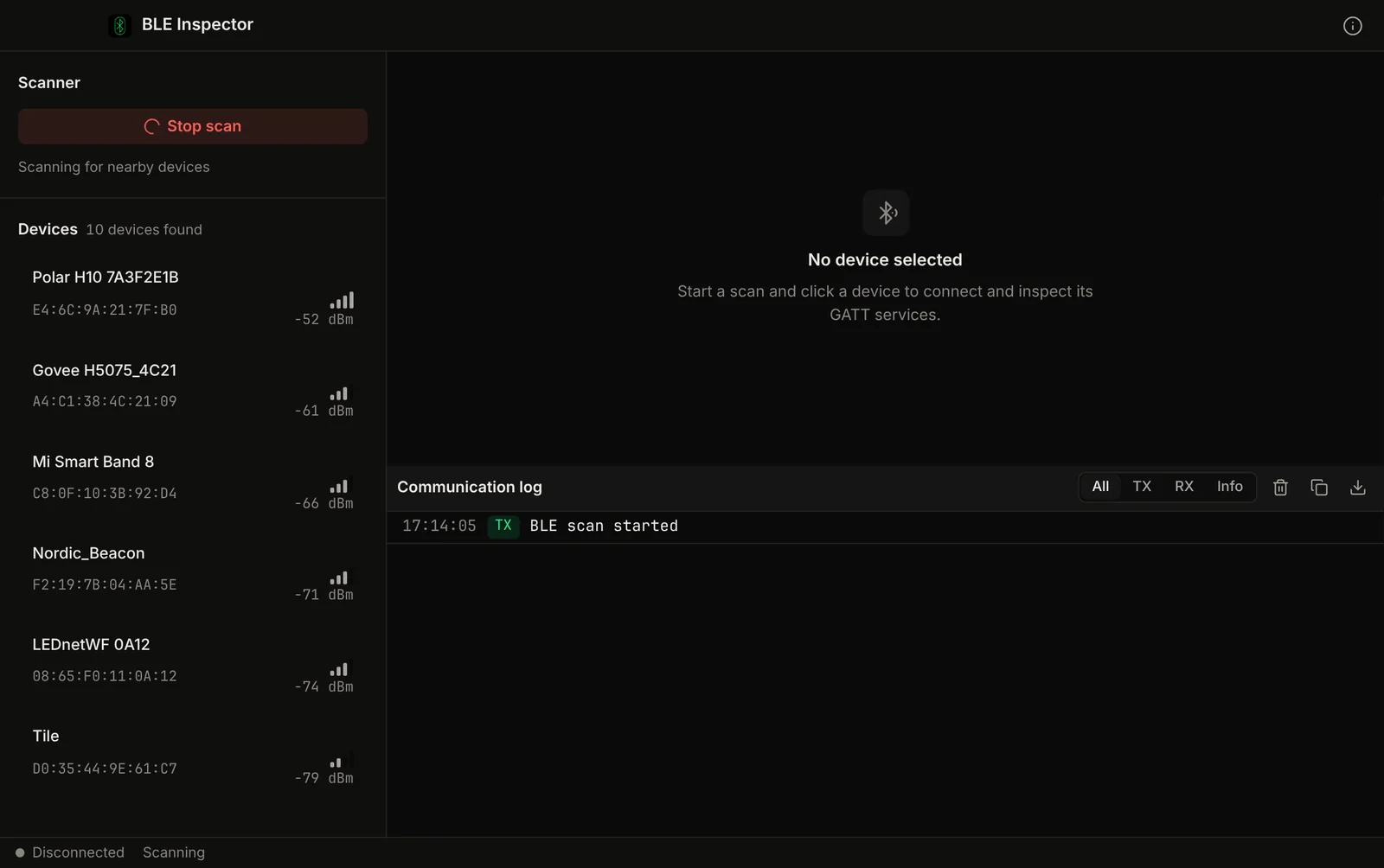
Scan for Bluetooth Low Energy devices, browse GATT services and characteristics, and read or write values.
- BLE device scanner with RSSI
- GATT service & characteristic browser
- Read, write, and notify
- Advertisement monitoring
- UUID lookup and identification

Self-hosted pastebin that runs on your own Cloudflare account. Share text and files by link; nothing is stored on our servers.
- One-click deploy to Cloudflare Workers
- Text pastes with custom slugs
- File uploads: images, PDFs, ZIPs
- Password-protected with CSRF security
- Runs on Cloudflare free tier
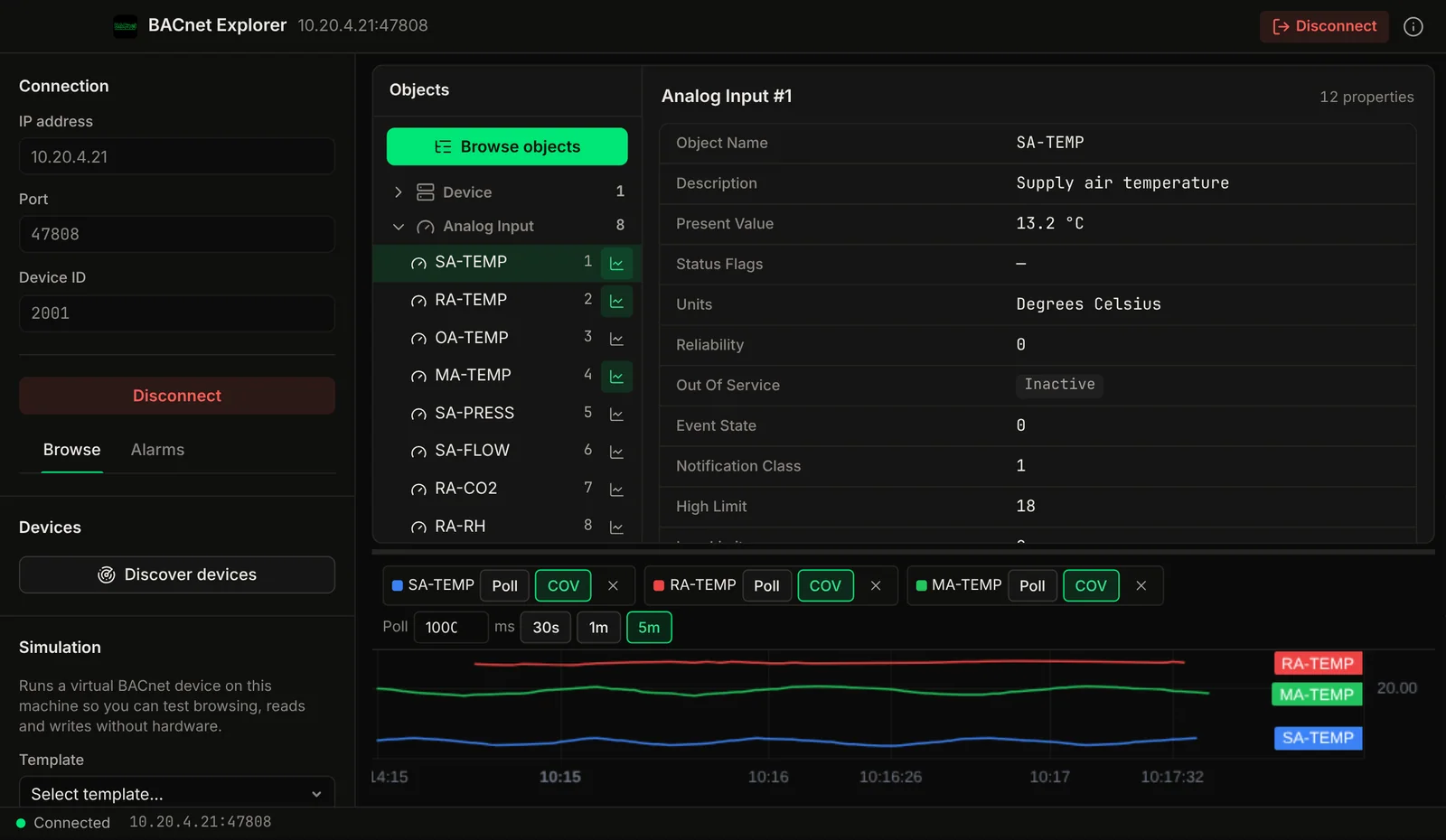
Discover BACnet/IP building automation devices, browse their objects, and read or write properties with live values.
- BACnet/IP device discovery
- Object browser with property inspection
- Read & write analog/binary values
- Real-time value monitoring
- Multi-device connections
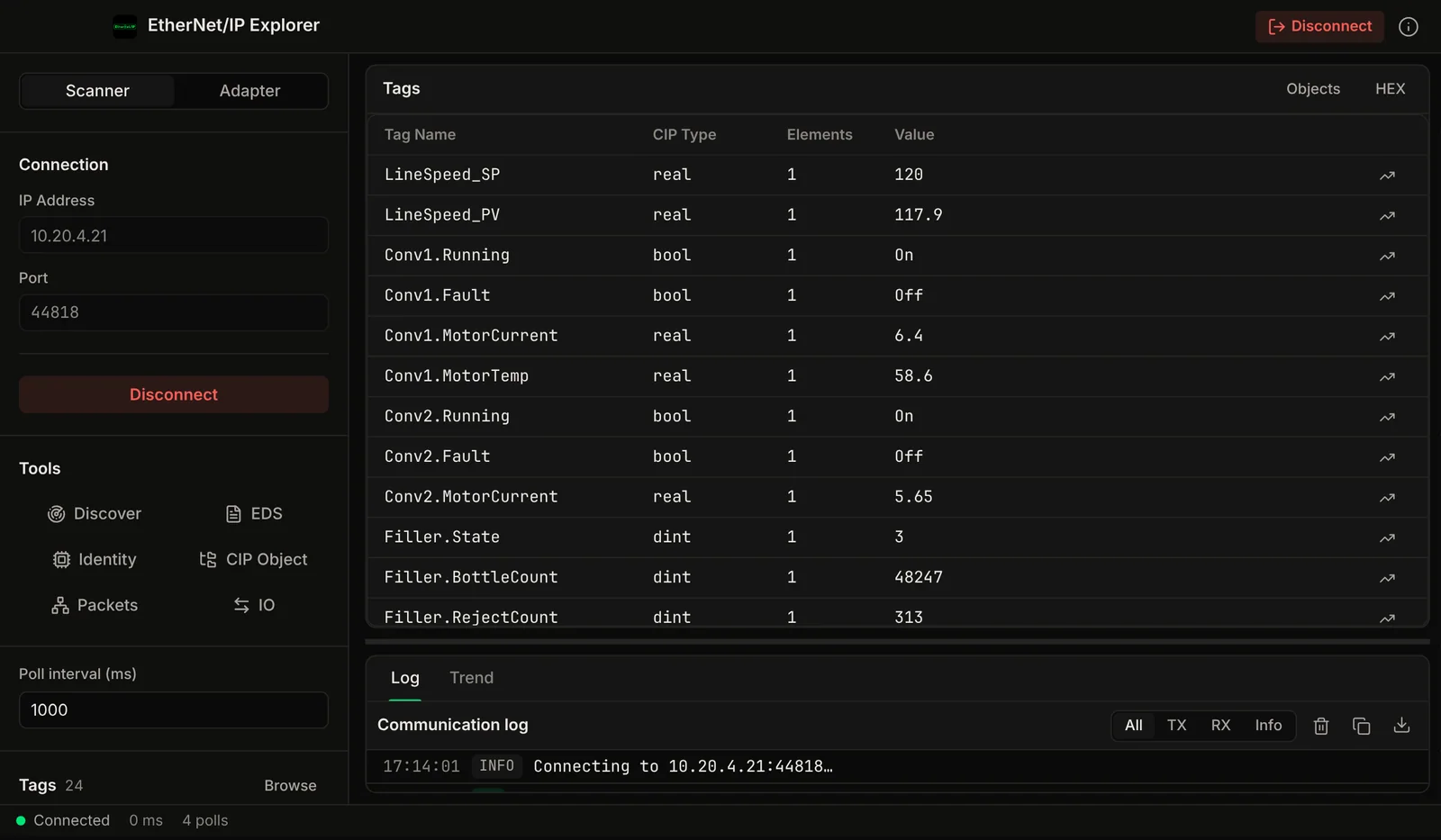
Connect to Allen-Bradley ControlLogix and CompactLogix PLCs over EtherNet/IP. Browse tags, read and write controller data: no RSLinx, no FactoryTalk.
- ControlLogix / CompactLogix support
- Tag browser with structured data types
- Read & write controller tags
- CIP protocol inspection
- Implicit I/O and packet log
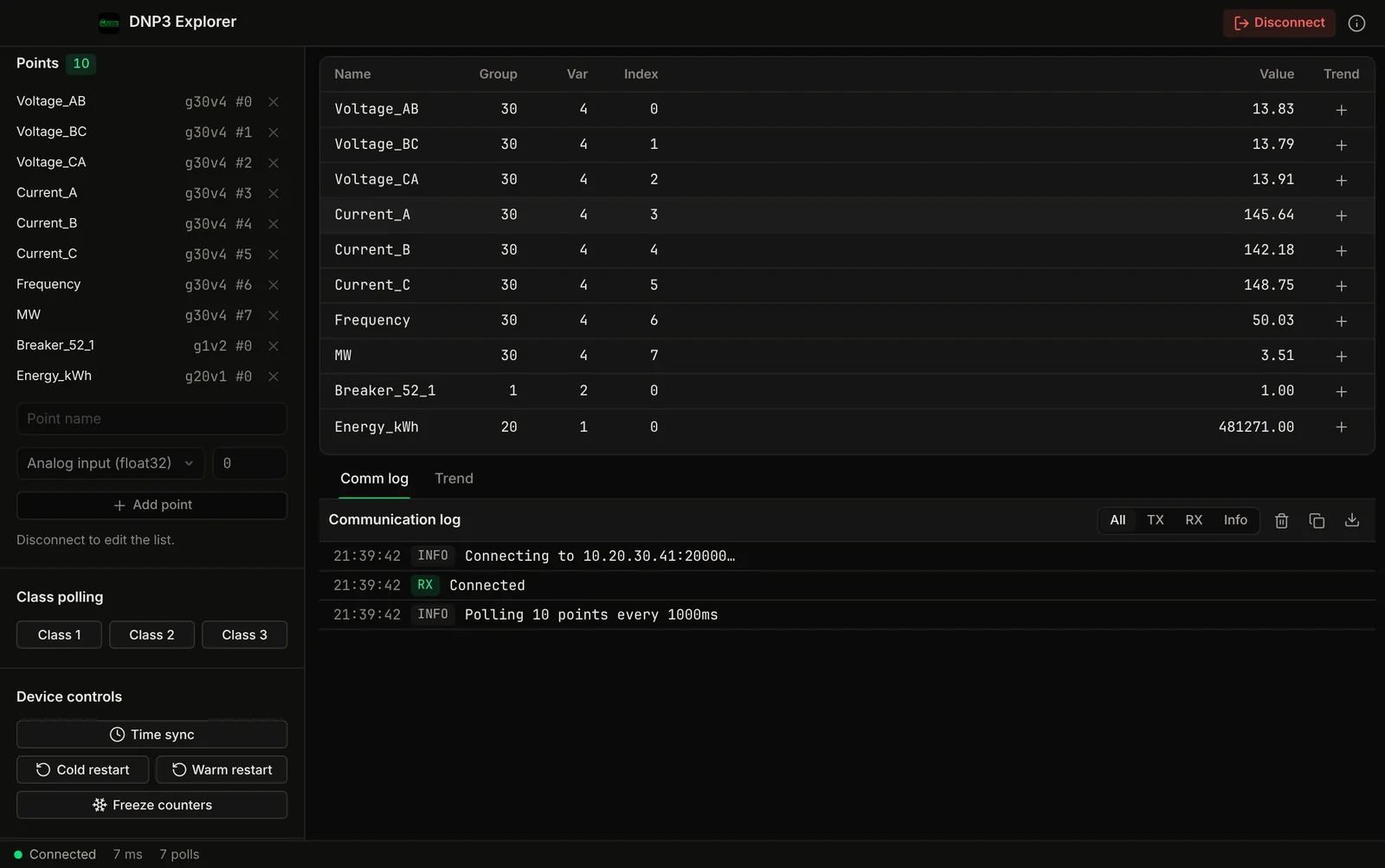
Poll DNP3 outstations, read point data and inspect the traffic. For utilities and water/wastewater systems running DNP3.
- DNP3 over TCP
- Binary, analog, and counter point monitoring
- Class 0/1/2/3 event scanning
- Communication logging with timestamps
- Direct operate and select before operate
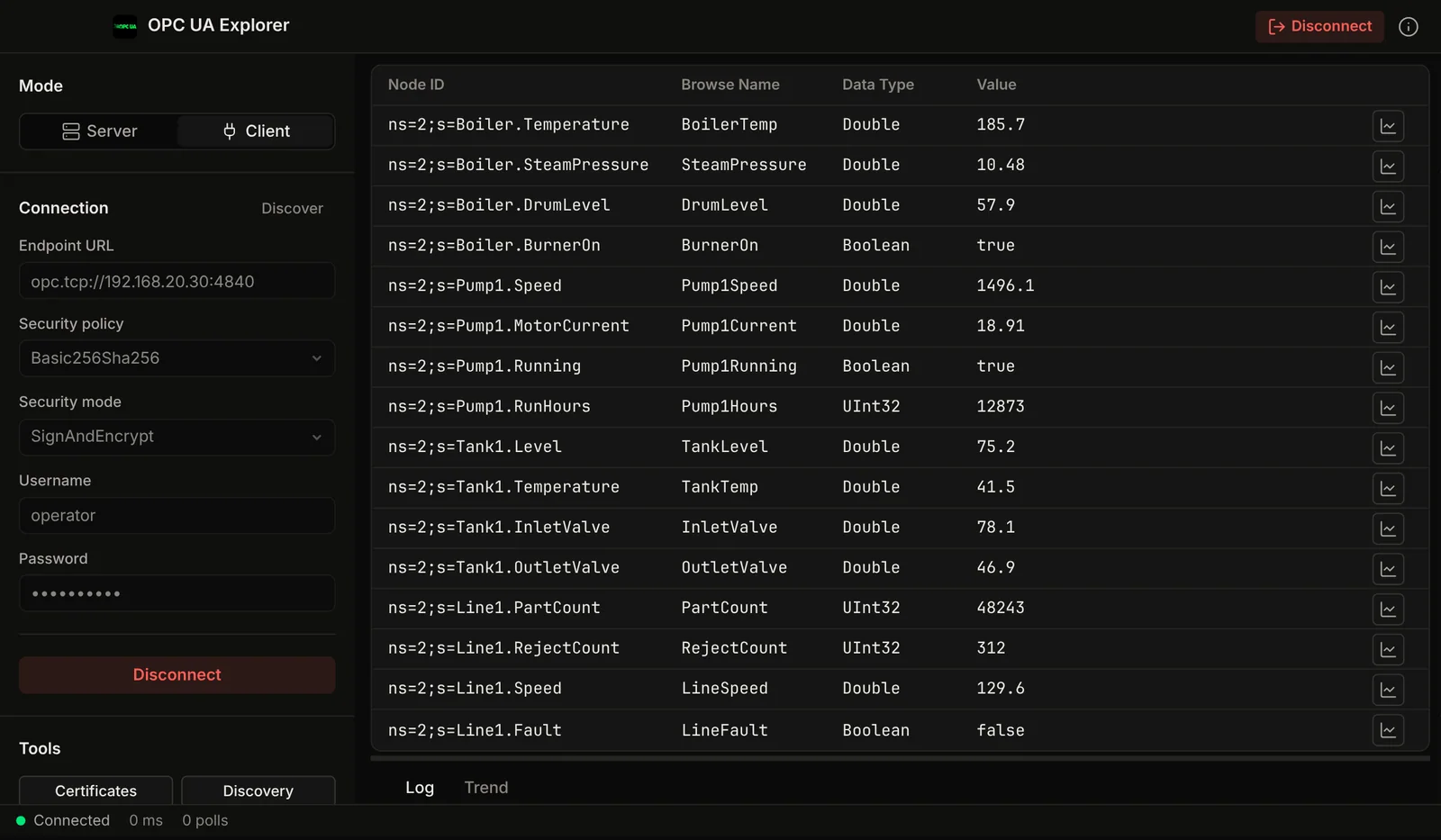

Browse OPC-UA server address spaces, subscribe to variable changes, and read/write node attributes on any compliant server.
- OPC-UA address space browser
- Real-time variable subscriptions
- Read & write node attributes
- Certificate management
- Multi-server connections
Free for Mac: 9 apps to download
Free notarized downloads from voltrus.id, signed and notarized by Apple so they open normally. Pro is an optional one-time licence for each app, bought through the Voltrus Console. No subscription.
-
MQTT Explorer
MQTT broker and client. Publish, subscribe and browse the topic tree.
-
Serial Terminal
RS232/RS485 serial terminal with a hex traffic view and ms timestamps.
-
S7 Explorer
Read and write Siemens S7-300/400/1200/1500 data blocks and memory areas.
-
OPC-UA Explorer
OPC-UA client: browse namespaces, subscribe to nodes, manage certificates.
-
NATS Explorer
NATS client with an embedded server, JetStream, KV and Object store.
-
BLE Inspector
Scan BLE devices, browse GATT services, read, write and notify.
-
CNC Explorer
MTConnect and FANUC FOCAS client with an agent and a CNC simulator.
-
SECS/GEM Explorer
SECS/GEM host and equipment simulator over HSMS, with SML and event reports.
-
CAN Explorer
CAN and CAN FD monitor with DBC decoding, J1939 and CANopen labels, and a bus simulator.
Voltrus Connect
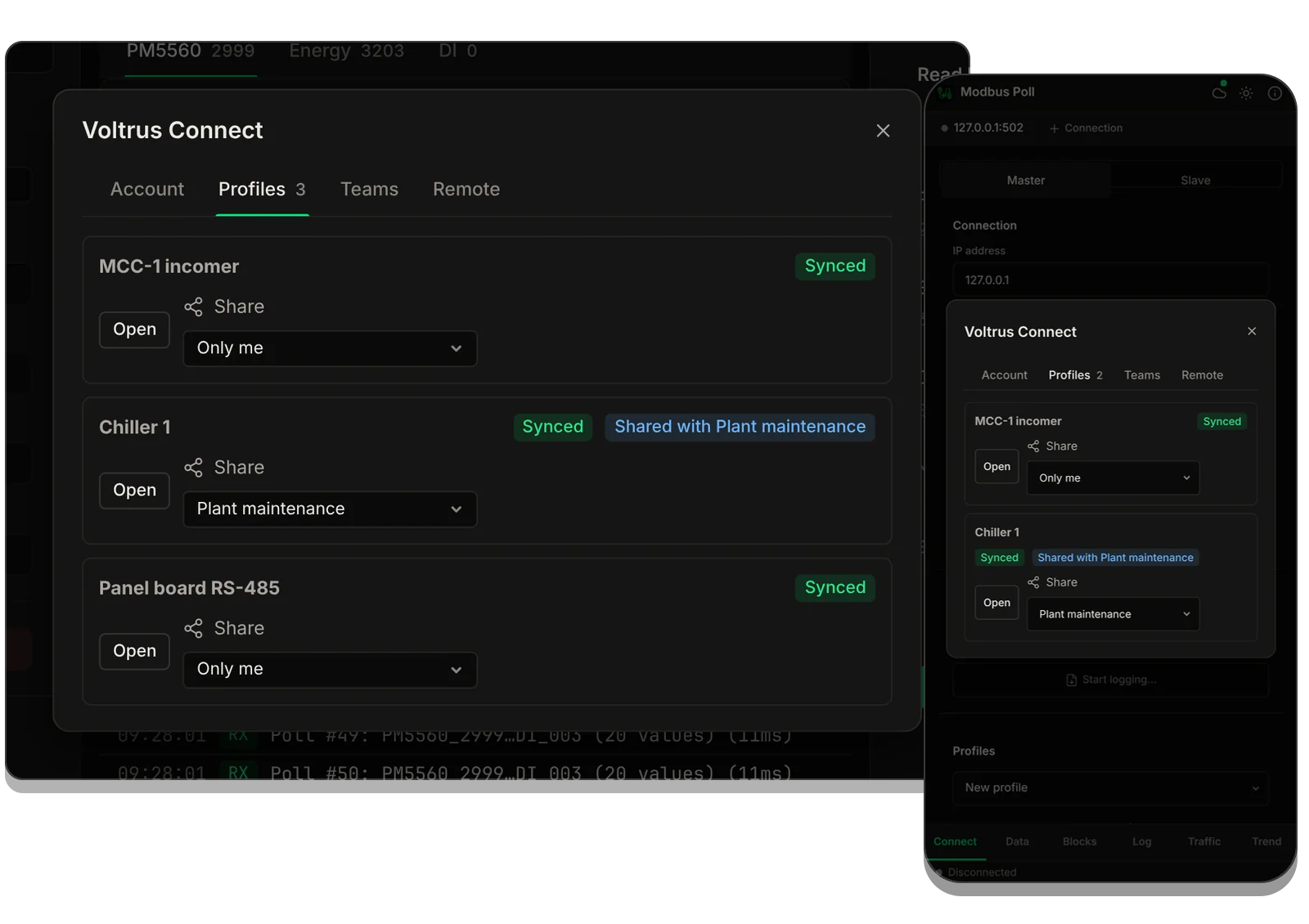
An optional Voltrus account for the apps: sync your saved profiles across Mac, iPhone and iPad, share them with your team, and list your Voltrus Remote sites. Available in Modbus Poll and BACnet Explorer first. The apps work fully without it, and their own prices above do not change: Connect is a separate, optional subscription.
- Sign in with your Voltrus account in the app.
- Save a connection as a profile. It syncs in the background.
- It appears on your other devices and with your team.
Free
- Sign in with your Voltrus account in the app
- Sync your own saved profiles across Mac, iPhone and iPad
- Accept a team invite and leave a team
- View your team's shared profiles and Voltrus Remote site list, read-only, whenever the team owner has Connect
Per paid seat
A paid seat creates teams, invites people, edits shared profiles and manages Remote sites. One seat works in every Voltrus app.
$39.99 / year or $4.99 / month in the app, 30 days free on the yearly plan for new subscribers. On the web: Rp 299.000 / year or Rp 39.000 / month in Rupiah.
Team packs
Seats for a whole team, billed yearly on the web. Everyone you invite gets a paid seat while seats remain.
5 seats $149, 10 seats $269, 25 seats $599 per year, or from Rp 1.190.000 in Rupiah.
Built for engineers who carry MacBooks.
Many industrial protocol tools are Windows-only, which on a Mac means Parallels and a Windows license. MacTools runs natively on the laptop you already carry.
Rust, not Electron
Built with Rust and Tauri. Small binaries and low RAM use. Native on Apple Silicon and Intel Macs.
No Windows Tax
Stop paying for Parallels Desktop on top of Windows tool licenses. Our tools cost from $14.99 one-time.
Apple Silicon & ARM
Native binaries for Apple Silicon (M1–M4) and Intel Macs. No Rosetta, no emulation layer.
One-Time Pricing
No subscription. The paid apps include every feature. The free downloads have an optional one-time Pro licence. Pay once, use it for good. Company purchases welcome.
Protocol Expertise
Built by the team behind Voltrus SCADA, which has Modbus, MQTT, OPC-UA, S7, DNP3 and BACnet drivers (OPC-UA on Professional and up; S7, DNP3 and BACnet on Enterprise).
Signed Distribution
Every protocol app ships as a notarized direct download, and Modbus Poll, BACnet Explorer, EtherNet/IP Explorer and DNP3 Explorer are also on the Mac App Store. No unsigned binaries from a release page.
Part of: Field tools · Debug one device from your laptop: protocol apps, terminal database browsers, utilities.
How MacTools suite differs from…
-
Voltrus SCADA
MacTools apps are for commissioning and debugging one device at a time. Voltrus SCADA monitors many devices continuously, with dashboards, alarms and history on your own hardware.
-
Voltrus Gateway
Voltrus Gateway has no screens to click through: it is a self-hosted service that exposes Modbus, OPC UA, EtherNet/IP, S7, DNP3, BACnet/IP and MQTT to your own software over one gRPC API.
Common questions
Do I need Parallels or Windows?
No. MacTools are native macOS apps. No Parallels, no Windows, no virtualization. Install the notarized direct download, or get it from the Mac App Store where listed.
Works on Apple Silicon?
Yes. Native ARM64 binaries for M1, M2, M3, M4 Macs, and Intel x86_64 Macs. No Rosetta needed.
How much does it cost?
Each app is sold on its own. Each paid tool costs $14.99 to $29.99 one-time, with every feature included. Nine apps are free downloads with an optional one-time Pro licence: Serial Terminal and BLE Inspector (Pro $4.99), MQTT Explorer, NATS Explorer, OPC-UA Explorer and S7 Explorer (Pro $29.99 each), CNC Explorer, SECS/GEM Explorer and CAN Explorer (Pro $39.99 each). No subscriptions, no recurring fees, no in-app purchases.
What protocols are supported?
Modbus TCP/RTU, serial RS232/RS485, MQTT, NATS, Siemens S7, BLE, BACnet/IP, EtherNet/IP (Allen-Bradley), DNP3 and OPC-UA.
Which apps are on the Mac App Store?
Four are: Modbus Poll and BACnet Explorer, EtherNet/IP Explorer and DNP3 Explorer, sandboxed. The other nine are free notarized downloads from voltrus.id, with an optional one-time Pro licence. Every protocol app, including the four App Store ones, is available as a notarized direct download.
Do I need MacTools if I have Voltrus SCADA?
They serve different purposes. MacTools are field commissioning and debugging tools for individual devices. Voltrus SCADA is for continuous monitoring with dashboards and alarms. You can use both.
Need a full SCADA system?
MacTools are for commissioning and debugging one device at a time. For continuous monitoring with dashboards, alarms, OEE tracking and history across protocols, look at Voltrus SCADA. Single binary, free open source core (AGPL-3.0).