Serial communication on Mac.
Hex view. No kexts.
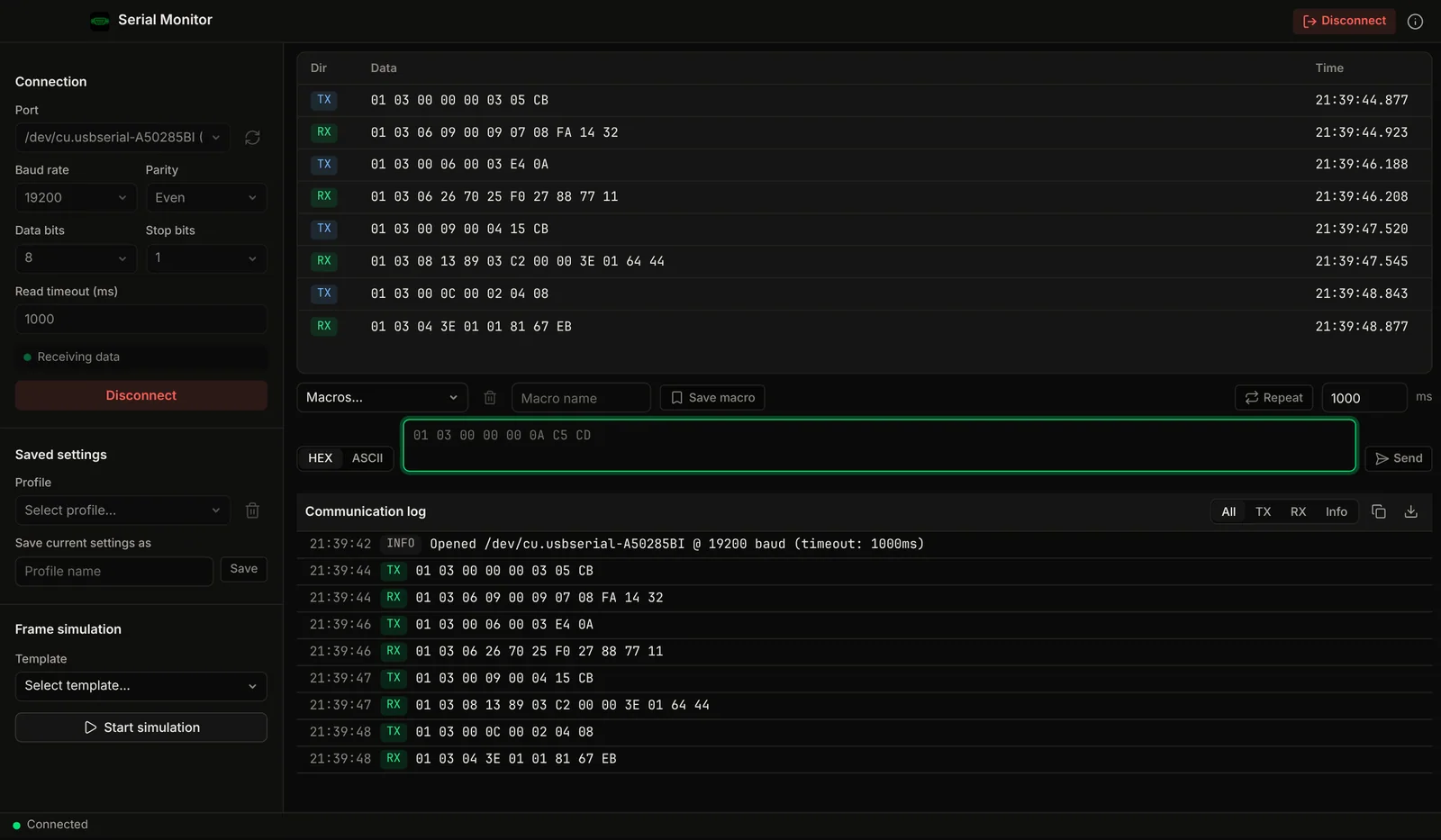
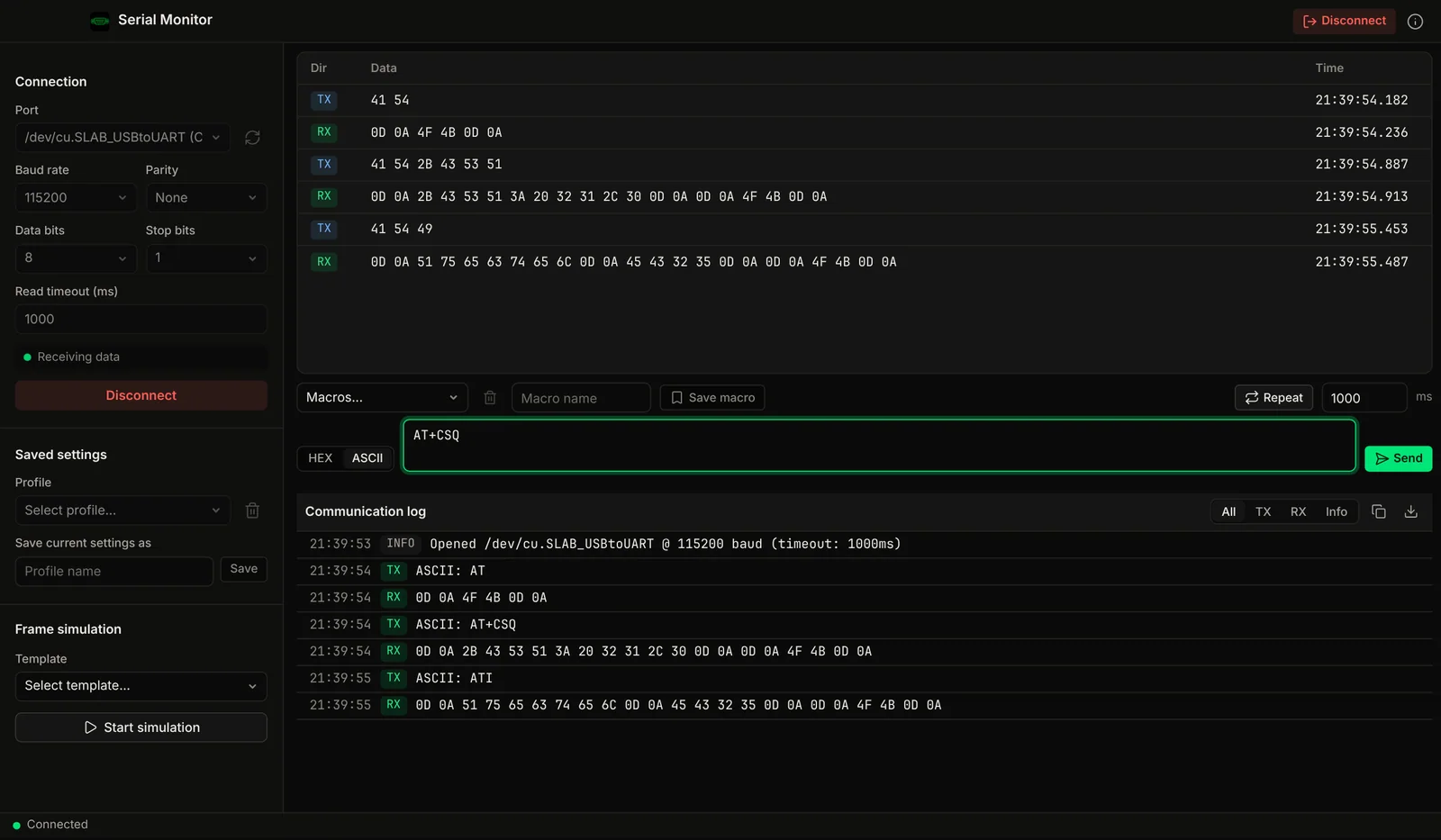
RS232, RS485 and USB serial with a live hex traffic view, millisecond timestamps, and hex or ASCII send. Works with FTDI, CH340, CP2102 and Prolific adapters, with no kernel extensions on Apple Silicon.
Demo video
Watch the demo
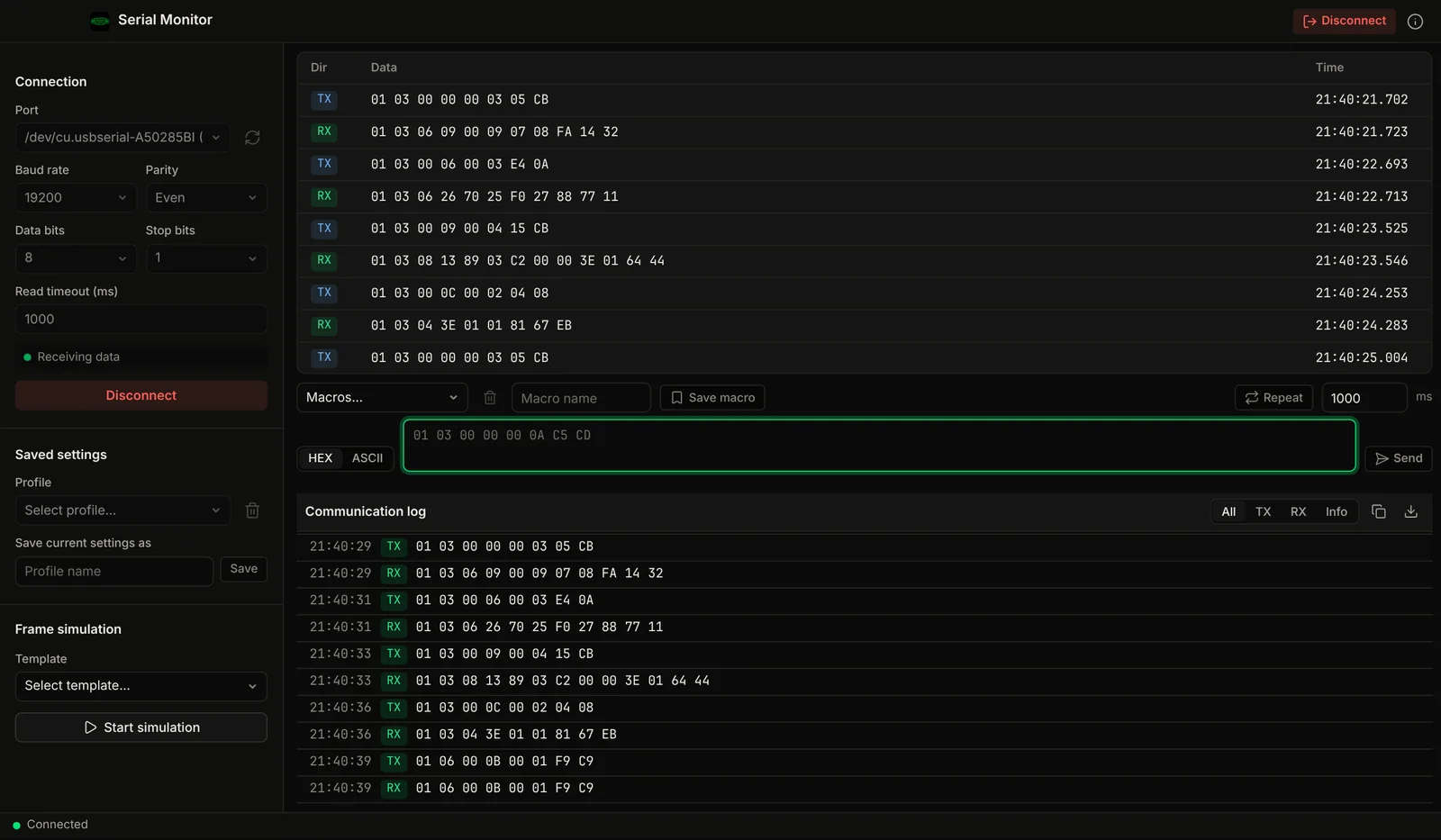
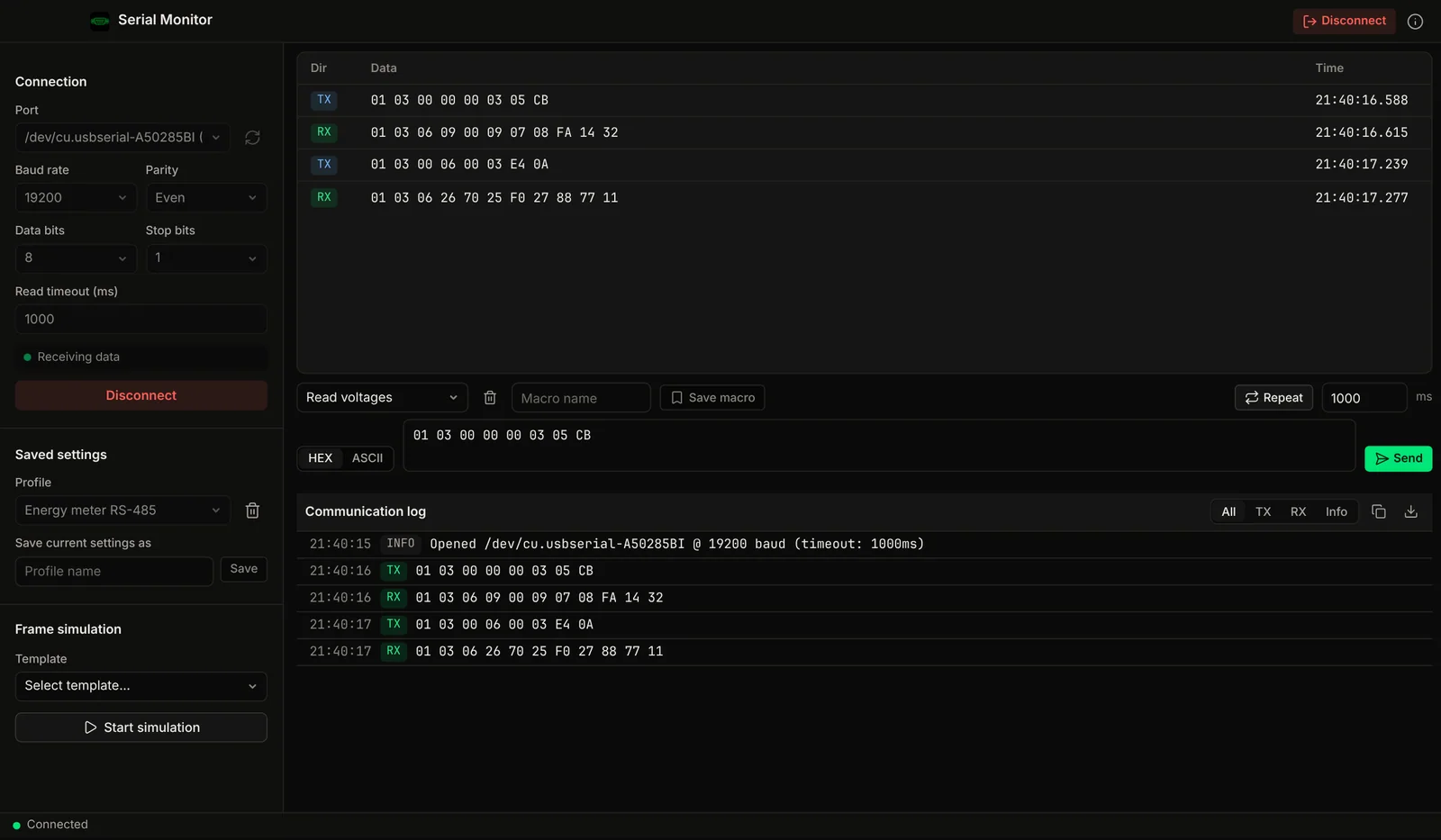
Open a serial port, send hex or ASCII, read every reply with timestamps, try it without hardware and keep macros. A native Mac app.
Chapters
The Problem
Your USB-serial adapter broke again after the macOS update.
Vendor USB-serial drivers have been a moving target since Apple Silicon, and macOS updates keep changing what loads. The free fallback is screen /dev/tty.usb*, with no hex view and no log.
Driver Churn
USB-serial vendor drivers for FTDI, Prolific, CH340 and CP2102 chips have moved from kernel extensions to Apple's newer driver model, and an old or mismatched driver can stop loading after a macOS update.
Few Native GUI Options
The established paid Mac serial app (Serial by Decisive Tactics) is built around terminal emulation. Most other options are command-line programs or cross-platform ports.
CLI-Only for Free
screen, minicom and picocom are all command-line: no hex view and no logging by default, for a job that should be point-and-click.
Electron Bloat
Cross-platform serial tools built on Electron bundle a full browser runtime just to display a byte stream.
Features
Hex traffic and test ports in one native app.
Hex Traffic View
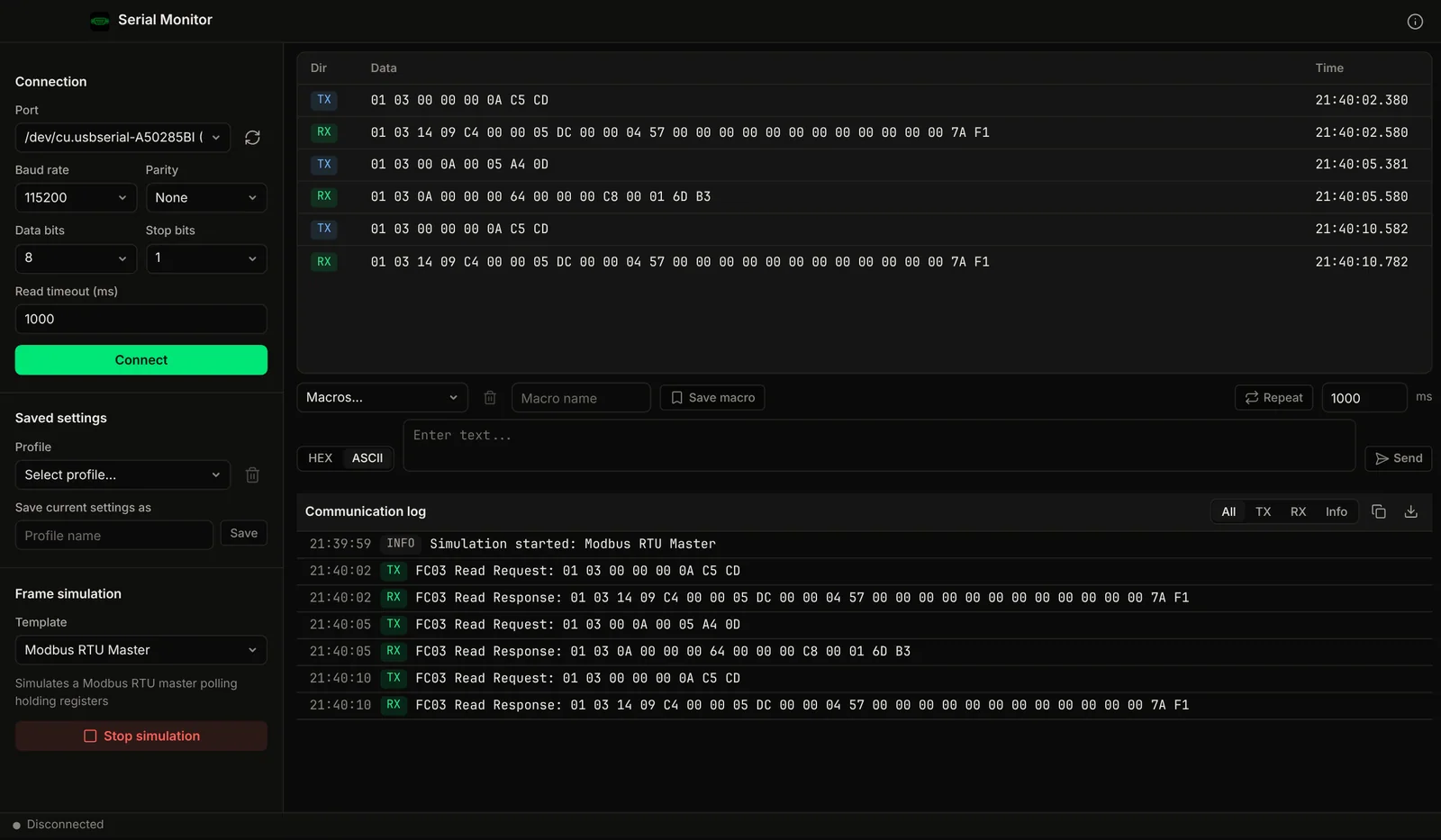
Every received and sent frame lands in a live table as hex bytes, tagged RX or TX, so binary protocols are readable at a glance.
Millisecond Timestamps
Each frame carries a millisecond timestamp, which makes inter-frame gaps and slow responders visible.
Hex or ASCII Send
Type a command as text, or paste raw hex like 01 03 00 00 00 0A C5 CD and send the exact bytes.
No Kernel Extensions
The app installs no kext and needs no Security settings changes. It opens the serial ports macOS already exposes, natively on Apple Silicon.
Virtual Serial Port
With Pro, create a PTY-based virtual port and point another program at it to test serial code without an adapter. It ships in the direct download only.
Connection Health
A live indicator shows whether data is arriving and how long the line has been idle, so a dead link is obvious.
Screenshots
See it in action
Compare
How it compares to existing serial tools
Part of: Field tools · Debug one device from your laptop: protocol apps, terminal database browsers, utilities.
How MacTools Serial Terminal differs from…
-
MacTools Modbus Poll
Serial Terminal shows the raw bytes. If the device speaks Modbus RTU, Modbus Poll decodes the registers for you.
-
MacTools suite
Working with more than one protocol? MacTools has one native app per protocol, each sold on its own: 4 paid apps from $14.99 one-time, and free downloads with an optional one-time Pro licence.
FAQ
Common questions
Get it free
Plug in the adapter. Read the bytes.
Serial Terminal is a free download for Mac. The DMG is signed and notarized by Apple, so it opens normally. An optional Pro licence key, $4.99 one-time, unlocks the Pro features below. The source is on GitHub under GPL-3.0.
Optional Pro, $4.99 one-time licence key
- Several ports open side by side
- Capture all traffic to a CSV file
- Copy-all and CSV export of the communication log, unlimited scrollback
- Send macros and repeat-send at a fixed interval
- Unlimited saved port profiles
- Virtual serial port (PTY) for testing without hardware
Pro is a one-time purchase on the Voltrus Console. Your key arrives by email and in your console account. No subscription.
From one device to the whole line
Monitoring this device 24/7?
Serial Terminal is built for commissioning and debugging. For round-the-clock monitoring use Voltrus OEE (hosted, live availability and downtime per machine) or Voltrus SCADA (dashboards, alarms and history on your own hardware).
Get new tools, releases and protocol guides by email. A few emails a month, unsubscribe anytime.
Could not sign you up right now. Please try again, or email [email protected].
Also from MacTools