Read a CAN bus from a Mac.
Monitor, decode and send.
Plug in a USB CAN adapter and see every identifier with its count, period and the bytes that change. Decode messages with a DBC file, label J1939, CANopen and OBD-II traffic, and send frames. When there is no machine on your desk, run a built-in bus simulator.
Demo video
Watch the demo
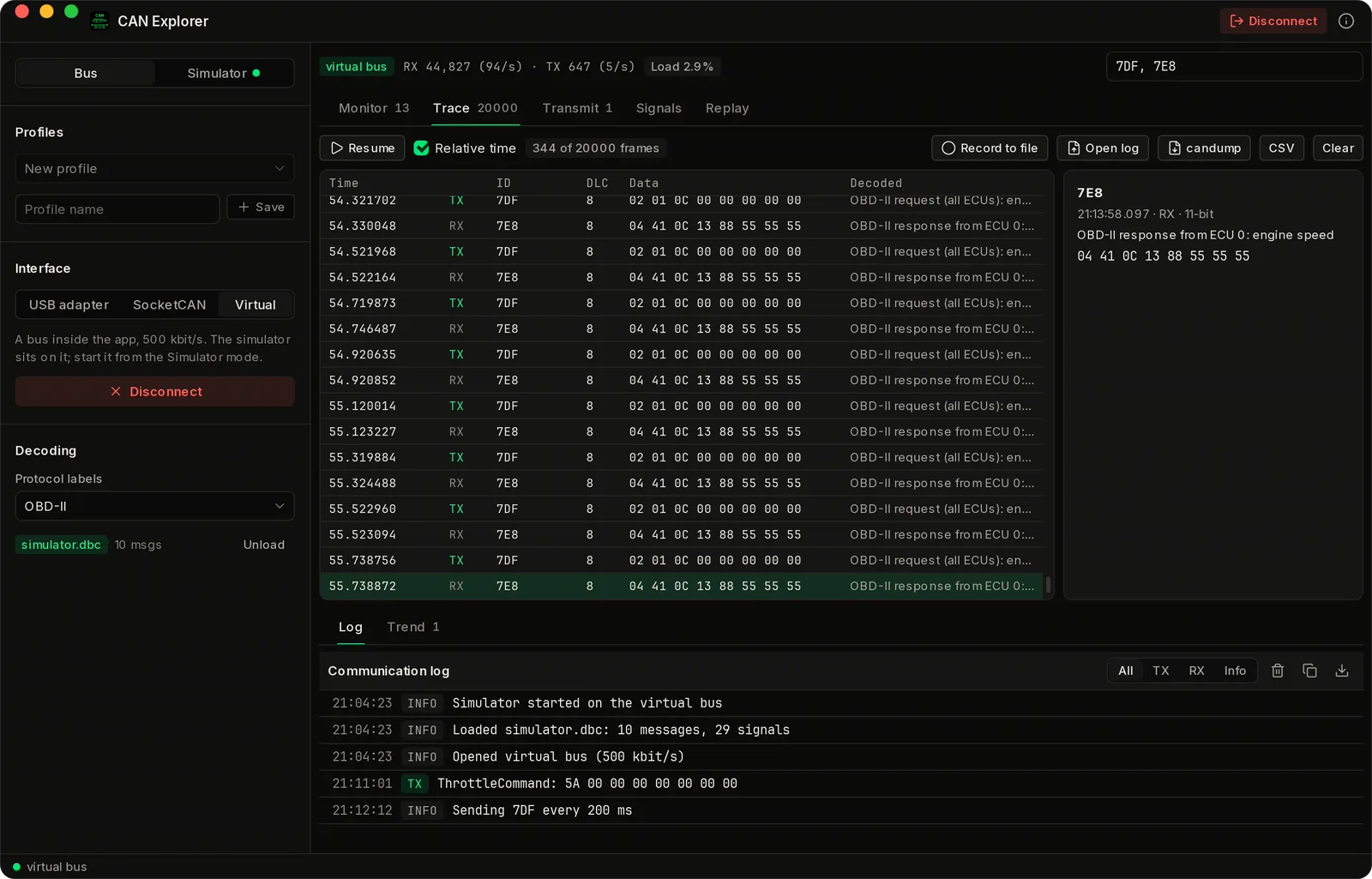
A tour of CAN Explorer for Mac: the live monitor with J1939 labels, DBC signal decoding, live signal trends, sending a message by its signal values, a cyclic OBD-II request with its answers, and a DM1 fault, against the built-in genset simulator on a virtual bus.
Chapters
The Problem
CAN tools are built for Windows, or for a terminal.
Most CAN analysers ship with a Windows driver for one brand of interface. On a Mac you are left with candump in a terminal, or a virtual machine. If you work on engines, gensets, vehicles or machines from a Mac, you want the bus in front of you, decoded.
A wall of hex
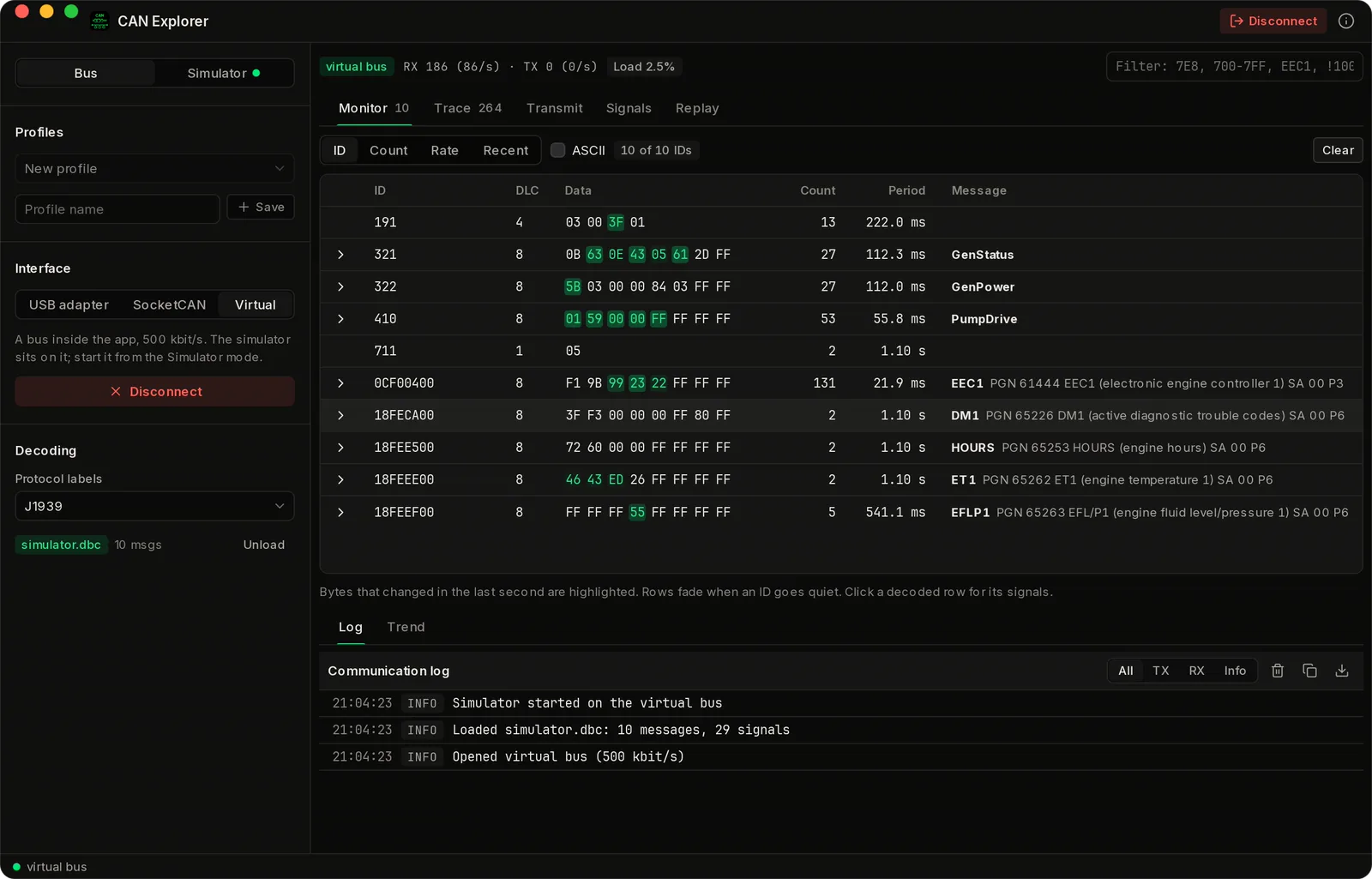
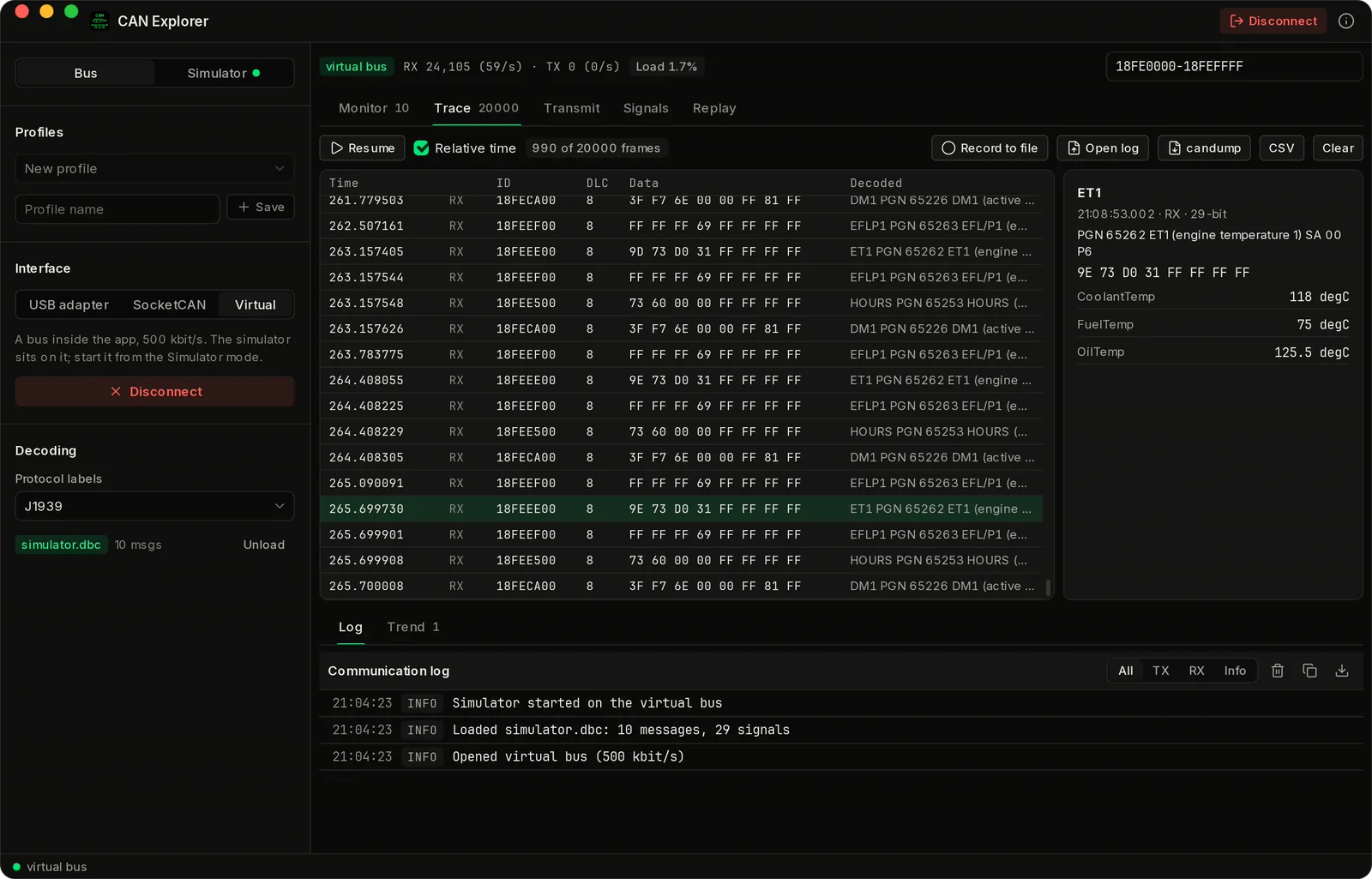
A scrolling trace hides what matters. The monitor shows one row per identifier, with its period and the bytes that just changed highlighted.
Signals by hand
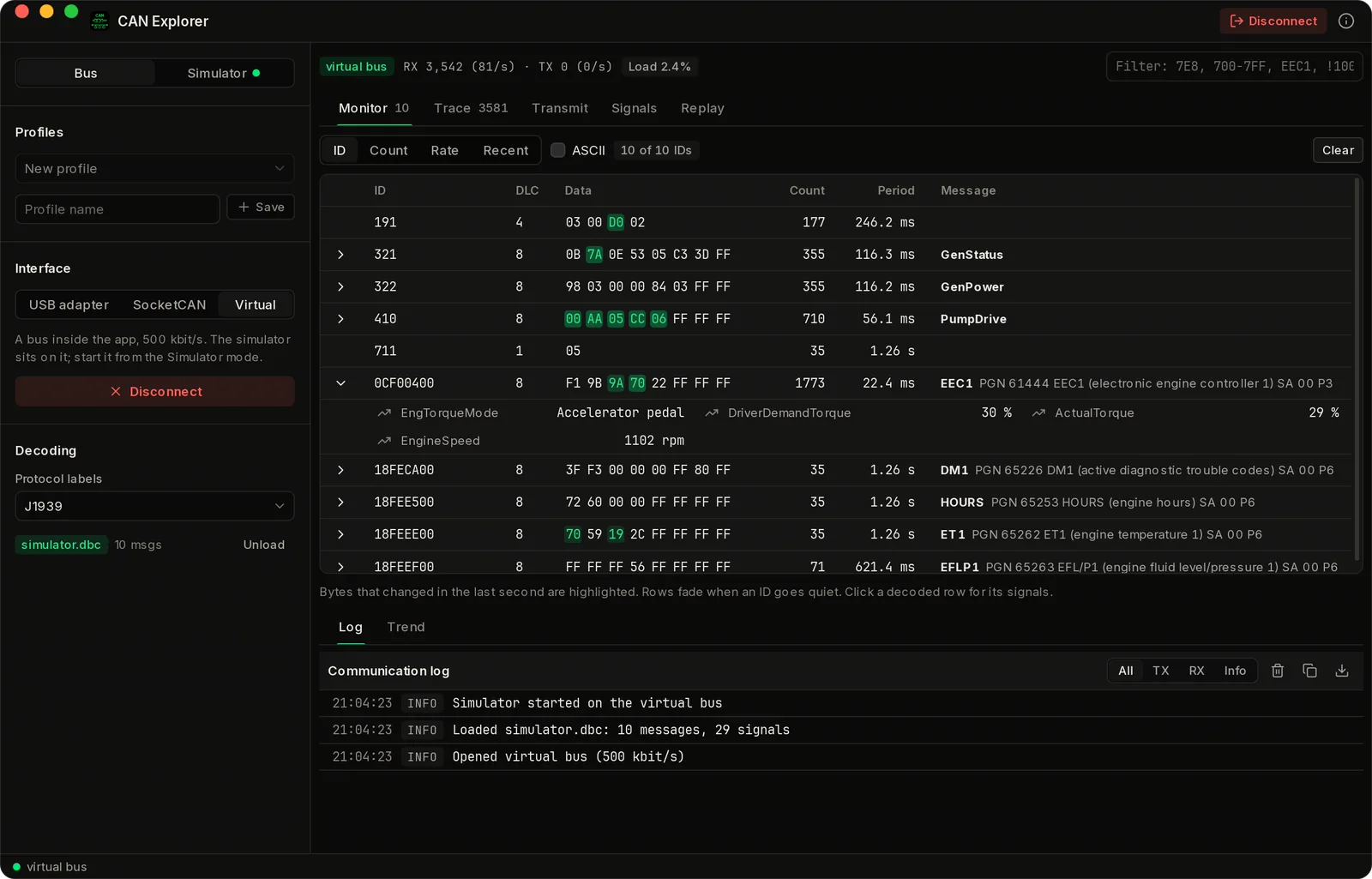
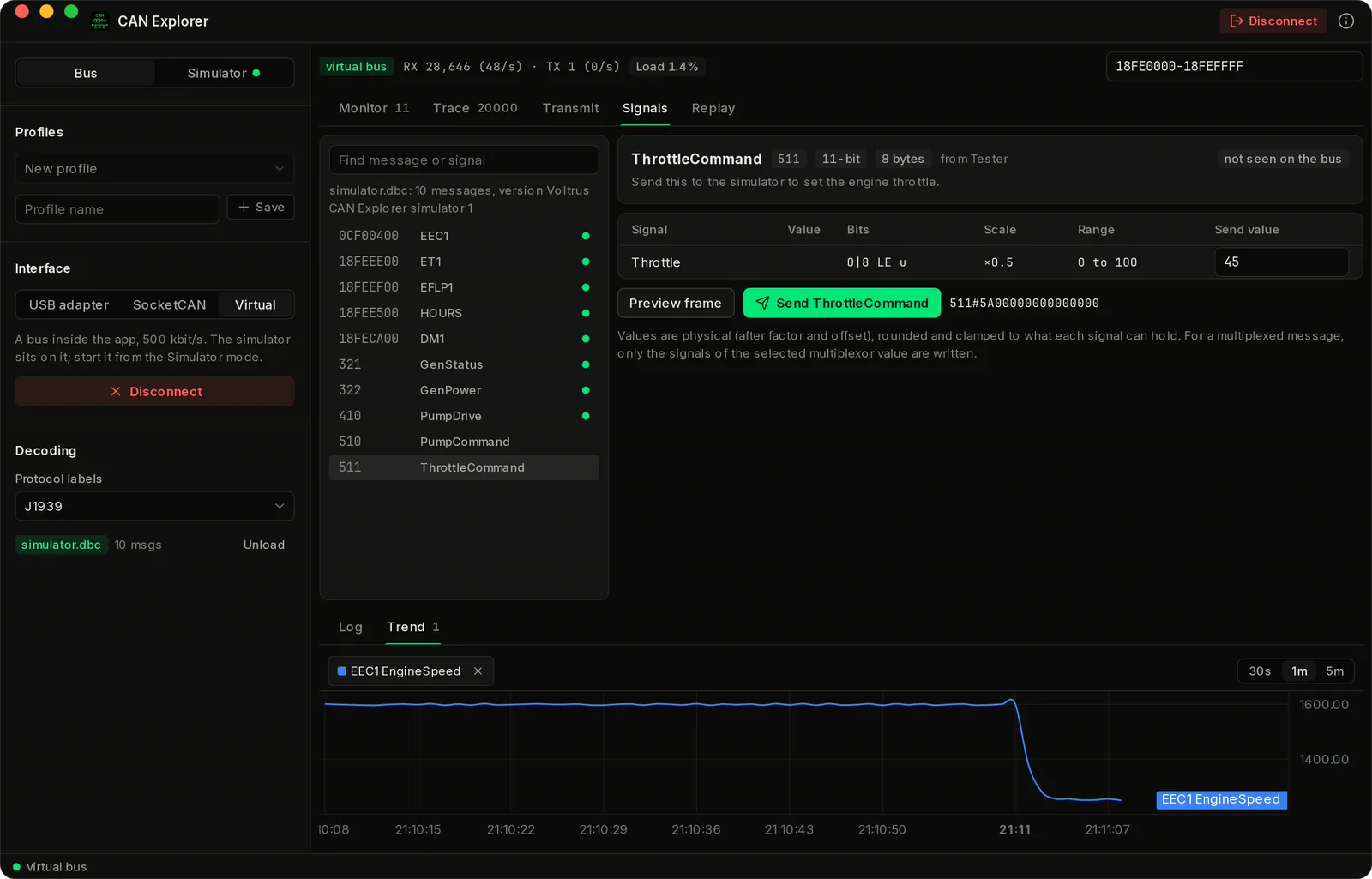
Working out start bits, byte order and scaling on paper is slow. Load a DBC file and read engine speed in rpm.
No bus to test on
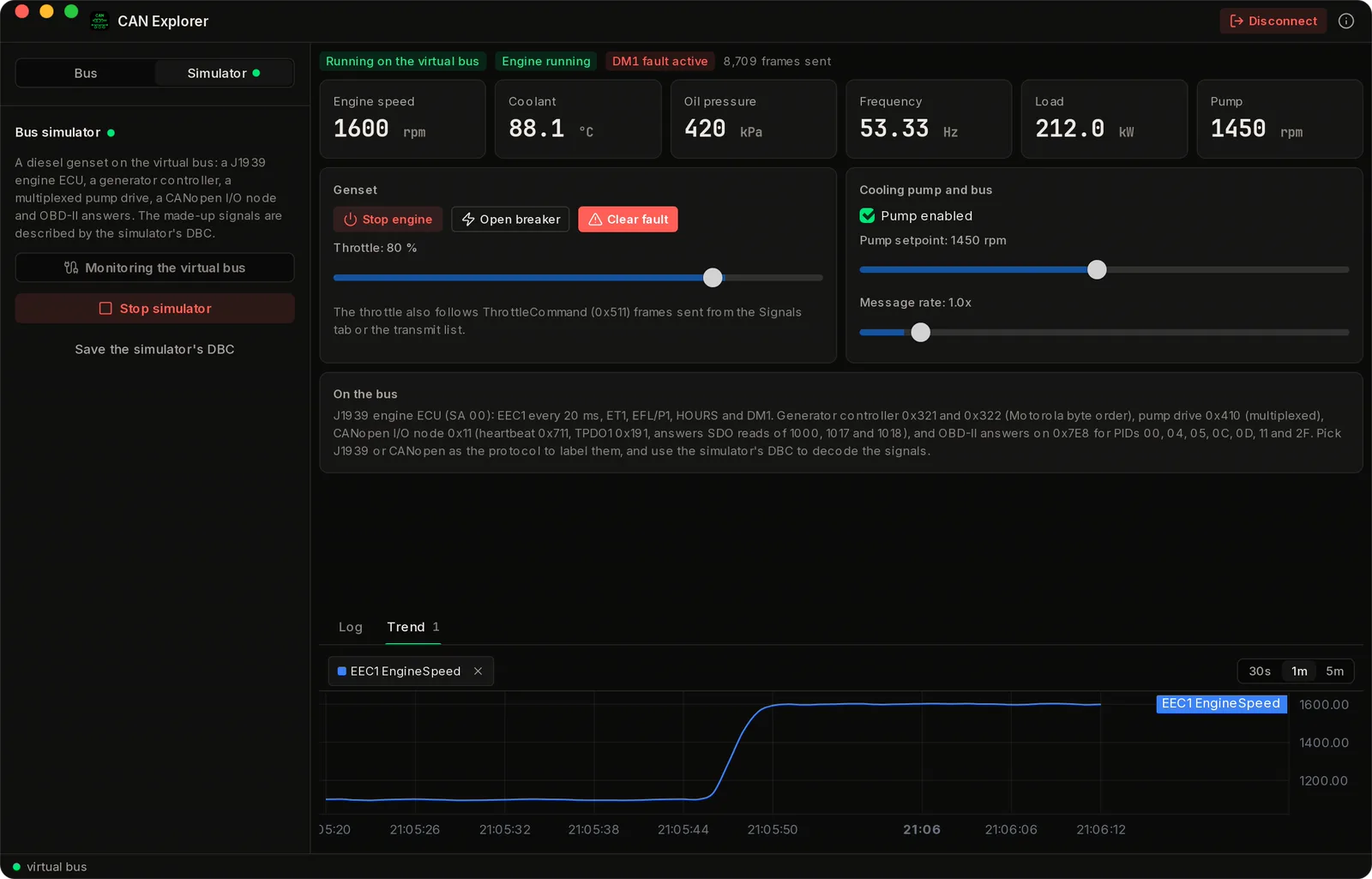
The machine is not always within reach. The simulator puts a genset on a virtual bus inside the app.
Vendor drivers
A native Mac app, built in Rust, that talks to common open USB adapters directly, with no vendor library.
Features
A bus monitor and a bus to test it on, one native app.
Monitor and trace
One row per identifier with count, period and changing bytes, and a trace of the last 20,000 frames with a filter. Bus load estimate.
DBC decoding
Intel and Motorola byte order, signed and float signals, multiplexed messages and value tables.
J1939, CANopen, OBD-II
Label frames with J1939 PGNs and source addresses, CANopen function codes and node ids, or OBD-II requests and replies.
Send frames
Send a single frame from a form or in cansend syntax. Pro adds cyclic transmit and sending a DBC message by its signal values.
Record and replay
Open candump logs for free. Pro records every frame to a candump file, exports the trace as candump or CSV, and replays logs onto the bus with speed, loop and ID filter.
Trends and profiles
Plot decoded signals live, and save a profile for every interface. Pro.
Screenshots
See it in action
Adapters
Common USB CAN adapters, no vendor driver.
The app talks to two kinds of USB adapter. SLCAN adapters show up as a serial port: CANable and CANable 2 with slcan firmware, Lawicel CANUSB and CAN232, USBtin and compatibles. gs_usb adapters are driven over USB directly, with no driver to install: CANable with candleLight firmware, candleLight, CANtact and Geschwister Schneider USB/CAN. Bit rates run from 10 kbit/s to 1 Mbit/s, with CAN FD data rates on adapters that have them, and a listen-only mode. On Linux the app also opens SocketCAN interfaces.
Not supported
PEAK, Kvaser and Vector interfaces need their vendors' drivers, and CAN Explorer does not use them. If your adapter is not in the list above, send its make and model to [email protected].
Bus simulator
A diesel genset on a virtual bus.
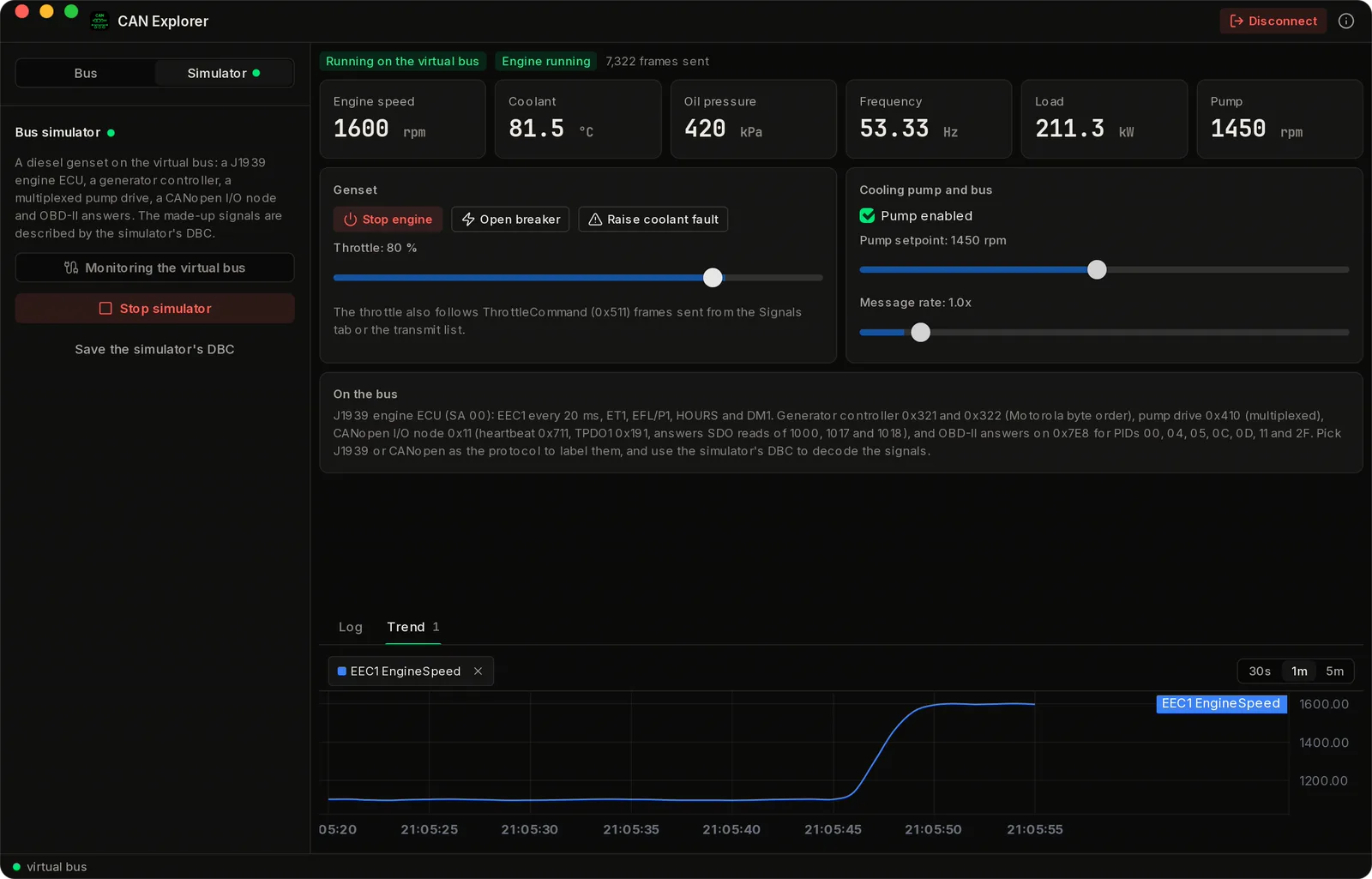
Start the simulator and the app puts a genset on its virtual bus at 500 kbit/s: a J1939 engine ECU (EEC1, ET1, EFL/P1, HOURS and DM1), a generator controller in Motorola byte order, a multiplexed pump drive, a CANopen I/O node with heartbeat, TPDO and SDO answers, OBD-II replies, and a battery management system that sends a 64-byte CAN FD frame with bit rate switch every 100 ms (pack voltage, current, state of charge, temperatures and 64 cell voltages, multiplexed 16 at a time). Start and stop the engine, move the throttle, close the breaker, raise a fault, change the pump setpoint and the message rate, and watch the frames change. The simulator ships with a DBC file that describes its signals. Pro.
Learn the tool
Try the monitor, DBC decoding, labels, trends and replay before you connect to a real bus.
Made-up machine
Its identifiers, signals and values are made up to look plausible, not recorded from a real engine or controller.
Part of: Field tools · Debug one device from your laptop: protocol apps, terminal database browsers, utilities.
Also in Field tools
-
Voltrus Tools
You want every protocol client and simulator in one Mac app instead of one app per protocol.
-
Voltrus Connect
You want your saved Modbus Poll and BACnet Explorer profiles on every device, or shared with your team.
-
MacTools Modbus Poll
You need to read or write Modbus TCP/RTU registers, or simulate a slave.
-
MacTools OPC-UA Explorer
You need to browse and read an OPC-UA server.
-
MacTools BACnet Explorer
You need to discover BACnet/IP devices and browse their objects.
-
MacTools S7 Explorer
You need to read or write a Siemens S7-300/400/1200/1500 from your laptop.
FAQ
Common questions
Get it free
CAN, on your Mac.
CAN Explorer is a free download for Mac. The DMG is signed and notarized by Apple, so it opens normally. An optional Pro licence key, $39.99 one-time, unlocks the Pro features below. The source is on GitHub under GPL-3.0.
Optional Pro, $39.99 one-time licence key
- Cyclic transmit of any number of frames
- Sending a DBC message by its signal values
- Live trends of decoded signals
- Recording every frame to a candump file
- Trace export as candump or CSV
- Replay of candump logs onto the bus, with speed, loop and ID filter
- Bus simulator: a diesel genset speaking J1939, CANopen and OBD-II
- Unlimited saved interface profiles
Pro is a one-time purchase on the Voltrus Console. Your key arrives by email and in your console account. No subscription.
Requires macOS 13 Ventura or later, Apple Silicon or Intel, and a supported USB CAN adapter for a real bus. One Pro key activates one Mac and can be moved to another.
CANopen is a registered trademark of CAN in Automation e.V. CAN Explorer is not affiliated with or endorsed by CiA, SAE or the adapter makers.
Also from MacTools