DNP3 master and outstation on your Mac.
Native on Mac. No Parallels.
DNP3 master polling and outstation simulation in one native app: binary and analog I/O, counters, class 0/1/2/3 polling, event buffering and time sync. No VM.
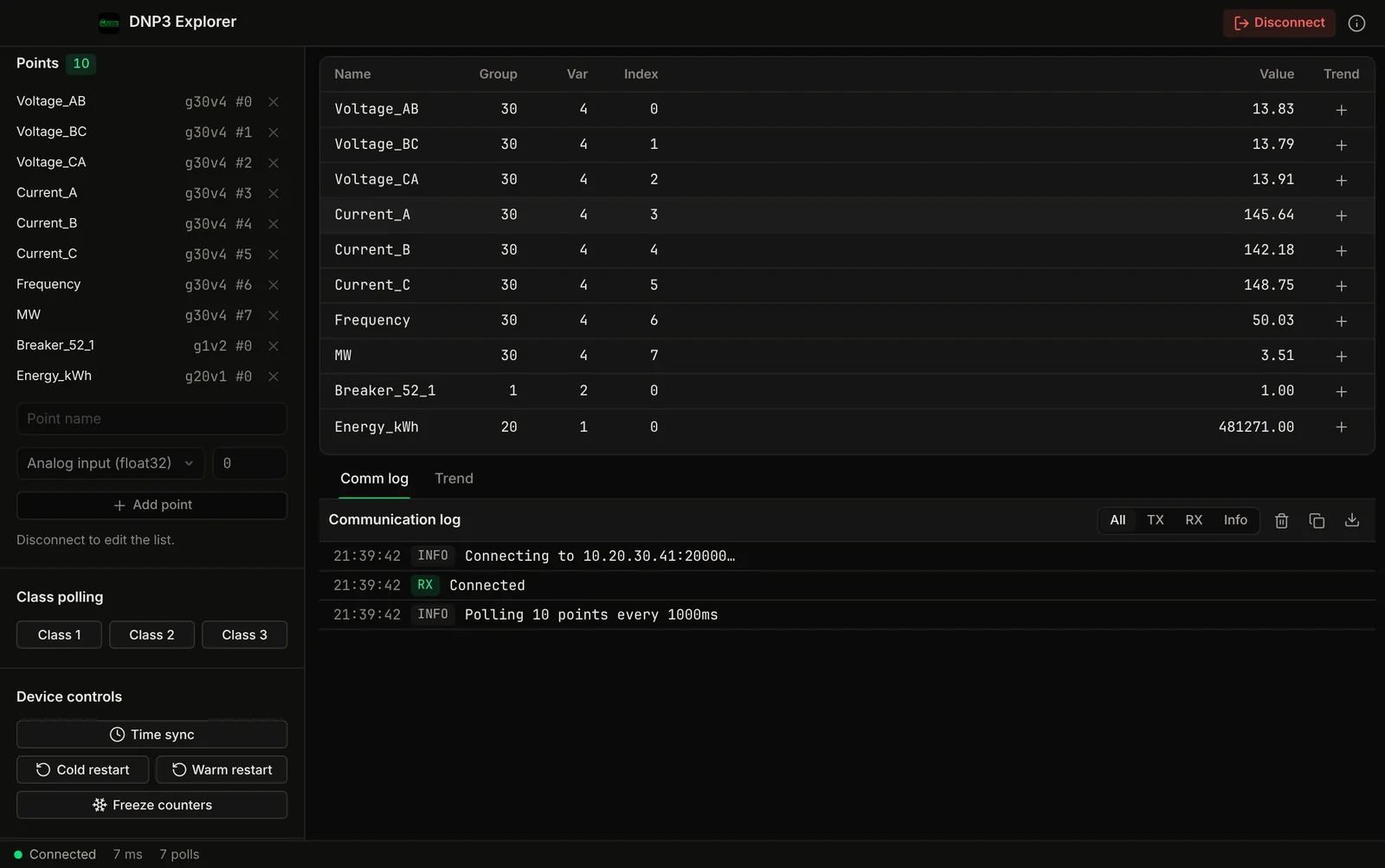
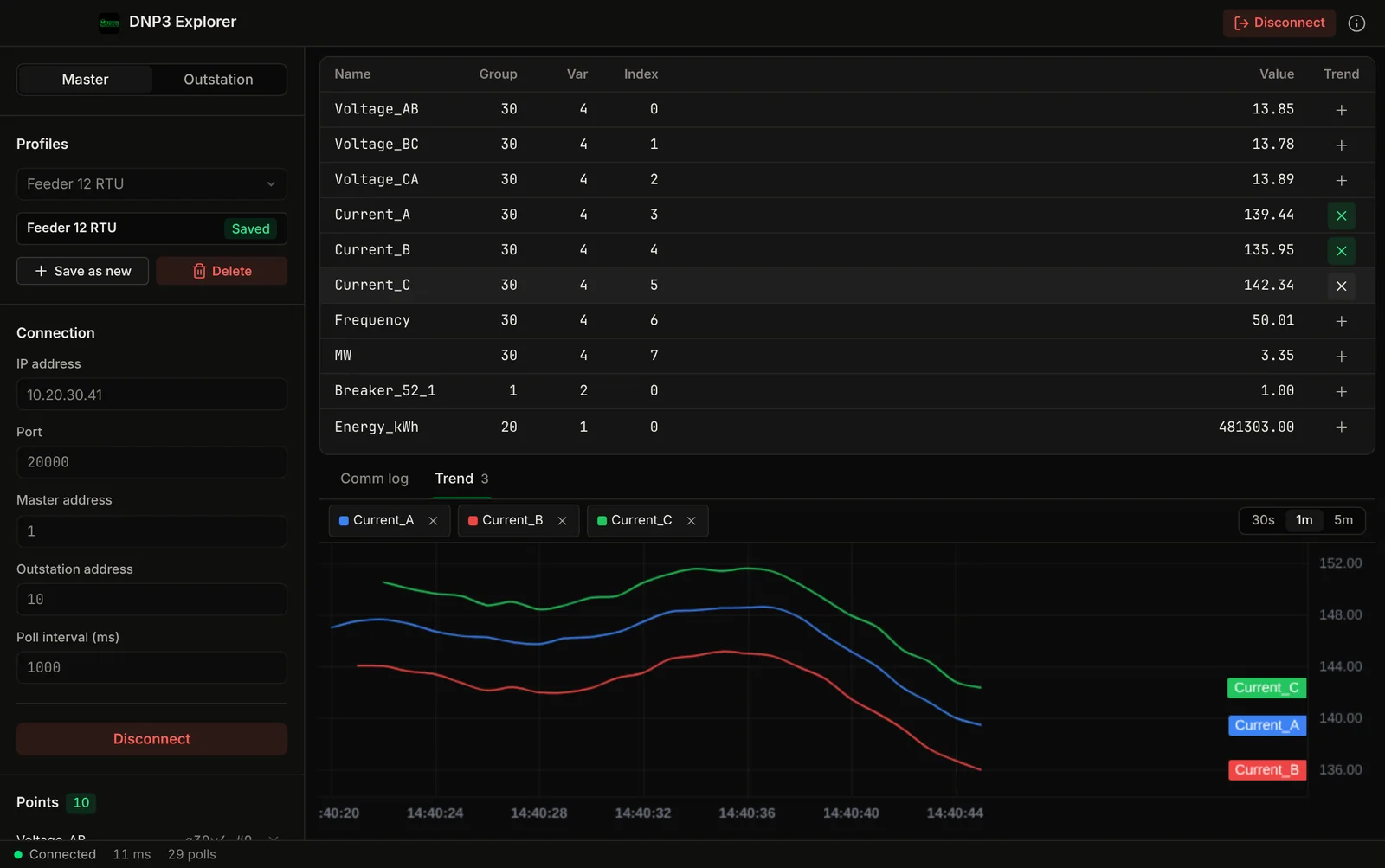
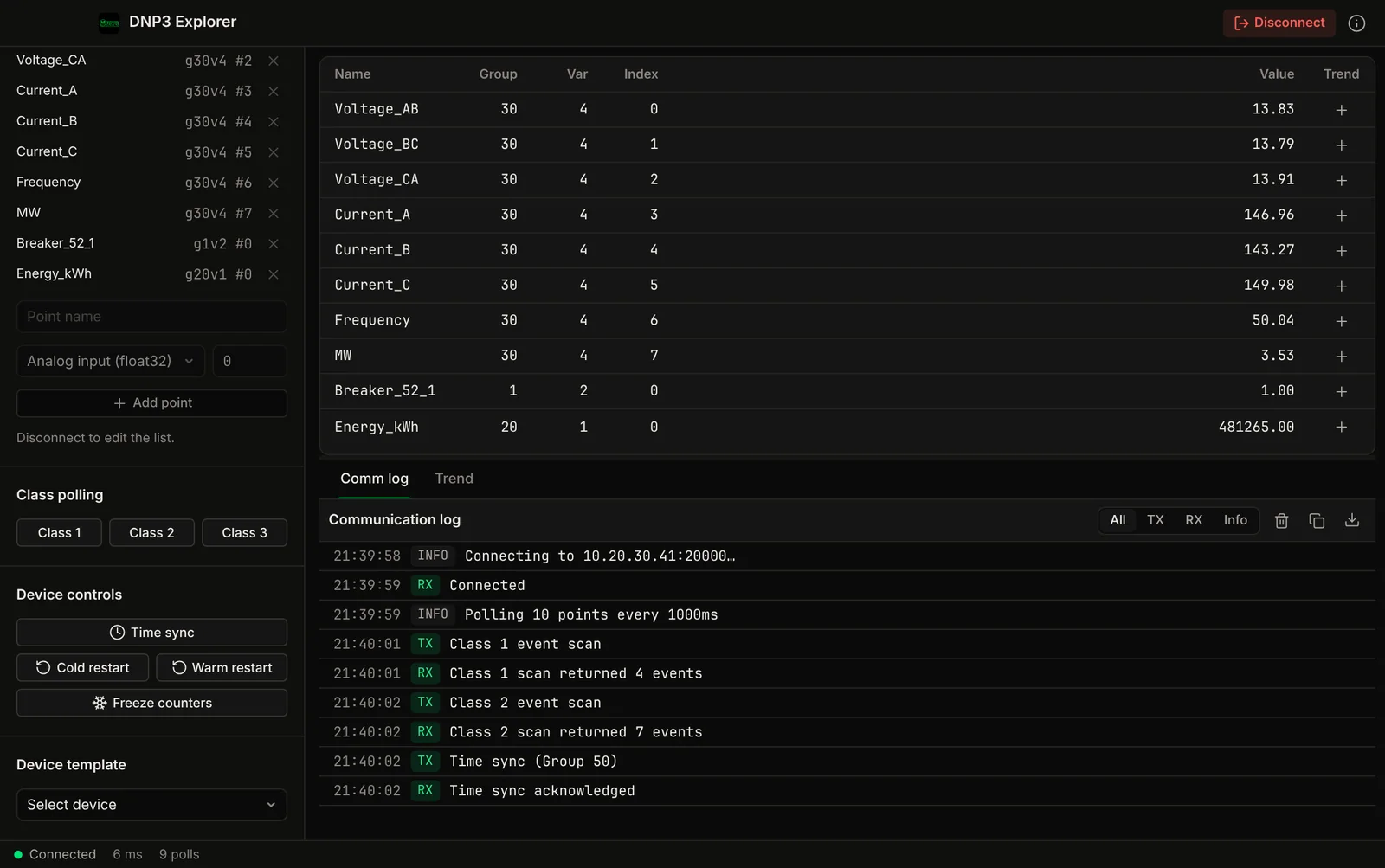
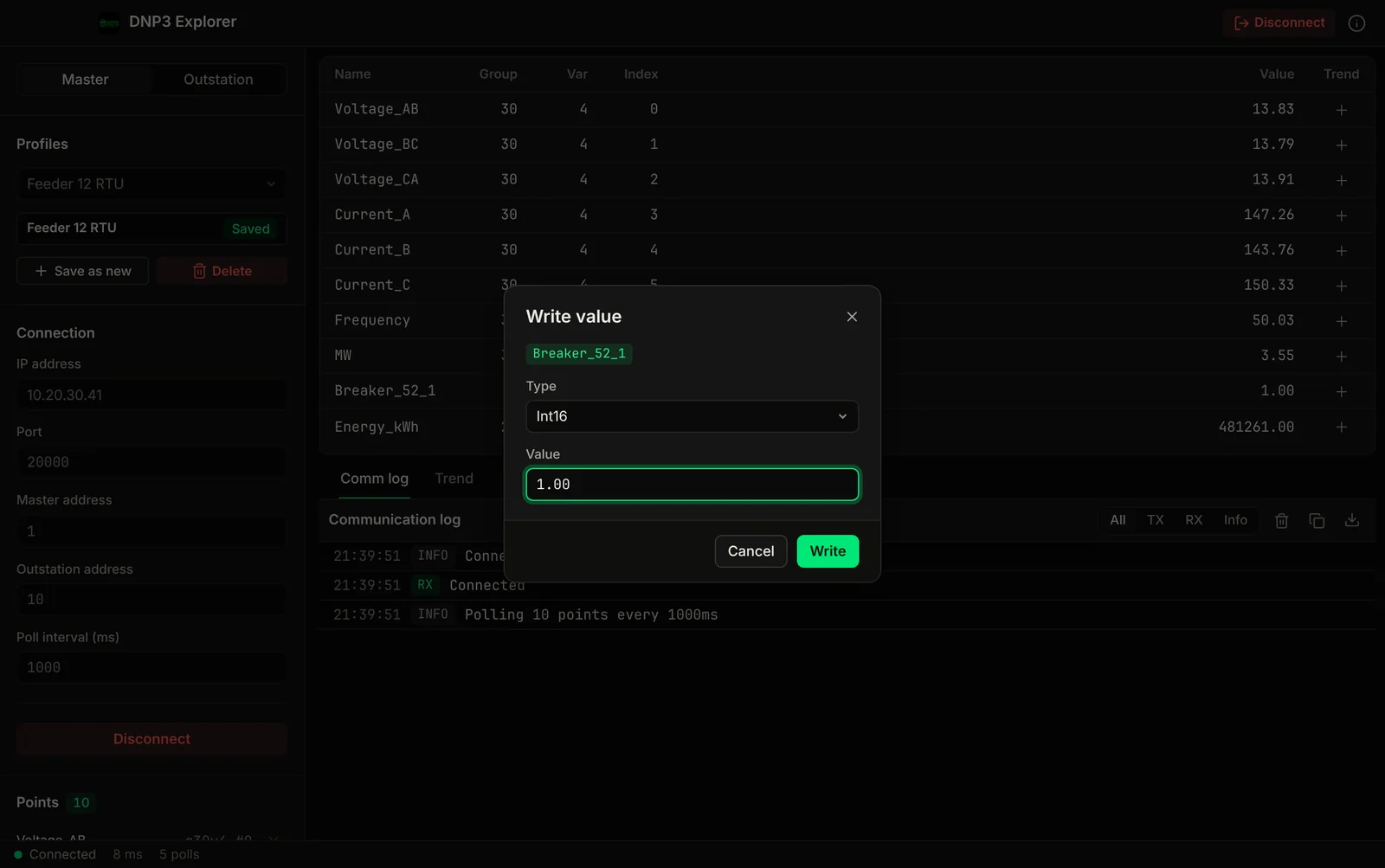
Demo video
Watch the demo
A tour of DNP3 Explorer for Mac: live points, control operations, class event scans, a built-in outstation and trends.
Features
Master and outstation in one app.
Master polling, outstation simulation, the common point types, class polling, event buffering, time sync, controls and a communication log.
DNP3 Master Mode
Connect to any DNP3 outstation over TCP. Configure master address and outstation address. Poll at custom intervals. Read binary inputs, binary output status, analog inputs, analog output status, and counters.
DNP3 Outstation Simulation
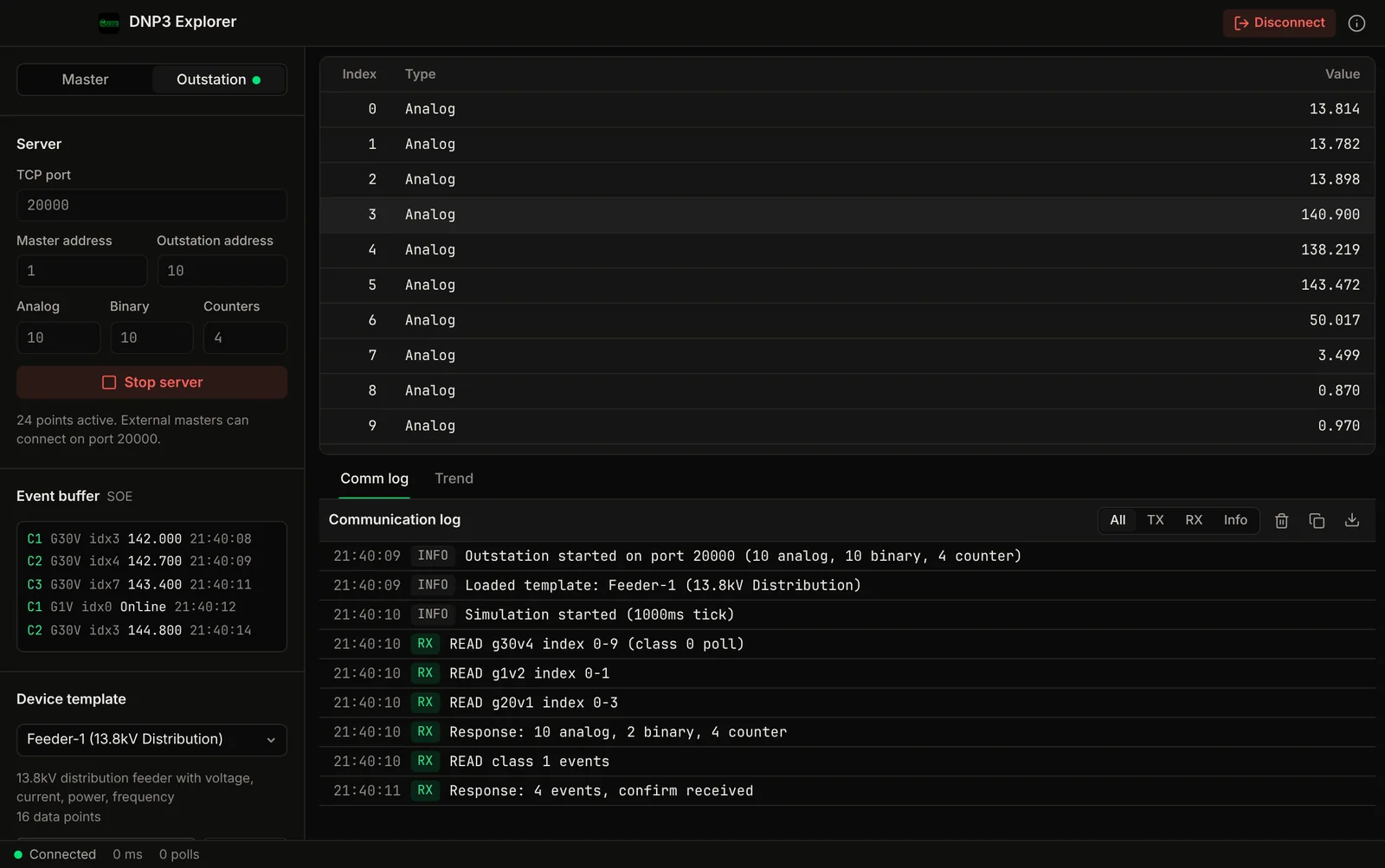
Simulate a DNP3 outstation to test your master/RTU/SCADA system without physical hardware. Set the number of binary, analog and counter points, or load a device template with live simulated values. Responds to integrity polls and event scans, and accepts controls as direct operate or select before operate.
Binary Input / Output
Monitor binary inputs and binary output status points. Operate binary outputs with control relay output blocks (latch on, latch off, pulse on, pulse off), as direct operate or select before operate.
Analog Input / Output
Read analog inputs (32-bit integer and float32) and analog output status, and send float32 analog output setpoints as direct operate or select before operate. Monitor voltages, currents, pressures, temperatures, and other process values with live value updates.
Counter Inputs
Read 32-bit counter points and send a freeze command to all counters from the master. Monitor pulse accumulators, energy totals, and flow totals.
Class 0/1/2/3 Polling
Integrity poll (class 0) for a complete point scan. Event scans for class 1, 2 and 3 events. In the outstation simulator, analog changes are buffered as class 1 events, counters as class 2 and binary changes as class 3.
Event Buffering
Outstation mode buffers value changes as events with a timestamp, a sequence number and a class. Test your SCADA's event processing without physical RTUs.
Time Synchronization
Send a DNP3 time sync to an outstation. Perform cold restart and warm restart operations. Verify your RTU's clock and restart behavior from your MacBook.
Communication Log & Export
Every request the app sends and every response it receives is written to a timestamped log marked TX or RX. Export the log to CSV to debug communication problems.
Screenshots
See it in action
Part of: Field tools · Debug one device from your laptop: protocol apps, terminal database browsers, utilities.
How MacTools DNP3 Explorer differs from…
-
Voltrus SCADA
This app is for commissioning and debugging one device from your laptop. Voltrus SCADA watches many devices around the clock, with dashboards, alarms and history on your own hardware.
-
Voltrus Gateway
Voltrus Gateway has no screens to click through: it is a self-hosted service that exposes Modbus, OPC UA, EtherNet/IP, S7, DNP3, BACnet/IP and MQTT to your own software over one gRPC API.
-
MacTools suite
Working with more than one protocol? MacTools has one native app per protocol, each sold on its own: 4 paid apps from $24.99 one-time, and free downloads with an optional one-time Pro licence.
FAQ
Common questions
Licensing
Need classroom, laboratory, or organization-wide licensing?
Voltrus offers Team, Academic Lab, and Enterprise Site licenses: one invoice, multi-seat usage, offline native apps. Tiers and prices are on the licensing page.
See Academic & Enterprise OptionsBuy
Stop paying for Parallels.
Master and outstation in one native app.
Stay Updated
Get notified about new features & updates
We add new point types, protocol features, and platform support regularly. No spam, only product updates.
Could not sign you up right now. Please try again, or email [email protected].
From one device to the whole line
Monitoring this PLC 24/7?
DNP3 Explorer is built for commissioning and debugging. For round-the-clock monitoring use Voltrus OEE (hosted, live availability and downtime per machine) or Voltrus SCADA (dashboards, alarms and history on your own hardware).
Also from MacTools