Talk to Siemens S7 PLCs
from your Mac.
No Windows.
Read and write Siemens S7-300, S7-400, S7-1200 and S7-1500 data blocks and memory areas from a native Mac app. No VM, no Parallels. Enter the IP and connect.
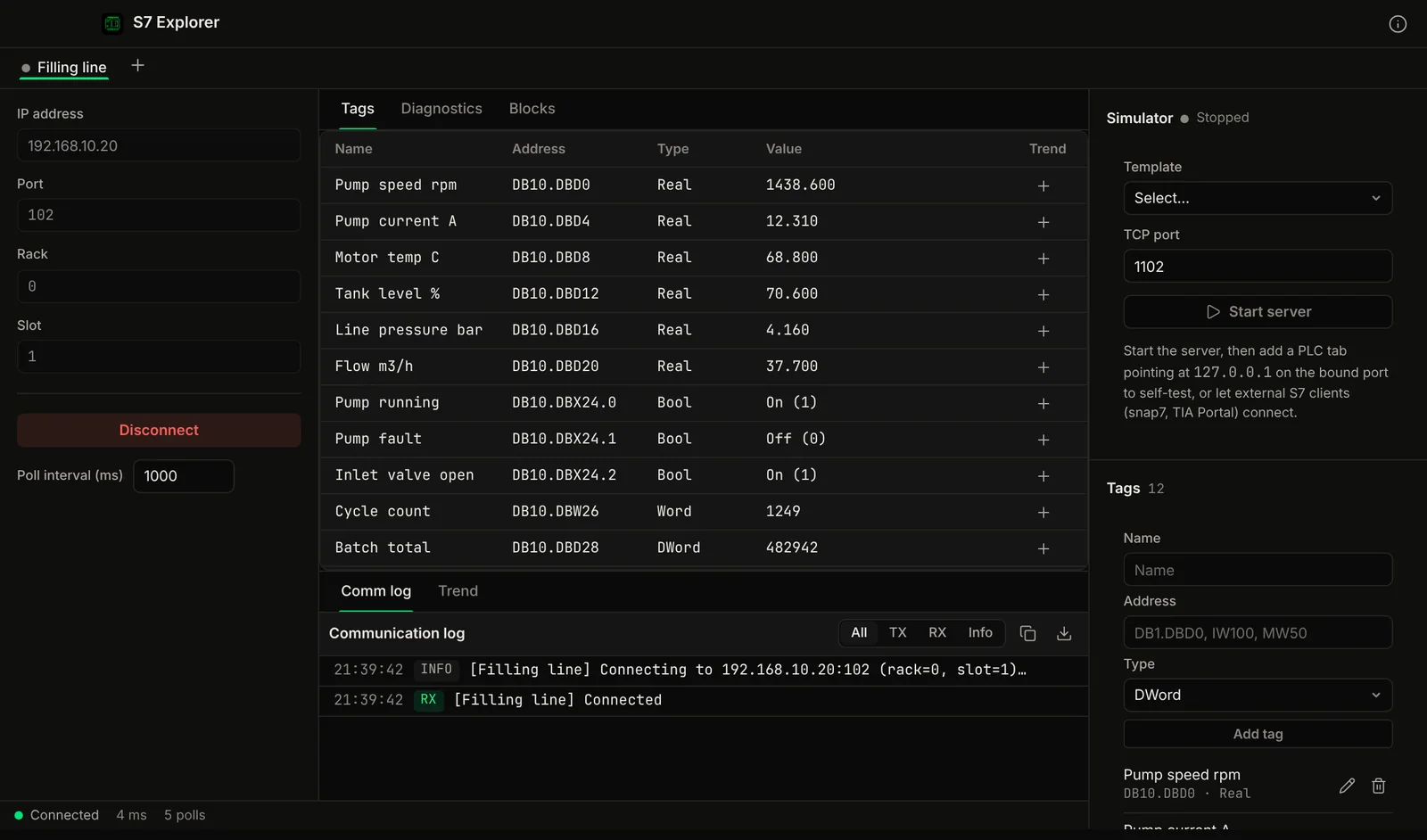
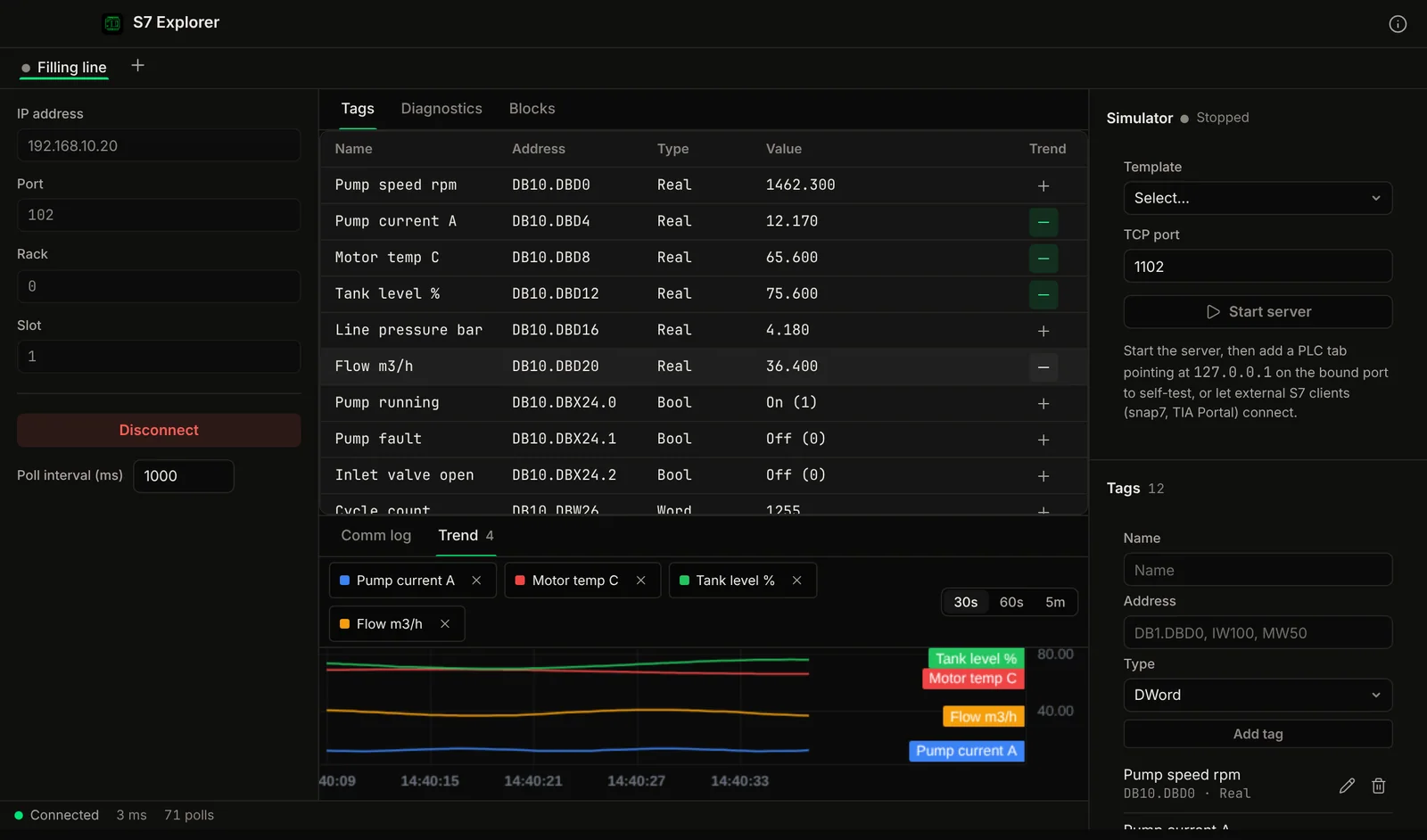
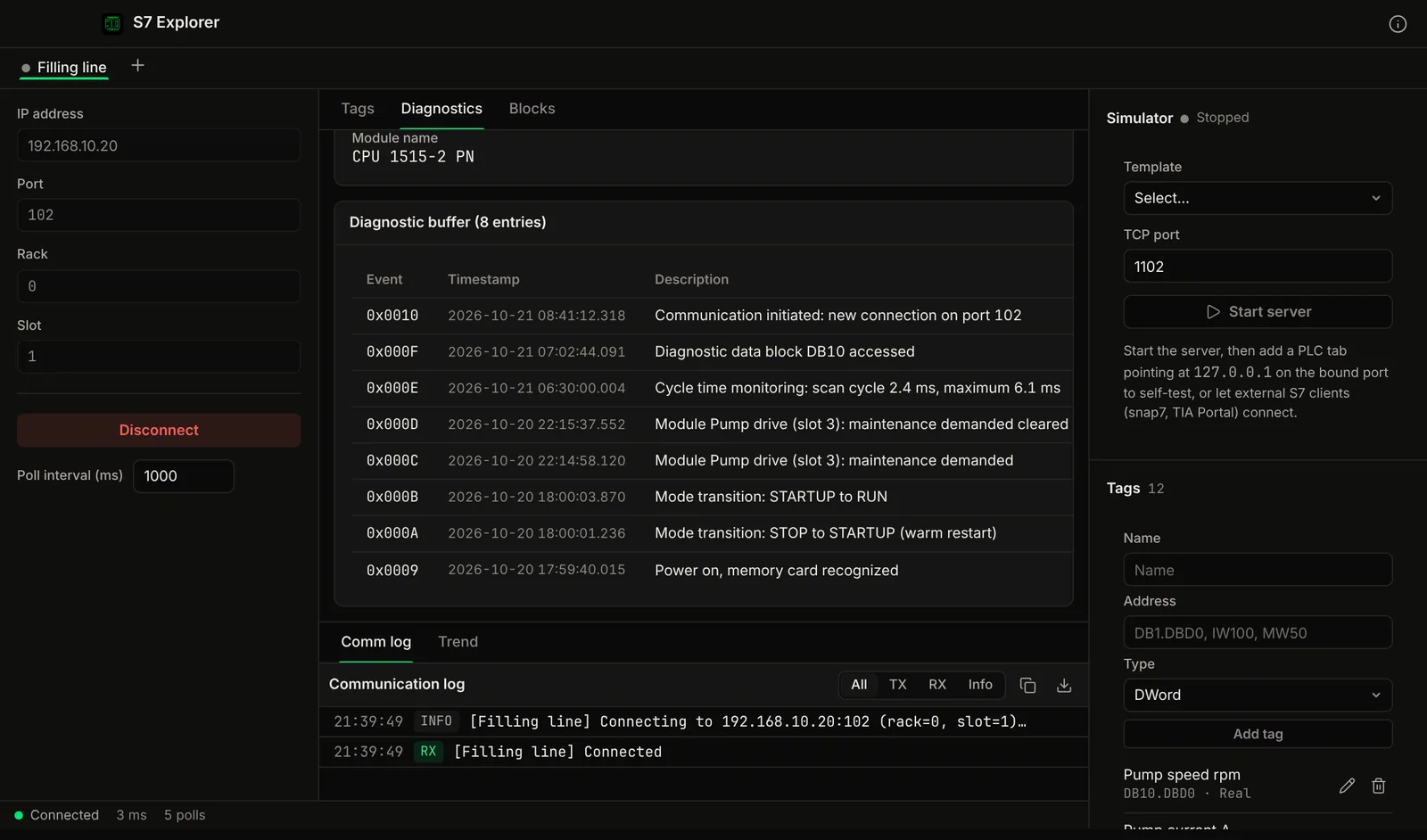
Demo video
Watch the demo
A tour of S7 Explorer for Mac: live tags, CPU diagnostics, a built-in S7 server, trends and program block management.
Chapters
The Problem
Siemens tooling is Windows-only.
TIA Portal, Step 7 and WinCC all run on Windows. On a Mac that means Parallels, a Windows license, USB passthrough on Apple Silicon and x86 emulation, just to read one data block.
The VM Tax
Parallels Desktop is a yearly subscription. Add a Windows license and the TIA Portal license itself, just to read one data block.
USB Passthrough Issues
USB-Ethernet adapters and PROFINET interfaces can be awkward to pass through to a Windows VM on Apple Silicon, and connections can drop mid-session.
ARM Translation
x86 Windows PLC software on an M-series Mac runs under emulation inside the VM. That can mean slow starts and compatibility warnings.
"Buy a Windows PC"
The usual advice for Mac users who ask about PLC tools is to get a Windows PC. That is not much help when you only need to read a value.
Features
S7 communication without the overhead.
Tag Table
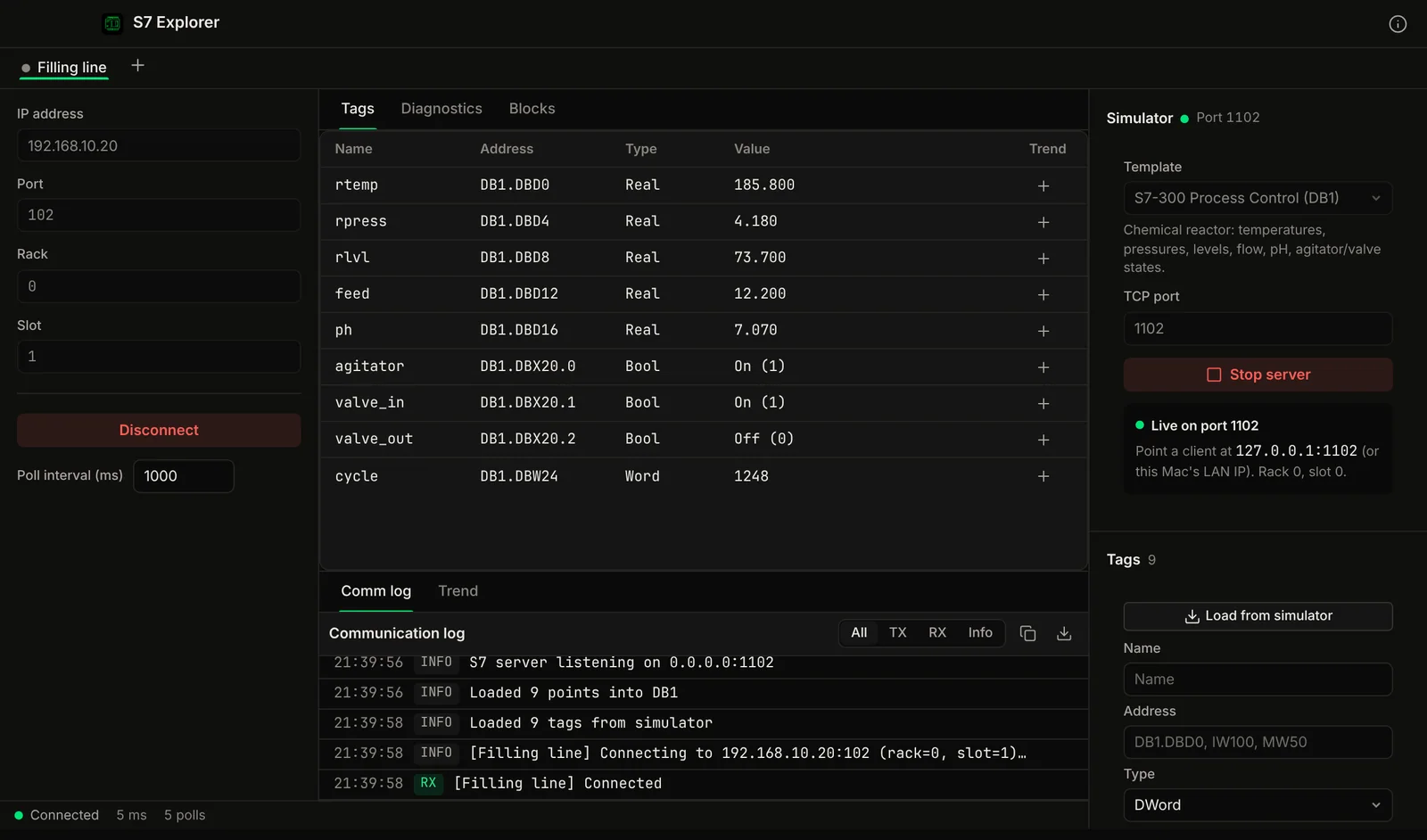
Add tags by S7 address (DB1.DBD0, MW100, I0.0, T5, C10) with data types Bool, Byte, Word, DWord, Real and String. Values are polled into one table.
Read + Write
Read data blocks (DB), marker memory (M), inputs (I), outputs (Q), timers (T), and counters (C). Write values to the PLC. Timers appear in milliseconds and counters as 0 to 999, and both are read-only.
Live Monitoring
Watch tag values update with configurable poll intervals. Monitor process values, setpoints, and status flags without TIA Portal.
Block Manager
List the blocks in the PLC (OB, FB, FC, DB, SDB, SFC, SFB), save a block to a file, or delete one.
Several PLCs
Open more than one PLC connection and switch between them with tabs.
PLC Information
Read the CPU model, firmware version and serial number, check RUN/STOP state, read the diagnostic buffer and list program blocks, all without TIA Portal.
Screenshots
See it in action
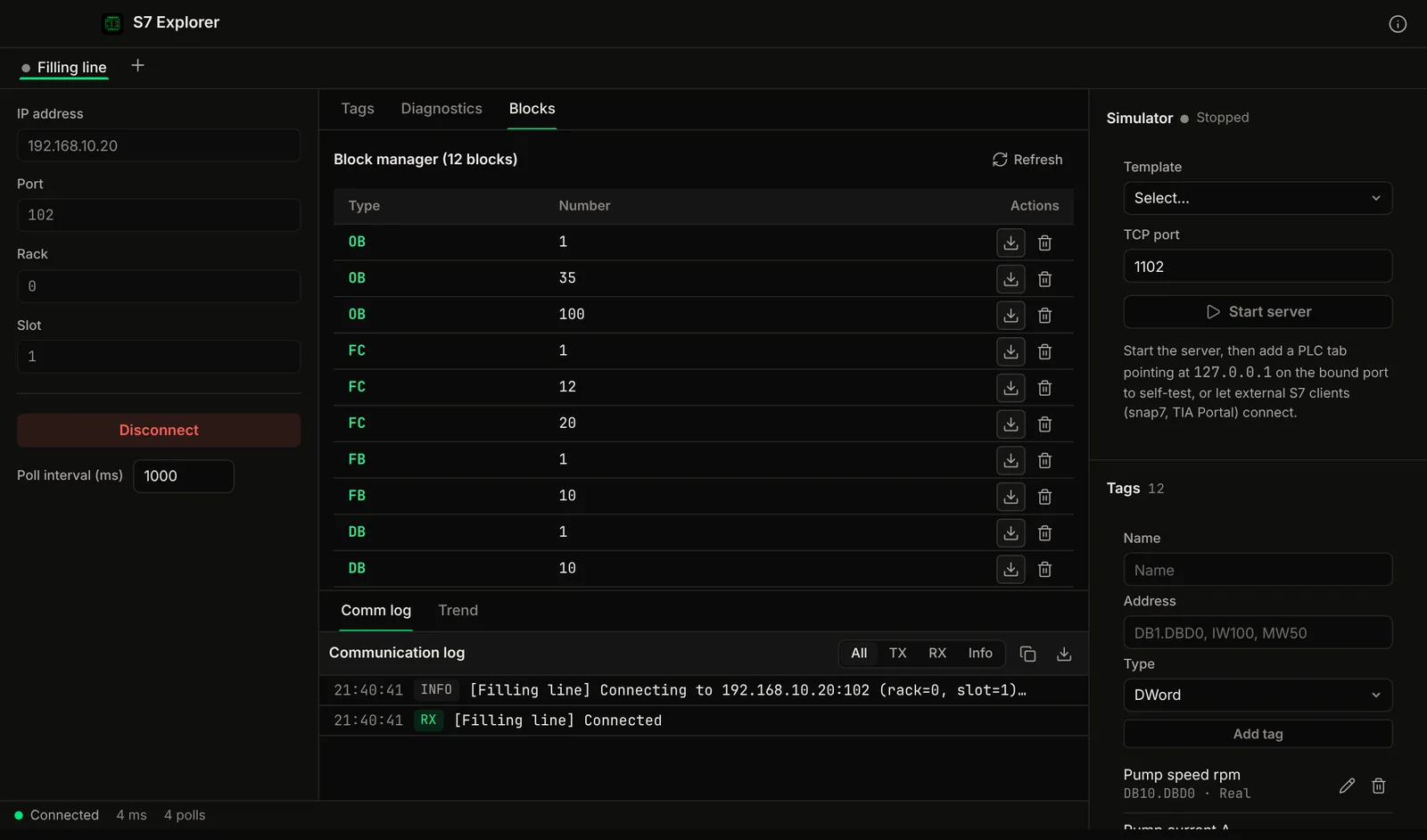
Compare
How it compares to what you're using now
The two usual workarounds on a Mac, side by side.
Part of: Field tools · Debug one device from your laptop: protocol apps, terminal database browsers, utilities.
How MacTools S7 Explorer differs from…
-
Voltrus SCADA
This app is for commissioning and debugging one device from your laptop. Voltrus SCADA watches many devices around the clock, with dashboards, alarms and history on your own hardware.
-
Voltrus Gateway
Voltrus Gateway has no screens to click through: it is a self-hosted service that exposes Modbus, OPC UA, EtherNet/IP, S7, DNP3, BACnet/IP and MQTT to your own software over one gRPC API.
FAQ
Common questions
Get it free
Talk to S7 PLCs without Windows.
S7 Explorer is a free download for Mac. The DMG is signed and notarized by Apple, so it opens normally. An optional Pro licence key, $29.99 one-time, unlocks the Pro features below. The source is on GitHub under GPL-3.0.
Optional Pro, $29.99 one-time licence key
- Unlimited live tags (free: 10) and several PLC connections at once
- Write values to the PLC
- Live trends
- Tag list CSV import (TIA Portal tag table) and export, value logging to CSV
- Block manager: list, save to file, delete
- Built-in S7 simulator server
Pro is a one-time purchase on the Voltrus Console. Your key arrives by email and in your console account. No subscription.
From one device to the whole line
Monitoring this PLC 24/7?
S7 Explorer is built for commissioning and debugging. For round-the-clock monitoring use Voltrus OEE (hosted, live availability and downtime per machine) or Voltrus SCADA (dashboards, alarms and history on your own hardware).
Get new tools, releases and protocol guides by email. A few emails a month, unsubscribe anytime.
Could not sign you up right now. Please try again, or email [email protected].
Also from MacTools