BLE debugging on your Mac.
Scan. Connect. Read. Write.
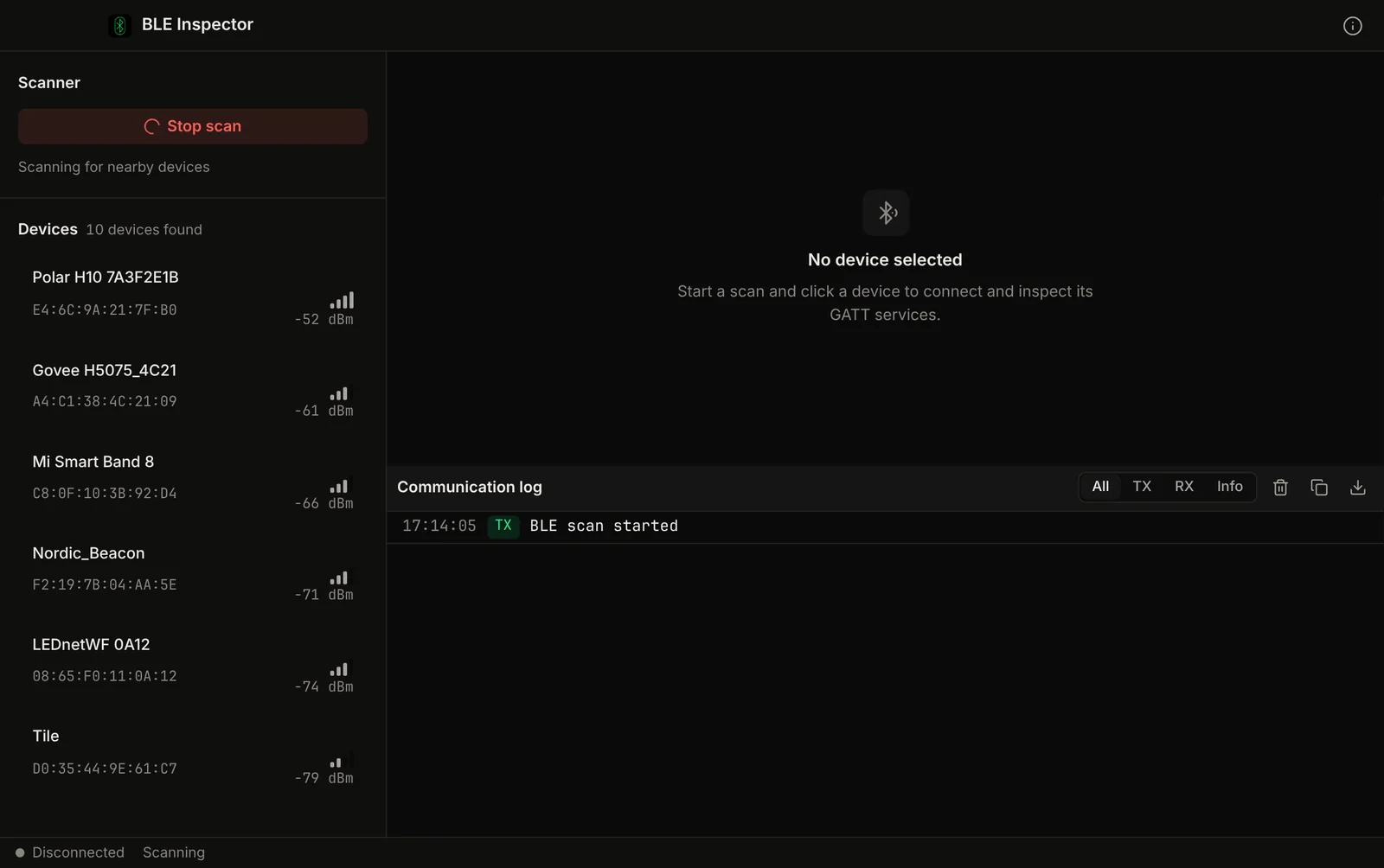
Scan Bluetooth Low Energy devices, browse GATT services, read and write characteristics, and monitor advertisements. No Nordic dongle, no J-Link install.
Demo video
Watch the demo
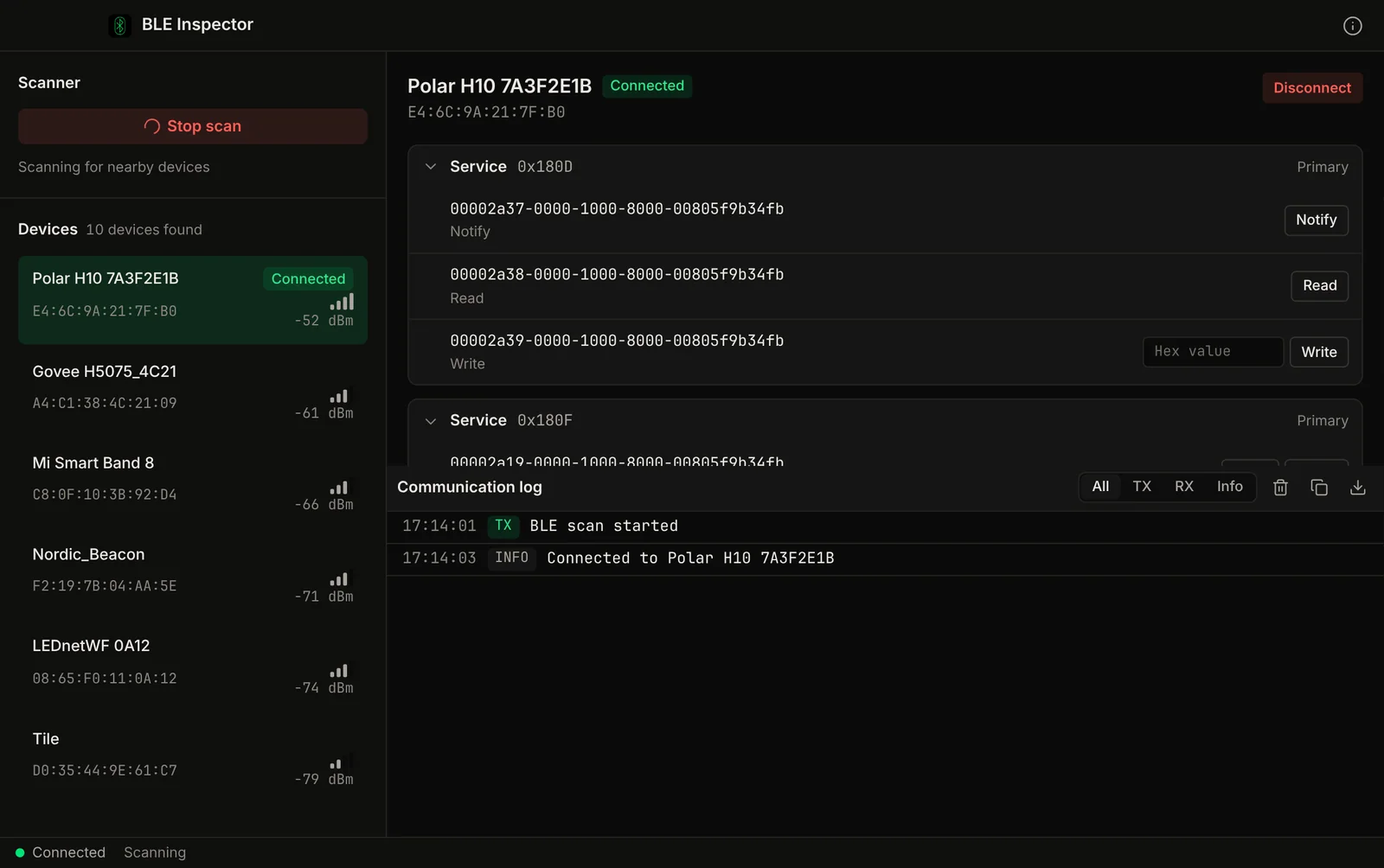
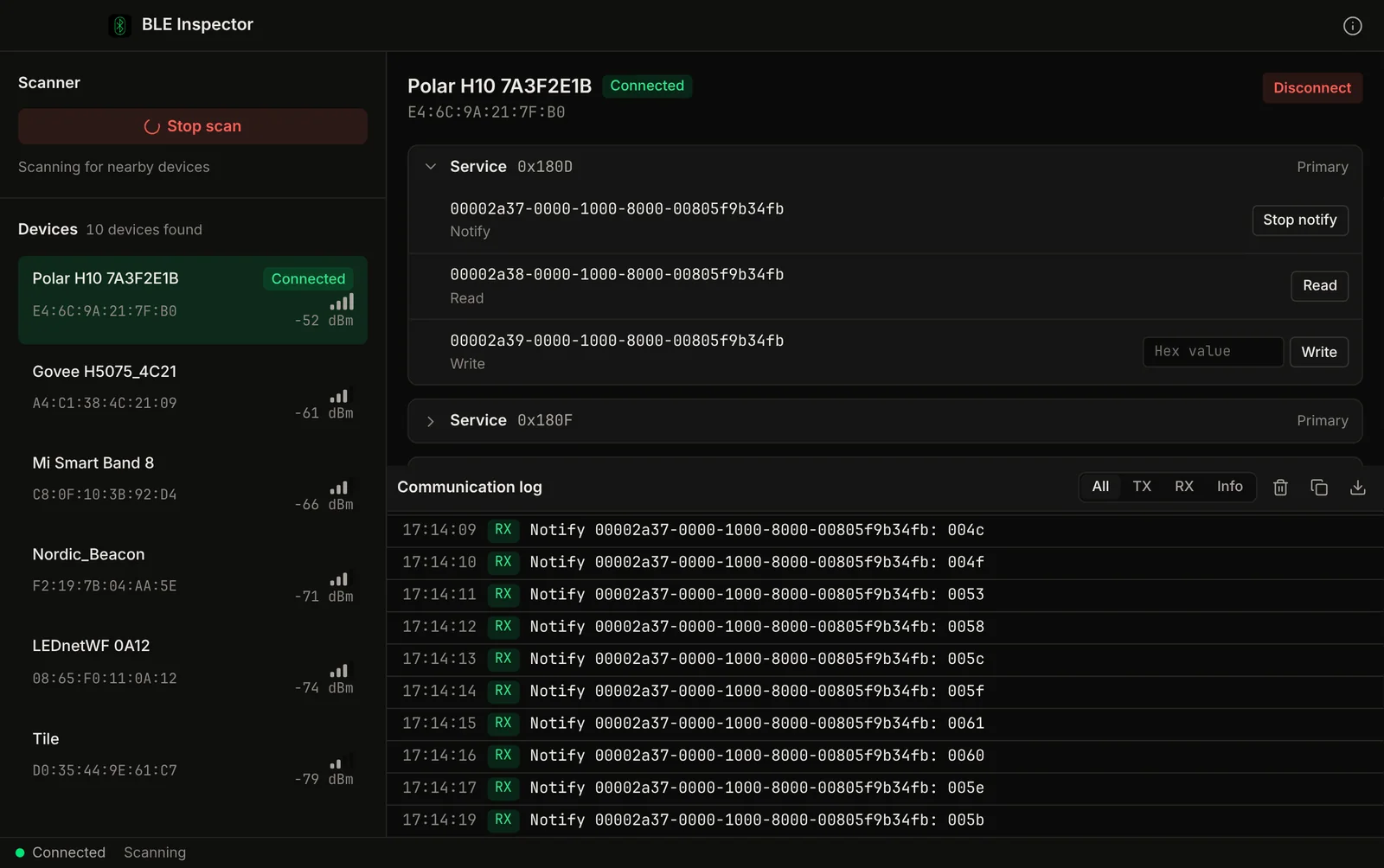
Scan for Bluetooth LE devices, browse GATT services, read characteristics, watch notifications and write values. A native Mac app.
Chapters
The Problem
nRF Connect needs a dongle and a driver stack.
nRF Connect for Desktop is the usual BLE debugging tool, but its Bluetooth LE app needs a Nordic board or dongle plus SEGGER J-Link software, and a J-Link version mismatch can stop it with "Failed to get the library versions". The alternatives split scan, GATT browsing and read/write across different apps.
Extra Hardware and Drivers
The Bluetooth LE app scans through a Nordic dev kit or nRF52840 dongle, and on macOS the J-Link software is a separate install. "Failed to get the library versions" errors are a recurring Nordic DevZone thread.
Fragmented Tools
Many BLE tools cover only part of the job. A full scan, connect, browse and write session can mean using more than one app.
CLI-Only Alternatives
Command-line tools like blueutil work, but you end up reading hex values in a terminal instead of a GATT tree.
Wireshark Overkill
Wireshark can capture BLE packets but requires special setup, captures everything, and has a steep learning curve for anyone who just wants to read a characteristic value.
Features
BLE debugging in one native app.
Device Scanner
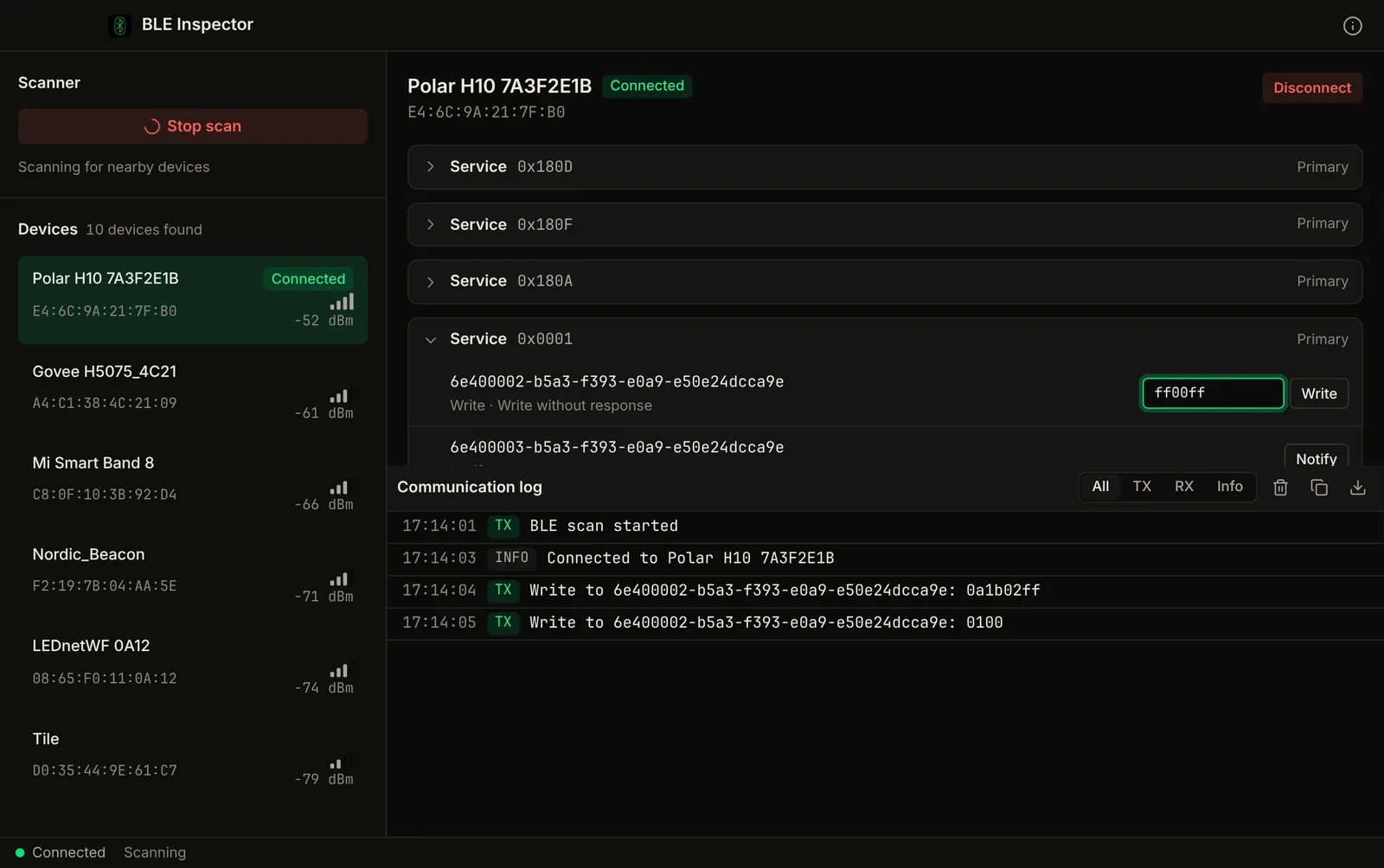
Scan for all BLE peripherals in range. See device name, signal strength (RSSI), and advertised services. Filter by service UUID to find specific device types.
GATT Browser
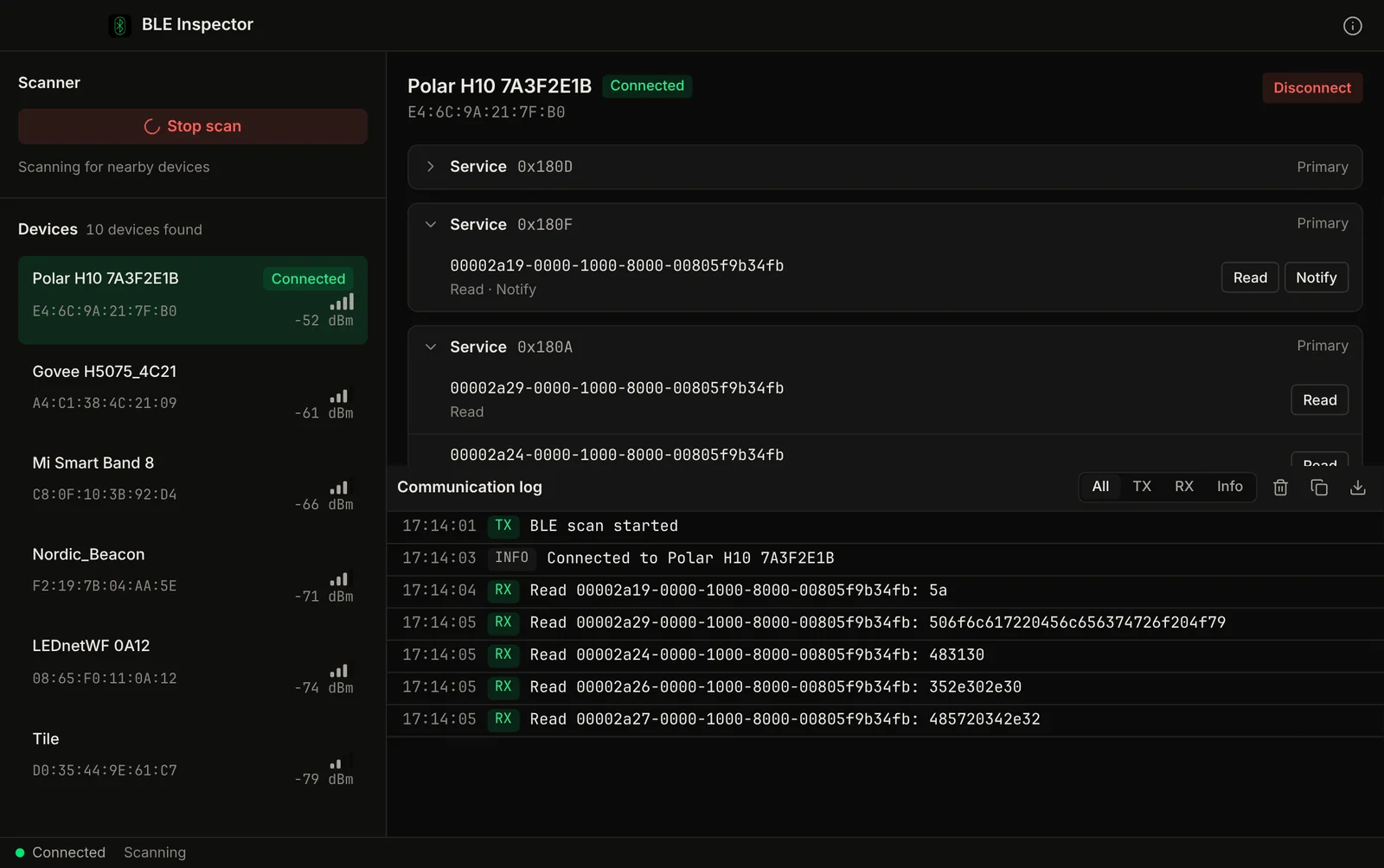
Connect to any device and browse its full GATT table. Services, characteristics, and descriptors displayed in a tree view with UUID lookup.
Read / Write
Read characteristic values in hex, UTF-8, or decimal. Write new values to writable characteristics. Subscribe to notifications for real-time data streams.
Advertisement Monitor
Monitor advertising packets from multiple devices simultaneously. Track RSSI changes over time. Log advertisement data for analysis.
UUID Lookup
Automatic UUID-to-name mapping for standard Bluetooth SIG services and characteristics. Custom UUIDs highlighted for quick identification of proprietary services.
Connection Log
Log all read, write, and notification events with timestamps. Export connection history for debugging connection stability issues and intermittent failures.
Screenshots
See it in action
Part of: Field tools · Debug one device from your laptop: protocol apps, terminal database browsers, utilities.
How MacTools BLE Inspector differs from…
-
MacTools Serial Terminal
Serial Terminal talks to wired RS232 / RS485 devices. BLE Inspector scans and browses Bluetooth LE devices over the air.
-
MacTools suite
Working with more than one protocol? MacTools has one native app per protocol, each sold on its own: 4 paid apps from $14.99 one-time, and free downloads with an optional one-time Pro licence.
FAQ
Common questions
Get it free
BLE debugging without the SDK.
BLE Inspector is a free download for Mac. The DMG is signed and notarized by Apple, so it opens normally. An optional Pro licence key, $4.99 one-time, unlocks the Pro features below. The source is on GitHub under GPL-3.0.
Optional Pro, $4.99 one-time licence key
- Plots of notify streams with CSV export
- Value decoding in the GATT tree and standard GATT names
- RSSI chart with CSV export
- Write presets and macros
- Several notification subscriptions and connected devices at once
- Communication log CSV export and copy all
Pro is a one-time purchase on the Voltrus Console. Your key arrives by email and in your console account. No subscription.
Stay Updated
Get notified about new features
We add BLE features and platform support regularly. No spam, only product updates.
Could not sign you up right now. Please try again, or email [email protected].
Also from MacTools