Talk SECS/GEM from a Mac.
Host and equipment simulator.
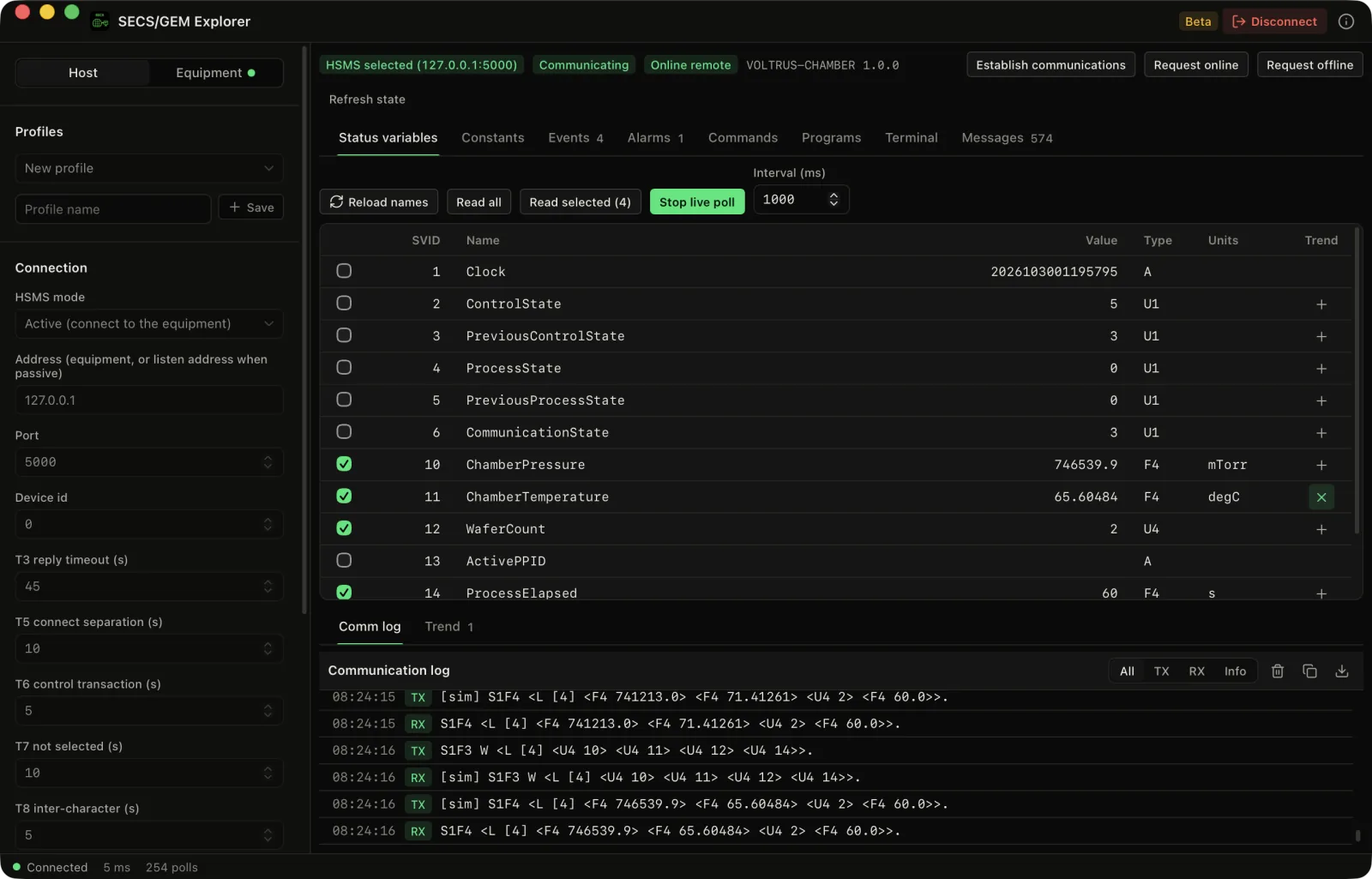
Connect to equipment over HSMS as a GEM host, read status variables and constants, define reports, watch events and alarms, send remote commands, and see every message as SML. When there is no tool within reach, run a built-in equipment simulator.
Demo video
Watch the demo
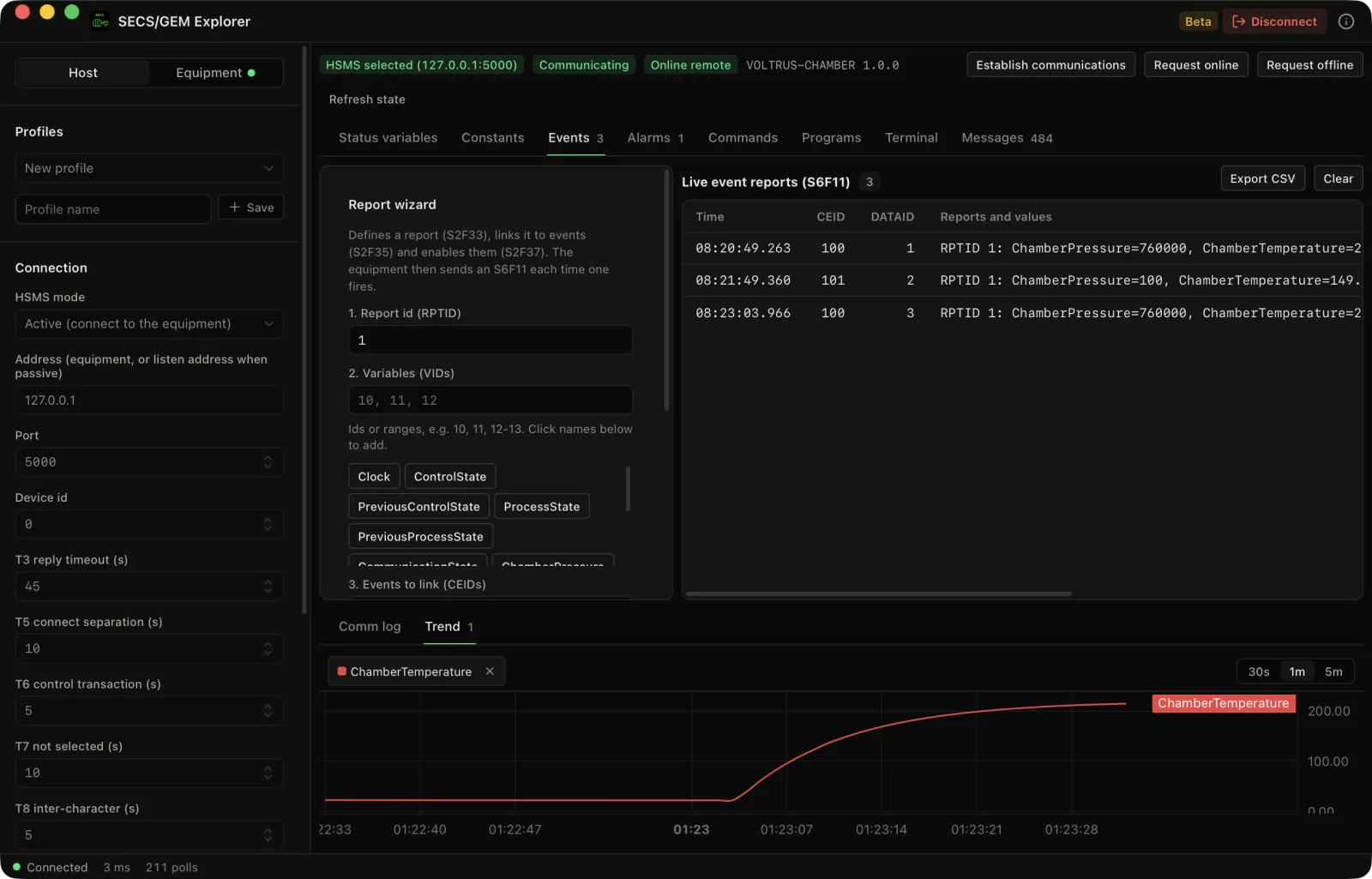
A tour of SECS/GEM Explorer for Mac: live status variables over HSMS, the event report wizard, S2F41 remote commands, trends and alarm reports, against the built-in equipment simulator.
The Problem
Fab tools talk SECS/GEM, and the tooling is on Windows.
Most SECS/GEM host tools are commercial Windows packages, or a script you write yourself. If you integrate or commission equipment from a Mac, you want the messages in front of you, not a log file.
Messages as bytes
HSMS frames and SECS-II items are hard to read raw. Here every message is shown as SML, in both directions.
Setting up reports by hand
Defining reports, linking them to events and enabling them is three messages and a lot of ids. A wizard does it and shows the events arriving.
No tool to test on
A host application usually waits for access to equipment. The simulator stands in for a processing chamber.
Windows-only utilities
A native Mac app, built in Rust, with no C library and no virtual machine.
Features
A GEM host and a tool to test it on, one native app.
Status and constants
Read status variables with names, and equipment constants with their ranges. The free version streams 10 variables live.
Events and reports
A wizard defines reports, links them to collection events and enables them, with a live S6F11 event table. Pro.
Alarms
Enable, list and watch alarm reports (S5F1, S5F3, S5F5).
Remote commands
Send S2F41 commands with typed parameters and see the acknowledge. Pro.
SML composer
Write any message in SML and send it, for the streams the app has no screen for. Pro.
Trends, CSV and profiles
Plot status variables, export messages and events to CSV, and save a profile for every tool. Pro.
Screenshots
See it in action
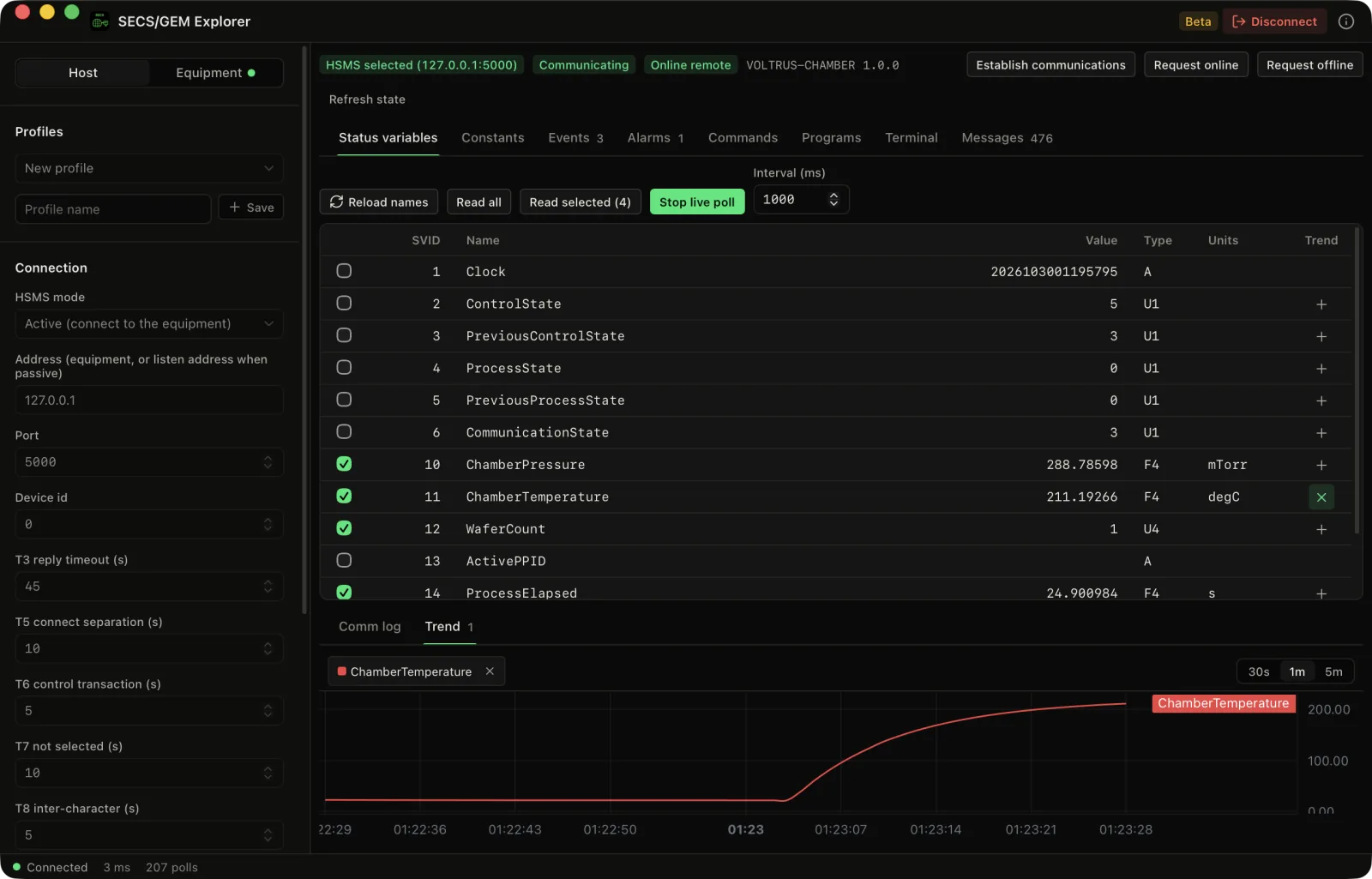
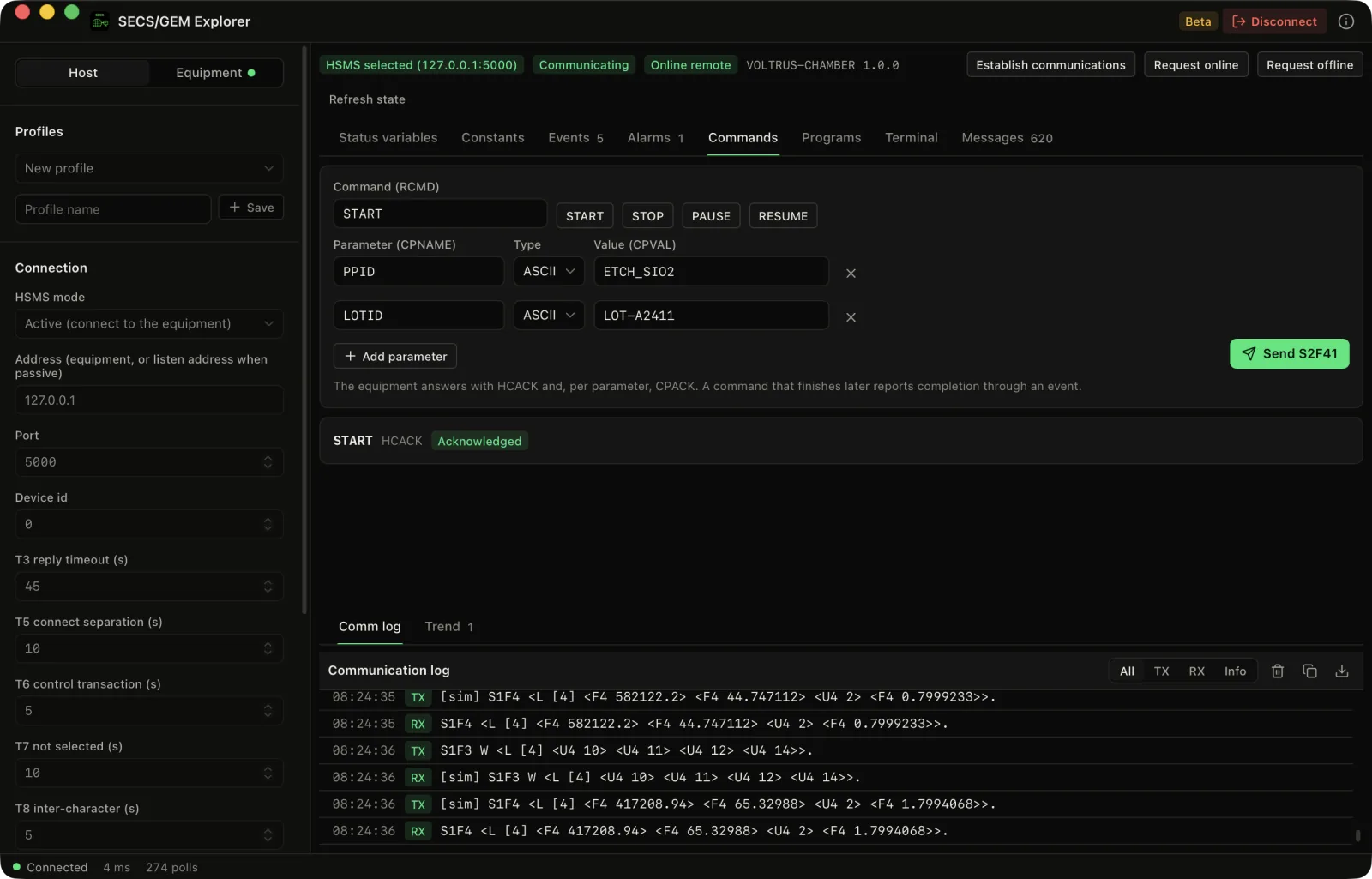
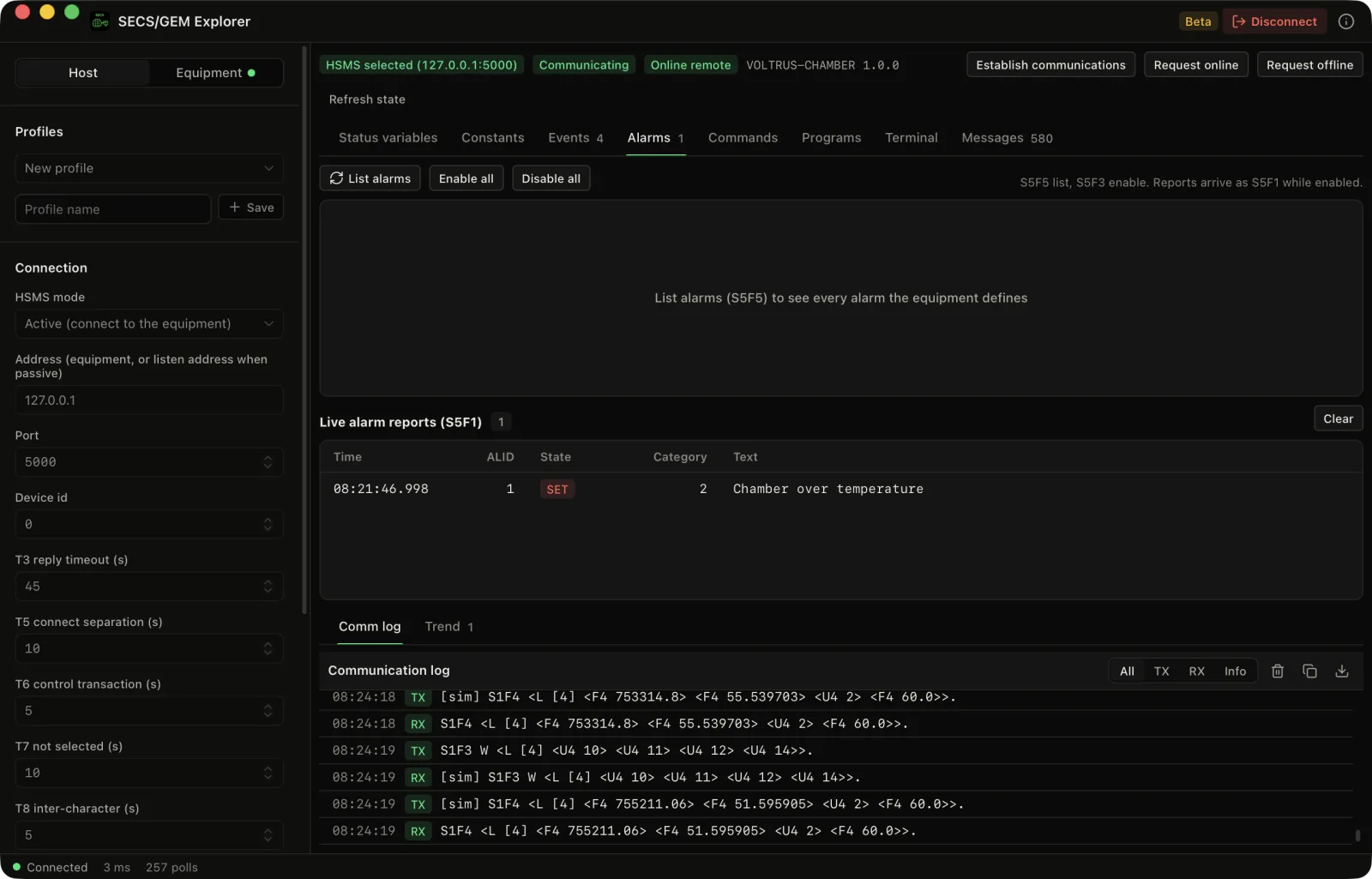
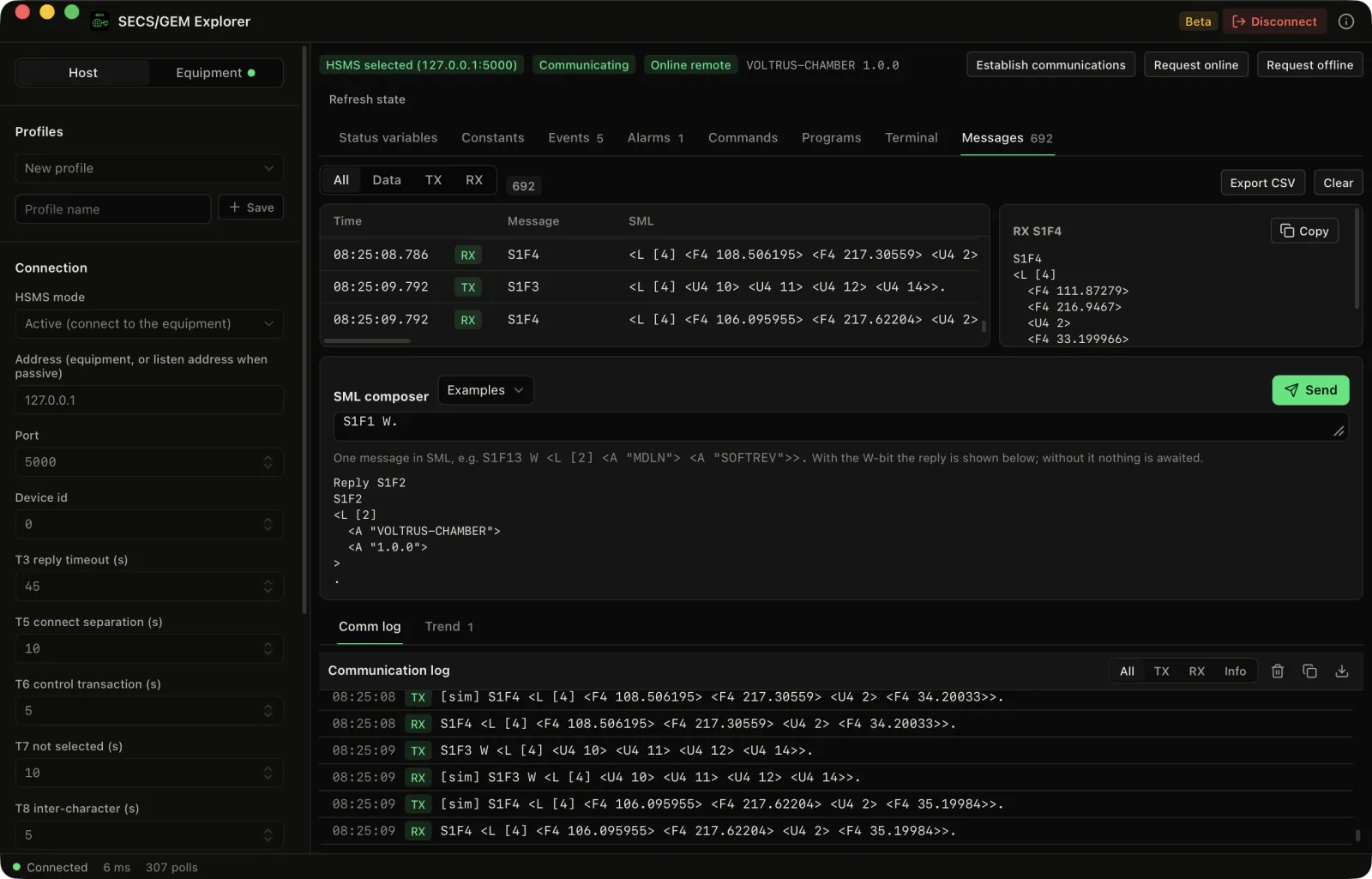
GEM host Beta
HSMS, SECS-II and GEM, from your Mac.
The host opens an HSMS session over TCP, establishes communications (S1F13), moves the equipment online or offline, reads status variables, constants, alarms, process programs, and sends terminal messages. The HSMS timers T3, T5, T6, T7 and T8 are implemented, and received event reports, alarms and terminal requests are acknowledged automatically.
Honest testing note
SECS/GEM Explorer is a Beta. It has been cross-checked against the open-source secsgem library, with secsgem as host and as equipment, and it has never been tested against real equipment or a commercial host. The SEMI standards themselves were not consulted. Real tools differ in id types, optional items and GEM capabilities, so test read-only first and send your equipment model and the message log to [email protected].
Not implemented: spooling, trace data, limits monitoring, multi-block messages, process program transfer, TLS and SECS-I (serial).
Equipment simulator
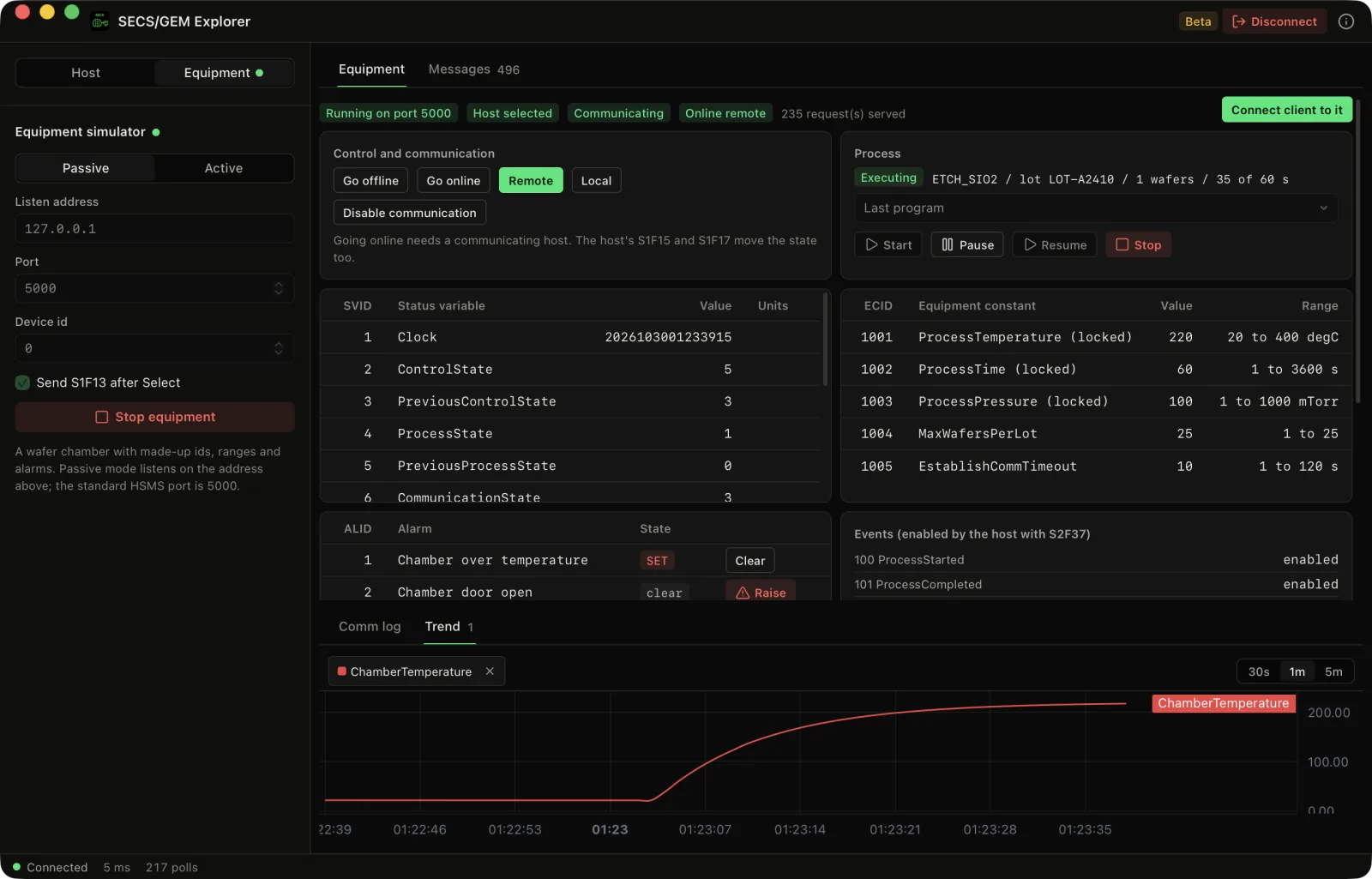
A wafer chamber behind a GEM interface.
Start the simulator passive on 127.0.0.1:5000, or active to connect to a host. It has a control state model, a process chamber with pressure, temperature and wafer count, equipment constants with ranges, collection events, alarms and a process program list, and it answers START, STOP, PAUSE and RESUME. You can change its model while a host is connected. Pro.
Rehearse a host
Point the client, or any other host, at the simulator before it touches a tool.
Made-up identity
Its ids, names, ranges, alarm texts and process behaviour are made up to look plausible, not recorded from a real tool.
Part of: Field tools · Debug one device from your laptop: protocol apps, terminal database browsers, utilities.
Also in Field tools
-
Voltrus Connect
You want your saved Modbus Poll and BACnet Explorer profiles on every device, or shared with your team.
-
MacTools Modbus Poll
You need to read or write Modbus TCP/RTU registers, or simulate a slave.
-
MacTools OPC-UA Explorer
You need to browse and read an OPC-UA server.
-
MacTools BACnet Explorer
You need to discover BACnet/IP devices and browse their objects.
-
MacTools S7 Explorer
You need to read or write a Siemens S7-300/400/1200/1500 from your laptop.
-
MacTools DNP3 Explorer
You need to browse and poll a DNP3 device.
FAQ
Common questions
Get it free
SECS/GEM, on your Mac.
SECS/GEM Explorer is a free download for Mac. The DMG is signed and notarized by Apple, so it opens normally. An optional Pro licence key, $39.99 one-time, unlocks the Pro features below. The source is on GitHub under GPL-3.0.
Optional Pro, $39.99 one-time licence key
- Unlimited live status variables (free: 10 stream live)
- Equipment simulator: a wafer processing chamber behind a GEM interface, passive or active
- Live trends of status variables
- Equipment constant writes with a confirm step and range checks
- Report wizard (define, link, enable) with a live S6F11 event table
- Remote commands (S2F41) with typed parameters
- SML composer for any raw message
- CSV export of messages and events
- Unlimited saved connection profiles
Pro is a one-time purchase on the Voltrus Console. Your key arrives by email and in your console account. No subscription.
Requires macOS 13 Ventura or later, Apple Silicon or Intel. One Pro key activates one Mac and can be moved to another.
SECS/GEM, SECS-II and HSMS are standards of SEMI. SECS/GEM Explorer is an independent implementation, not affiliated with, endorsed by or certified by SEMI.
Also from MacTools