Browse OPC UA servers on your Mac.
Native on Mac. No Parallels.
Browse OPC UA namespaces, read and write node attributes, and monitor subscriptions live, with certificate management and a built-in test server. A native app, no VM.
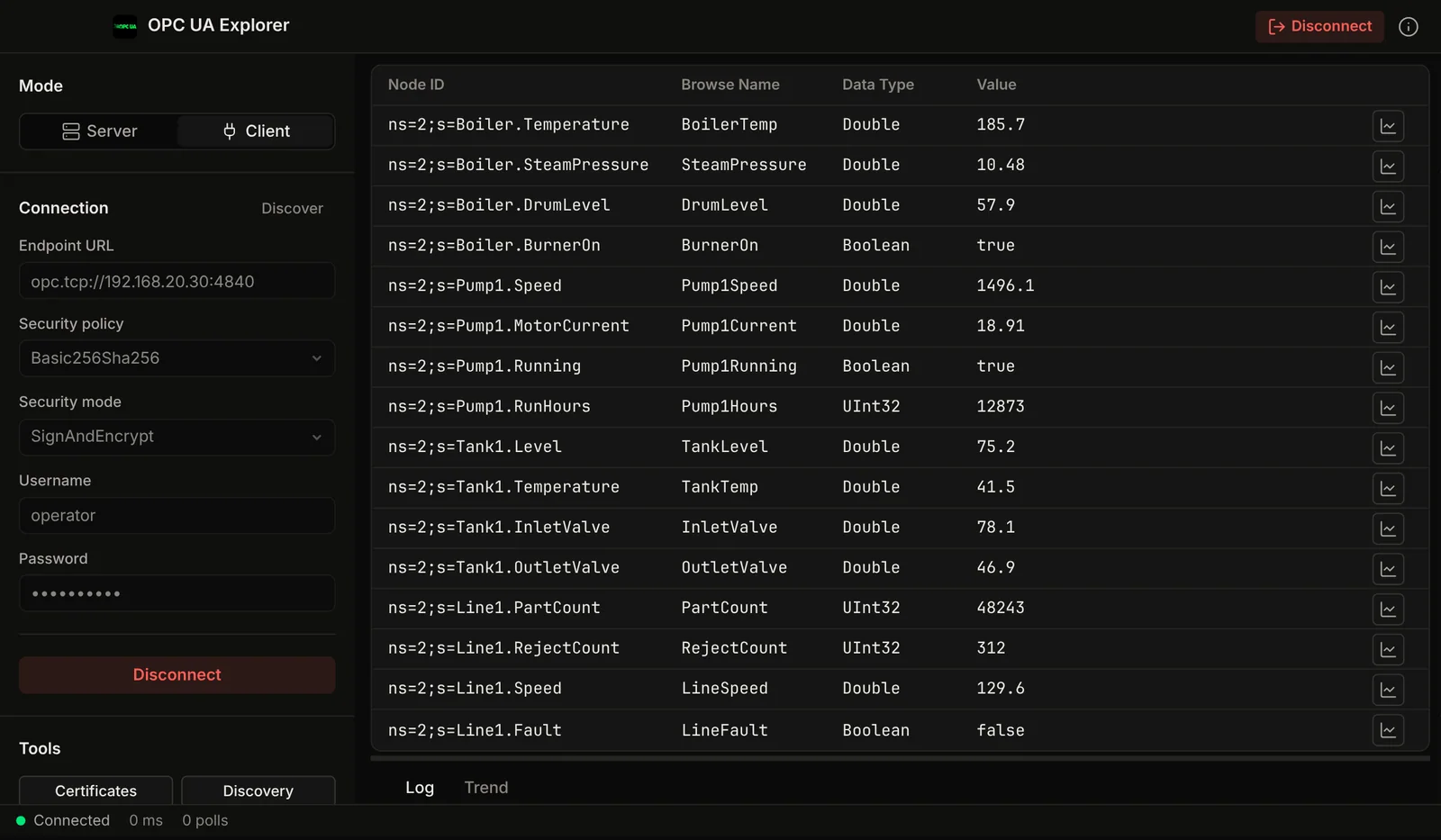
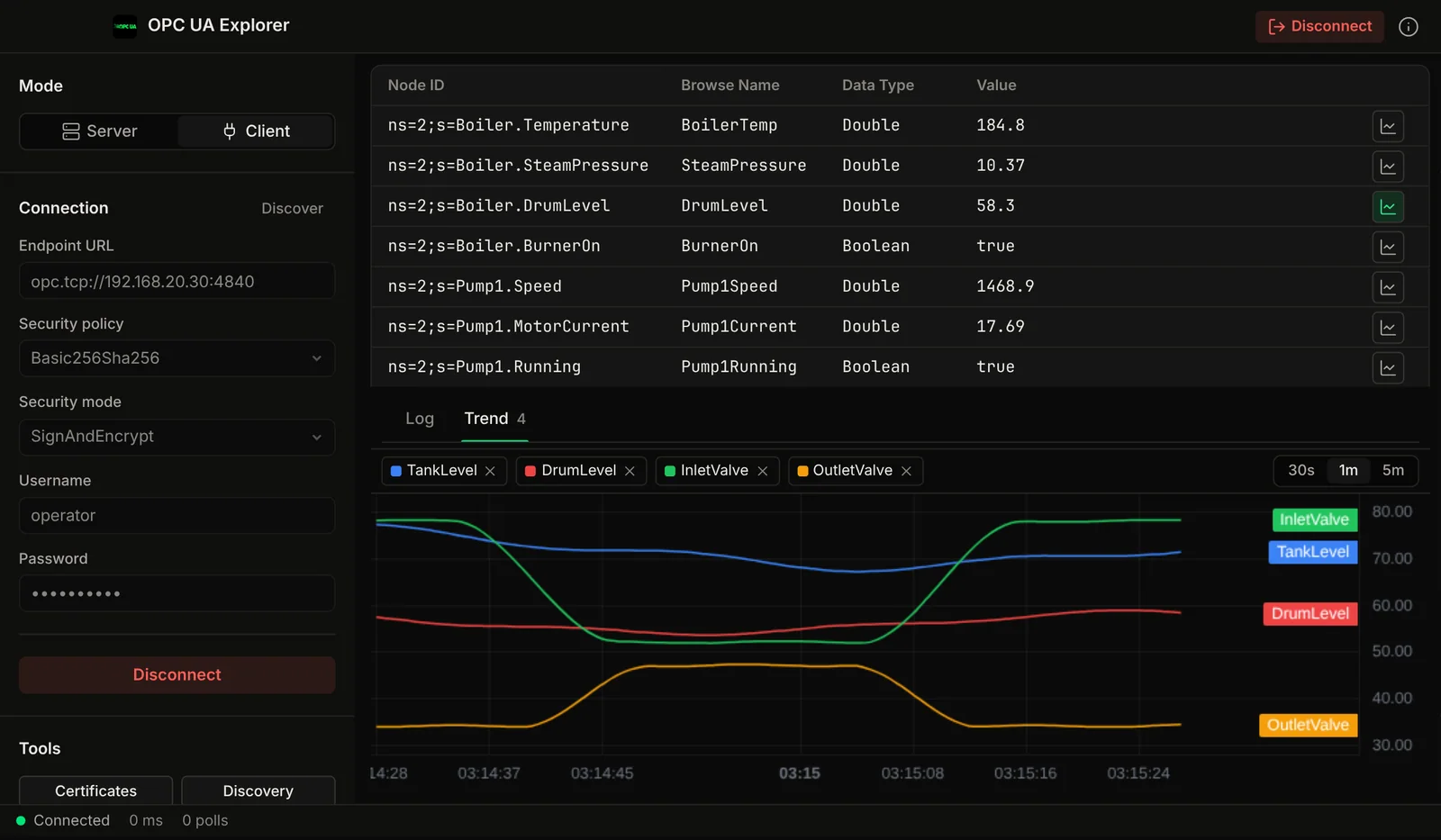
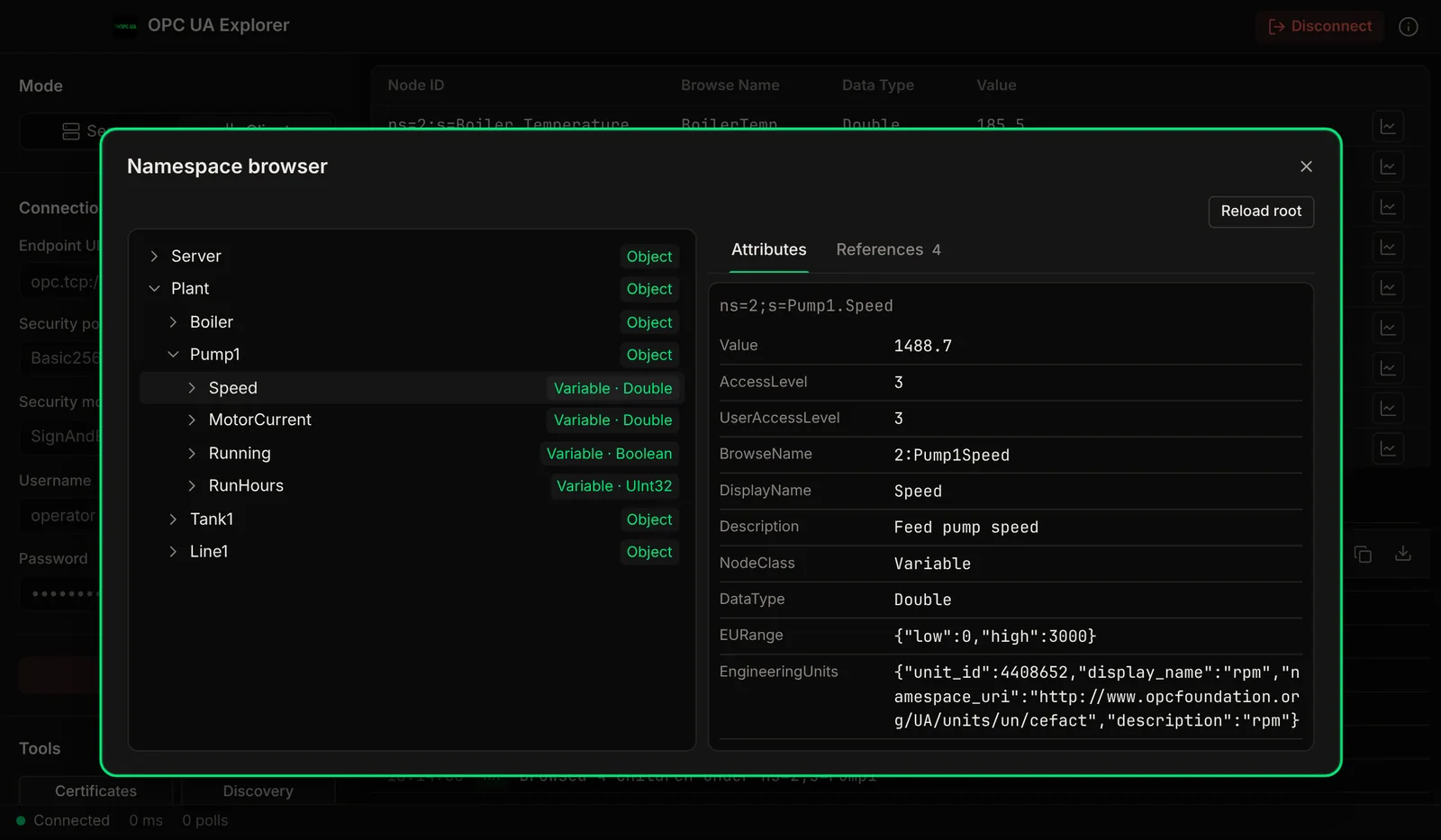
Demo video
Watch the demo
Connect to an OPC UA server, browse the address space, trend live values, tune subscriptions and test against the built-in simulator. A native Mac app.
Chapters
Security
Certificates and security modes, handled in the GUI.
All three OPC UA security modes, plus X.509 certificate management: generate application certificates, review server certificates and keep trust lists without digging through folders.
Security Mode: None
No encryption or signing. Useful for testing and development with local servers. Connect quickly without certificate exchange.
Security Mode: Sign
Messages are signed but not encrypted. Ensures data integrity and authentication without the overhead of full encryption. Ideal for trusted networks.
Security Mode: SignAndEncrypt
Full security: messages are both signed and encrypted. Application-layer authentication with X.509 certificates. Recommended for production environments.
Certificate Manager
Generate, trust, reject, and delete X.509 application certificates. Manage your own certificate and the server's certificate. View certificate details, validity periods, and thumbprints.
Application Authentication
Each connection is authenticated with application-instance certificates. The app handles the OPC UA handshake, certificate exchange, and session creation automatically.
Trust List Management
Maintain trusted and rejected certificate lists. When connecting to a new server, review and accept its certificate. Once trusted, later connections go through without a prompt.
Features
An OPC UA client built for the Mac.
Namespace browsing, attribute read/write, subscriptions, reference browsing and a test server in one native app.
Server Browser
Connect to any OPC UA server by endpoint URL. Discover available endpoints, security policies, and server capabilities. Connect with your preferred security mode and user identity.
Namespace Browser
Explore the full OPC UA address space with a hierarchical tree view. Navigate objects, folders, variables, and methods across multiple namespaces. Expand nodes to discover child nodes and references.
Attribute Read / Write
Read and write node attributes: value, description, engineering units, EU range, data type, access level. View structured data with type-aware formatting. Support for all built-in OPC UA data types.
Subscriptions & Monitored Items
Create subscriptions with configurable publishing intervals. Add monitored items to any variable node. Receive real-time value change notifications. Filter by data change trigger type and deadband.
Reference Browser
Explore forward and inverse references for any node. See hierarchical references, organizational references, and type references. Understand the full relationship graph between nodes.
Server Mode Simulation
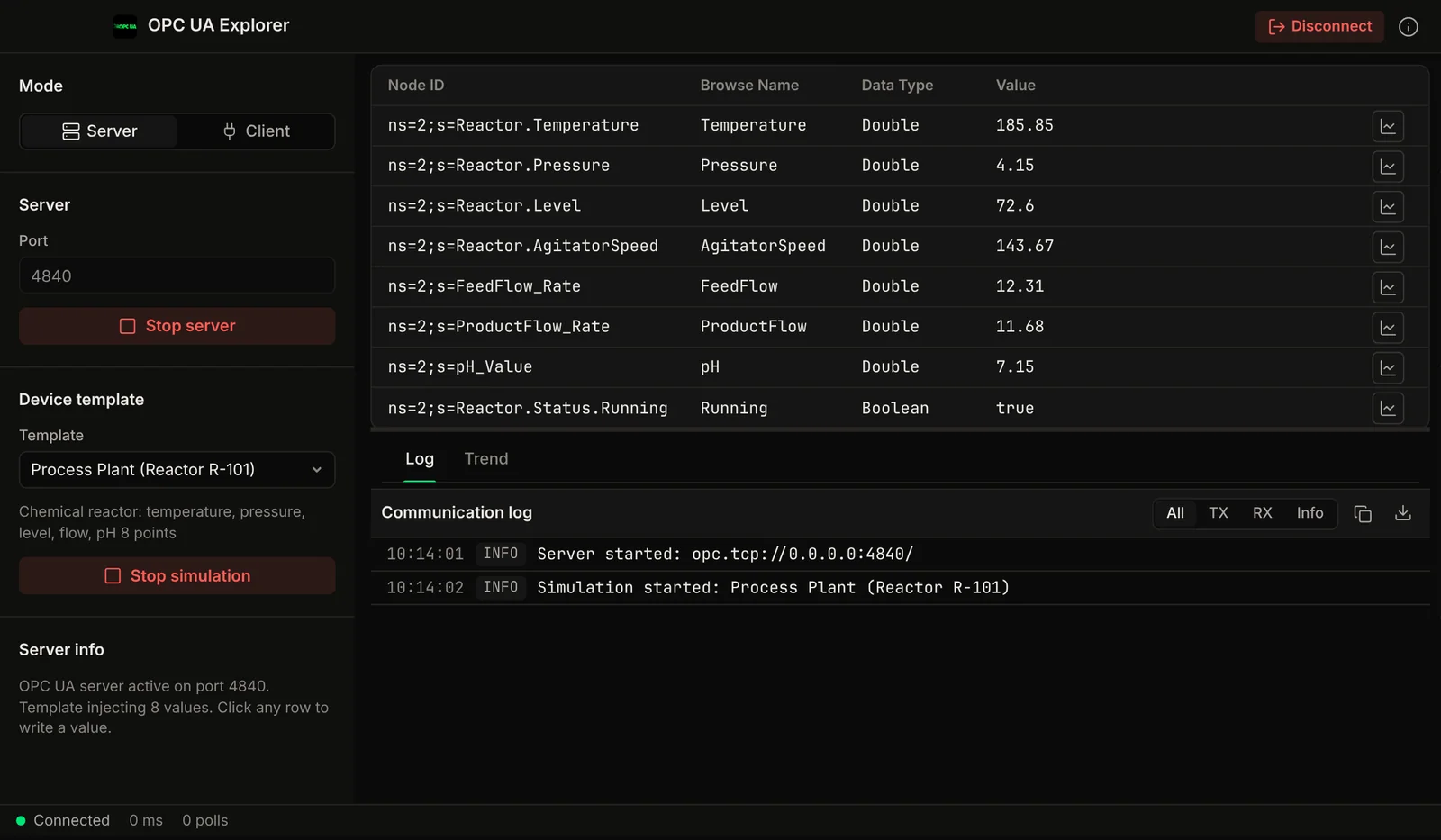
Run a simulated OPC UA server to test client implementations, with device templates that supply the variables and live values. Useful for development and testing without a real PLC or SCADA system.
Screenshots
See it in action
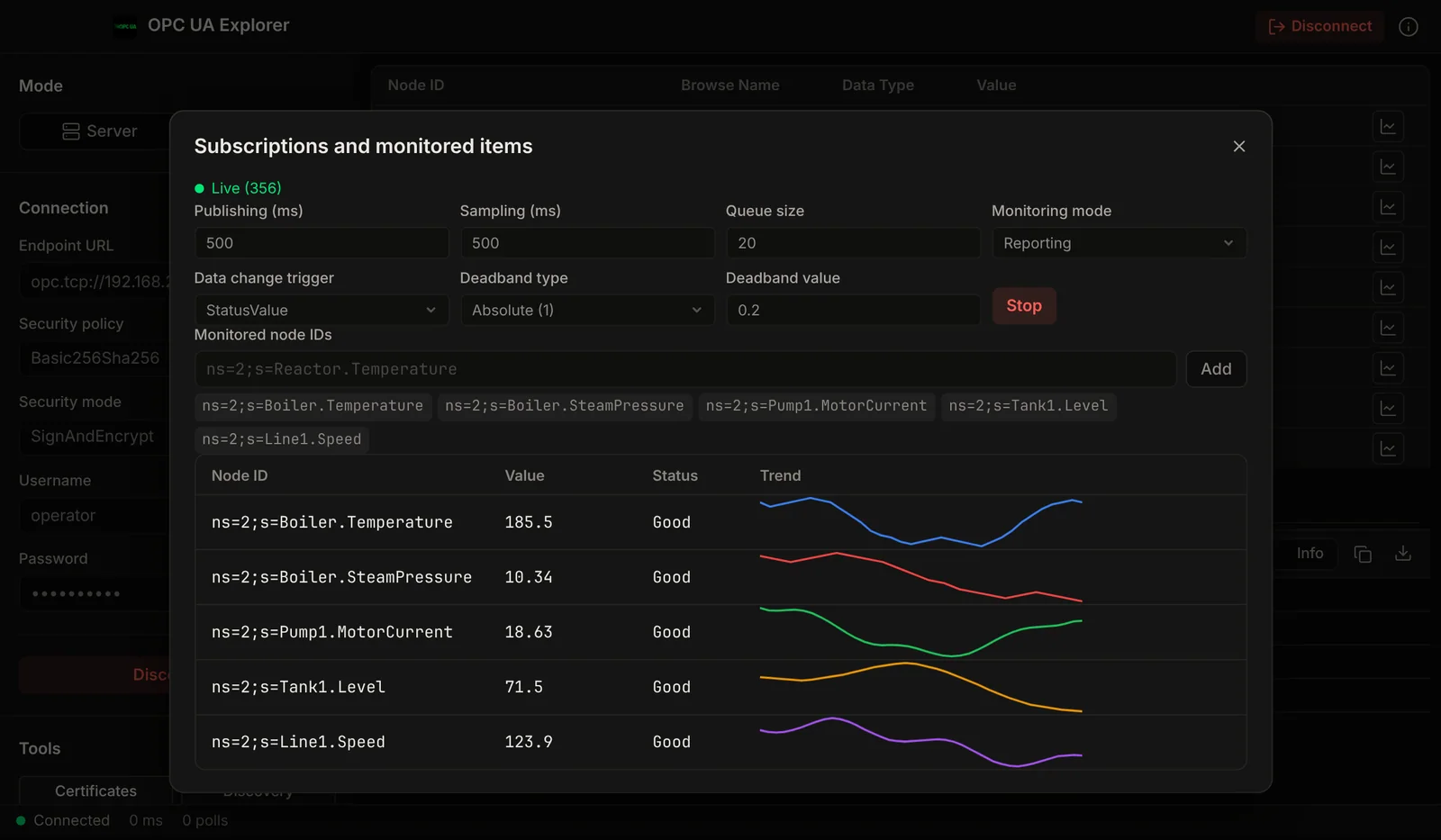
Compare
How it compares to UaExpert
UaExpert is the free default, and a good one. Here is when this app is the better fit.
If you need DA/HA/AC companion-spec profiles or OPC UA PubSub, stay on UaExpert today. If you mostly use a namespace browser and a subscription monitor on a Mac, this app is built for that.
Use Cases
Built for engineers who carry MacBooks.
PLC commissioning, SCADA integration, driver development: OPC UA is the lingua franca of modern industrial data, and now you can speak it natively on your Mac.
PLC Commissioning
Browse the namespace of any PLC or gateway with a built-in OPC UA server. Verify exposed variables, check access levels, and confirm data types before wiring the SCADA.
SCADA Integration
Pre-flight OPC UA endpoints before connecting a SCADA or HMI client. Test security policies, validate certificates, and read live values, without a Windows laptop.
Security Audits
Enumerate which endpoints accept Security Mode None vs SignAndEncrypt. Audit server certificates and trust lists before the plant's IT audit finds them.
Driver Development
Building an OPC UA client or server? Use built-in server simulation to test subscriptions, writes, and certificate exchange against a known-good peer.
Data Investigation
Subscribe to live tags, watch engineering units and EU ranges, and trace bad-quality values to their source node using the server and source timestamps.
System Integration
Validate OPC UA connectivity end-to-end during FAT. Confirm servers respond, certificates chain, and monitored items deliver, before go-live.
Part of: Field tools · Debug one device from your laptop: protocol apps, terminal database browsers, utilities.
How MacTools OPC-UA Explorer differs from…
-
Voltrus SCADA
This app is for commissioning and debugging one device from your laptop. Voltrus SCADA watches many devices around the clock, with dashboards, alarms and history on your own hardware.
-
Voltrus Gateway
Voltrus Gateway has no screens to click through: it is a self-hosted service that exposes Modbus, OPC UA, EtherNet/IP, S7, DNP3, BACnet/IP and MQTT to your own software over one gRPC API.
-
MacTools suite
Working with more than one protocol? MacTools has one native app per protocol, each sold on its own: 4 paid apps from $24.99 one-time, and free downloads with an optional one-time Pro licence.
FAQ
Common questions
Licensing
Need classroom, laboratory, or organization-wide licensing?
Voltrus offers Team, Academic Lab, and Enterprise Site licenses: one invoice, multi-seat usage, offline native apps. Tiers and prices are on the licensing page.
See Academic & Enterprise OptionsGet it free
Browse OPC UA servers
natively on your Mac.
OPC-UA Explorer is a free download for Mac. The DMG is signed and notarized by Apple, so it opens normally. An optional Pro licence key, $29.99 one-time, unlocks the Pro features below. The source is on GitHub under GPL-3.0.
Optional Pro, $29.99 one-time licence key
- Unlimited live monitored items (free: 10) and the subscriptions panel
- Several server sessions at once
- Live trend charts and CSV export of monitored values
- Write values, as a client and on the built-in server
- Certificate management: trust, reject, regenerate
- Device templates for the built-in server
Pro is a one-time purchase on the Voltrus Console. Your key arrives by email and in your console account. No subscription.
Stay Updated
Get notified about new features & updates
Product updates only. No spam.
Could not sign you up right now. Please try again, or email [email protected].
From one device to the whole line
Monitoring this PLC 24/7?
OPC-UA Explorer is built for commissioning and debugging. For round-the-clock monitoring use Voltrus OEE (hosted, live availability and downtime per machine) or Voltrus SCADA (dashboards, alarms and history on your own hardware).
Also from MacTools