Part of: Field tools

Discover BACnet devices on your Mac.
Native on Mac. No Parallels.

A YABE alternative that runs natively on macOS, with no Parallels, Windows or .NET runtime. Device discovery, object browsing, property read/write, trend logs and a built-in device simulator in one app.
$29.99
One-Time
BACnet/IP
Protocol
IPv4
Network
macOS
Apple Silicon Native
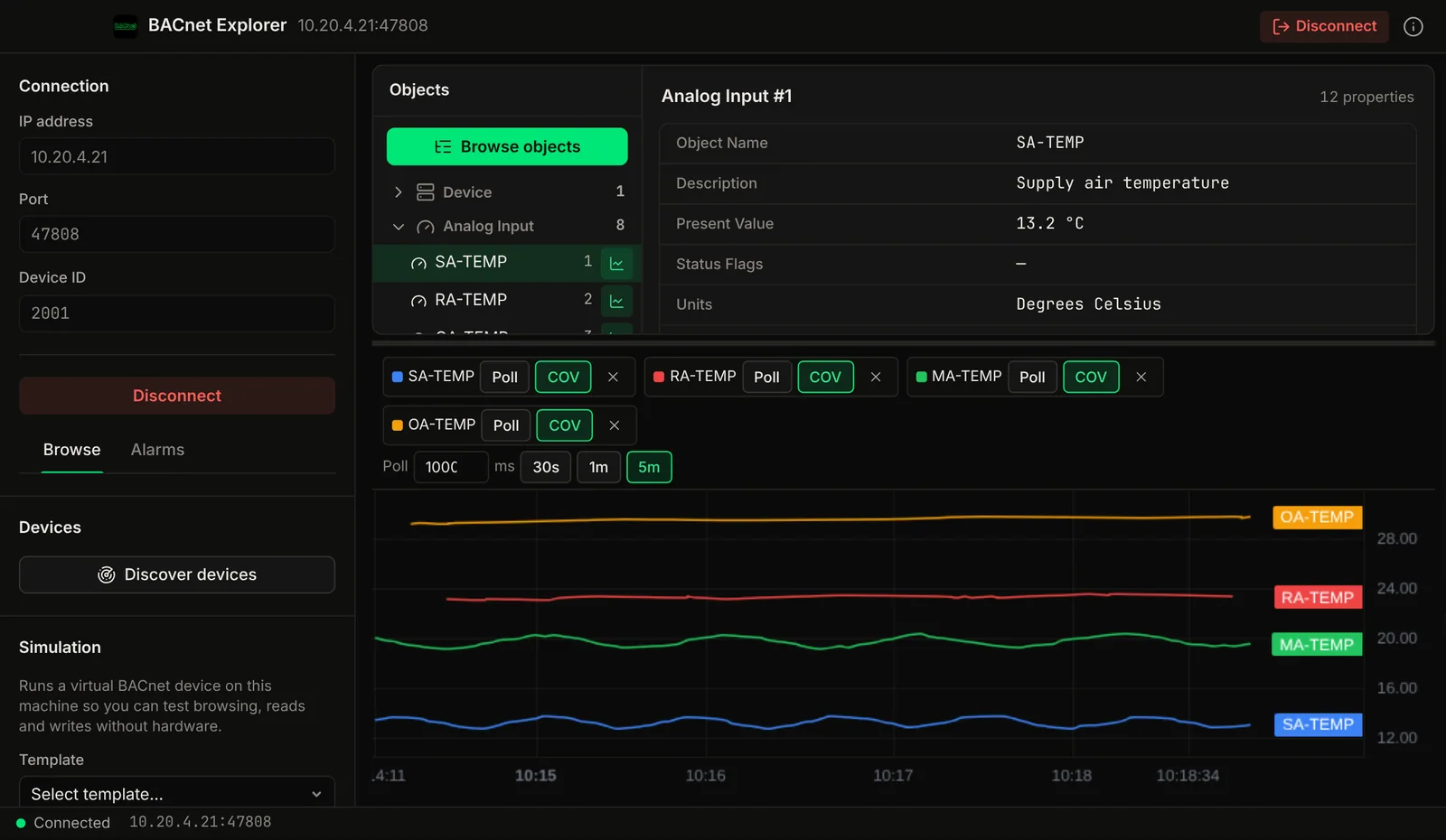
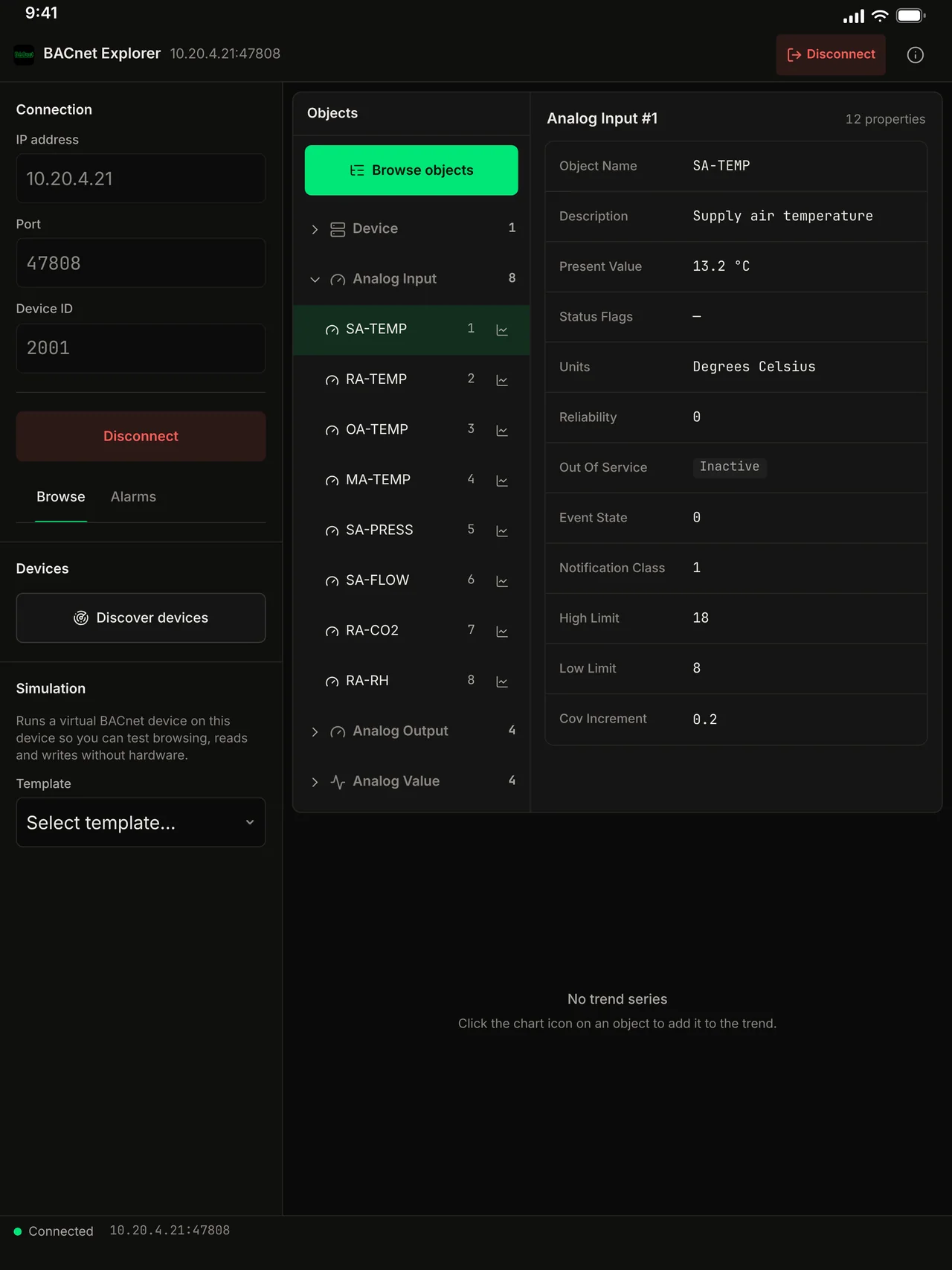
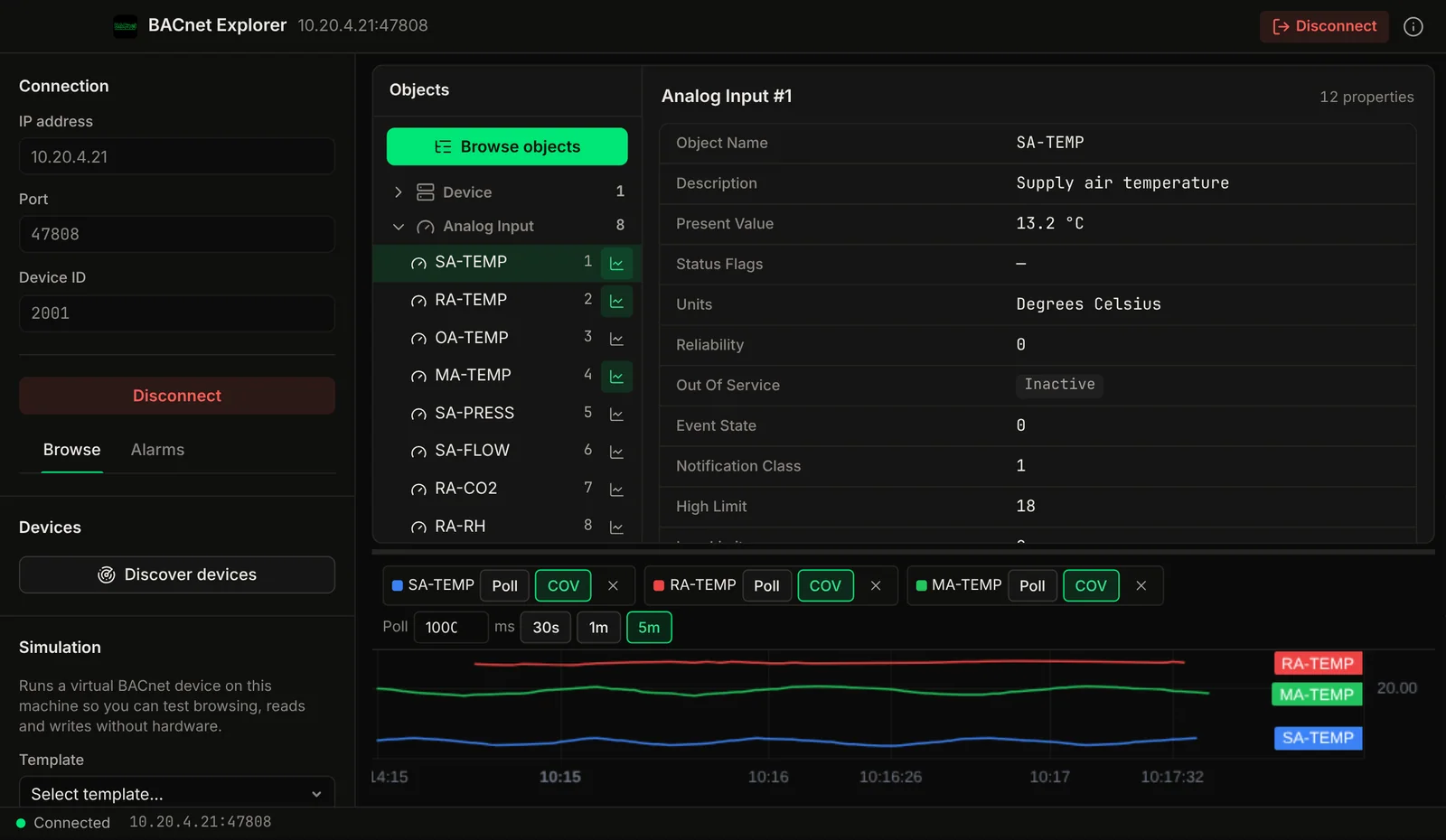
BACnet Explorer screenshot: the BACnet object list on the left with the selected analog input's properties and live trend lines below.
The BACnet object list on the left with the selected analog input's properties and live trend lines below.
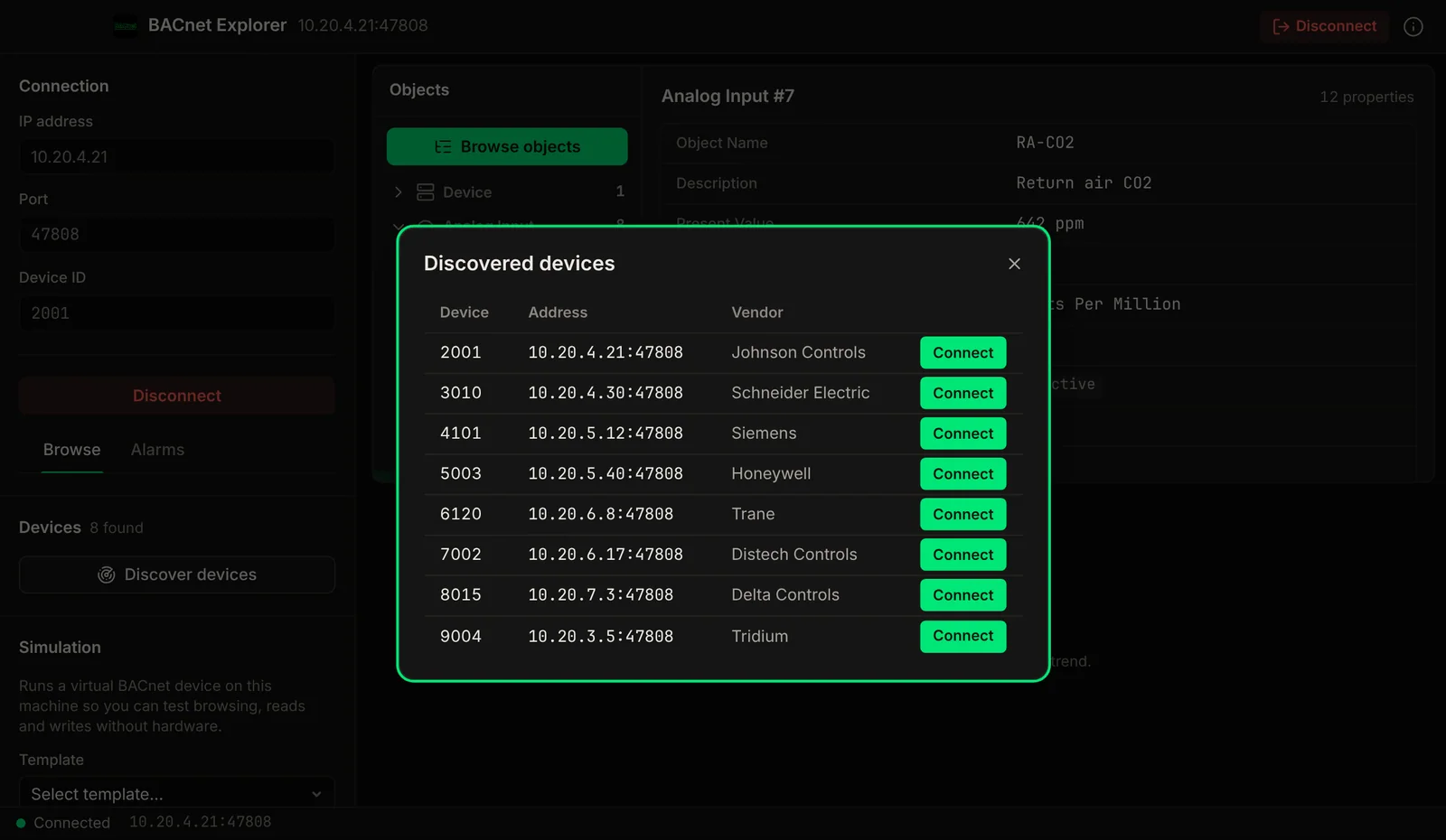
BACnet Explorer screenshot: a Who-Is discovery dialog listing controllers with device ID, address and vendor.
A Who-Is discovery dialog listing controllers with device ID, address and vendor.
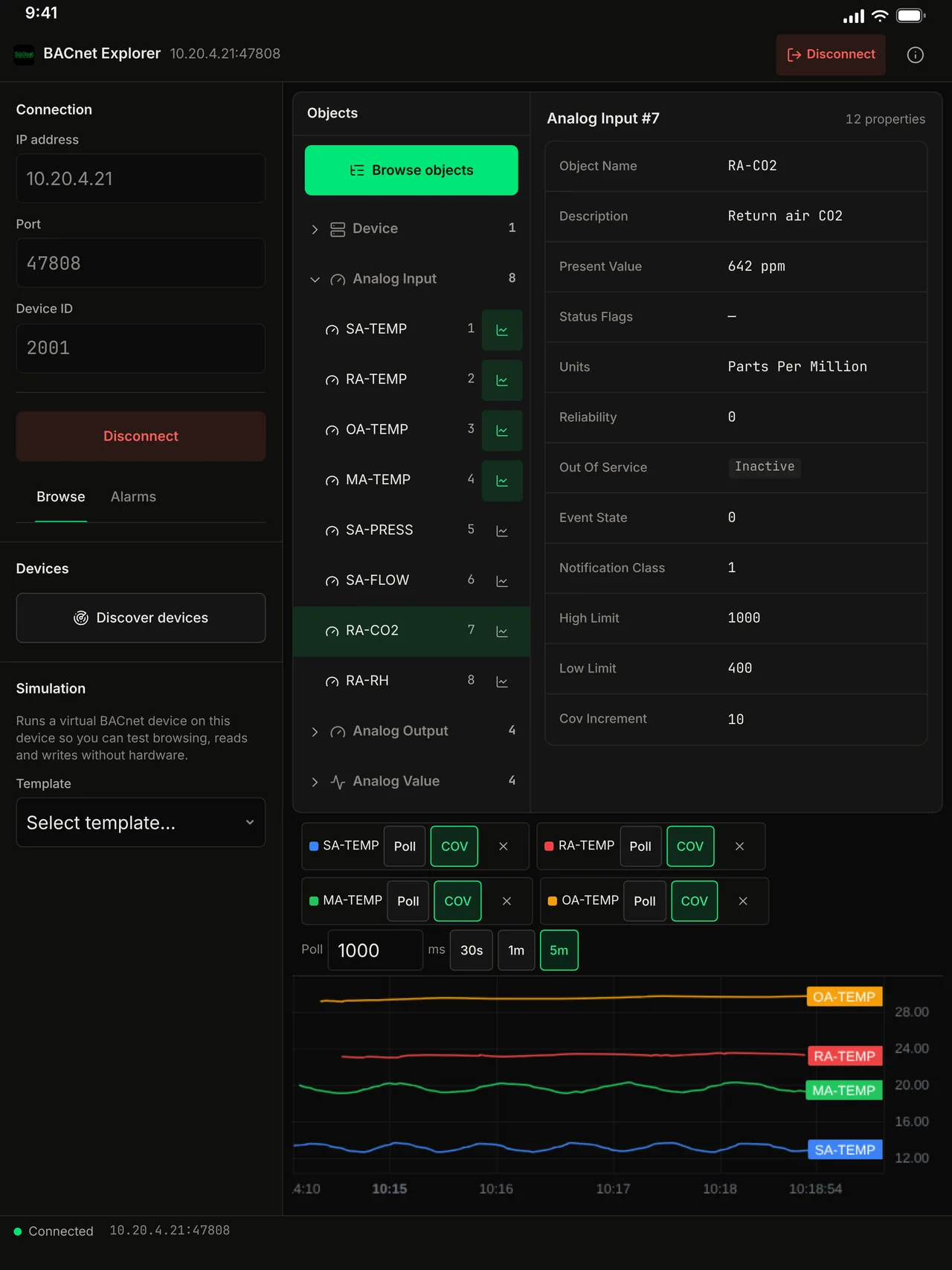
BACnet Explorer screenshot: several points subscribed for change notifications and plotted on one live chart.
Several points subscribed for change notifications and plotted on one live chart.

Demo video

Watch the demo

A tour of BACnet Explorer for Mac, iPhone and iPad: device discovery, object browsing, COV trends, alarms and a virtual controller.

Chapters

Watch on YouTube

Discover, browse, read, write. One app.

Device discovery, object browsing, property read/write, COV subscriptions, alarms, schedules and trend logs in one native app.

01

Device Discovery

Broadcast Who-Is on your network and discover all BACnet/IP devices instantly. See device IDs, IP addresses, port numbers, vendor names, and model information. Send directed Who-Is to specific device ranges.

02

Object Browser

Explore all BACnet objects on any discovered device. Navigate through Analog Inputs, Analog Outputs, Analog Values, Binary Inputs, Binary Outputs, Binary Values, Multi-State objects, and more. View all properties for each object.

03

Read & Write Properties

Read any property from any object using ReadProperty and ReadPropertyMultiple services. Write to writable properties: set setpoints, override values, change priority arrays. Support for all BACnet data types.

04

COV Subscriptions

Subscribe to Change of Value notifications on any object that supports it. Watch real-time property updates appear as they happen: temperature changes, status transitions, value fluctuations. No polling needed.

05

Alarm & Event Monitoring

Receive BACnet alarm and event notifications from devices on your network. View alarm details with timestamps, severity, and acknowledgment state. Acknowledge alarms directly from the app.

06

Trend Log Viewer

Read historical data from BACnet Trend Log objects. View logged values with timestamps in a table or chart. Analyze temperature trends, energy consumption patterns, and system behavior over time.

07

Schedule Browser

Browse and inspect BACnet Schedule objects. View weekly schedules, exceptional schedules, and effective period configurations. Understand when your building systems are programmed to operate.

08

BACnet/IP (IPv4)

BACnet/IP over IPv4 networks. Discover devices with Who-Is broadcasts on your local subnets, or connect to a device by IP address and port.

09

Device Object Inspection

Deep-dive into any device's Device Object. See firmware version, protocol revision, services supported, object list, status flags, and vendor-specific properties.

See it in action

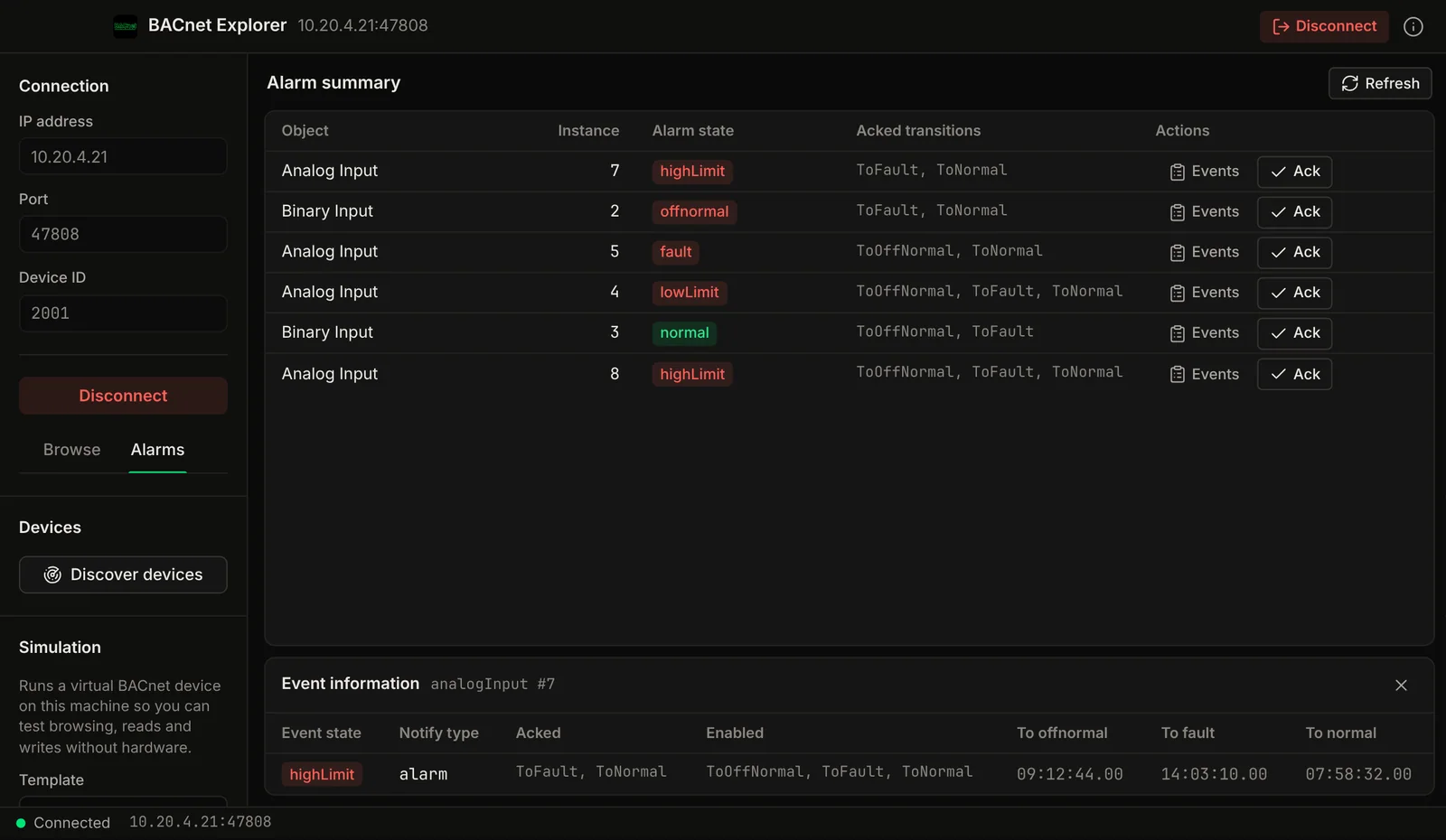
BACnet Explorer screenshot: an alarm summary table with each object's alarm state and an event details panel.
An alarm summary table with each object's alarm state and an event details panel.
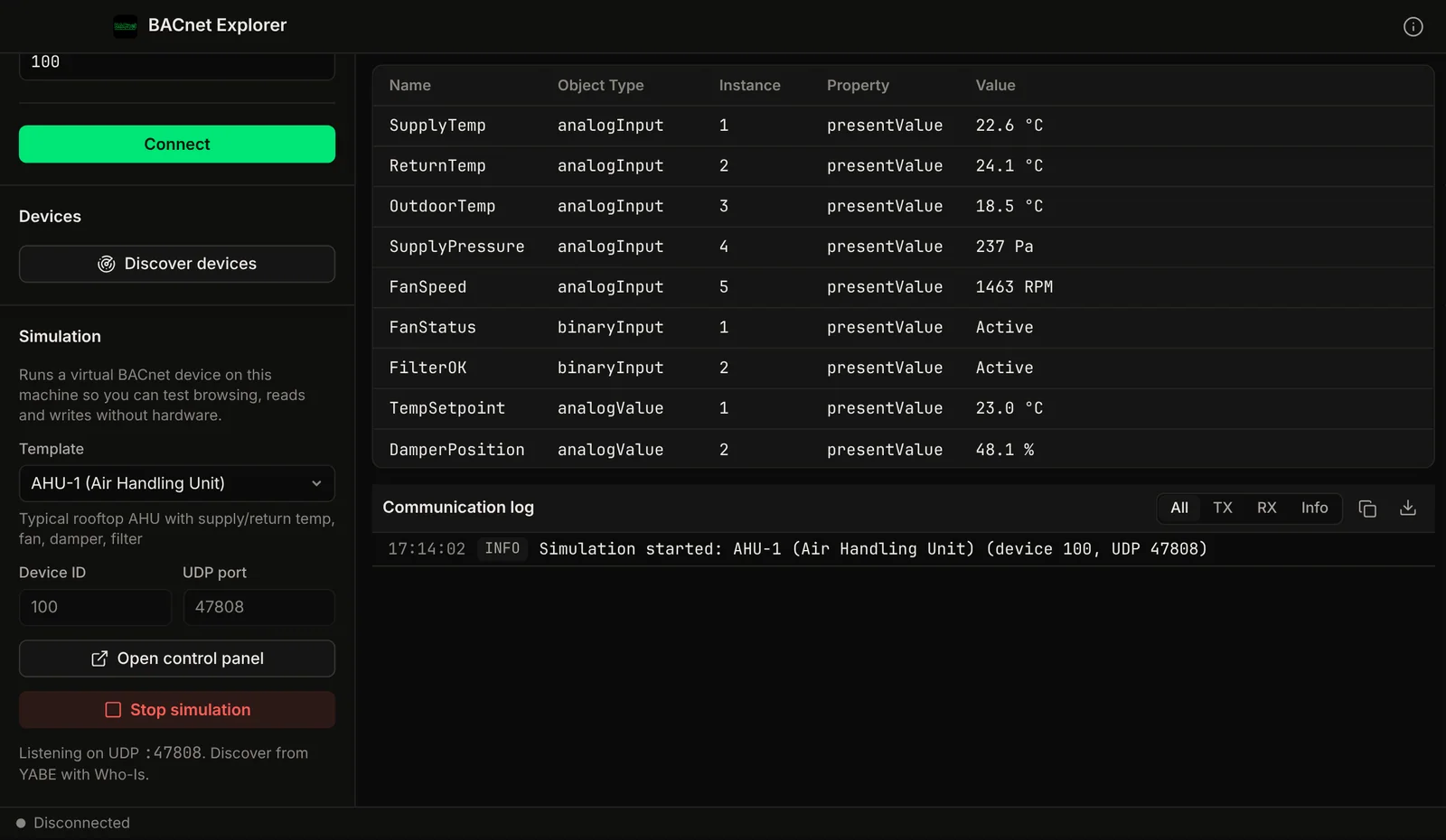
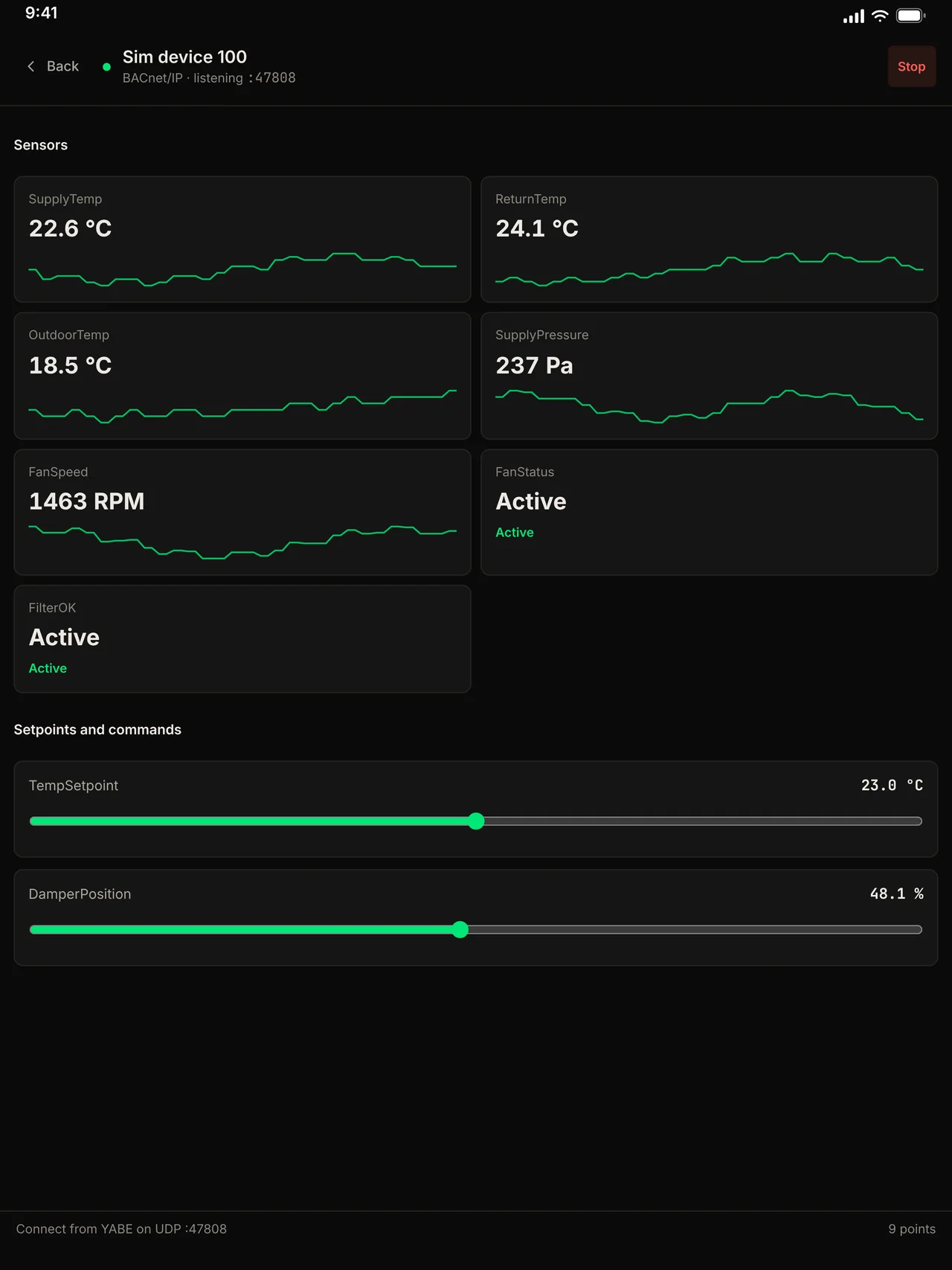
BACnet Explorer screenshot: a simulated air handling unit with its points listed and a log of the simulation starting.
A simulated air handling unit with its points listed and a log of the simulation starting.

On iPhone and iPad

On the App Store. The same app, laid out for a phone and a tablet.
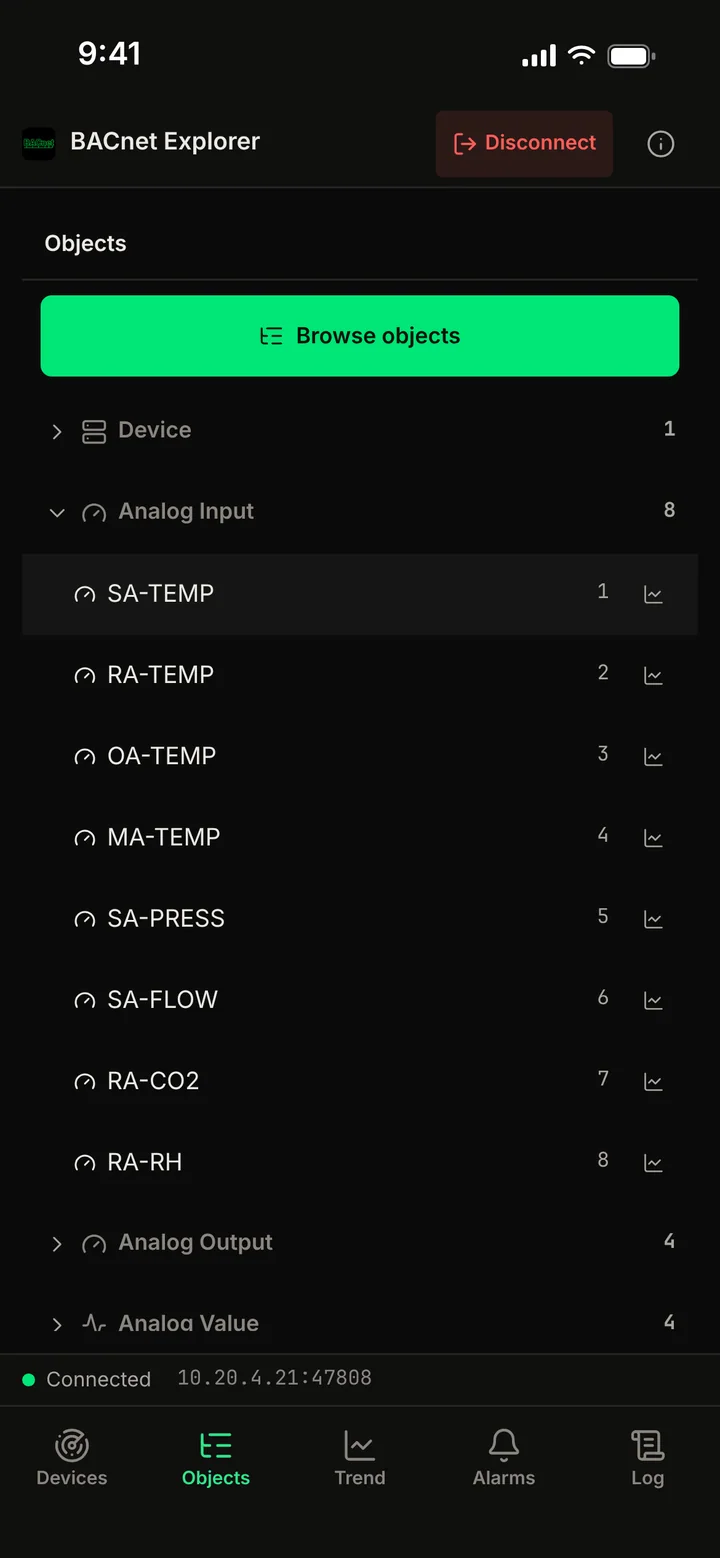
BACnet Explorer screenshot: the BACnet object list grouped by type on iPhone.
The BACnet object list grouped by type on iPhone.
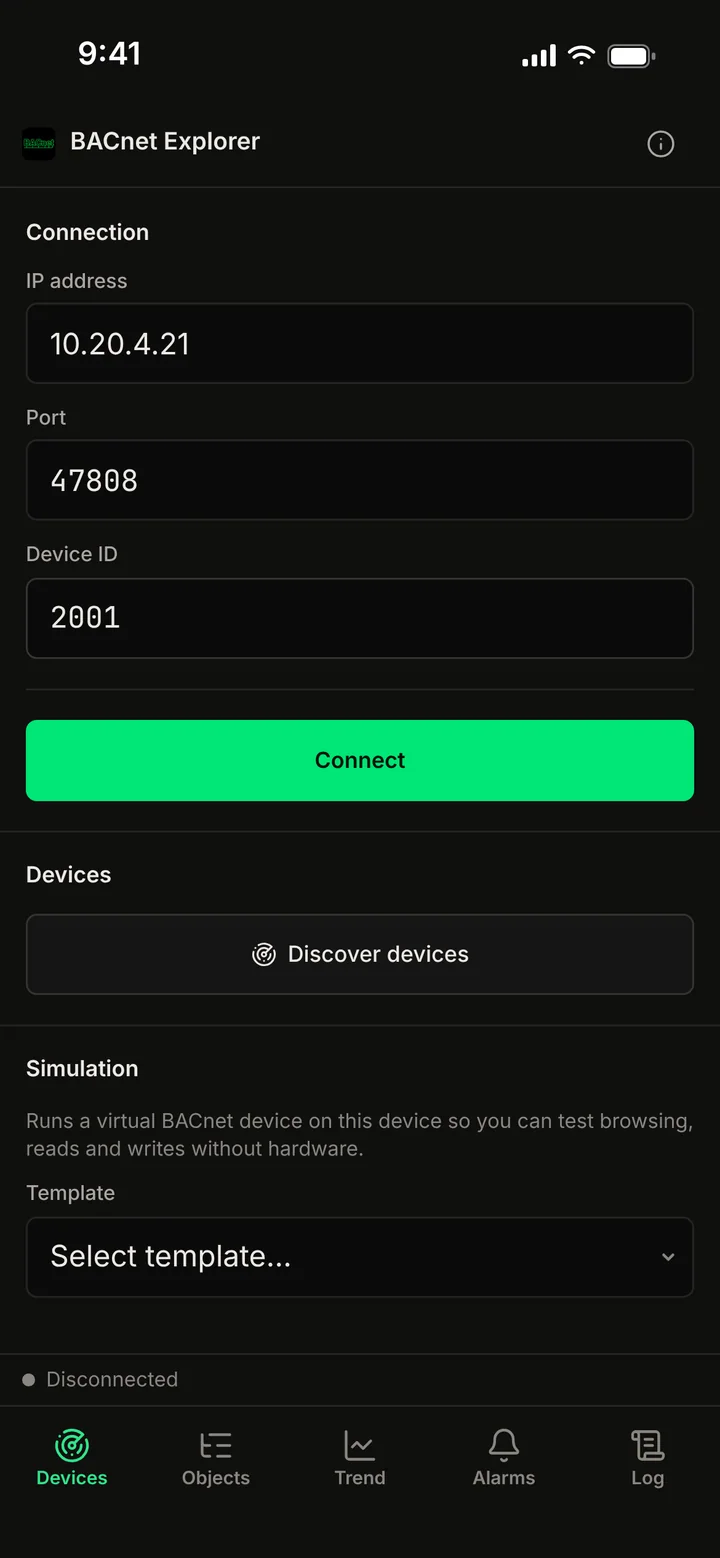
BACnet Explorer screenshot: the connection form with IP address, port and device ID on iPhone.
The connection form with IP address, port and device ID on iPhone.
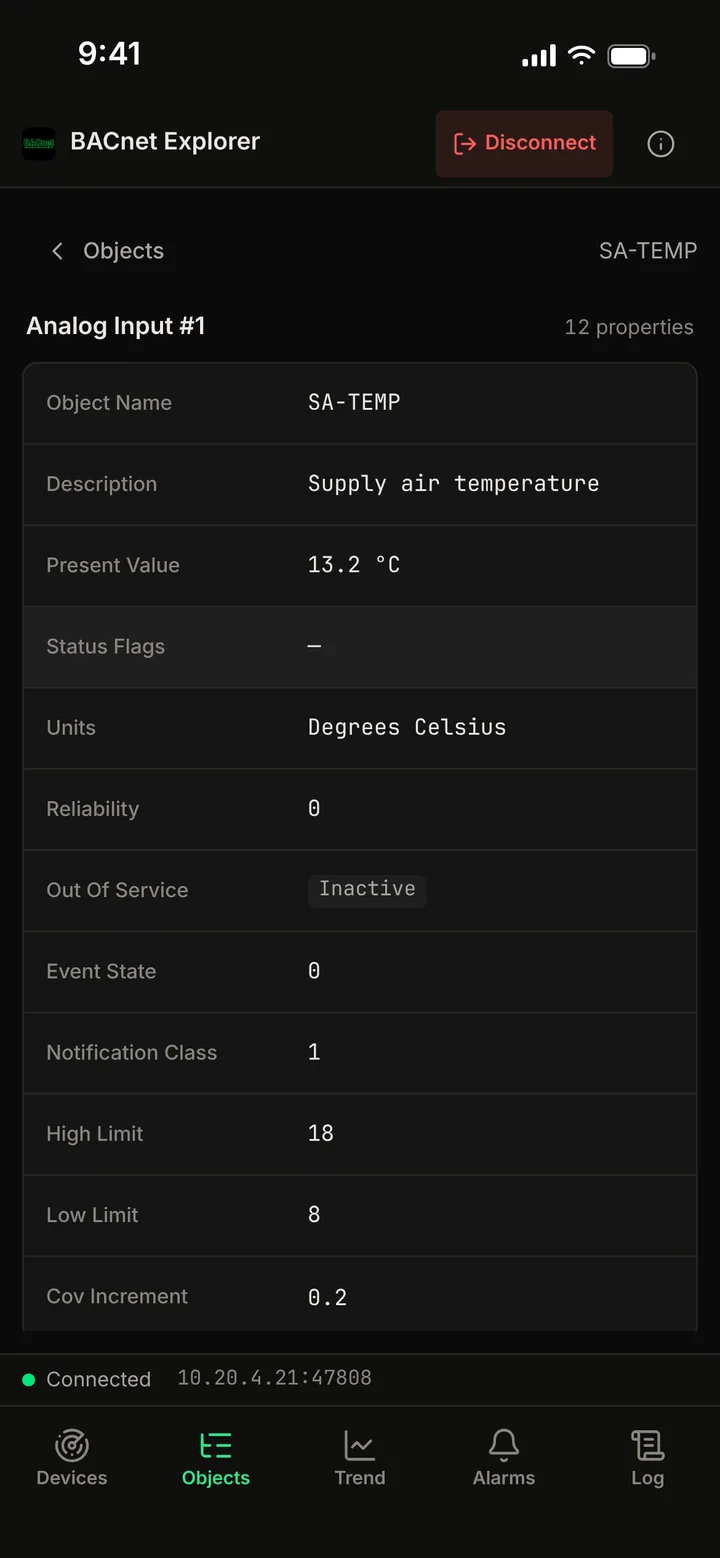
BACnet Explorer screenshot: properties of an analog input on iPhone.
Properties of an analog input on iPhone.
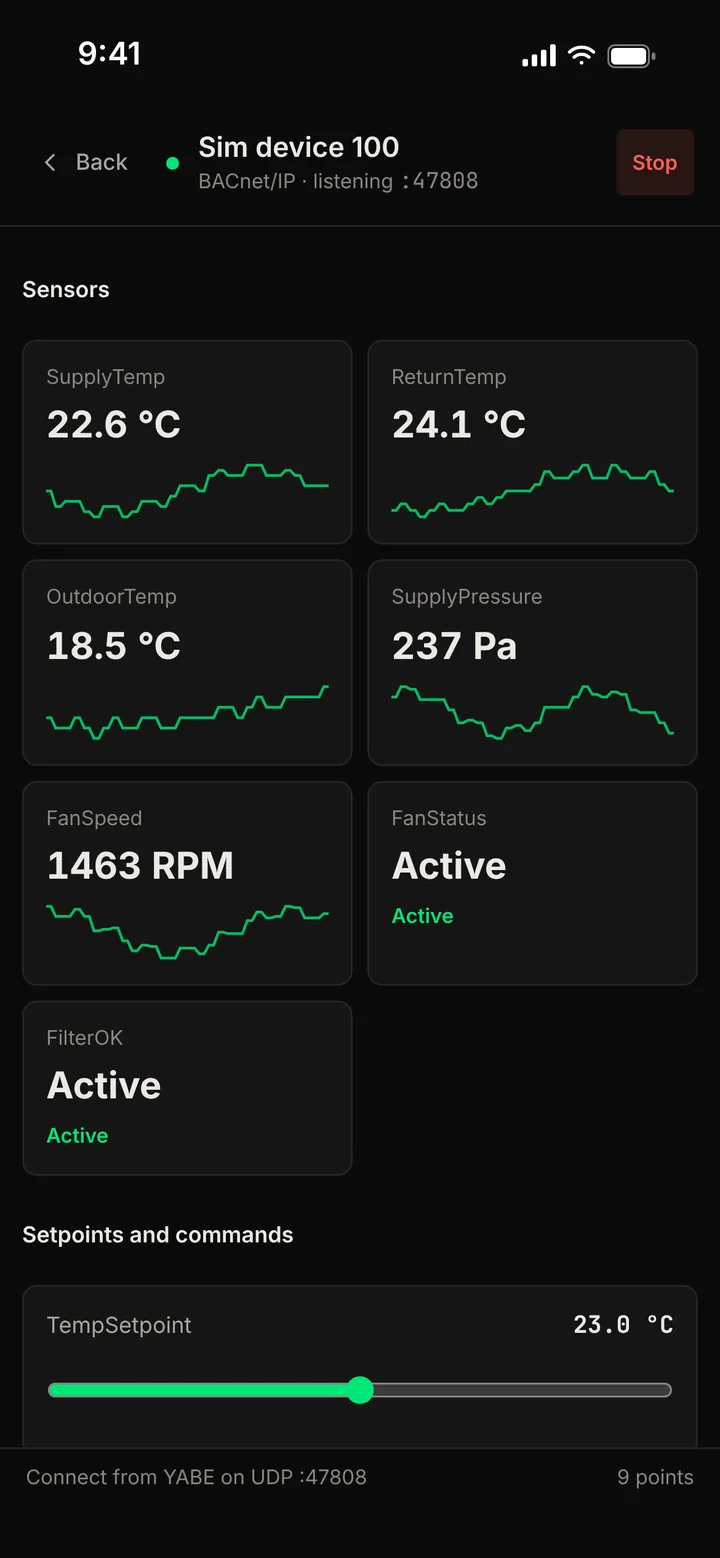
BACnet Explorer screenshot: a simulated air handling unit with sensor tiles and setpoints on iPhone.
A simulated air handling unit with sensor tiles and setpoints on iPhone.
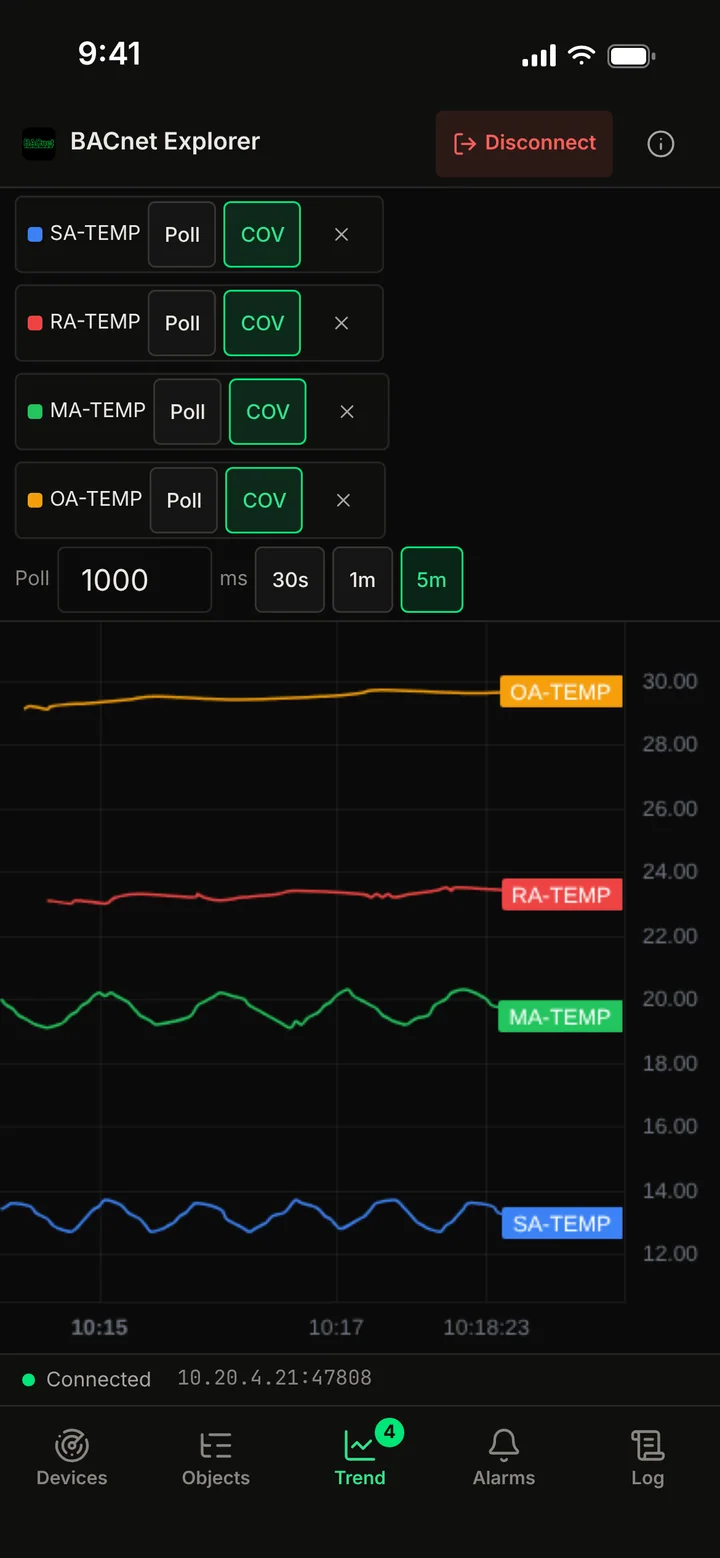
BACnet Explorer screenshot: several BACnet points on one live chart on iPhone.
Several BACnet points on one live chart on iPhone.
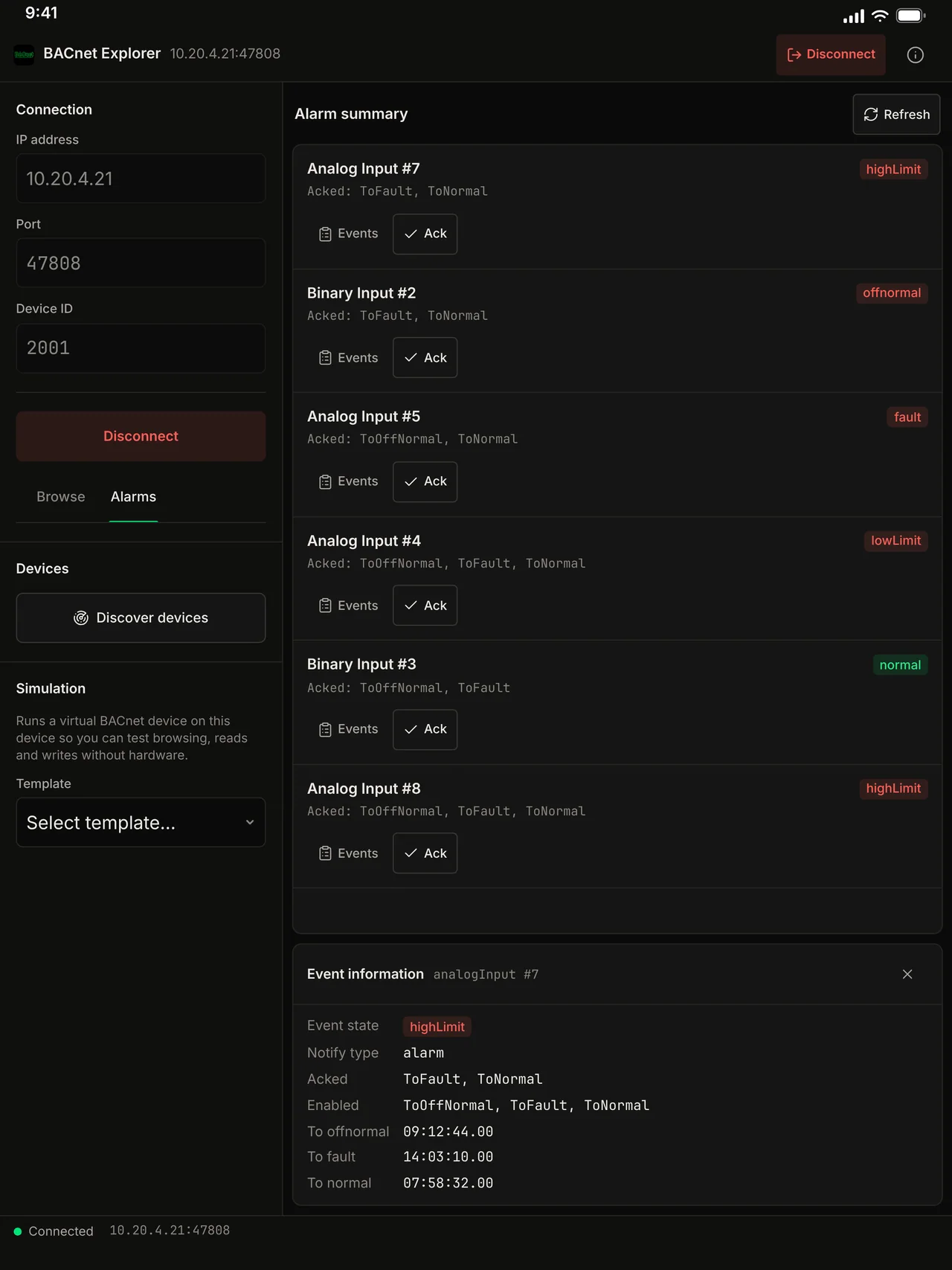
BACnet Explorer screenshot: the alarm summary and event details on iPad.
The alarm summary and event details on iPad.
BACnet Explorer screenshot: the object list with the selected point's properties on iPad.
The object list with the selected point's properties on iPad.
BACnet Explorer screenshot: a simulated air handling unit with sensor tiles on iPad.
A simulated air handling unit with sensor tiles on iPad.
BACnet Explorer screenshot: the object list and a live multi-point chart on iPad.
The object list and a live multi-point chart on iPad.
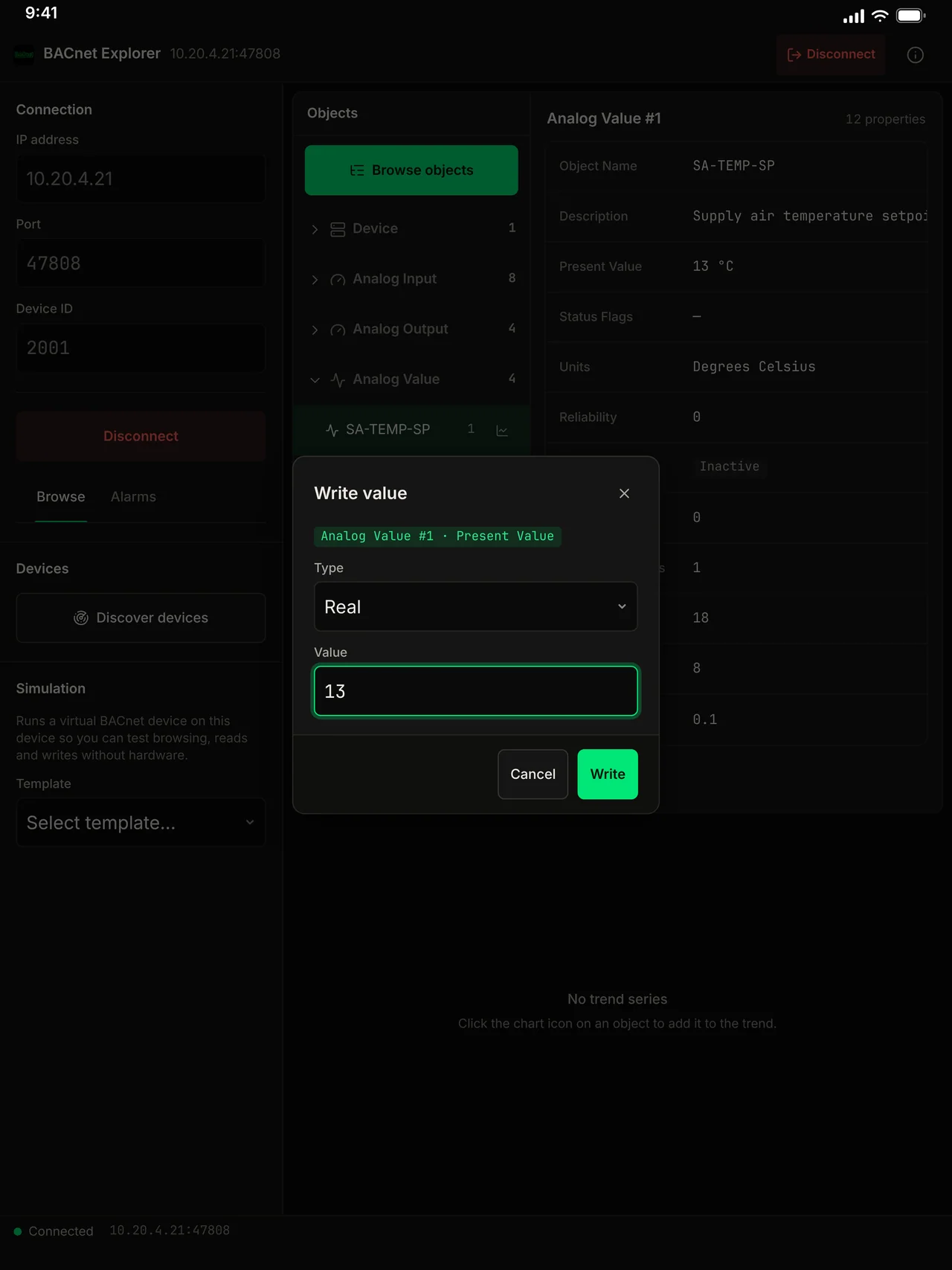
BACnet Explorer screenshot: a write dialog for changing a setpoint on iPad.
A write dialog for changing a setpoint on iPad.

Voltrus Connect

Your saved sites on every device and with your team.

Save a device with its watch list once and have it on every Mac, iPhone and iPad you sign in on. Share it with your team. Optional: BACnet Explorer works fully without it. Available in Modbus Poll and BACnet Explorer first.

  1. Sign in with your Voltrus account in the app.
  2. Save a device as a profile. It syncs in the background.
  3. It appears on your other devices and with your team.
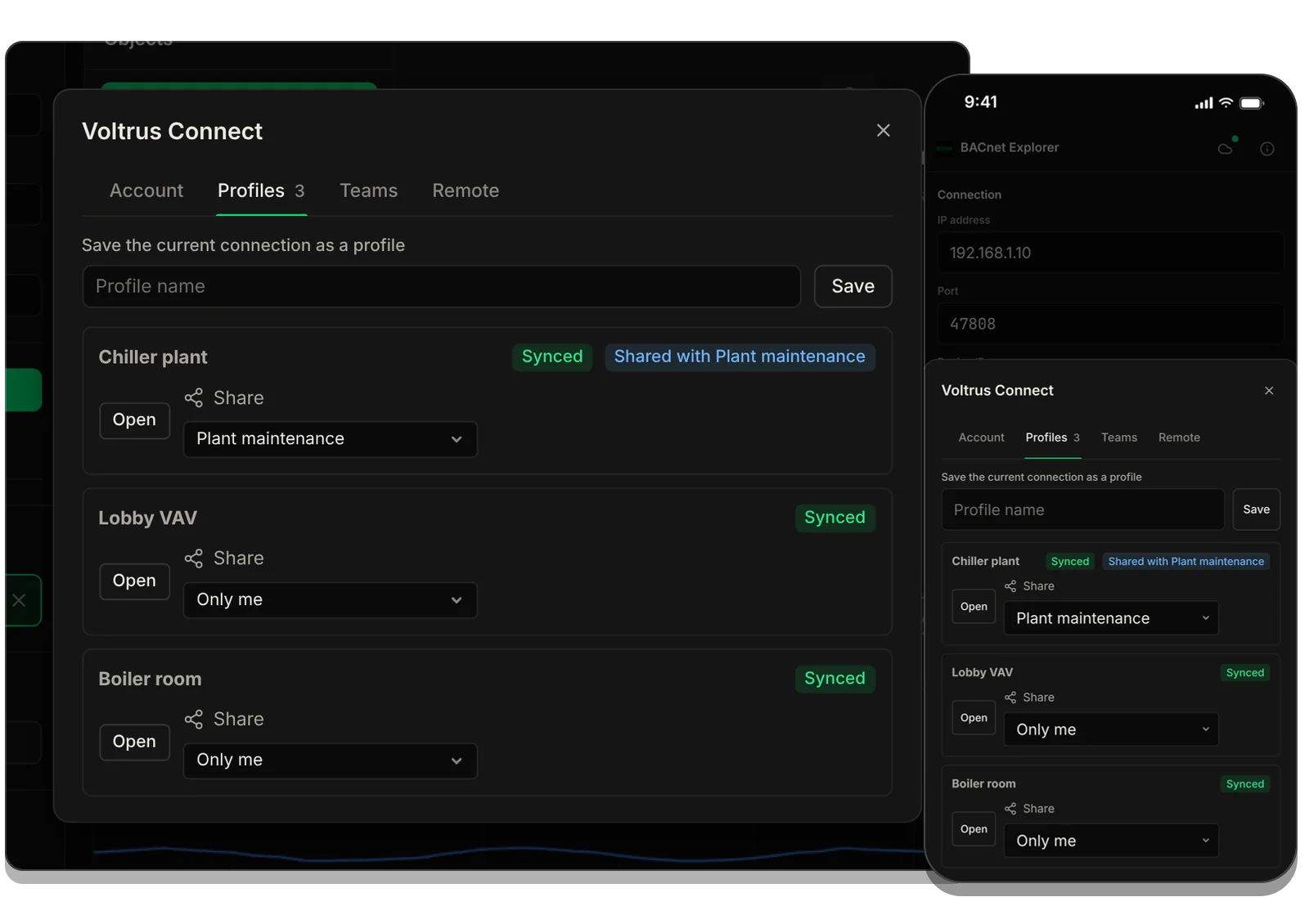
BACnet Explorer on a Mac and on an iPhone, both showing the Voltrus Connect Profiles tab with three profiles marked Synced.

Part of: Field tools · Debug one device from your laptop: protocol apps, terminal database browsers, utilities.

How MacTools BACnet Explorer differs from…

  • Voltrus SCADA

    This app is for commissioning and debugging one device from your laptop. Voltrus SCADA watches many devices around the clock, with dashboards, alarms and history on your own hardware.

  • Voltrus Gateway

    Voltrus Gateway has no screens to click through: it is a self-hosted service that exposes Modbus, OPC UA, EtherNet/IP, S7, DNP3, BACnet/IP and MQTT to your own software over one gRPC API.

  • MacTools suite

    Working with more than one protocol? MacTools has one native app per protocol, each sold on its own: 4 paid apps from $24.99 one-time, and free downloads with an optional one-time Pro licence.

Not sure? See which one you need →

Common questions

Yes. MacTools BACnet Explorer is a native app built with Rust and Tauri. It runs natively on both Apple Silicon and Intel Macs. No Rosetta, no virtual machines needed.
No. This is a native app downloaded from the App Store. No Windows, no Parallels, no Wine, no Node.js, no Java. Install from the App Store and it just works.
Yes, if your reason for switching is the platform. YABE is free and feature-complete (discovery, object browsing, read/write, COV, alarms, trend logs, schedules, a device simulator, and IPv6), so BACnet Explorer is not trying to out-feature it. The case for switching on a Mac is a native Apple Silicon app, no .NET/Mono or Parallels dependency, and a one-click App Store install.
Yes. The built-in device simulator emulates a BACnet/IP device with configurable objects and present values. Use it to test your BMS, controller, gateway, or integration against a controllable virtual device, no physical hardware required.
Yes. BACnet Explorer supports BACnet/IP over IPv4. It can discover devices on your network using Who-Is/I-Am broadcasts and connect to any BACnet/IP device by IP address and port (default BACnet port is UDP 47808). IPv6 is not supported.
Yes. You can read any property from any BACnet object using ReadProperty and ReadPropertyMultiple services. You can also write to writable properties using WriteProperty. This includes present values, priority arrays, and configuration properties.
Yes. You can subscribe to COV notifications on any object that supports it. The app will display real-time value changes as they happen, with timestamps and value history. Subscriptions use a one-hour lifetime and the app renews them automatically; the COV increment is set by the device, not the app.
No. It is a one-time purchase of $29.99. No recurring fees, no in-app subscriptions, no "Pro" tier unlock. You get everything for one price.
It supports the standard object types you meet most often: Analog Input, Analog Output, Analog Value, Binary Input, Binary Output, Binary Value, Multi-State Input, Multi-State Output, Multi-State Value, Trend Log, Schedule, Calendar, Notification Class, and Device objects.
No. BACnet Explorer supports BACnet/IP only. If you need MS/TP, use a BACnet router to bridge MS/TP segments to BACnet/IP.
Not through a BBMD. The app does not register as a foreign device, and Who-Is discovery uses UDP broadcast, which routers do not forward. Connecting to a device by IP address and port works as long as your Mac can reach that address.
Yes. Read historical data from BACnet Trend Log and Trend Log Multiple objects. View logged values with timestamps in a sortable table or chart visualization. Export trend data to CSV for further analysis.

Licensing

Need classroom, laboratory, or organization-wide licensing?

Voltrus offers Team, Academic Lab, and Enterprise Site licenses: one invoice, multi-seat usage, offline native apps. Tiers and prices are on the licensing page.

See Academic & Enterprise Options

Buy

Stop paying for Parallels.
Browse BACnet networks natively.

$29.99
One-time purchase, no subscription, no hidden fees
Download on theApp Store Buy Direct · $29.99 Direct Download

Stay Updated

Get notified about new features & BACnet updates

Product updates for BACnet Explorer. No spam.

From one device to the whole line

Monitoring this PLC 24/7?

BACnet Explorer is built for commissioning and debugging. For round-the-clock monitoring use Voltrus OEE (hosted, live availability and downtime per machine) or Voltrus SCADA (dashboards, alarms and history on your own hardware).

Voltrus OEE → Voltrus SCADA →