Your saved sites, on every device and with your team.
Voltrus Connect keeps your saved connection profiles in sync across your Mac, iPhone and iPad, shares them with your team, and lists your Voltrus Remote sites with the steps to join. Available in Modbus Poll and BACnet Explorer first. The apps work fully without it.
- Modbus Poll
- BACnet Explorer
- Viewers are free
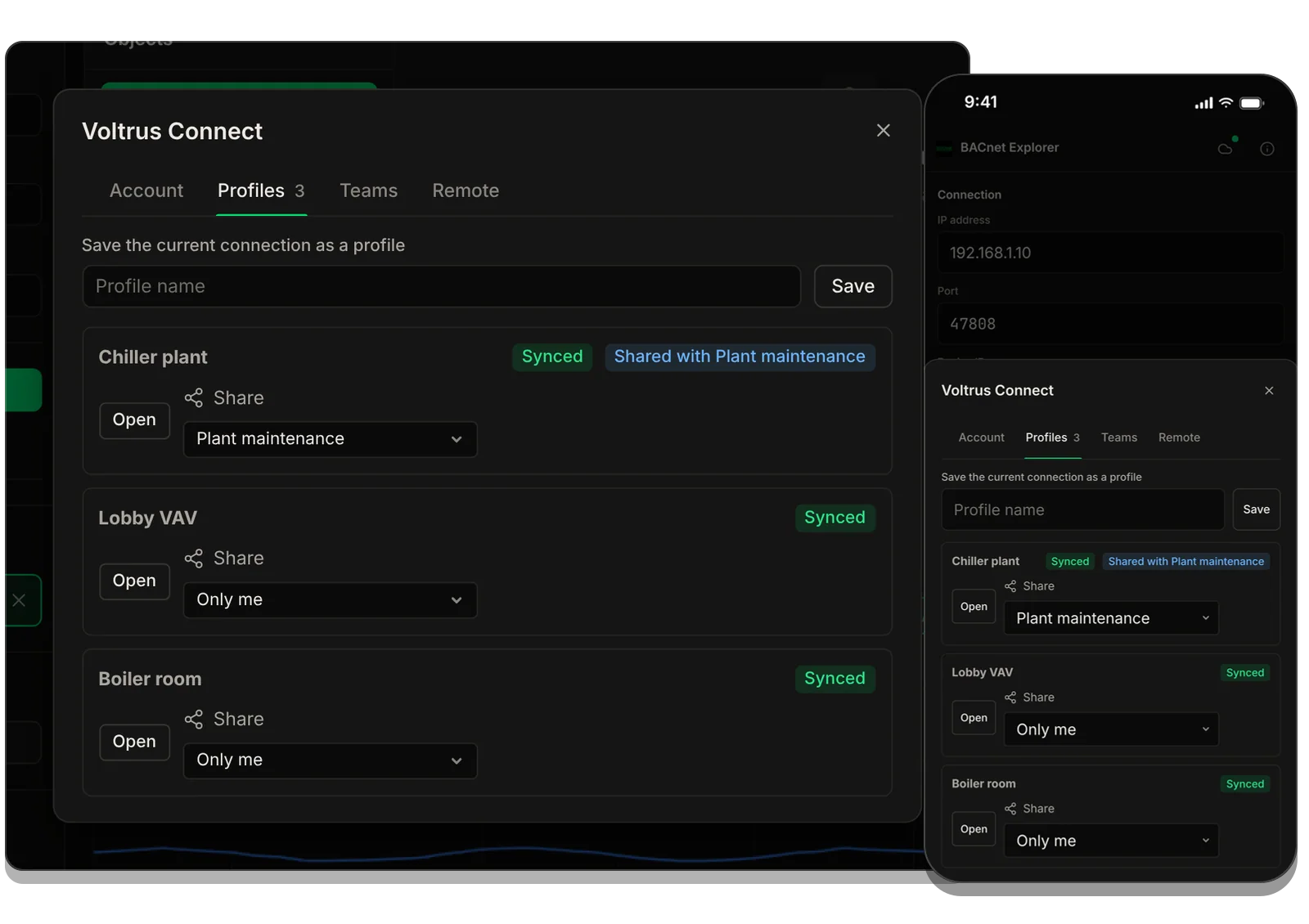
Sign in once. Your sites follow you.
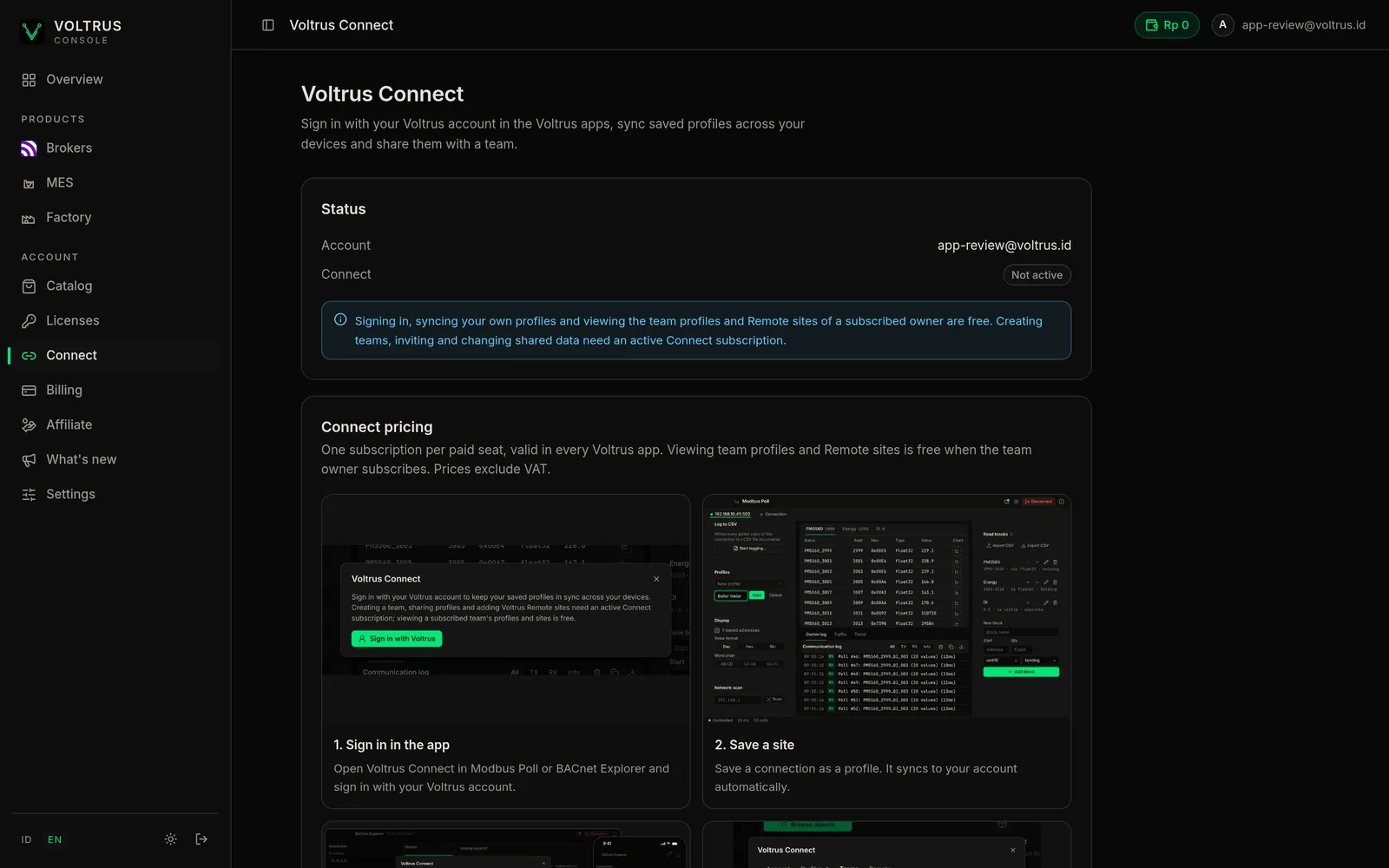
Everything happens inside Modbus Poll and BACnet Explorer. These are the apps' own screens.
-
01 / Sign in
Sign in with your Voltrus account in the app
Open Voltrus Connect in the app and choose Sign in with Voltrus. Your browser opens a Voltrus page that names the app and says what it can see. Approve it and the app signs in.
No account yet? Create one on that page. Signing in is free.
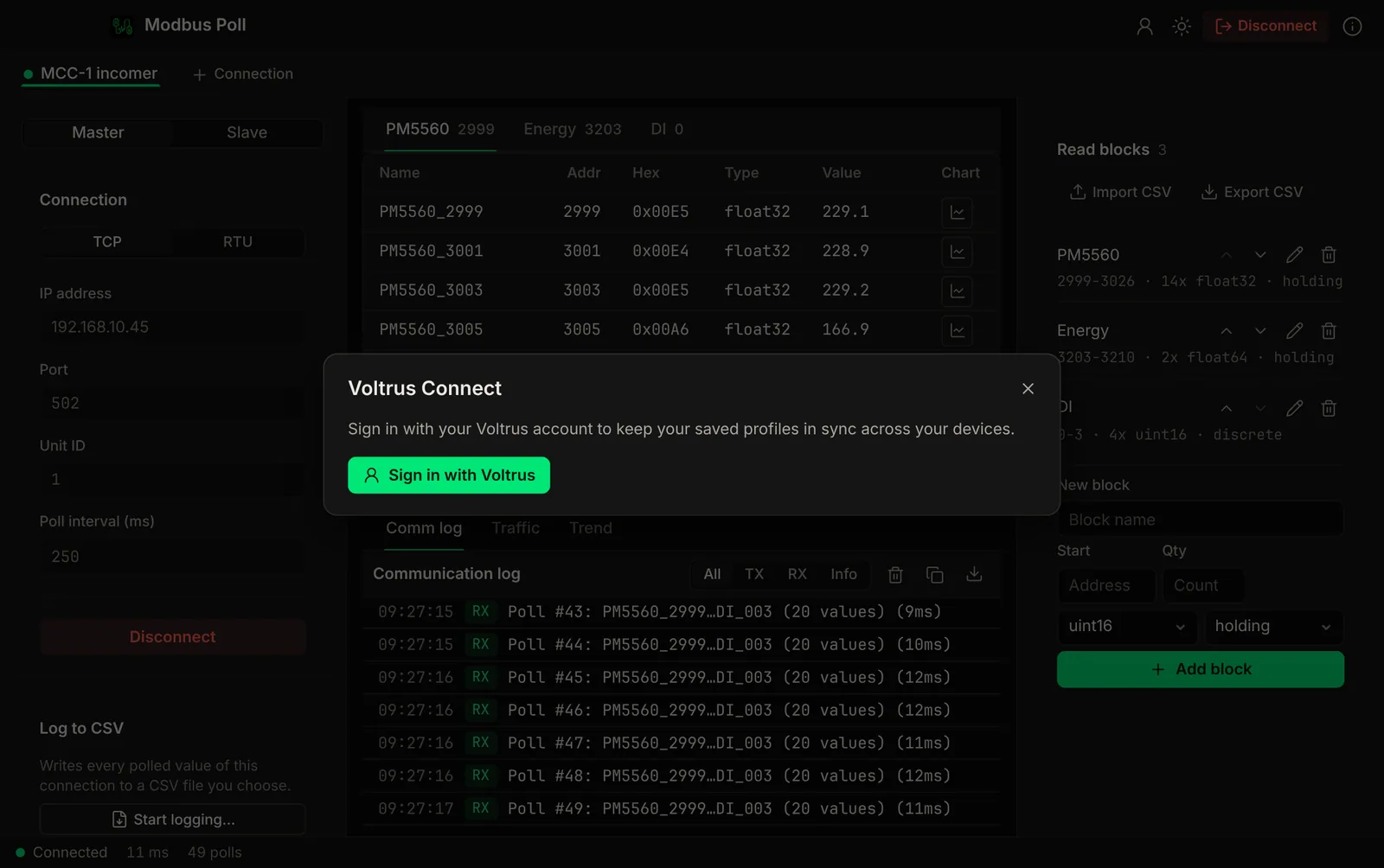
The Connect window in Modbus Poll before you sign in. 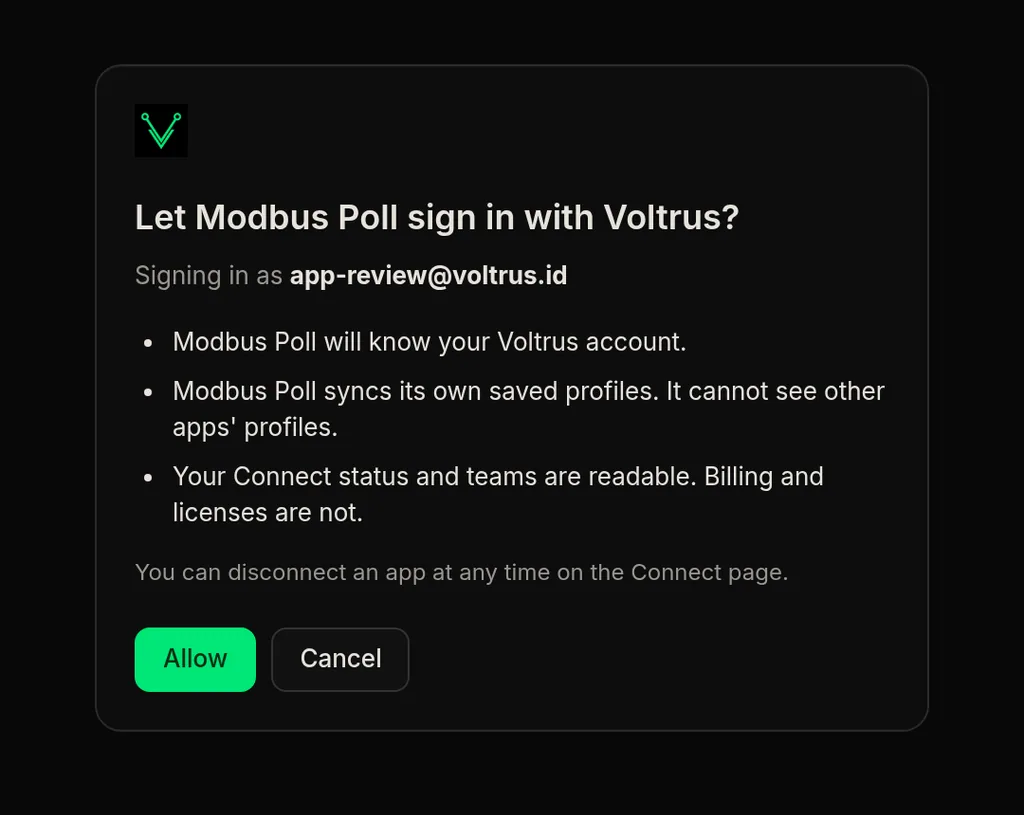
The consent page that opens in your browser. -
02 / Save a site
Save a site as a profile
Name a connection and save it: host, port and register blocks in Modbus Poll, a device and its watch list in BACnet Explorer. Connect sends it to your account in the background and marks it Synced.
Passwords and tokens do not belong in a profile. The server keeps profile data as plain JSON.
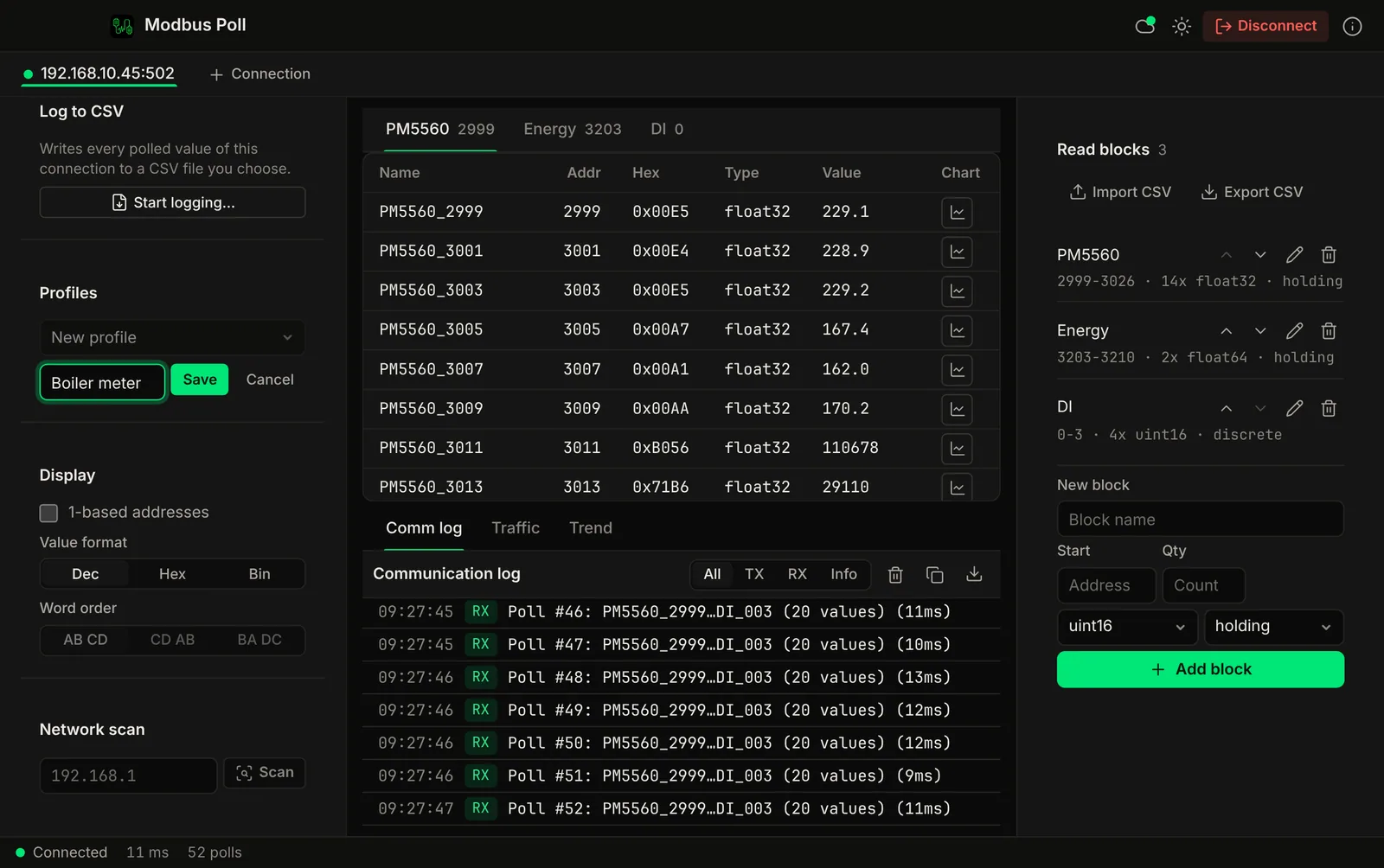
Modbus Poll: name the live connection and press Save. The cloud icon in the toolbar shows you are signed in. -
03 / Every device
It appears on your other devices
Sign in on another Mac, an iPhone or an iPad and your profiles arrive there. Open loads one into the app. Changes sync both ways, and when two devices changed the same profile the app asks which version to keep.
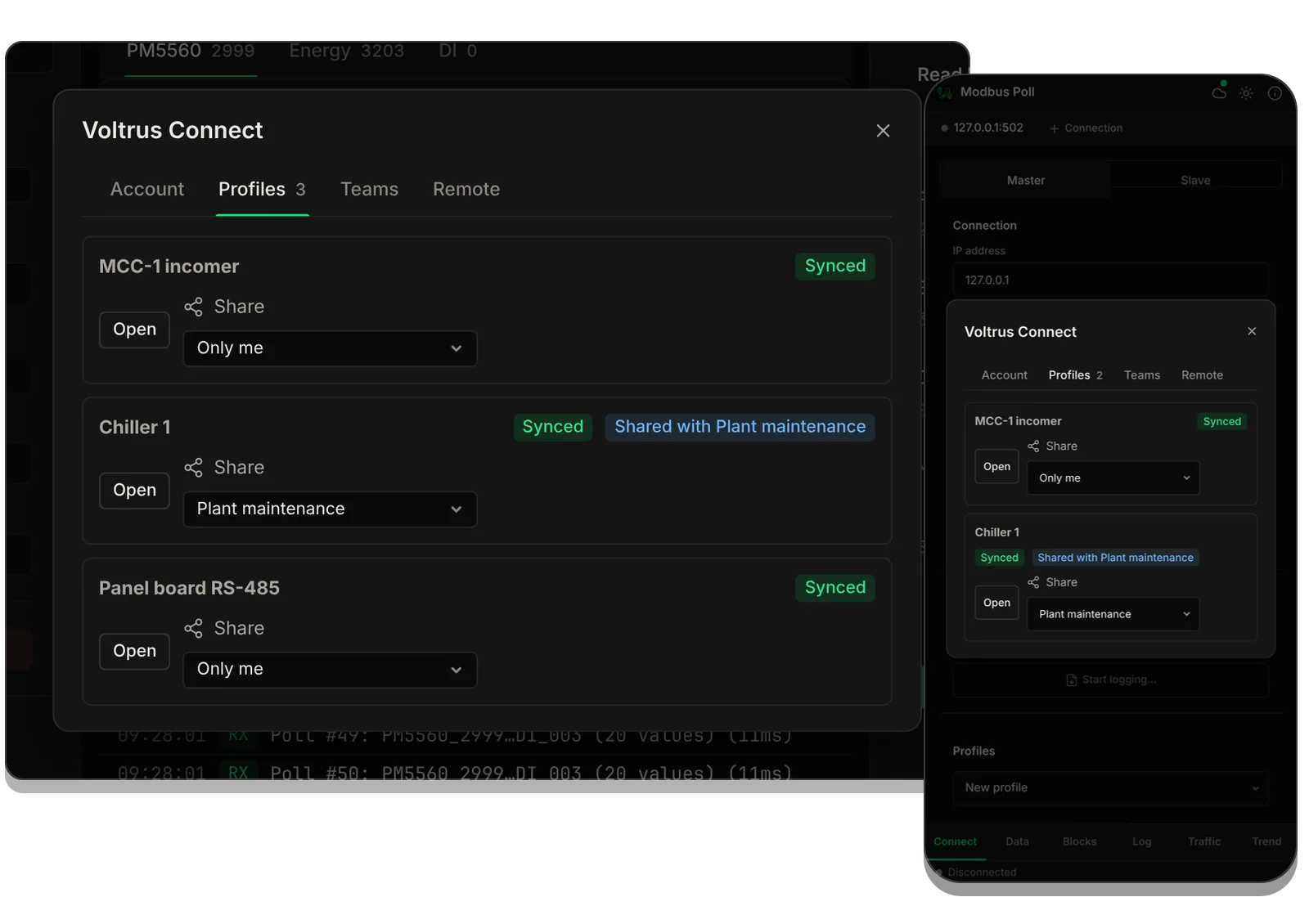
Modbus Poll on a Mac and an iPhone. The iPhone has no saved profiles of its own, so its list is what arrived from the account. -
04 / Team and Remote
Share with your team, or open a Remote site
With Connect active you can create a team, invite people by email and share a profile with it. Your teammates see the shared profiles for free while you have Connect.
The Remote tab lists the Voltrus Remote sites you or your team registered, each with the steps to join it from this computer.
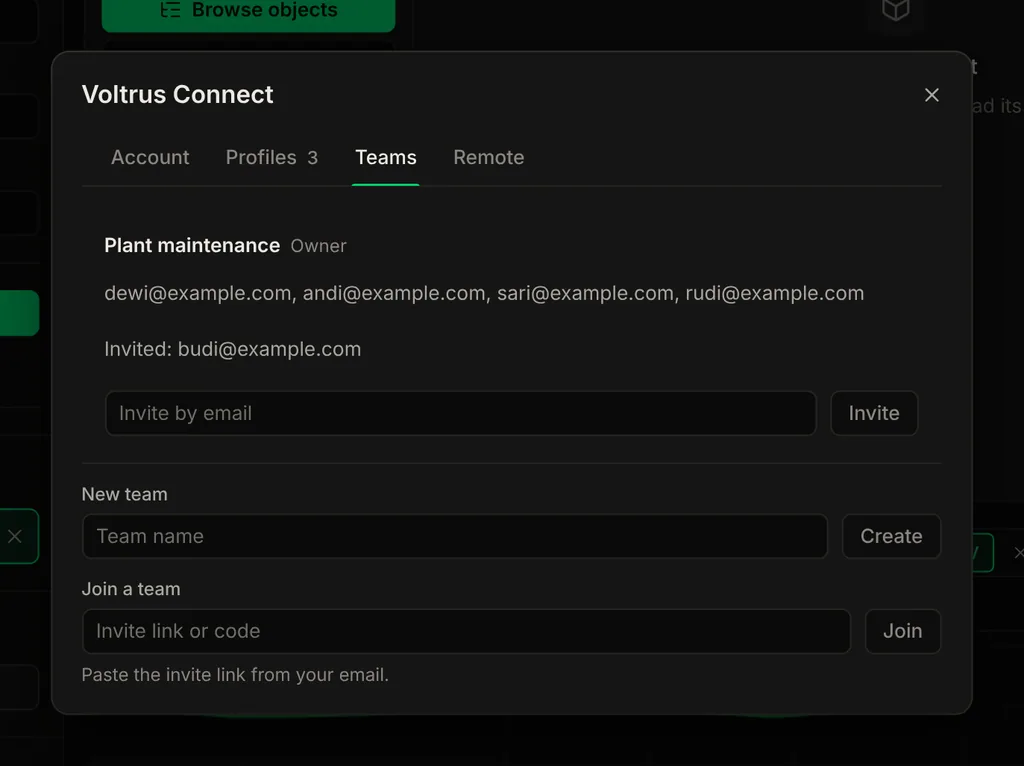
Teams: members, invites and a field to invite by email. 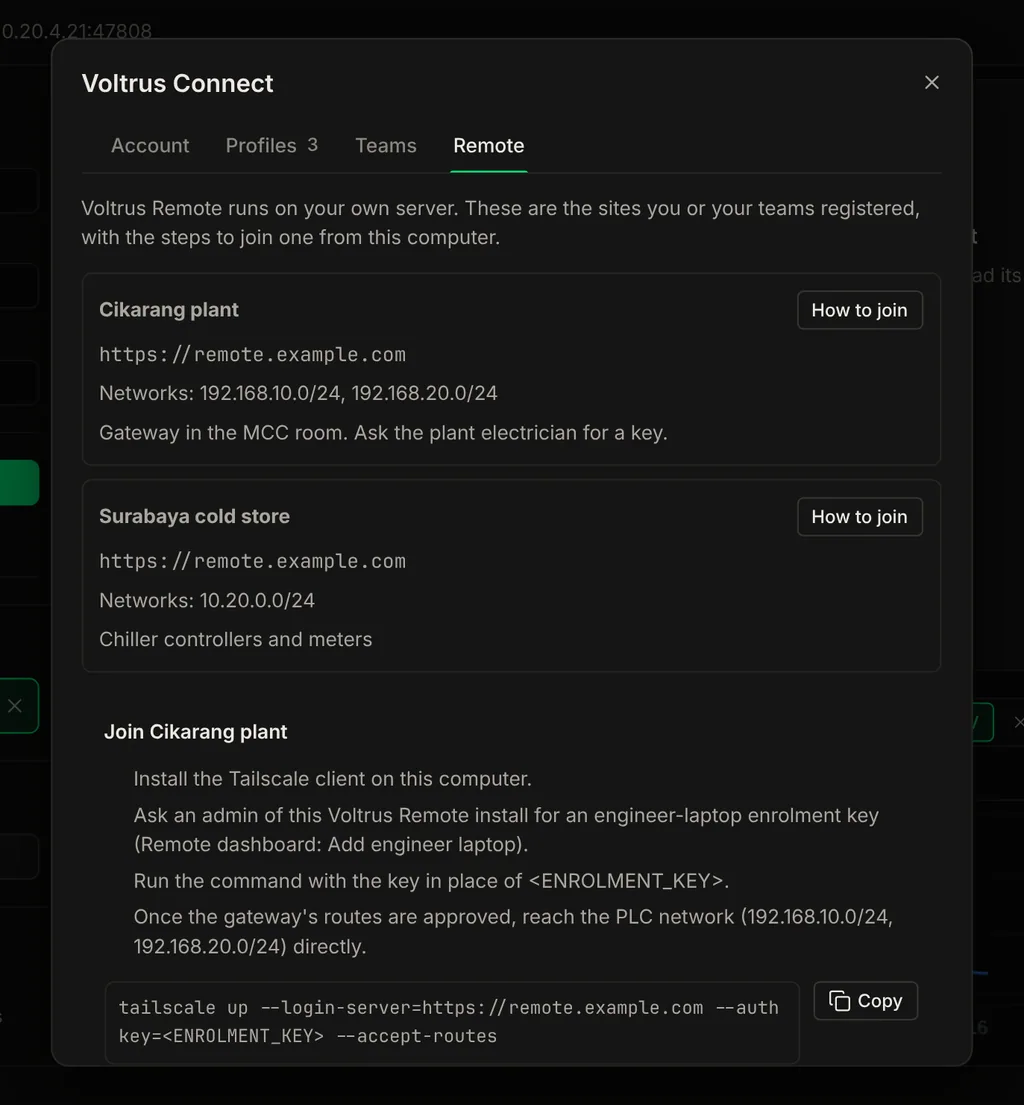
Remote: your sites, and the steps to join one with the command to run.

View and edit your profiles on the web. No app needed.
A visiting expert or a colleague without the app can open a saved profile in the Voltrus console, check the host, port and register blocks, and fix them. The same profile loads in Modbus Poll or BACnet Explorer the next time it syncs.
- List your own and your teams' profiles, search and filter
- Edit connection settings, blocks and watch lists, with CSV import and export
- Version history: see who changed what and restore an earlier version
- Teammates who only view get a clear read-only page
No live device data on the web: a browser cannot reach devices on your plant network.
Open your Voltrus account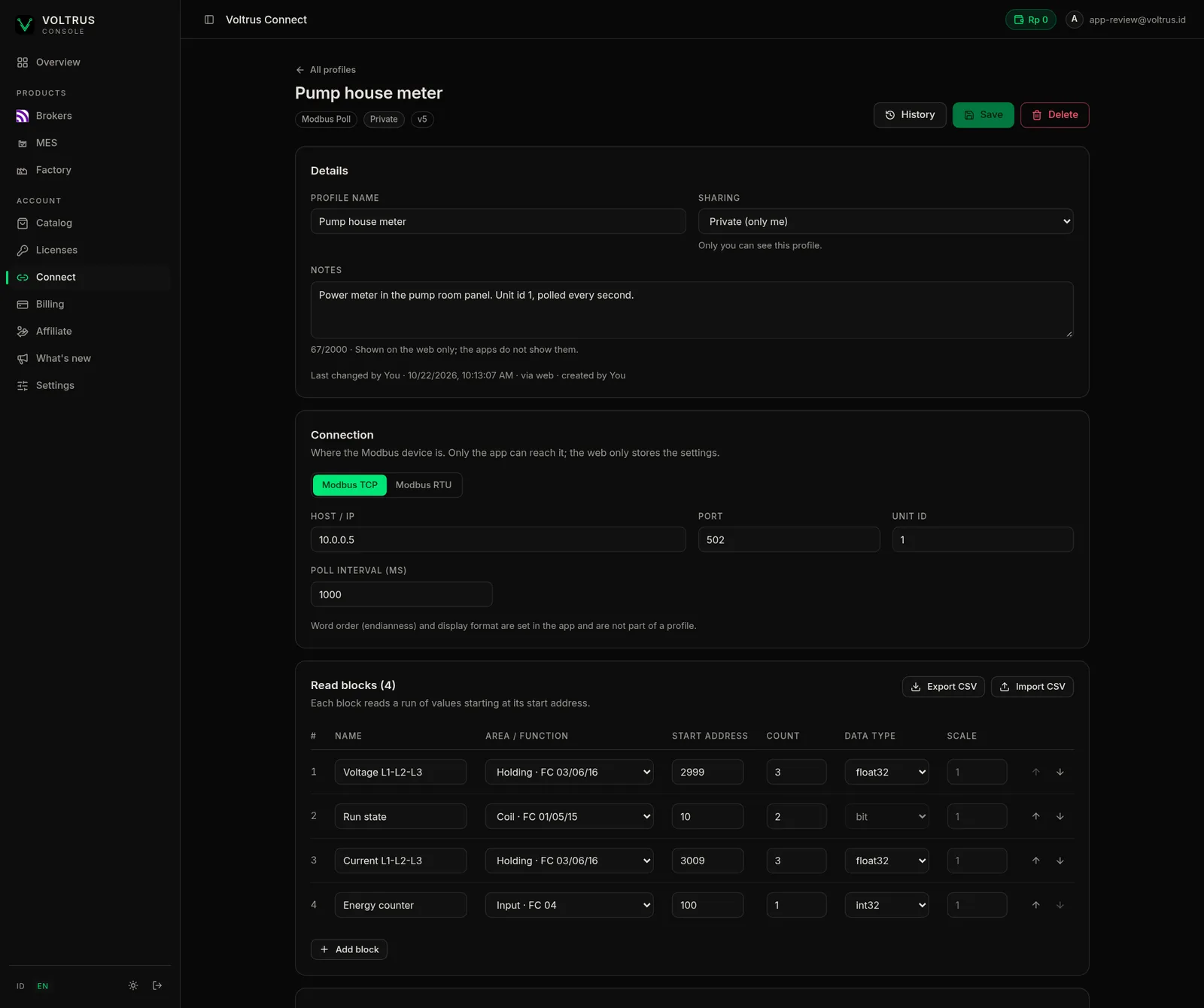
See your plan and teams in the Voltrus console.
The same Voltrus account signs you in on the web. The Connect page shows whether Connect is active, your teams and the plans you can buy.
- Check your Connect status and your teams
- Buy a monthly or yearly seat, or a team pack
- Pay by card, or by QRIS or Voltrus balance in Rupiah
Looking is free. Changing shared things is paid.
One paid seat belongs to one Voltrus account and works in every Voltrus app. Viewers never need one.
Any Voltrus account
Sign in, sync, join and look.
- Sign in with your Voltrus account in the app
- Sync your own saved profiles across Mac, iPhone and iPad
- Accept a team invite and leave a team
- View your team's shared profiles and Voltrus Remote site list, read-only, whenever the team owner has Connect
Whoever creates or edits
One seat per person who changes shared things.
- Create teams and invite people
- Edit shared team profiles
- Add and manage Voltrus Remote sites
Per paid seat. One price in every app.
Buy on the web and the seat is on your Voltrus account right away. Each Buy button opens the checkout of that exact plan.
Personal
Yearly
- Or Rp 299.000 / year by QRIS or Voltrus balance
- In the app (App Store): $39.99 / year, 30 days free for new subscribers
Monthly
- By QRIS or Voltrus balance
- In the app (App Store): $4.99 / month
Team packs
For teams and companies. Bought on the web for a year: you take the first seat and the people you invite take the rest.
5 seats
- $29.80 per seat per year (Rp 238.000 in Rupiah)
- Or Rp 1.190.000 / year by QRIS or Voltrus balance
10 seats
- $26.90 per seat per year (Rp 219.000 in Rupiah)
- Or Rp 2.190.000 / year by QRIS or Voltrus balance
25 seats
- $23.96 per seat per year (Rp 199.600 in Rupiah)
- Or Rp 4.990.000 / year by QRIS or Voltrus balance
Available in Modbus Poll and BACnet Explorer first. In-app subscriptions arrive with the next Modbus Poll and BACnet Explorer updates, and App Store prices in other countries are set by Apple from the US price. Team packs are sold on the web only; the App Store sells single seats. Rupiah prices on the web exclude PPN; App Store prices in Indonesia include tax. Questions about seats or invoices: [email protected].
Connect is in Modbus Poll and BACnet Explorer first.
Install an app, open the Voltrus Connect window from its toolbar and sign in. The apps and their own prices do not change: Connect is a separate, optional subscription.
Modbus Poll
Modbus TCP and RTU master and slave simulator for Mac. Connect syncs your saved connection profiles with their register blocks.
BACnet Explorer
BACnet/IP browser and trender for Mac. Connect syncs your saved devices with their watch lists.
Questions before you subscribe.
Do I need Connect to use Modbus Poll or BACnet Explorer?
No. Both apps work fully without an account. Connect is optional: it adds profile sync across your devices, team sharing and a list of your Voltrus Remote sites.
What do my teammates pay?
Nothing, if they only need to look. Anyone you invite can view the team's shared profiles and Remote site list for free while you, the team owner, have Connect. A teammate who edits shared profiles, creates teams or adds Remote sites needs a paid seat of their own, or a seat from your team pack.
Is one subscription valid in both apps?
Yes. A paid seat belongs to your Voltrus account, not to an app. Subscribe in Modbus Poll and it also unlocks Connect in BACnet Explorer, and the other way round.
How does a team pack work?
You buy 5, 10, 25 paid seats for a year. You take the first seat. People you invite into your teams take the rest, in the order they join, and get Connect while the pack is active. Invites stop when the seats are used up, and you can remove a member to free a seat.
Why are there two price lists?
Apple sets App Store prices per country from the US price, and Indonesia is priced in Rupiah with tax included. On the web, Rupiah prices exclude PPN and are paid with QRIS or your Voltrus balance, and card payments are in US dollars.
Does Connect store my passwords?
No. Profiles hold connection settings such as host, port and register blocks. Do not put passwords or tokens in a profile: the server keeps profile data as plain JSON.
Can I view and edit my profiles in a browser, without the app?
Yes. Sign in to the Voltrus console from any browser and open Connect, then Profiles. You can list your own and your teams' profiles from Modbus Poll and BACnet Explorer, edit the connection settings and the register blocks or watch list, import and export CSV, share a profile with a team, and restore an earlier version. A teammate who only views sees it read-only. A browser cannot reach devices on your plant network, so live values are only in the apps.
Same sites, every device, your whole team.
Available in Modbus Poll and BACnet Explorer first. Pick a plan and Connect is on your account.
See plans and prices