For Production Engineers Free browser sandbox

Factory layout software
you can actually walk through.

Voltrus Factory is a 3D factory builder with a deterministic simulation core. Place machines and conveyors, define routing, and see throughput, bottlenecks, 5S score, and muda before you move a single machine. $29 one-time for Windows and Linux. No recurring fees.

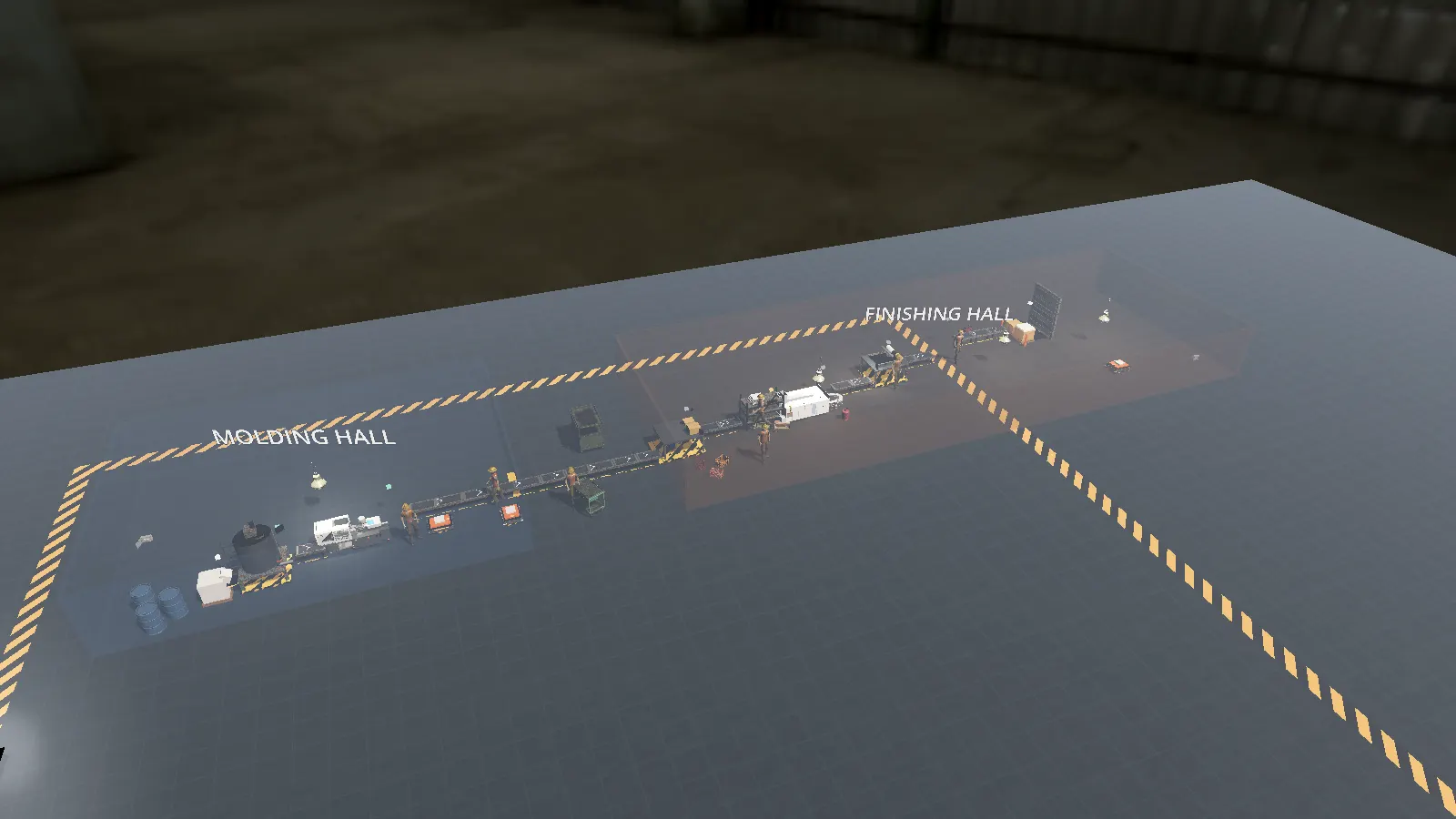
Voltrus Factory plant overview: molding and finishing halls with routing chevrons and conveyor runs
Sandbox plant, top view: routing chevrons show every part's path from molding to finishing
$29
One-Time License
6
Industry Campaigns
45
Levels
0
Recurring Fees

Layout mistakes are paid for twice: once in drawings, once in concrete.

Moving a machine after installation costs multiples of moving it on a screen. Most layout tools stop at drawing the plan — they never run it.

You can't see the flow on a drawing

A static layout hides its own logistics. Where do parts queue? Which output has nowhere to go? What happens at shift peak? In Voltrus Factory the flow is on the floor: directional chevrons on every belt, arrows on every feed, red pulsing rings on unwired outputs.

Bottlenecks hide until production starts

The slowest station caps the whole line no matter how fast everything else runs. The throughput forecast shows parts-per-minute per node and names the bottleneck before you commit — speed it up or starve it, and watch the constraint move.

Lean gets taught on whiteboards

5S and muda are easy to recite and hard to feel. Here they are mechanical facts: orderly layouts score higher and their crews literally walk faster. The 5S panel shows the bonus; the delivery counter shows the consequence.

Layout. Simulate. Fix the bottleneck.

No manual to read before your first chain runs. The flow panel is a live checklist that teaches the process as you build.

01

Lay It Out

Place a source, process machines, and sinks on the grid. Drag-lay conveyors between ports. Walk the floor in first or third person to check travel and sight lines.

02

Wire & Define the Flow

Out-port faces in-port: wired. Across the hall: pin a destination and transporters or AGVs carry it. The panel shows every chain as plain text, with anything broken in red.

03

Run & Fix the Constraint

Hit run. The forecast names the bottleneck in parts-per-minute; the 5S and muda panels price the waste. Change the plan, re-run, keep the winner.

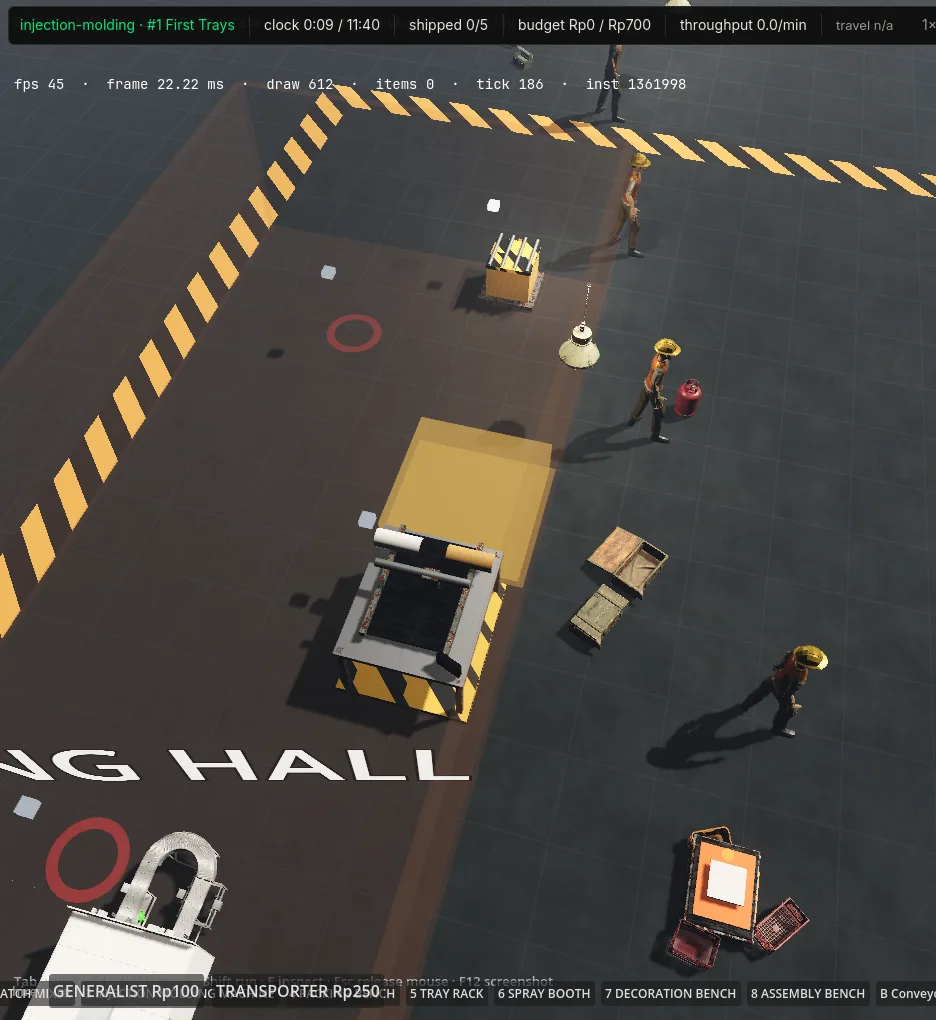
Build mode: a spray booth ghost hovering on the factory grid with the machine palette open, deciding which machine goes where
Designing the line: spray booth ghost on the grid, palette below, injection-molding level #1 clock running

Everything a production-flow sandbox needs.

Shipped features, not roadmap. Every item below runs in the current build.

01

Grid Factory Builder

Place machines, conveyors, and sinks on a snapped grid. Drag-lay belt runs, rotate, bulldoze. Build mode keeps out-of-the-way of walk mode: Tab switches.

02

Walk the Floor

First- and third-person walk mode as a PPE operator. Check sight lines, reach, and operator travel the way no top-down diagram can.

03

Live Production-Flow Panel

Every source-to-sink chain rendered live: IN·RESIN → MIXER → … → OUT, with per-node status. Unwired outputs, dead ends, and starved machines show up red the moment they exist.

04

Routing Pins

Define where output goes — pin a destination and transporters or AGVs carry it, even across halls. Belts stay optional wiring.

05

On-Floor Routing Overlay

Directional chevrons on every belt, arrows on every feed, pulsing red rings on outputs with nowhere to go. The flow is visible on the floor, not just in a panel.

06

Throughput Forecast

Theoretical parts-per-minute per node with the bottleneck highlighted before you run. Fix the constraint, watch the bottleneck move.

07

5S Workplace Scoring

Sort, set-in-order, shine, standardize, sustain — scored live, with a real worker-speed bonus. Orderly layouts measurably out-deliver shuffled ones.

08

Muda Tracking & Costing

The seven wastes tracked and costed as you run: motion, transport, waiting, inventory. Lean concepts you can see, not just recite.

09

Transport Economics

Manual carry vs conveyors vs AGV fleet — compare capex and throughput side by side before you commit a layout to either.

10

Industry Campaigns

Six industries — discrete assembly, injection molding, dairy, chemical, food, BOPP film. Each level: a budget, a target, a clock. Ship the order book or lose.

11

Deterministic Simulation Core

Same seed, same actions, same result. A fixed-timestep core you can trust for teaching and comparison, not a canned animation.

12

Runs Local

The simulation runs entirely on your machine. Layouts stay on disk. No account, no cloud, no telemetry required.
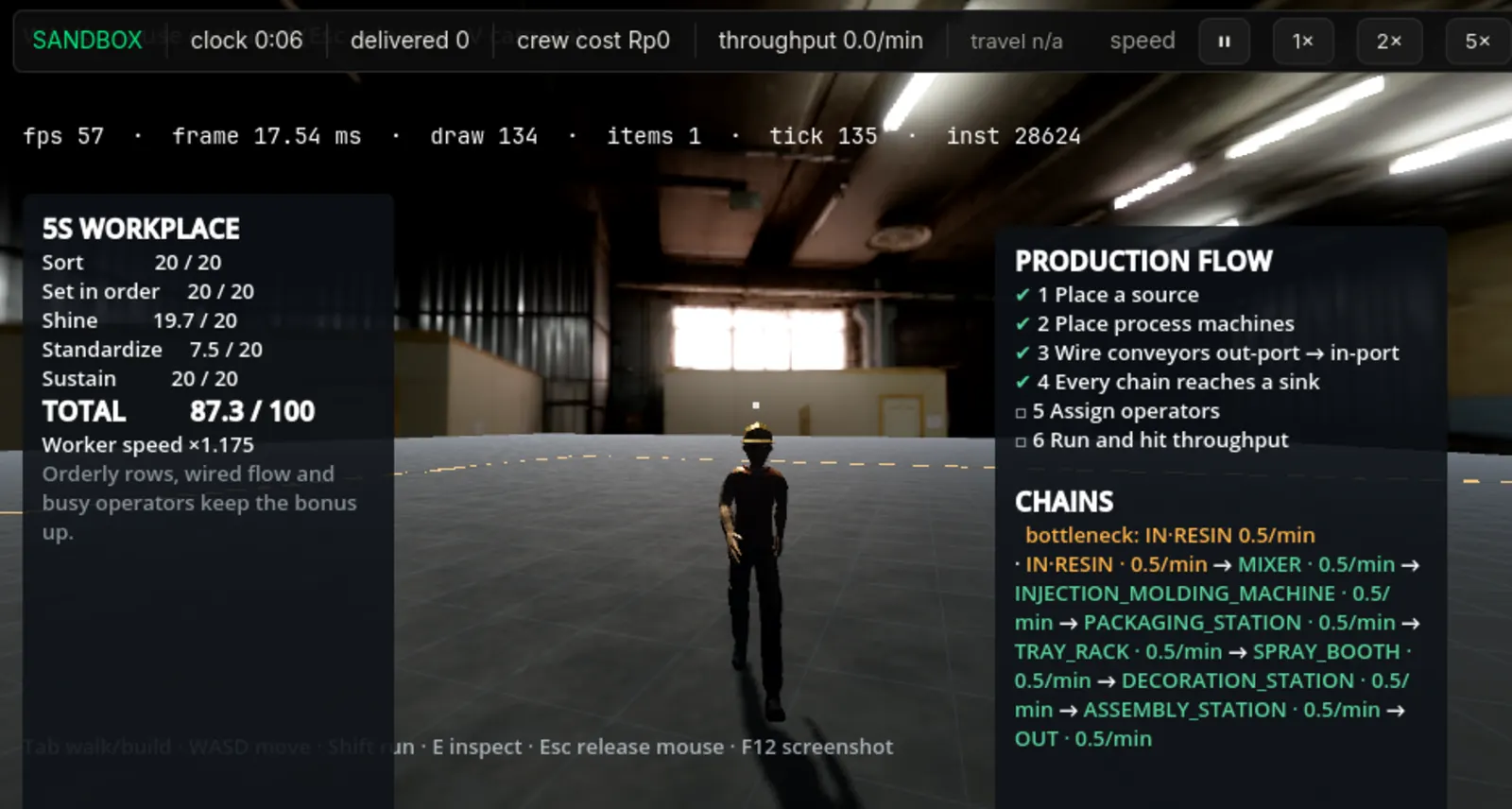
First-person view on the factory floor with the 5S workplace panel and the production flow panel open
On the floor: 5S workplace score (×1.175 crew bonus) and the live production-flow panel with bottleneck highlight

Built for people who own the flow.

From the shop floor to the classroom — anyone who has to defend a layout decision.

IEs
Production & Industrial Engineers
Prototype line changes where moves are free. Take the bottleneck analysis to the meeting.
5S
Lean Trainers & Coaches
Run the same layout tidy vs shuffled and let the delivery counter make the argument for you.
Uni
Students & Educators
Factory physics without the CAD prerequisites. Campaigns grade the order book, not the drawing.
MES
MES & Digital-Twin Teams
Sketch the flows your plant will actually run, then wire them into real systems. Pairs with Voltrus MES.
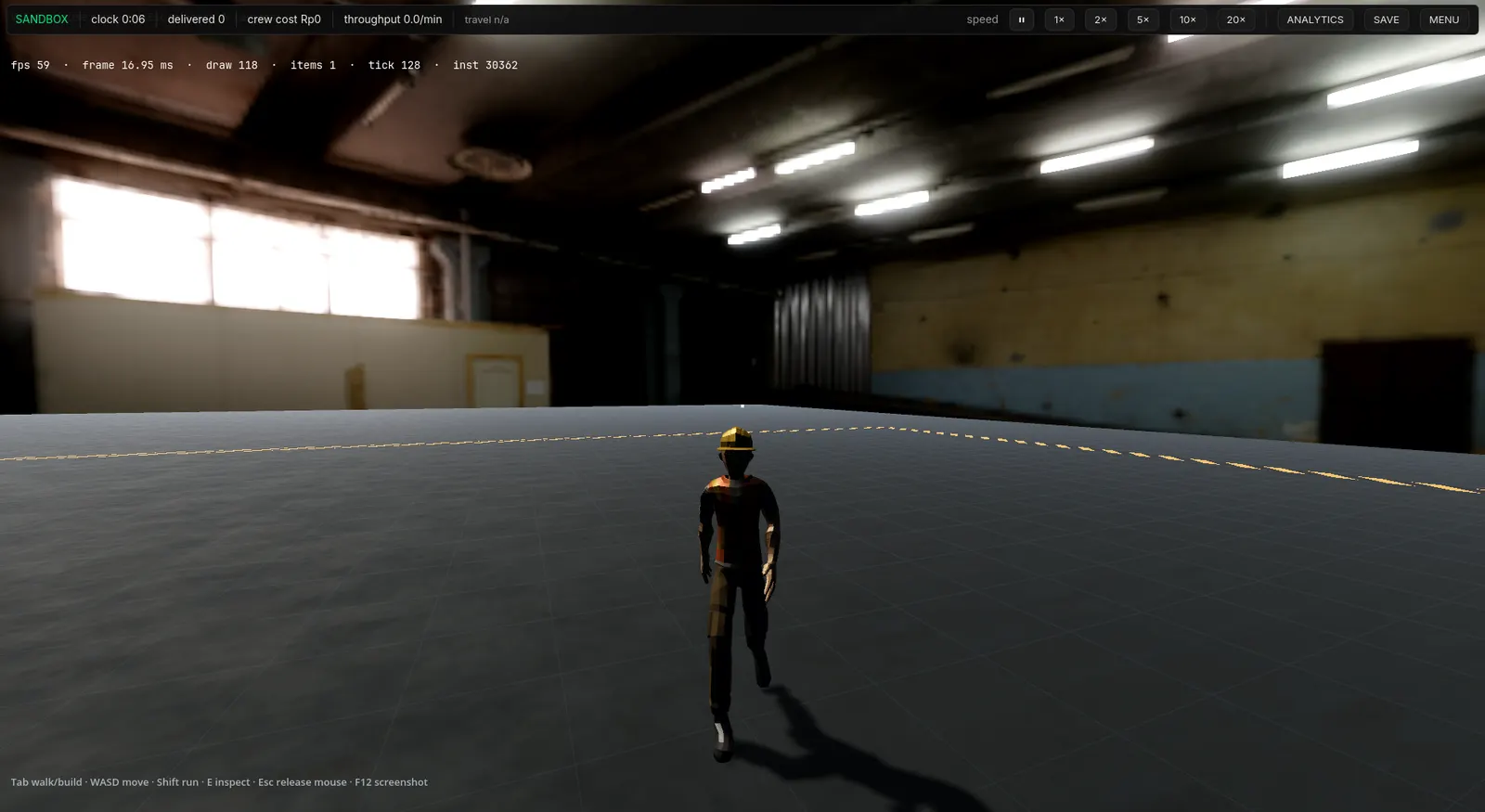
Third-person view of the PPE operator walking the factory floor
Third-person walk mode: check operator travel the way the crew will live it

One license. Every build.

$29 once. No subscription, no per-machine fees, no account required to run the simulation.

Beta builds are free while the product matures. Running a lab, classroom, or training department? Site licensing: [email protected]

Questions before you download.

Straight answers. The short version: buy once, run anywhere, keep your data.

How much does it cost?

Voltrus Factory is a $29 one-time purchase for the Windows and Linux desktop builds. The browser sandbox at factory.voltrus.id is free, and the beta desktop builds are free to download while the product matures. For site licenses (labs, classrooms, training departments), contact us.

Which platforms are supported?

Windows 10+ and Linux x86_64 for the desktop builds, and any modern browser for the free sandbox. The simulation is identical across all three.

Does it need internet access?

No. The desktop build runs fully offline. The browser sandbox also runs locally in the page; signing in only adds optional cloud-saved layouts.

How is this different from CAD or layout software?

CAD draws a factory. Voltrus Factory runs it: parts flow, machines cycle, operators walk, and the simulation tells you the throughput, the bottleneck, and the waste in the plan. It complements CAD — sketch the flow here before you commit it to drawings.

What are the industry campaigns?

Scenario packs across six industries — discrete assembly, injection molding, dairy, chemical, food, and BOPP film. Each level gives you a budget, a production target, and a clock: spend wisely, wire the flow, and ship the order book before time runs out.

Where does my layout data go?

Nowhere, unless you send it. The simulation runs entirely on your machine and desktop layouts are stored locally.

On factory layout, lean, and material transport.

Long-form breakdowns on the problems this tool exists to solve.

Simulate the line before you move a single machine.

$29 one-time — or play in the browser right now.

Already purchased? Activate your license