Everyone at the machine, right when it is their turn.
A changeover needs mechanics, mold mechanics, QC and production, and they move between machines all day. Voltrus Changeover tells each of them where to go and when, then tells them again the moment the plan moves.
Android and iPhone app for the floor, web console for supervisors. Product site: changeover.voltrus.id
Demo video
Watch the demo
A walk through Voltrus Changeover with the PT ABC sample plant: the live board of every changeover, the floor app with each person's jobs across machines, step times that follow what really happens, crew clashes flagged, downtime analysis, an improvement board with measured savings, SMED templates, and the ERP and Epicor connection. Recorded from the real app with sample data.
Chapters
How it works
From a changeover standard to the machine running again
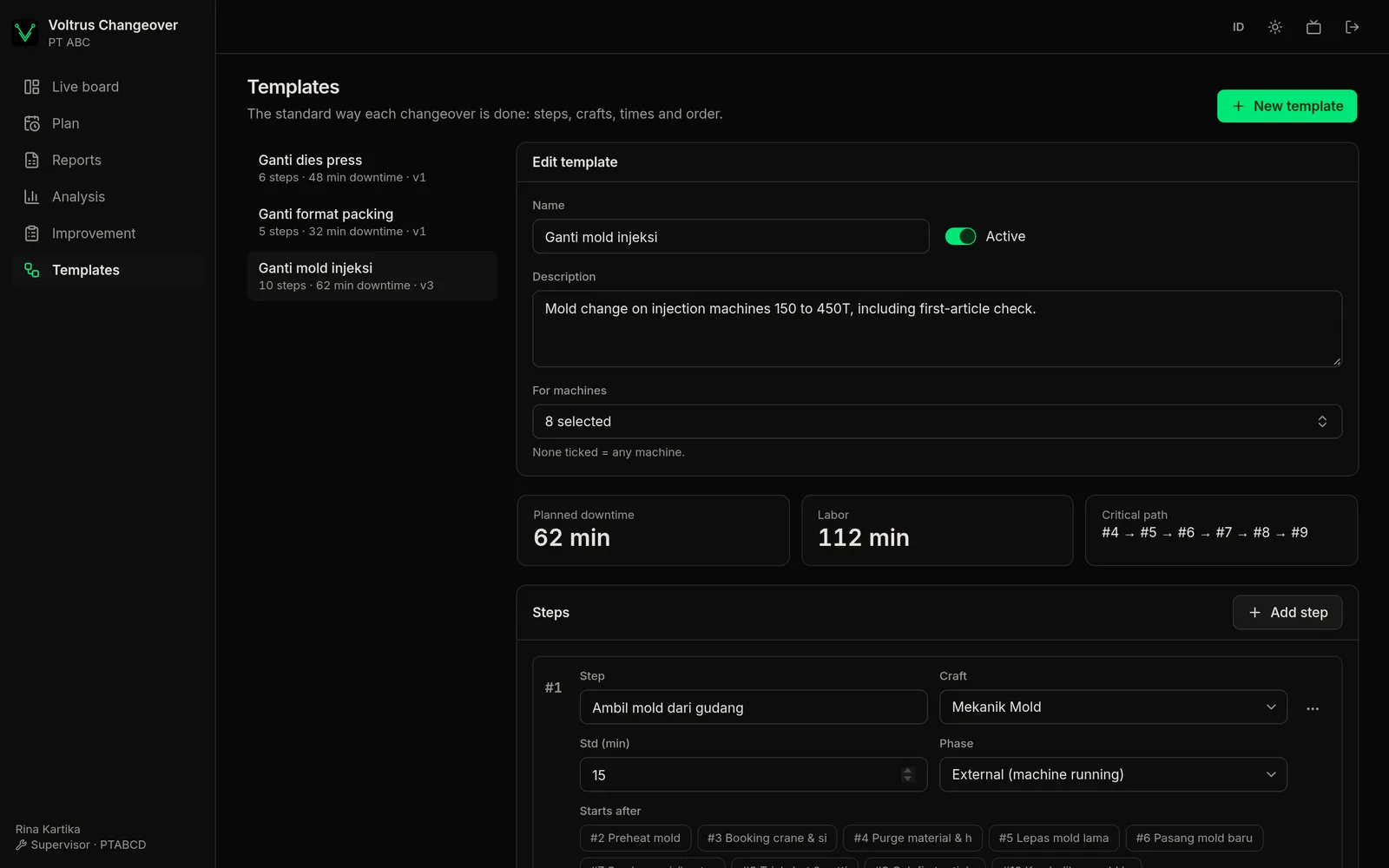
Build a template
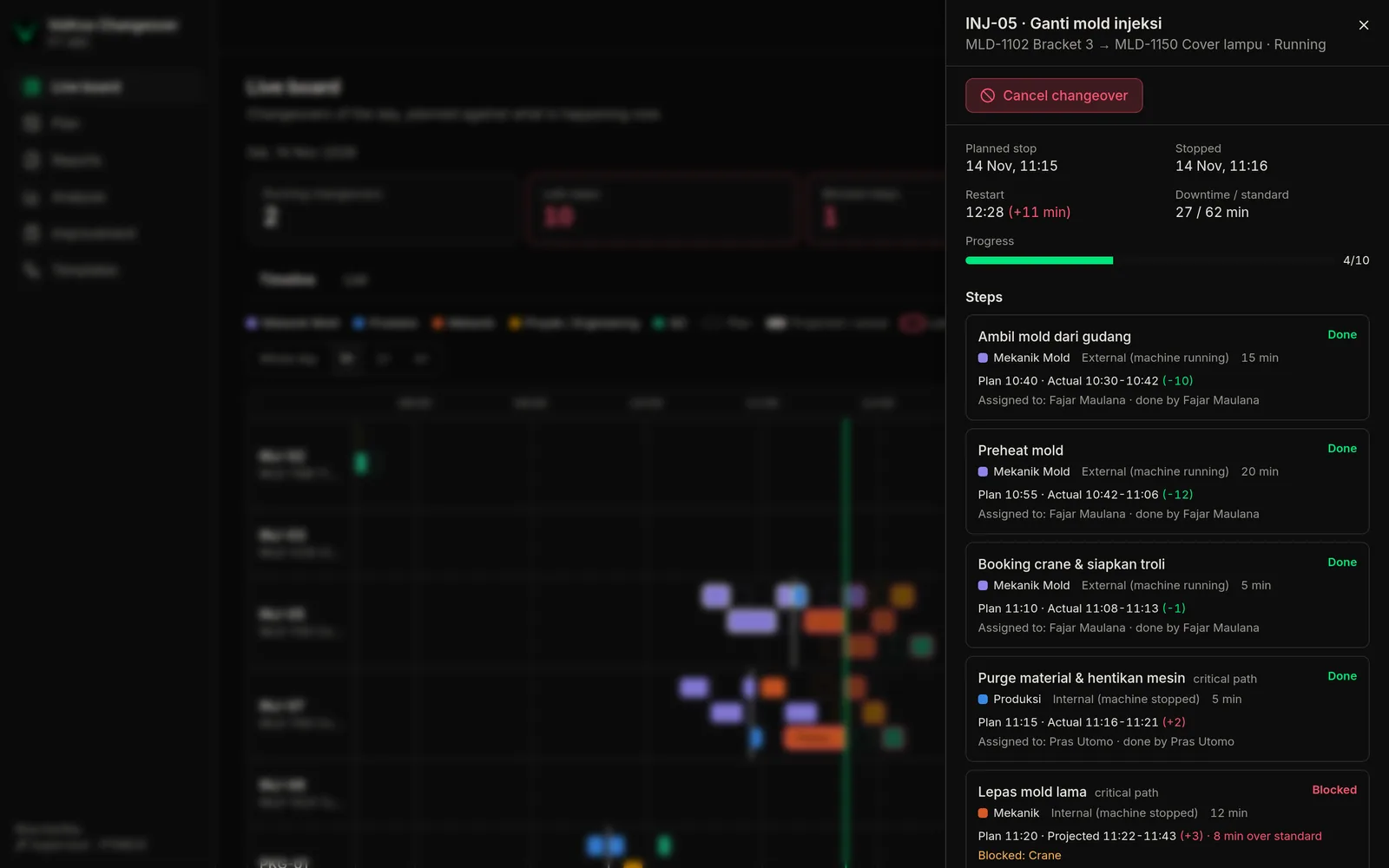
Steps with a craft, a standard time, the steps that must finish first, and a SMED phase: internal (machine stopped) or external. Standard downtime comes from the critical path.
Schedule it on a machine
Pick the machine and the stop time. External prep is planned to finish before the stop; internal steps run forwards from it.
Everyone gets told
The assignee, or every on-duty member of the craft for an open step, gets the plan and a "go to INJ-07 in 10 min" reminder.
The plan follows reality
Done early: the next person hears "ready now". Running late: they get the new time and what it waits on. Nobody started: the supervisor hears.
Data stays
Actual downtime, step times, blocks and waiting are recorded as they happen, ready for analysis.
Notifications
Alerts that follow the changeover as it runs
The server recalculates the schedule on every start, finish and block, and every minute. Each notice goes out once, to the people it concerns.
Heads-up
minutes before a turn, set per craft
Ready now
the step before is done, with how many minutes early
New time
moved 5 minutes or more, with what it waits on
Nobody started
ready 5 minutes, to supervisors and the craft
Over standard
a step running well past its standard
Prep not ready
external prep will not be done by the stop
Blocked
crane, tool, material, mold problem, waiting for QC
Done
actual downtime against standard
The floor app
One list of jobs across machines
"My jobs" shows the next steps for each person, soonest first, with large buttons that work with gloves on.
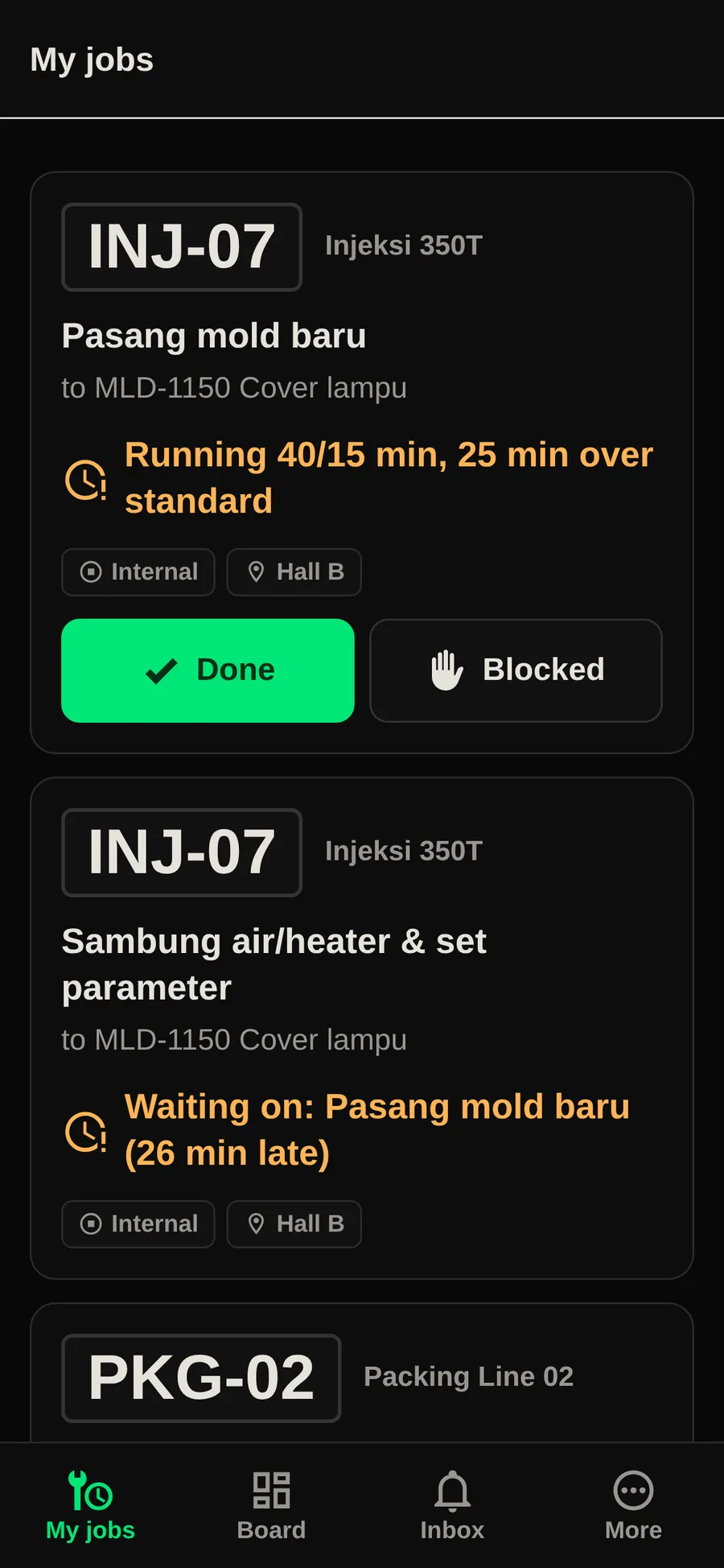
The next steps for each person, across machines.
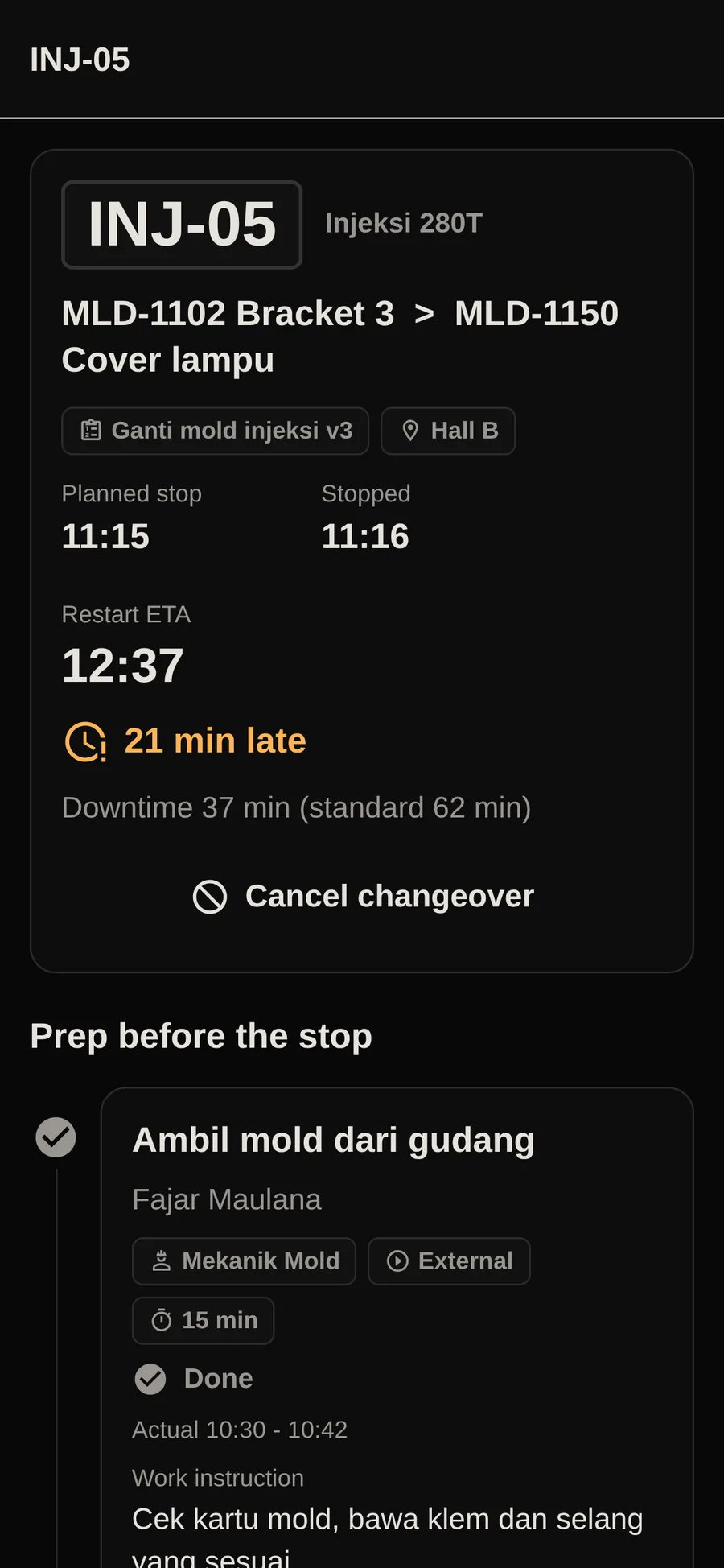
Steps, times and what each waits on.
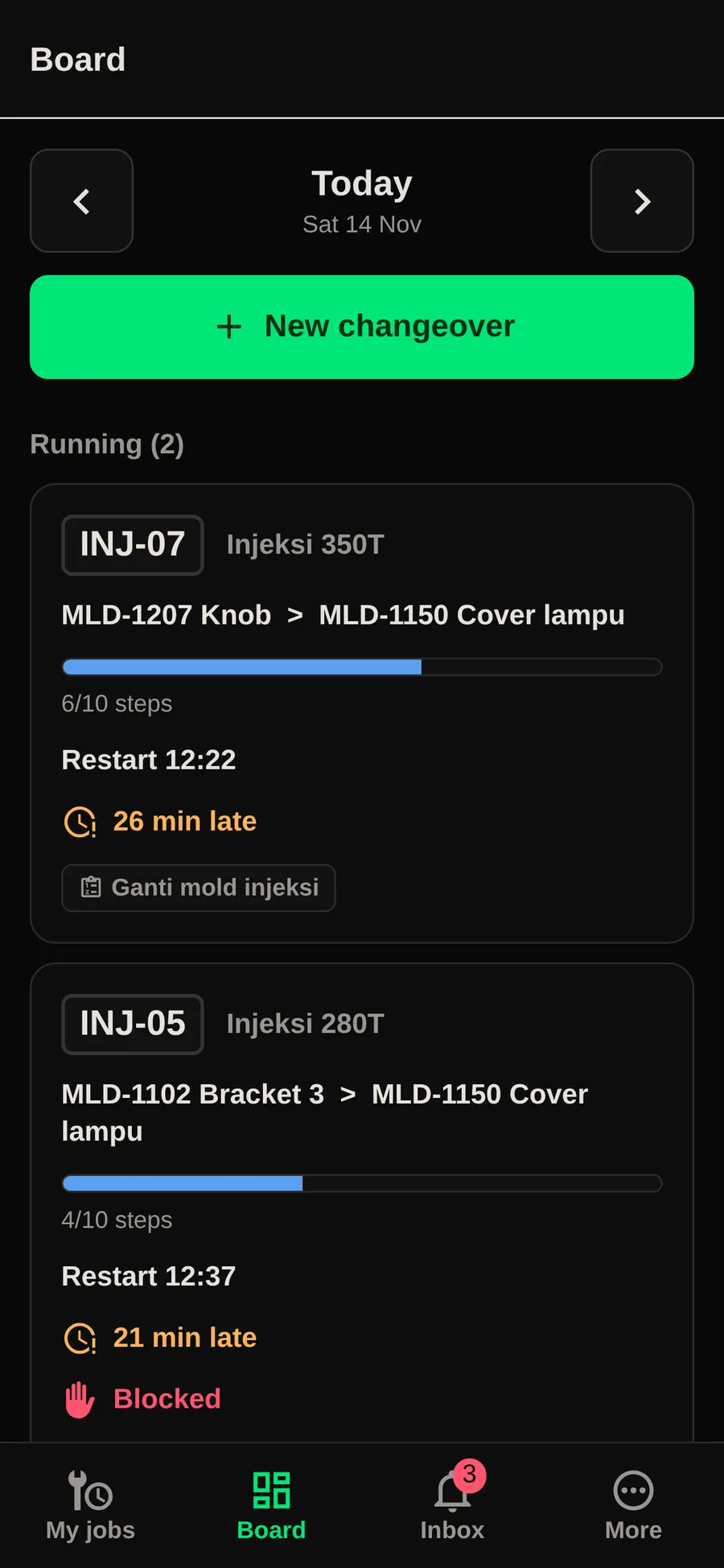
Today's changeovers in the supervisor's pocket.
- Claim an open step, start, finish, mark blocked, or undo within 10 minutes.
- Starting an internal step records the machine stop.
- Scan the QR code on a machine to open its changeover.
- Inbox with every notice; an on-duty switch for the end of a shift.
For supervisors and engineers
A web console to plan, watch and improve.
Live board, crew plans, downtime analysis, a kaizen board, the AI assistant and ERP integration, in one console in the browser.
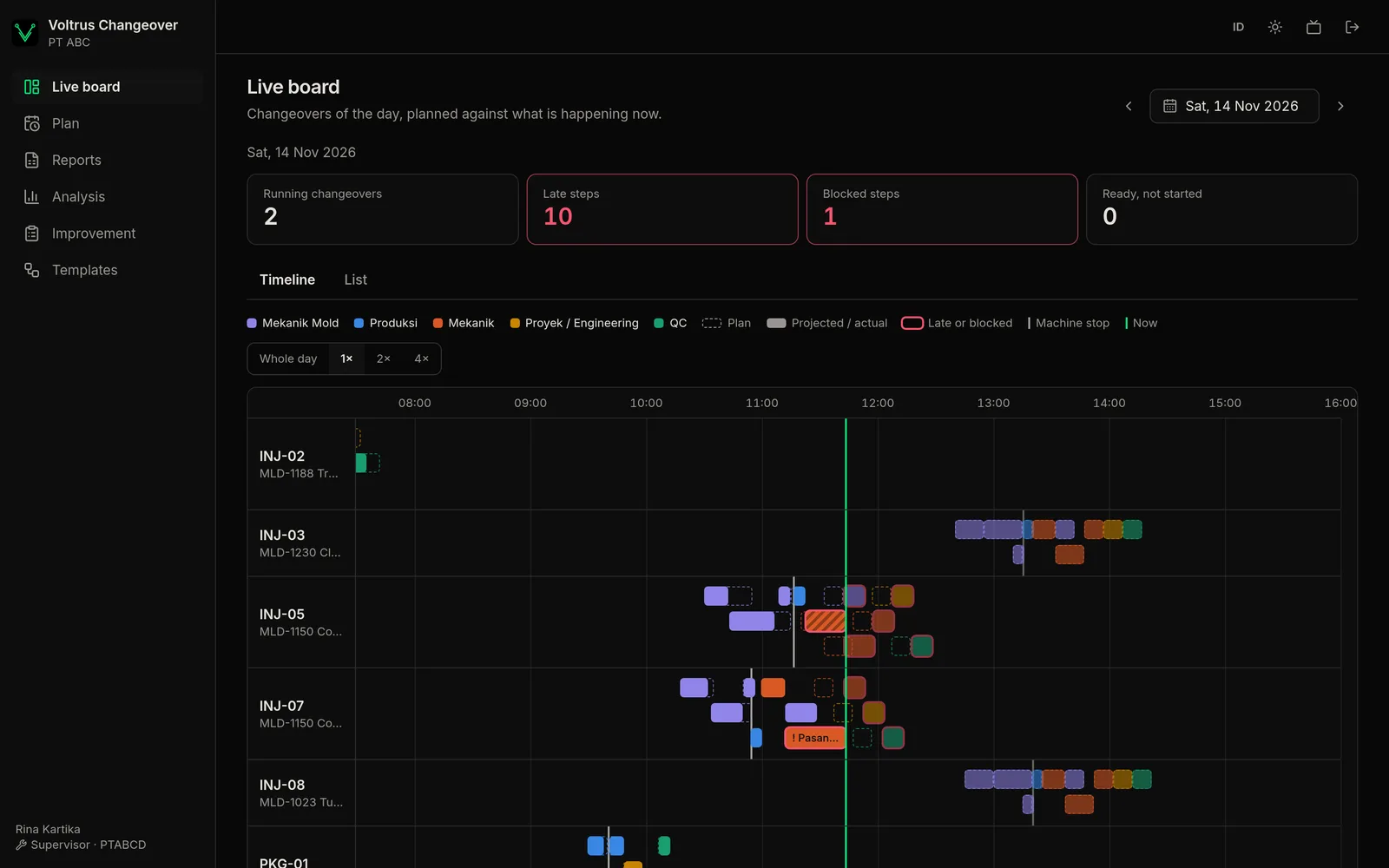
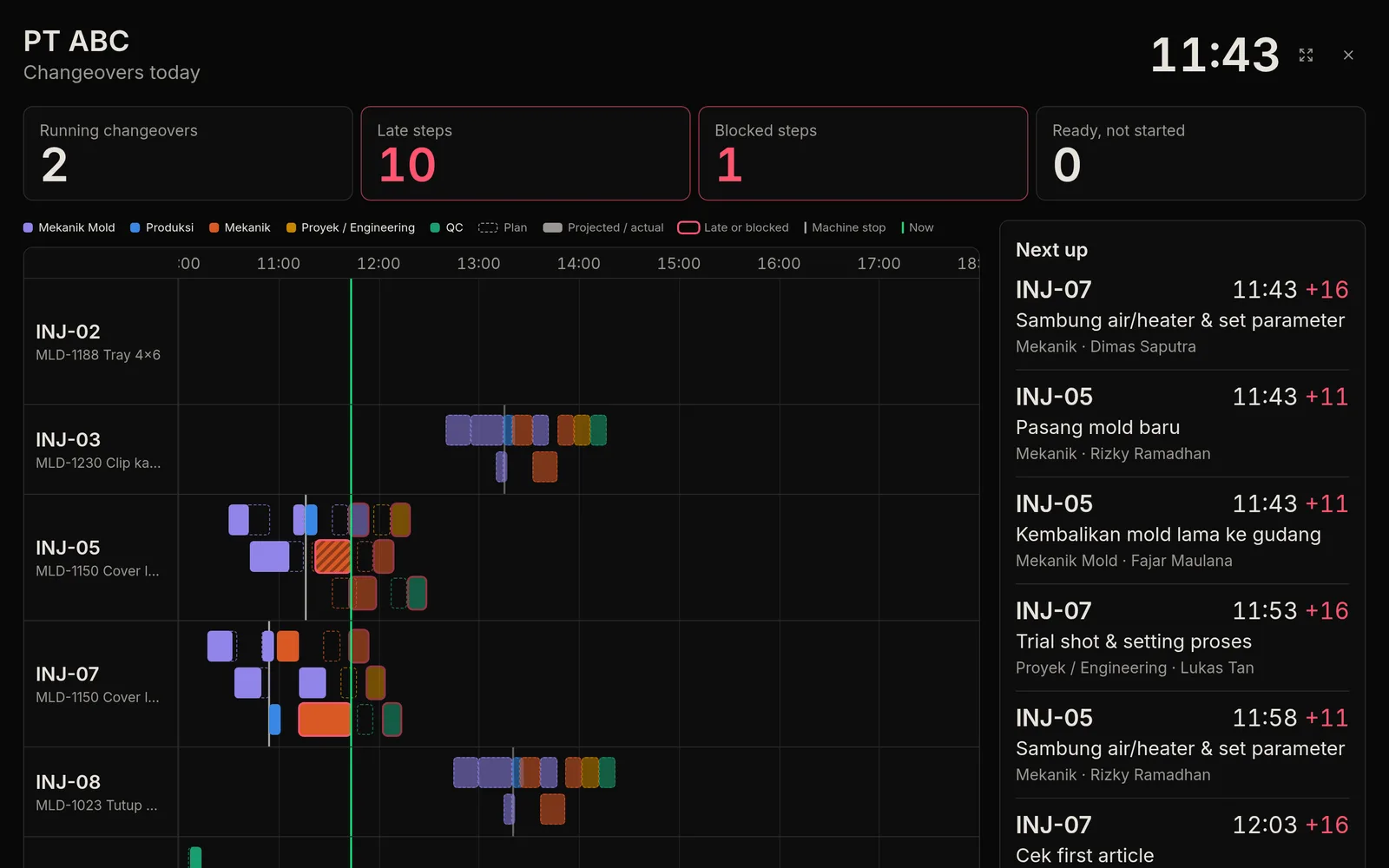
Every machine on one timeline, and on the shop-floor TV
Plan against latest projection for each step, late and blocked steps marked, a line for now. TV mode for a monitor on the floor.
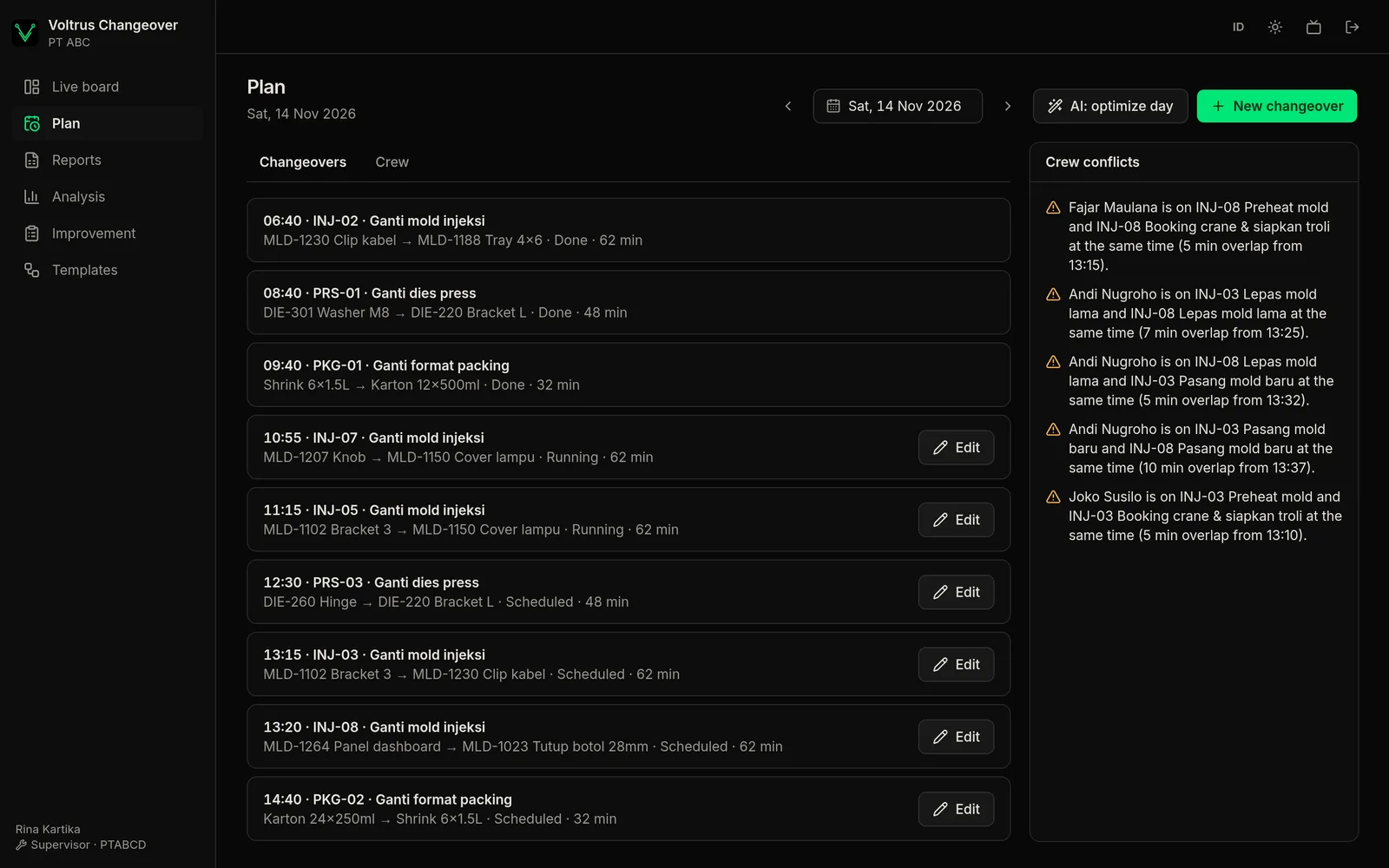
Crew plans without clashes
A per-person view of who is at which machine and when. The console flags anyone booked on two machines at once, walking time that is too tight, and crafts short of people.
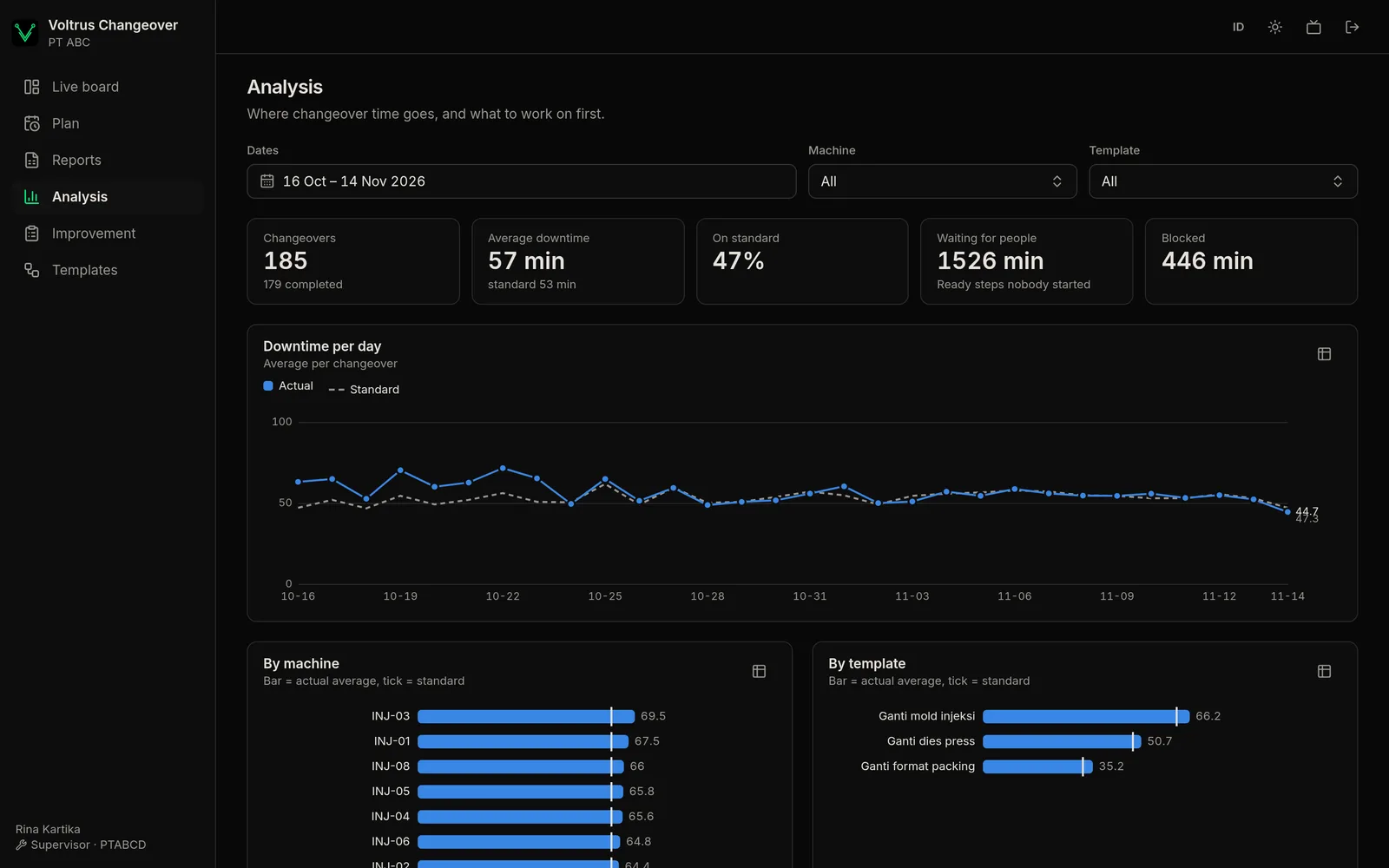
See where downtime goes
Downtime trend against standard, comparisons by machine and template, the steps that most often run over, block reasons and waiting time per craft. Reports per changeover as CSV, Excel or a printable page.
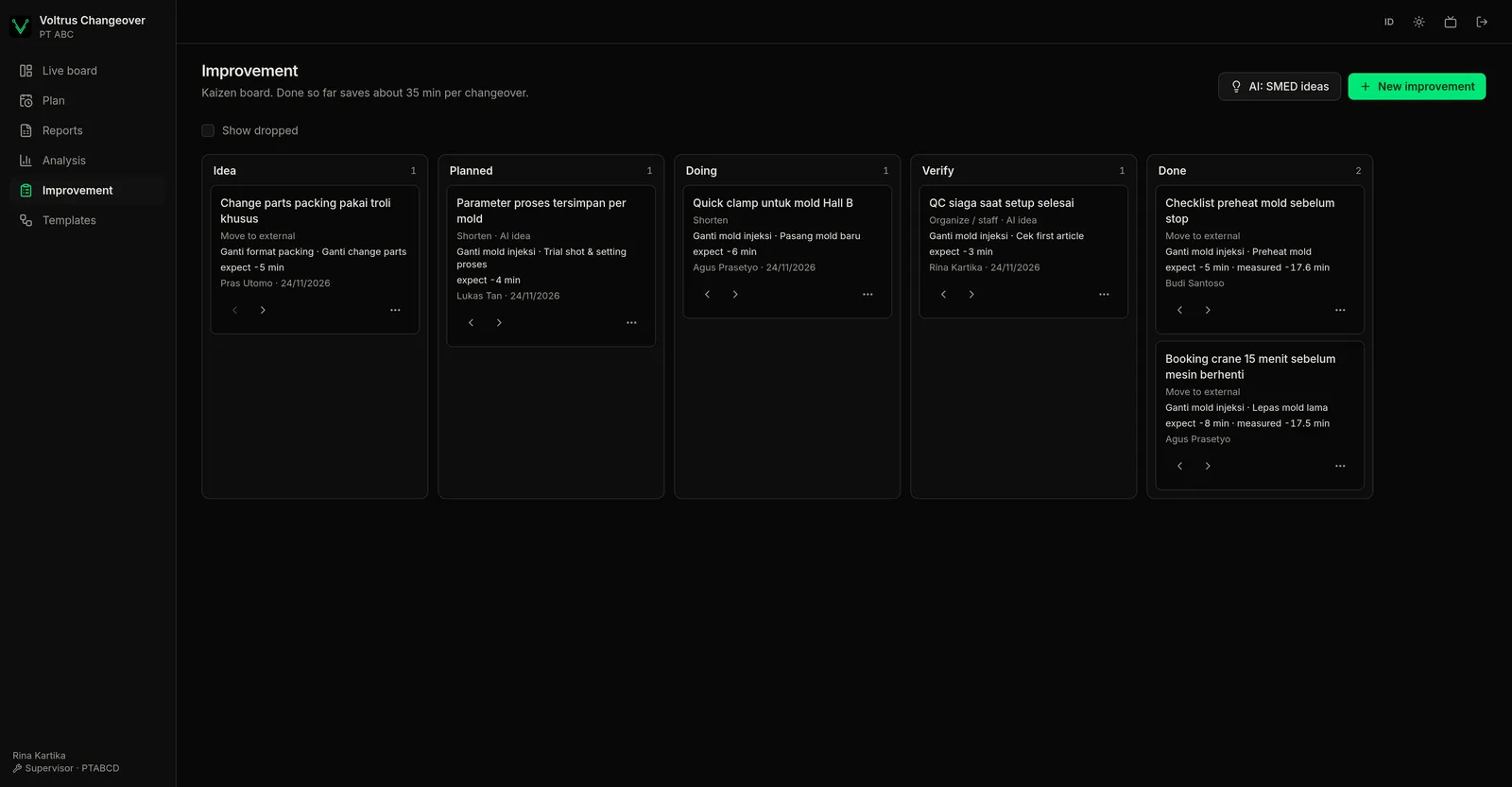
A kaizen board that measures the saving
SMED ideas linked to the template and step. When an improvement is done, the real downtime saving is measured from the changeovers after it.
Suggestions from your own data
Runs on Cloudflare Workers AI with a Qwen model. It suggests; a supervisor decides.
- SMED ideas per template, with the numbers behind them and a one-click template change.
- Stop times and crew assignments for a day, re-checked by the scheduler so nothing clashes.
- Free questions over your changeover data.
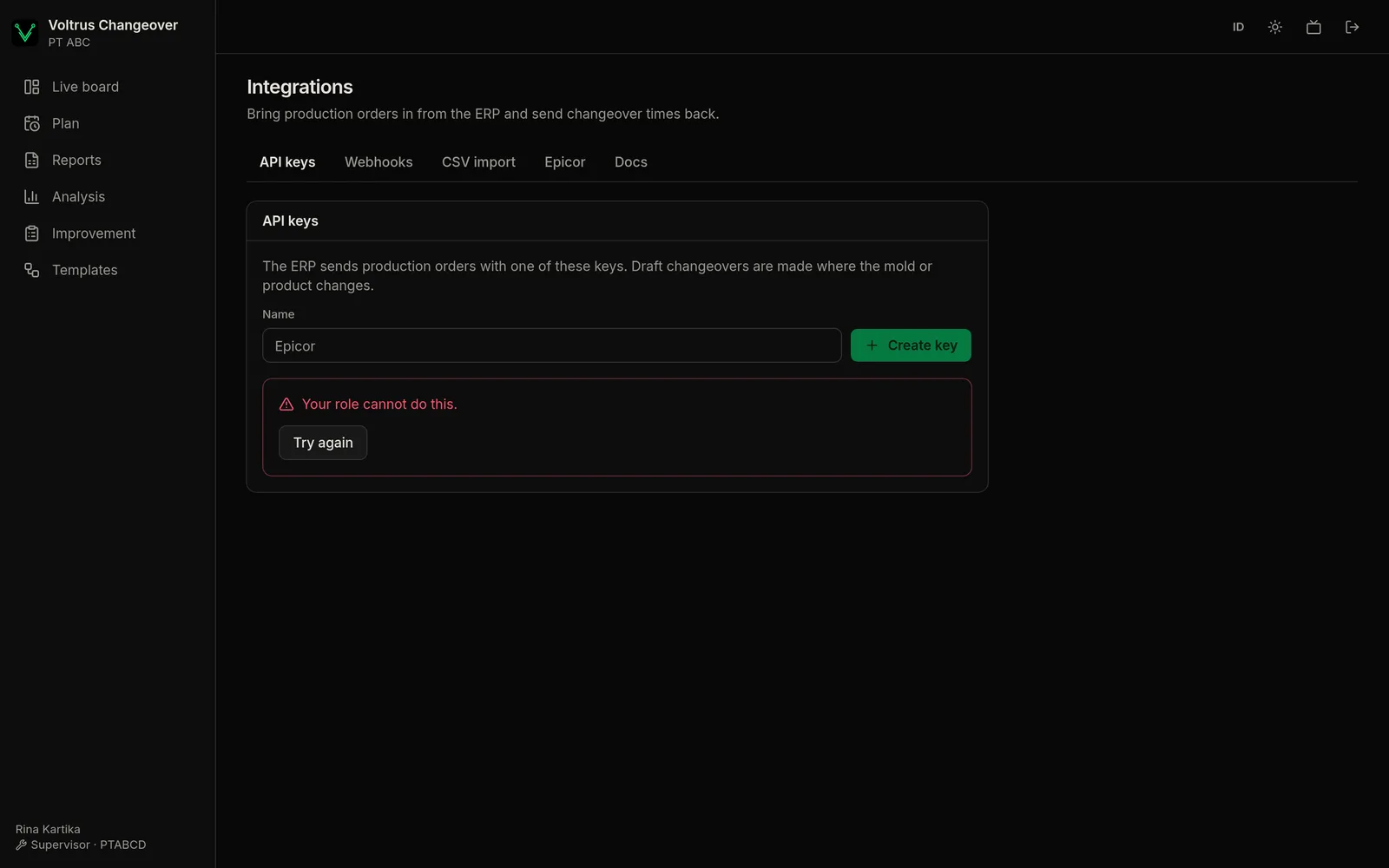
Connected to the ERP, including Epicor
Production orders (API or CSV) become draft changeovers wherever the mold or product changes. The Epicor Kinetic connector pulls a BAQ on a schedule. Signed webhooks send stop time, restart time and downtime back.
Deployment and access
- Cloud on Cloudflare (Asia Pacific), or installed on a plant server with Docker or systemd for intranet-only plants.
- Sign in with plant code, employee code and PIN. Admin, supervisor and member roles.
- Indonesian and English, light and dark themes.
Part of: Run & plan the factory · Run production on the shop floor and plan new lines.
How Voltrus Changeover differs from…
-
Voltrus MES
Voltrus MES runs production: work orders, traceability and quality. Changeover coordinates the people who change a machine over between those orders.
-
Voltrus OEE Line
Voltrus OEE measures how long machines stop. Changeover shortens one big reason they stop: mold, die and format changes.
-
Voltrus Factory
Voltrus Factory models changeover minutes when planning a line. Changeover runs and measures them on the real floor.
Compare
How it compares on price
Published prices from public pages and reviews, checked November 2026. Each product does more or less than changeover coordination; check what you need.
Pricing
Per plant, unlimited people
Every plan: unlimited people. 14-day free trial. Yearly billing: 2 months free.
Starter
One area or line
Rp 790.000 per month
- Up to 10 machines
- Android and iPhone app with notifications
- Live board and templates
- Reports, CSV and Excel
Plant
A whole plant
Rp 2.390.000 per month
- Up to 50 machines
- Everything in Starter
- Analysis and improvement board
- AI assistant
- ERP API, CSV import and webhooks
- TV mode
Enterprise
Several plants or on-premise
from Rp 6.390.000 per month
- Epicor Kinetic connector
- Option to run on a plant server
- Several plants
- Onboarding and a support SLA
Rupiah prices exclude PPN.
FAQ
Common questions
Start with one line
Create a plant, adjust the sample template, and schedule your next changeover.