Modbus Poll for Windows.
Master and slave simulator.
Poll Modbus TCP and RTU devices, simulate a slave, chart live trends and log to CSV on Windows 10 and 11. Free to use with limits. Pro is $19.99, paid once.
The installer is unsigned, so Windows SmartScreen will warn you on first run. Here is how to proceed.
These screenshots come from the macOS build. The Windows build is the same app, built from the same source.
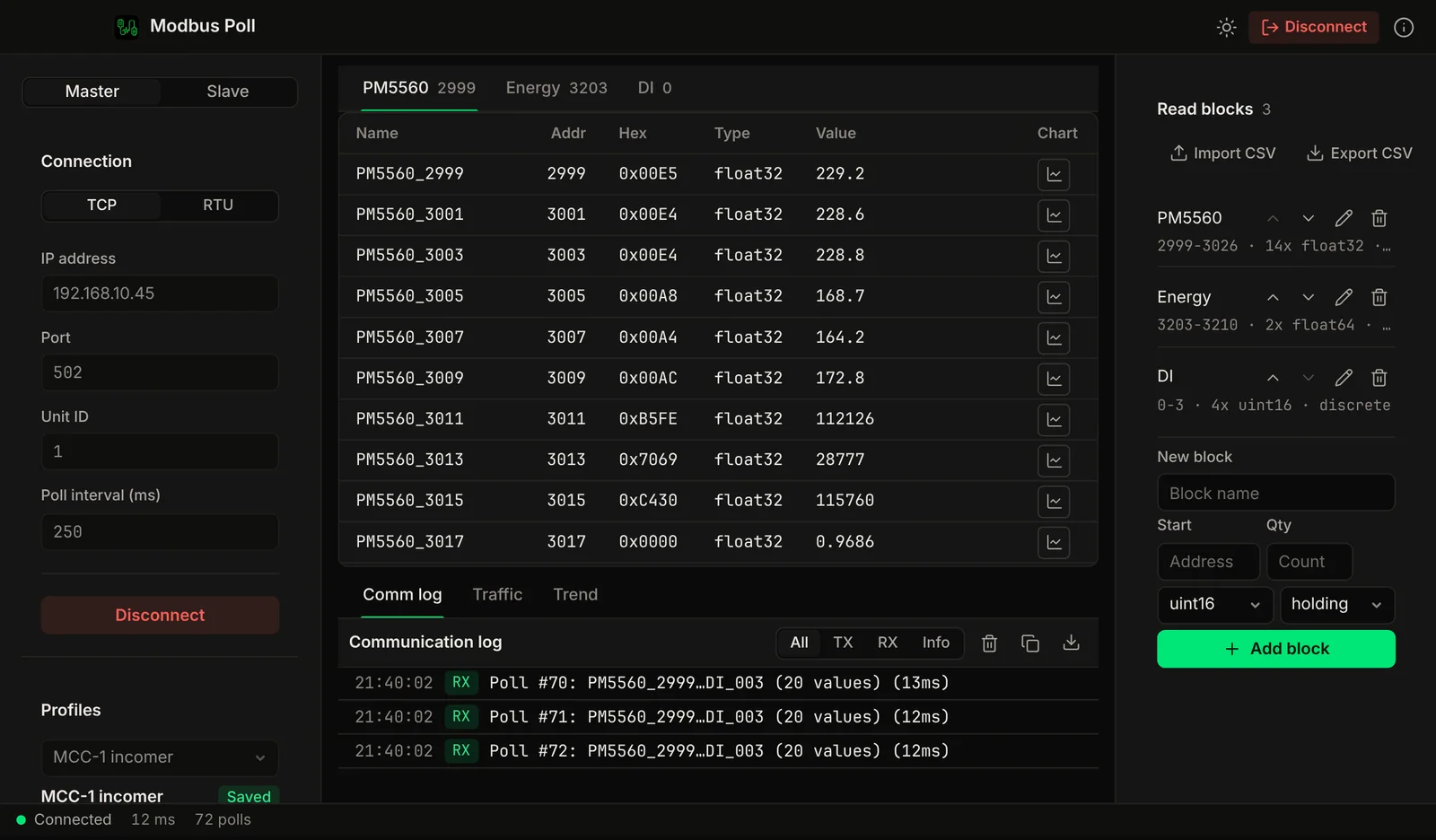
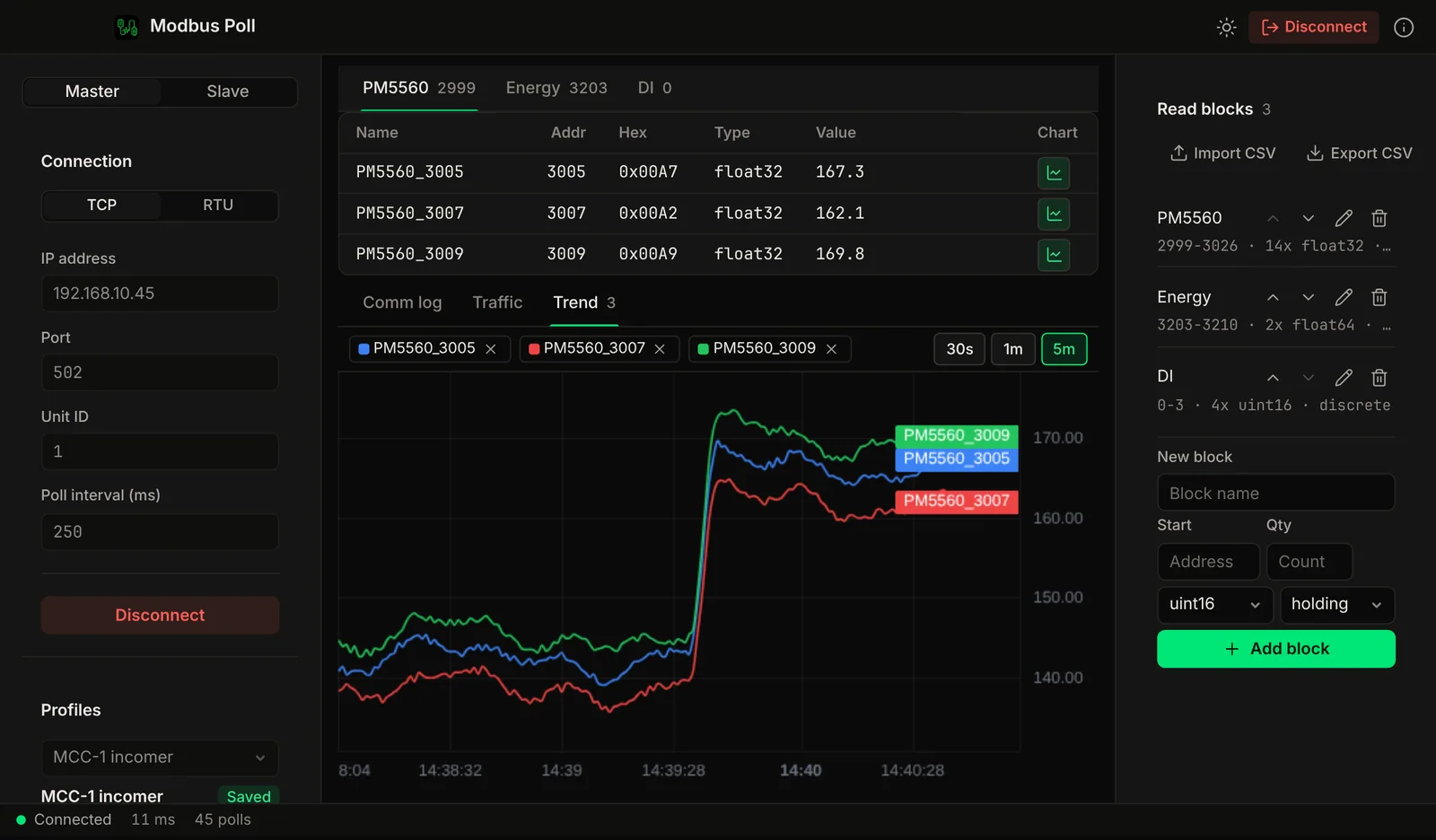
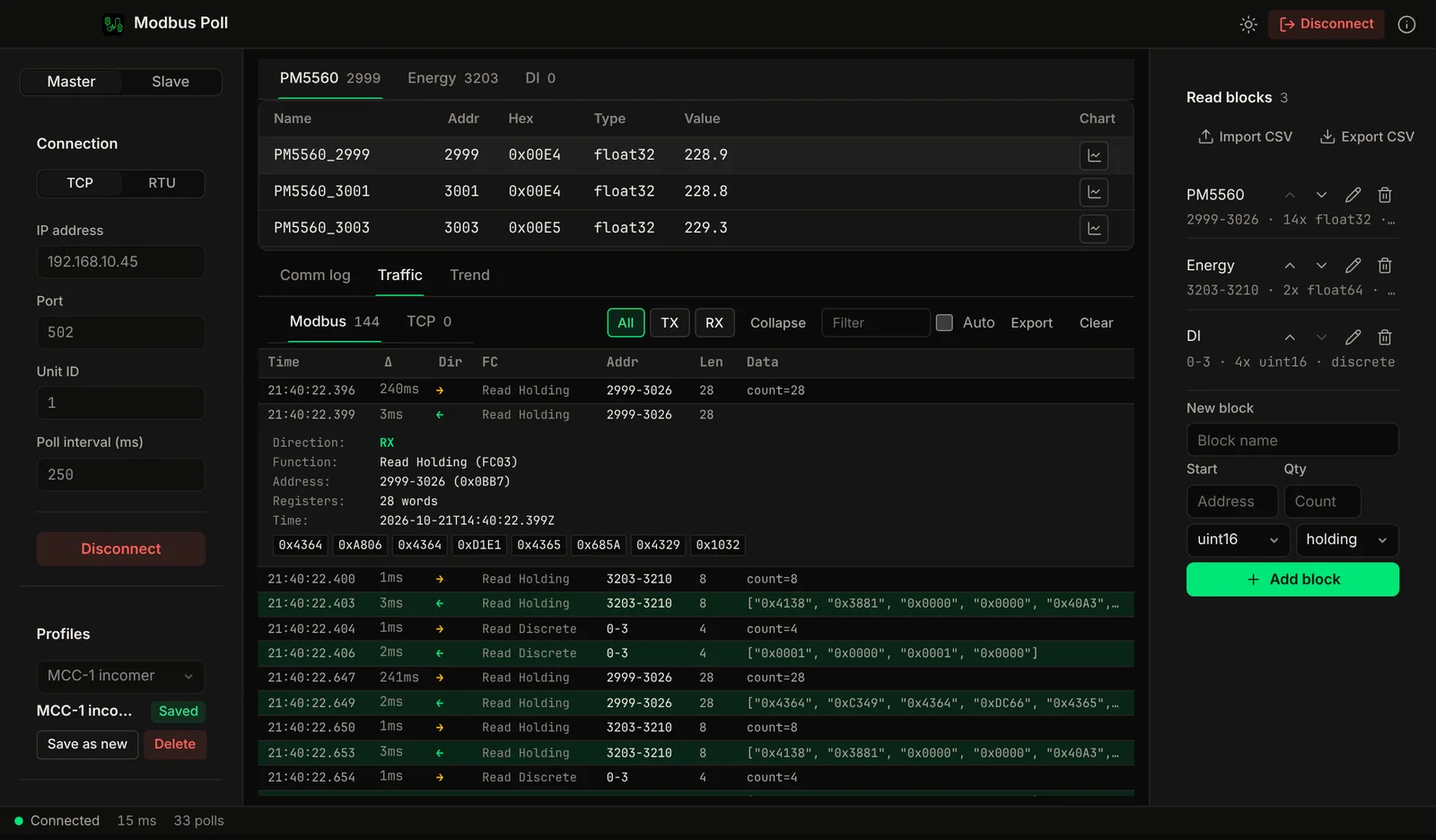
For engineers who test Modbus from a Windows laptop.
Commissioning engineers, system integrators, panel builders and firmware developers. You need to read a register, write a coil, or stand in for a slave device that is not on the bench yet, and you want one small tool to do it.
Read the Modbus basics and the addressing guide if register numbers are new to you.
- Modbus TCP master: poll coils, discrete inputs, holding registers and input registers.
- Function codes FC01 to FC06, FC15 and FC16, with writes for coils and registers. Pro
- Register map with 16-bit, 32-bit and float values and a choice of word order.
- Modbus RTU over serial ports with bus scan and auto-detect. Pro
- Slave simulator with device templates, so your SCADA or HMI has something to poll. Pro
- Live trends of registers over time. Pro
- Network scan, several connections in tabs, CSV value logging, traffic log export, CSV import and export of blocks. Pro
Free to use. Pro is $19.99, once.
The free version is the same open source app (GPL-3.0, source on GitHub). Pro unlocks the 11 features below with a key you enter in the app. One key covers one computer. There is no subscription.
Bought the Mac licence on voltrus.id? Use the same key on Windows. One device at a time; move it any time from your console. Purchases made in the Mac App Store have no key we can check, so they are separate.
Free
Read values over Modbus TCP, with these limits:
- Up to 20 polled values
- 1 saved connection profile
- 1 open connection
Pro for Windows, $19.99 one-time
Everything in Free with the limits removed, plus:
- Write registers and coils
- Poll more than 20 values
- Slave simulator with device templates
- Modbus RTU over serial, with bus scan and auto-detect
- Live trends
- Network scan
- Several connections in tabs
- CSV value logging
- Multiple saved profiles
- Traffic log export
- CSV import and export of blocks
Card payment through Polar. Your key appears in the Voltrus Console after checkout. The app activates it online once.
Download Modbus Poll for Windows
Windows 10 or 11, 64-bit. Pick the installer, or the portable zip if you cannot or do not want to install anything.
Windows ARM64
Windows on Arm devices, for example Snapdragon laptops.
Install, and what SmartScreen will say.
We have no code-signing certificate yet, so Windows SmartScreen shows "Windows protected your PC" for new unsigned installers. The warning is about the missing signature and a file with little download history. Checking the SHA256 confirms you have the exact file we published.
- Download the right file.Use x64 for Intel and AMD PCs. Use ARM64 only on Windows on Arm devices (Settings, System, About, System type says "ARM-based processor").
- Check the SHA256 (optional).In PowerShell, run the command below and compare the result with the matching line in SHA256SUMS.txt.
Get-FileHash .\Modbus-Poll-1.3.6-windows-x64-setup.exe -Algorithm SHA256 - Run the installer.SmartScreen opens "Windows protected your PC". Click More info, then Run anyway.
- Let it finish.The app uses the WebView2 runtime. It is preinstalled on Windows 11 and current Windows 10. The installer downloads it if it is missing.
- Or use the portable zip.Unzip it anywhere and start
Modbus Poll.exe. No install is needed. SmartScreen can show the same warning for the exe. - Enter your Pro key (optional).Open Info, or the Pro prompt, and paste your key. The app activates it online. After that it works offline, and checks the licence when it starts and the PC is online.
What Windows Modbus tools cost.
List prices in USD, checked in October 2026. The tools differ in features, so compare what you need before you decide.
Sources: modbustools.com/order.html and simplymodbus.ca/purchase.html. Vendors change prices, so check their pages.
Questions about the Windows version
Is the installer signed?
No. We do not have a code-signing certificate yet, so Windows SmartScreen shows "Windows protected your PC" the first time you run the installer. Click More info, then Run anyway. To check the file you downloaded, compare its SHA256 with SHA256SUMS.txt on the release page. The source code is public on GitHub.
Where do I find my Pro key?
After you pay, sign in to the Voltrus Console at console.voltrus.id with the email you used at checkout. Your key is there, in the format VLT-XXXXX-XXXXX-XXXXX. In the app, open Info (or the Pro prompt) and paste the key.
Does it work offline?
Yes, after one step. The app contacts our license server to activate your key. After that it works offline. When the PC is online, the app checks at launch that the licence is still active on this PC, and Pro locks if it was moved to another device or refunded. Polling a device on your own network or serial port never needs the internet.
How many computers can use one key?
One key works on one device at a time, across Mac and Windows. To use it on a new PC, choose "Move licence here" in the app when it says the key is already in use, or sign in at console.voltrus.id, open the Licenses page and choose "Deactivate old device", then activate on the new PC. The old PC loses Pro the next time it is online and the app starts. A PC that stays offline keeps Pro until then. If anything fails, write to [email protected].
Can I get a refund?
Yes. Our refund policy for one-time licenses is a full refund within 14 days of purchase, no reason needed. When the refund is issued, the key is revoked in the console. A PC that stays offline keeps working after a refund until it next goes online and the app starts, because the app can only check the licence online. Card payments are processed by Polar and refunded to the original card. Email [email protected] to ask.
I already bought the Mac version. Does that key work on Windows?
If you bought the Mac licence on voltrus.id, yes. Enter the same key (it starts with VOLTRUS-MODBUS) in the Windows app. It is one licence for one device at a time: to switch between your Mac and a Windows PC, move it from the app or from the Licenses page in your console. Purchases made in the Mac App Store have no key we can check, so they are separate. A Windows key does not unlock the Mac app.
What can I do without paying?
The free version reads values over Modbus TCP with up to 20 polled values, one saved connection profile and one open connection. Writing, the slave simulator, Modbus RTU over serial, trends and the other Pro features need the Pro key.
What does it need to run?
Windows 10 or 11, 64-bit (x64 or ARM64). The app uses the Microsoft WebView2 runtime, which is preinstalled on Windows 11 and current Windows 10. The installer downloads it if it is missing. The portable zip needs no install.
More on refunds in the refund policy. Questions: support.
Try it free, unlock Pro for $19.99.
Download the installer, poll a device, and buy the key only if you need what Pro adds.
Using a Mac? See Modbus Poll for Mac. Bought the Mac licence on voltrus.id? Use the same key on Windows. One device at a time; move it any time from your console.