Factory Layout Software: Simulate the Line Before You Move a Single Machine
Relocating a machine is one of the most expensive experiments a plant can run. The riggers quote by the hour, production loses the station for a shift, and the payoff is a guess: maybe the new layout flows better, maybe you just moved the queue from one aisle to another. Good factory layout software exists to make that experiment cheap — to let you move the machine in a model first, watch the numbers, and only then commit to the floor. Voltrus Factory is built around exactly that loop.
What a Plant Layout Tool Owe You
Plenty of tools will draw your plant. A drawing is where layout planning starts, not where it finishes. A plant layout tool worth using answers four questions about the layout it shows you:
- How much will it make? Throughput per chain, in parts per minute, from the cycle times and distances you actually laid out.
- Where is the constraint? Not a suspicion — a highlight on the specific station limiting the chain.
- What does the waste cost? Transport, inventory, motion, waiting — the muda your layout is baking in, priced as it happens.
- Can people work in it? Is the floor sortable, is material within reach, can an operator walk the line and understand the flow?
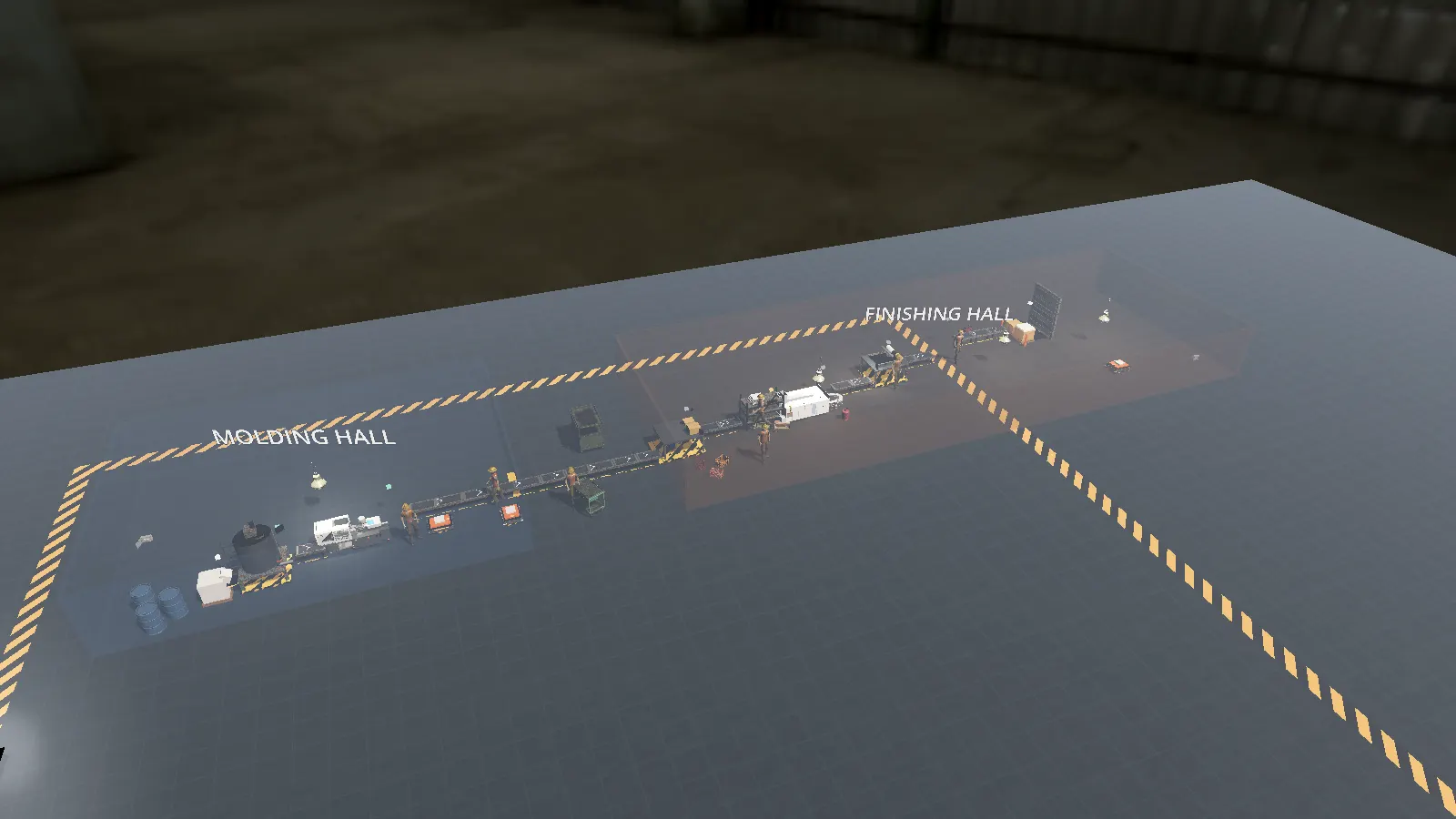
That last question is why Voltrus Factory is 3D and walkable, not a 2D diagram. You place machines, conveyors, and sinks on a grid, drag-lay belts along the aisles, and then step into the floor — first or third person, in PPE — and review the layout the way a supervisor would.
Production Flow Simulation, Deterministically
The core of Voltrus Factory is a deterministic discrete-event simulation. Same layout and same orders produce the same outcome, every run — there is no hidden randomness smoothing over a design flaw. That matters for layout work: when you compare two arrangements of the same line, the difference in the forecast is the difference in the layouts, not the luck of the run.
As the sim runs, the production-flow panel keeps the wiring honest. Every source-to-sink chain is listed with its status: OK, unwired, or dead-end. An output that nobody pinned anywhere pulses red on the floor itself, marked with directional chevrons and arrow strips so you can read the flow from across the hall. Most real-world layout surprises are exactly this — a machine whose output has nowhere to go — and the sim surfaces them in the first minute instead of the first month.
Find the Bottleneck, Then Move It on Purpose
The per-chain throughput forecast highlights the bottleneck in parts per minute. Rebalance the line — add a parallel machine, shorten a conveyor run, reroute via a transporter — and the constraint moves. Watching it move is the kaizen loop in miniature: you stop treating "the slow machine" as a fact of life and start treating the constraint as a design decision.
This is also where the transport decision stops being an opinion. Voltrus Factory lets you compare an AGV fleet, fixed conveyors, and manual transport on the same layout, with the investment math side by side. A conveyor that looked cheap on the drawing often loses to a routing pin once you see what its fixed path costs the rest of the flow.
Learn the Method in the Sandbox
Because the same sim powers the browser sandbox at factory.voltrus.id, you can try the workflow with nothing installed. The industry campaigns — discrete assembly, injection molding, dairy, chemical, food, and BOPP film — give each session a budget, a target, and a clock, which is a surprisingly honest proxy for a real capex meeting. If you want the theory behind two of the scoring systems, we cover the 7 wastes of lean manufacturing and how a digital factory scores 5S in separate posts.
And when a simulated line starts resembling your real one, the same vocabulary carries across: the bottleneck analysis method you rehearsed in the model is the one you run on the floor, with a MES supplying the data. The point of factory layout software you can walk through is that the model and the floor stop speaking different languages.
Frequently Asked Questions
Do I need CAD experience to use it?
No. Placement is grid-based — machines, conveyors, and sinks snap into place, and belts are drag-laid. CAD tools produce geometry; Voltrus Factory produces a forecast. If you can sketch a line on a whiteboard, you can build it.
How accurate is the throughput forecast?
The forecast is exact for the model: the sim is deterministic and discrete-event, so the parts-per-minute number is what the layout, cycle times, and transport choices mathematically produce. Its real-world accuracy depends on feeding it realistic cycle times and manning — the same discipline any simulation study requires.
Does it run offline?
Yes. The Windows and Linux desktop builds run the full editor, simulator, and campaigns locally with no connection. The browser sandbox also runs in the page, no install.
Try the Layout Before the Forklift
Voltrus Factory is free during beta. Download the desktop build or open the browser sandbox and ship your first simulated order book today.
See Voltrus Factory